

如要使用 Apigee Hybrid,您必須在 Google Cloud 控制台中為專案啟用下列 API:
- Apigee API:在專案與其他混合式服務和 Google Cloud API 之間提供通訊。
- Apigee Connect API:在執行階段層中,提供 Apigee 管理層與 MART 服務之間的通訊。
- Cloud Pub/Sub API:配額運作時需要這項 API。
- Cloud Resource Manager API:用於驗證服務帳戶。
- Compute Engine API:用於叢集管理 (僅限以 GKE 為基礎的叢集)。
- Kubernetes Engine API:如果您打算使用 Google Kubernetes Engine (GKE),或使用 GKE 內部部署 (Anthos) 進行混合式執行階段安裝,請啟用這項 API。
為 Google Cloud 專案啟用必要 API:
您可以使用 CLI 或 Google Cloud 控制台 UI 啟用 API。
Google Cloud 使用者介面
如要透過 UI 啟用 API,請按照下列步驟操作:
- 開啟 Google Cloud console API 程式庫,並使用您在「步驟 1:建立 Google Cloud 帳戶」中建立的帳戶登入。
- 選取您在「步驟 2:建立 Google Cloud 專案」中建立的專案。
- 按照下列步驟啟用 Apigee API:
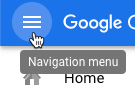
- 如果沒有看到「API 程式庫」頁面,請從「導覽選單」依序選取「API 和服務」>「程式庫」。
- 確認已選取正確的專案。

- 在「API Library」(API 程式庫) 檢視畫面中,搜尋「Apigee」。
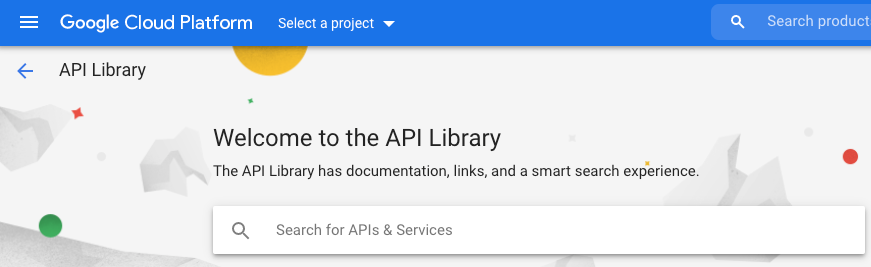
Google Cloud 會顯示符合「Apigee」的 API 清單
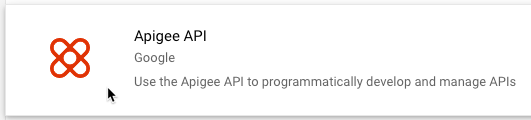
- 找到「Apigee API」服務並點選。
- 在 Apigee API 檢視畫面中,按一下「啟用」。
Google Cloud 會為您的 Google Cloud 專案啟用 Apigee API。如要啟用其他 API,請重複上述步驟。
- 如果沒有看到「API 程式庫」頁面,請從「導覽選單」依序選取「API 和服務」>「程式庫」。
- 啟用 Apigee Connect API。
- 啟用 Cloud Pub/Sub API。
- 啟用 Cloud Resource Manager API。
- (僅限以 GKE 為基礎的叢集) 啟用 Google Kubernetes Engine API。
- (僅限以 GKE 和 OpenShift 為基礎的叢集) 啟用 Compute Engine API。
- (僅限 OpenShift 型叢集) 啟用下列 API:
- Google Cloud API
- Cloud DNS API
- Identity and Access Management (IAM) API
- IAM Service Account Credentials API
- Service Management API
- Service Usage API
- Google Cloud Storage JSON API
- Cloud Storage
- 如要確認您已啟用 API,請依序選取「API 和服務」>「資訊主頁」。您剛才新增的 API 會顯示在已啟用的 API 清單中。
gcloud CLI
如要使用 CLI 啟用 API,請按照下列步驟操作:
- 在用於管理 Apigee 的裝置上開啟終端機視窗。
- 請執行下列指令,確認您已在本機殼層中安裝
gcloud。gcloud工具是 Cloud 的主要指令列介面。gcloud -h如果沒有安裝
gcloud,請安裝 Cloud SDK。 -
請確認您已定義
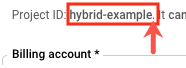
PROJECT_ID變數,並將其設為您在「步驟 2:建立 Google Cloud 專案」中建立的專案 ID:echo $PROJECT_ID
如果不是,請使用下列指令定義
PROJECT_ID環境變數:export PROJECT_ID=your_project_id
- 選取要安裝的項目分頁,查看啟用 API 的指令:
GKE
如果您要在 Google Cloud (GKE) 中執行叢集,請使用下列指令啟用 API:
gcloud services enable \
    apigee.googleapis.com \
    apigeeconnect.googleapis.com \
    cloudresourcemanager.googleapis.com \
    compute.googleapis.com \
    container.googleapis.com \
    pubsub.googleapis.com --project $PROJECT_ID
OpenShift
如果您要在 OpenShift 上執行叢集,請使用下列指令啟用 API:
gcloud services enable \
    apigee.googleapis.com \
    apigeeconnect.googleapis.com \
    cloudapis.googleapis.com \
    cloudresourcemanager.googleapis.com \
    compute.googleapis.com \
    dns.googleapis.com \
    iam.googleapis.com \
    iamcredentials.googleapis.com \
    pubsub.googleapis.com  --project $PROJECT_ID
    servicemanagement.googleapis.com \
    serviceusage.googleapis.com \
    storage-api.googleapis.com \
    storage-component.googleapis.com  --project $PROJECT_ID
其他平台
如果您要在其他 Kubernetes 平台 (例如
- GKE On-Prem
- 裸機中的 Anthos
- AKS
- GKE on AWS
- EKS
gcloud services enable \ apigee.googleapis.com \ apigeeconnect.googleapis.com \ cloudresourcemanager.googleapis.com \ pubsub.googleapis.com --project $PROJECT_ID -
使用下列指令確認所有 API 是否已啟用:
gcloud services list --project $PROJECT_ID
輸出內容應包含您剛啟用的所有 API,如以下範例所示:
NAME                                 TITLE
apigee.googleapis.com                Apigee API
apigeeconnect.googleapis.com         Apigee Connect API
bigquery.googleapis.com              BigQuery API
bigquery.googleapis.com              BigQuery API
bigquerystorage.googleapis.com       BigQuery Storage API
cloudapis.googleapis.com             Google Cloud APIs
clouddebugger.googleapis.com         Cloud Debugger API
cloudresourcemanager.googleapis.com  Cloud Resource Manager API
cloudtrace.googleapis.com            Cloud Trace API
compute.googleapis.com               Compute Engine API
container.googleapis.com             Kubernetes Engine API
containeranalysis.googleapis.com     Container Analysis API
containerregistry.googleapis.com     Container Registry API
datastore.googleapis.com             Cloud Datastore API
iam.googleapis.com                   Identity and Access Management (IAM) API
iamcredentials.googleapis.com        IAM Service Account Credentials API
logging.googleapis.com               Cloud Logging API
monitoring.googleapis.com            Cloud Monitoring API
oslogin.googleapis.com               Cloud OS Login API
pubsub.googleapis.com                Cloud Pub/Sub API
servicemanagement.googleapis.com     Service Management API
serviceusage.googleapis.com          Service Usage API
sql-component.googleapis.com         Cloud SQL
storage-api.googleapis.com           Google Cloud Storage JSON API
storage-component.googleapis.com     Cloud Storage
如要進一步瞭解如何在 Google Cloud 控制台中啟用 API,請參閱 Cloud 說明文件中的「在 Google Cloud 專案中啟用 API」一文。
1 2 3 (下一步) 步驟 4:建立機構 5