


本頁面是指欄位中的
description參數。
description也可做為「探索」的一部分,詳情請參閱「description(適用於探索)」參數說明文件頁面。
description也可做為資訊主頁的一部分,詳情請參閱「資訊主頁參數」說明文件頁面。
用量
view: view_name {
  dimension: field_name {
    description: "description string"
  }
}
|
階層
description |
可能的欄位類型
維度、維度群組、指標、篩選器、參數
接受
一個字串
|
定義
你可以為任何欄位新增說明。如果是 BigQuery 連線,當您從資料庫產生 LookML 專案時,Looker 會自動填入欄位說明,並使用 BigQuery 欄中繼資料中的說明 (如有)。
使用者可以在多個位置查看欄位說明。
舉例來說,如果維度是使用下列 LookML 定義:
dimension: id {
  primary_key: yes
  description: "Unique ID for the order"
  type: string
  sql: ${TABLE}.id ;;
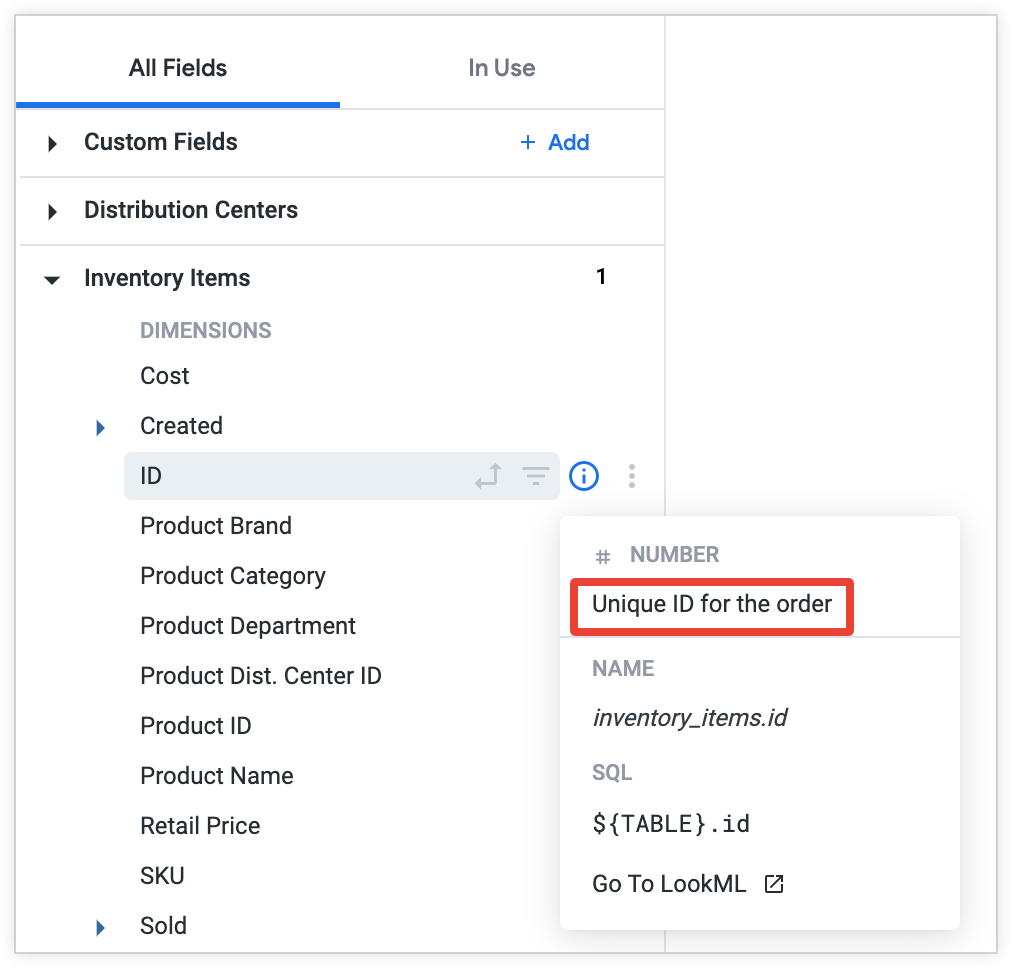
使用者在欄位挑選器中選取欄位名稱右側的資訊圖示時,Looker 會顯示說明。
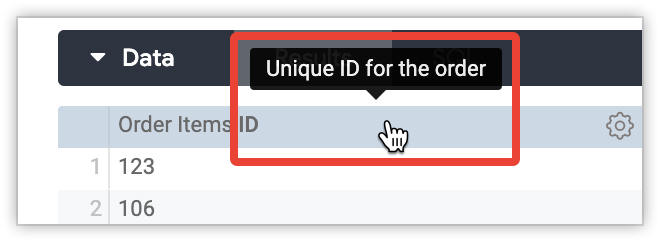
此外,使用者在探索、資訊主頁或 Look 中,將游標懸停在資料表或資料表圖表中的資料欄名稱上時,Looker 也會顯示說明。
在 description 參數中使用 Liquid 變數
您可以在欄位中使用 description 參數搭配液體變數。舉例來說,如果想讓 Looker 根據使用者屬性,或根據執行查詢的「探索」顯示不同的欄位說明,這項功能就非常實用。
舉例來說,如果您希望欄位的說明因查詢執行的「探索」而異,可以在 Liquid {% if %}{% else %} {% endif %} 結構中,使用 Liquid 變數 _explore._name:
dimension: user_id {
  description:
   "{% if _explore._name == 'order_items' %}
      The user ID for the Order Items Explore
    {% elsif _explore._name == 'inventory_items' %}
      The user ID for the Inventory Items Explore
    {% else %}
      The user ID
    {% endif %}"
}
在本例中,如果在「Order Items」探索中執行查詢,「User ID」維度的說明會是「The user ID for the Order Items Explore」。在「商品目錄項目」探索中,說明會是「商品目錄項目探索的使用者 ID」。在其他「探索」中,系統會顯示「使用者 ID」說明。
再舉一個例子,假設您想根據使用者所屬部門,向不同使用者顯示不同說明。如果您已定義名為「Department」使用者屬性,可以在 Liquid {% if %} {% else %}{% endif %} 結構中使用 Liquid 變數 _user_attributes['name_of_attribute'],根據「Department」使用者屬性的值指定不同說明:
dimension: gross_margin {
  description:
   "{% if _user_attributes['department'] == 'Marketing' %}
      The standard margin for a field
    {% elsif _user_attributes['department'] == 'Sales' %}
      The operating margin for a field
    {% else %} The gross margin for a field {% endif %}"
  type: number
  value_format_name: usd
  sql: ${sale_price} - ${inventory_items.cost} ;;
}
在本例中,系統會根據使用者所屬的團隊 (行銷、銷售或其他團隊),顯示不同的「毛利率」維度說明。
您可以搭配 description 參數使用 Liquid 變數,例如 _model._name、_view._name、_explore._name、_field._name 和 _user_attributes['name_of_attribute']。如要進一步瞭解如何搭配 LookML 使用 Liquid 參數,以及哪些 Liquid 變數可搭配 description 參數使用,請參閱「Liquid 變數參考資料」說明文件頁面。
注意事項
每個維度群組只會顯示一次說明
如果是維度群組,Looker 只會顯示整個群組的說明,不會顯示群組中每個時間範圍維度的說明。