

This documentation page describes how to use Gemini in Looker to generate Quick Start analyses for an Explore.
Gemini in Looker provides generative AI-powered assistance to help you work with your data.
Learn how and when Gemini for Google Cloud uses your data.
Before you begin
To use Gemini in Looker to generate Quick Start analyses, note the following requirements:
- Gemini in Looker must be enabled for your Looker instance:
- For Looker (original), the instance must be running Looker 25.2 or later, and the instance must be enabled for Gemini in Looker in the Admin settings. For detailed enablement instructions, see the Admin settings — Gemini in Looker documentation page.
- For Looker (Google Cloud core), the instance must be enabled for Gemini in Looker in the Google Cloud console. For detailed enablement instructions, see the Administer Gemini on your Looker (Google Cloud core) instance documentation page.
- The AI-Assisted Quick Starts Trusted Tester Features option must be enabled:
- For Looker (original), enable the AI-Assisted Quick Starts option on the Platform > Gemini in Looker panel in the Looker Admin settings.
- For Looker (Google Cloud core), enable the AI-Assisted Quick Starts option in the Google Cloud console.
- You must be assigned a Looker role that contains the
developpermission for at least one model in a LookML project. - You must be assigned the Looker Gemini role.
Generating Quick Start analyses
When generated Quick Start analyses are enabled, and you select an Explore that doesn't contain modeled queries, Gemini in Looker can generate them from the Looker Explore interface.
Generating Quick Start analyses from a classic Explore
If you're using the classic Explore experience, when you select an Explore from the Explore menu that doesn't already have Quick Start analyses defined, Gemini in Looker will give you an option to Try AI Quick Starts. Click Add, and Gemini will analyze the Explore and generate Quick Start analyses.
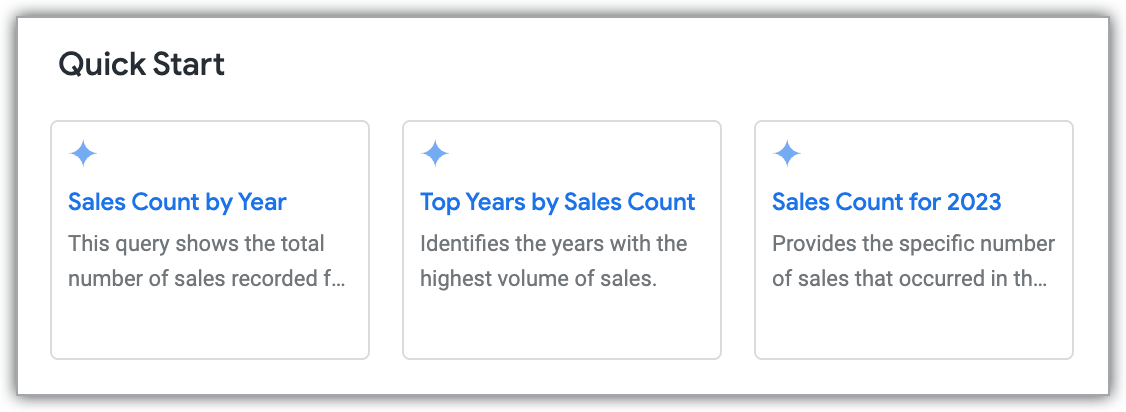
When you're editing an Explore, you can also generate new Quick Start analyses by clicking the Quick Start button next to the Explore name.
Generating Quick Start analyses from the new Explore experience
If you're using the new Explore experience, when you select an Explore from the Explore menu, click the Browse quick starts card. If the Explore doesn't already have Quick Start analyses defined, Gemini in Looker will analyze the Explore and generate Quick Start analyses.
You can also generate Quick Start analyses any time by clicking the Quick Start button.
Running a Quick Start analysis
After generating Quick Start analyses, click the analysis card that you want to Explore. The query will automatically run and display results, including the visualization.
Once the Quick Start analysis has finished running, you can modify it like any other Explore.