


借助受控自定义,您可以根据源图片或源图片信号(Canny 边缘或涂鸦)创建新图片。本页面介绍了如何发送两种类型的受控自定义请求:
Imagen 3 受控自定义(正式版功能)
Imagen 2 受控自定义 - Canny 边缘或涂鸦源图片信号(预览版功能)
以下模型支持受控自定义:
使用场景
Imagen 3 受控自定义功能可提供自由式提示,这可能会让您觉得模型能完成的任务比训练时学到的更多。以下部分介绍了 Imagen 3 受控自定义功能的应用场景和示例。
该模型已针对我们提供的应用场景进行了训练,因此,当您使用 Imagen 3 受控自定义功能时,可以期待获得良好的结果。如果您让模型以意想不到的方式回答问题,我们不保证能获得理想的结果。
预期应用场景示例
以下是 Imagen 3 受控自定义功能经过训练,可生成理想结果的应用场景:
生成符合提示和 Canny 边缘控制图片的图片。
生成图片,使其符合提示和涂鸦图片。
对人像照片进行风格化处理,同时保留面部表情。
非预期应用场景示例
以下应用场景是 Imagen 3 受控自定义功能未进行针对性训练,可能无法生成理想结果的应用场景:
使用提示中指定的风格生成图片。
根据文本生成图片,且该图片采用通过参考图片提供的特定风格,同时使用控制图片对图片构图进行一定程度的控制。
根据文本生成图片,且该图片采用通过参考图片提供的特定风格,并使用控制涂鸦对图片构图进行一定程度的控制。
根据文本生成图片,且该图片采用通过参考图片提供的特定风格,同时使用控制图片对图片构图进行一定程度的控制。图片中的人物具有特定的面部表情。
对包含两个或更多人物的照片进行风格化处理,并保留其面部表情。
对宠物照片进行风格化处理并将其转换为绘画。保留或指定图片的构图(例如水彩画)。
准备工作
- 登录您的 Google Cloud 账号。如果您是 Google Cloud新手,请 创建一个账号来评估我们的产品在实际场景中的表现。新客户还可获享 $300 赠金,用于运行、测试和部署工作负载。
-
In the Google Cloud console, on the project selector page, select or create a Google Cloud project.
Roles required to select or create a project
- Select a project: Selecting a project doesn't require a specific IAM role—you can select any project that you've been granted a role on.
-
Create a project: To create a project, you need the Project Creator role
(
roles/resourcemanager.projectCreator), which contains theresourcemanager.projects.createpermission. Learn how to grant roles.
-
Verify that billing is enabled for your Google Cloud project.
Enable the Vertex AI API, if it is not already enabled.
Roles required to enable APIs
To enable APIs, you need the
serviceusage.services.enablepermission. If you created the project, then you likely already have this permission through the Owner role (roles/owner). Otherwise, you can get this permission through the Service Usage Admin role (roles/serviceusage.serviceUsageAdmin). Learn how to grant roles.-
In the Google Cloud console, on the project selector page, select or create a Google Cloud project.
Roles required to select or create a project
- Select a project: Selecting a project doesn't require a specific IAM role—you can select any project that you've been granted a role on.
-
Create a project: To create a project, you need the Project Creator role
(
roles/resourcemanager.projectCreator), which contains theresourcemanager.projects.createpermission. Learn how to grant roles.
-
Verify that billing is enabled for your Google Cloud project.
Enable the Vertex AI API, if it is not already enabled.
Roles required to enable APIs
To enable APIs, you need the
serviceusage.services.enablepermission. If you created the project, then you likely already have this permission through the Owner role (roles/owner). Otherwise, you can get this permission through the Service Usage Admin role (roles/serviceusage.serviceUsageAdmin). Learn how to grant roles.-
为您的环境设置身份验证。
选择标签页以了解您打算如何使用本页面上的示例:
控制台
当您使用 Google Cloud 控制台访问 Google Cloud 服务和 API 时,无需设置身份验证。
REST
如需在本地开发环境中使用本页面上的 REST API 示例,请使用您提供给 gcloud CLI 的凭证。
安装 Google Cloud CLI。
如果您使用的是外部身份提供方 (IdP),则必须先使用联合身份登录 gcloud CLI。
如需了解详情,请参阅 Google Cloud 身份验证文档中的使用 REST 时进行身份验证。
自定义提示撰写
与 Imagen 3 自定义结合使用的提示可能会影响生成的图片的质量。您可以从以下提示模板入手,撰写自定义提示。您可能需要发送多个请求才能获得所需的输出。
| 使用场景 | 参考图片 | 提示模板 | 示例 |
|---|---|---|---|
| 受控自定义 | 涂鸦地图 (1) | Generate an image that aligns with the scribble map [1] to match the description: ${STYLE_PROMPT} ${PROMPT}. | Generate an image that aligns with the scribble map [1] to match the description: The image should be in the style of an impressionistic oil painting with relaxed brushstrokes. It possesses a naturally-lit ambience and noticeable brushstrokes. A side-view of a car. The car is parked on a wet, reflective road surface, with city lights reflecting in the puddles. |
| 受控自定义 | Canny 控制图片 (1) | Generate an image aligning with the edge map [1] to match the description: ${STYLE_PROMPT} ${PROMPT} | Generate an image aligning with the edge map [1] to match the description: The image should be in the style of an impressionistic oil painting, with relaxed brushstrokes. It posses a naturally-lit ambience and noticeable brushstrokes. A side-view of a car. The car is parked on a wet, reflective road surface, with city lights reflecting in the puddles. |
| 使用FaceMesh输入的人物图片风格化处理 |
主题图片 (1-3) FaceMesh 控制图片 (1) |
Create an image about SUBJECT_DESCRIPTION [1] in the pose of the CONTROL_IMAGE [2] to match the description: a portrait of SUBJECT_DESCRIPTION [1] ${PROMPT} | Create an image about a woman with short hair [1] in the pose of the control image [2] to match the description: a portrait of a woman with short hair [1] in 3D-cartoon style with a blurred background. A cute and lovely character, with a smiling face, facing the camera, pastel color tone, high quality, 4k, masterpiece, super details, skin texture, texture mapping, soft shadows, soft realistic lighting, vibrant colors |
| 使用FaceMesh输入的人物图片风格化处理 |
主题图片 (1-3) FaceMesh 控制图片 (1) |
Create a ${STYLE_PROMPT} image about SUBJECT_DESCRIPTION [1] in the pose of the CONTROL_IMAGE [2] to match the description: a portrait of SUBJECT_DESCRIPTION [1] ${PROMPT} | Create a 3D-cartoon style image about a woman with short hair [1] in the pose of the control image [2] to match the description: a portrait of a woman with short hair [1] in 3D-cartoon style with a blurred background. A cute and lovely character with a smiling face, facing the camera, pastel color tone, high quality, 4k, masterpiece, super details, skin texture, texture mapping, soft shadows, soft realistic lighting, vibrant colors |
发送 Imagen 3 受控自定义请求
使用以下示例发送 Imagen 3 受控自定义请求:
REST
如需详细了解 Imagen API,请参阅以下内容:
- 方法:
endpoints.predict VisionGenerativeModelInstanceVisionGenerativeModelParamsVisionGenerativeModelResult
在使用任何请求数据之前,请先进行以下替换:
- PROJECT_ID:您的 Google Cloud 项目 ID。
- LOCATION:您的项目的区域。 例如
us-central1、europe-west2或asia-northeast3。如需查看可用区域的列表,请参阅 Vertex AI 上的生成式 AI 位置。使用区域性 API 端点时,端点网址中的区域会决定请求的处理位置,如果发生冲突,系统会忽略资源路径中的LOCATION。 - TEXT_PROMPT:文本提示可用于指导模型生成的图片。如需使用 Imagen 3 受控自定义,请以 [$referenceId] 格式添加您提供的控制参考图片的
referenceId。例如:- Generate an image aligning with the scribble map [1] to match the description: [image description].
- BASE64_CONTROL_IMAGE:基础控制图片(草图)。图片必须指定为 base64 编码的字节字符串。
对于CONTROL_TYPE_SCRIBBLE:预期的涂鸦控制图片具有黑色背景和白色涂鸦线。
对于CONTROL_TYPE_CANNY:预期的 Canny 边缘控制图片具有黑色背景和白色 Canny 边缘。
- CONTROL_TYPE:控制信号的类型。将
CONTROL_TYPE_CANNY用于 Canny 边缘。将CONTROL_TYPE_SCRIBBLE用于涂鸦。 enableControlImageComputation:如果您提供自己的控制图片,请将其设置为false。在这种情况下,B64_BASE_IMAGE应为控制信号图片。如果希望 Imagen 从参考图片计算控制图片,请设置为true。在这种情况下,B64_BASE_IMAGE应为原始 RGB 图片。- IMAGE_COUNT:生成的图片数量。 接受的整数值:1-4。 默认值:4。
HTTP 方法和网址:
POST https://LOCATION-aiplatform.googleapis.com/v1/projects/PROJECT_ID/locations/LOCATION/publishers/google/models/imagen-3.0-capability-001:predict
请求 JSON 正文:
{
  "instances": [
    {
      "prompt": "TEXT_PROMPT",
      "referenceImages": [
        {
          "referenceType": "REFERENCE_TYPE_CONTROL",
          "referenceId": 1,
          "referenceImage": {
            "bytesBase64Encoded": "BASE64_CONTROL_IMAGE"
          },
          "controlImageConfig": {
            "controlType": "CONTROL_TYPE",
            "enableControlImageComputation": false
          }
        }
      ]
    }
  ],
  "parameters": {
    "sampleCount": IMAGE_COUNT
  }
}
如需发送请求,请选择以下方式之一:
curl
将请求正文保存在名为 request.json 的文件中,然后执行以下命令:
curl -X POST \
     -H "Authorization: Bearer $(gcloud auth print-access-token)" \
     -H "Content-Type: application/json; charset=utf-8" \
     -d @request.json \
     "https://LOCATION-aiplatform.googleapis.com/v1/projects/PROJECT_ID/locations/LOCATION/publishers/google/models/imagen-3.0-capability-001:predict"
PowerShell
将请求正文保存在名为 request.json 的文件中,然后执行以下命令:
$cred = gcloud auth print-access-token
$headers = @{ "Authorization" = "Bearer $cred" }

Invoke-WebRequest `
    -Method POST `
    -Headers $headers `
    -ContentType: "application/json; charset=utf-8" `
    -InFile request.json `
    -Uri "https://LOCATION-aiplatform.googleapis.com/v1/projects/PROJECT_ID/locations/LOCATION/publishers/google/models/imagen-3.0-capability-001:predict" | Select-Object -Expand Content
"sampleCount": 2 的请求。响应返回两个预测对象,其中生成的图片字节采用 base64 编码。
{
  "predictions": [
    {
      "bytesBase64Encoded": "BASE64_IMG_BYTES",
      "mimeType": "image/png"
    },
    {
      "mimeType": "image/png",
      "bytesBase64Encoded": "BASE64_IMG_BYTES"
    }
  ]
}
发送 Imagen 2 受控自定义请求
| 输入图片 | 其他参数 | 输出图片 |
|---|---|---|

|
提示:“数字艺术版” 否定提示:“黑白” 指南图片类型:标准 RGB 控制条件:Canny 边缘 Imagen 控制比例:0.95 |
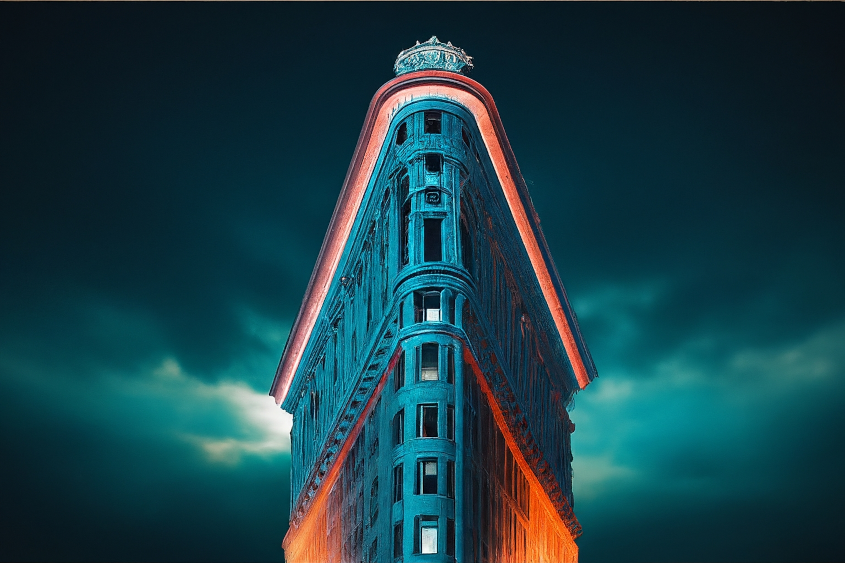
|

(已应用 Canny 边缘检测)。 |
提示:“数字艺术版” 否定提示:“黑白” 指南图片类型:Canny 边缘 Imagen 控制比例:0.95 |
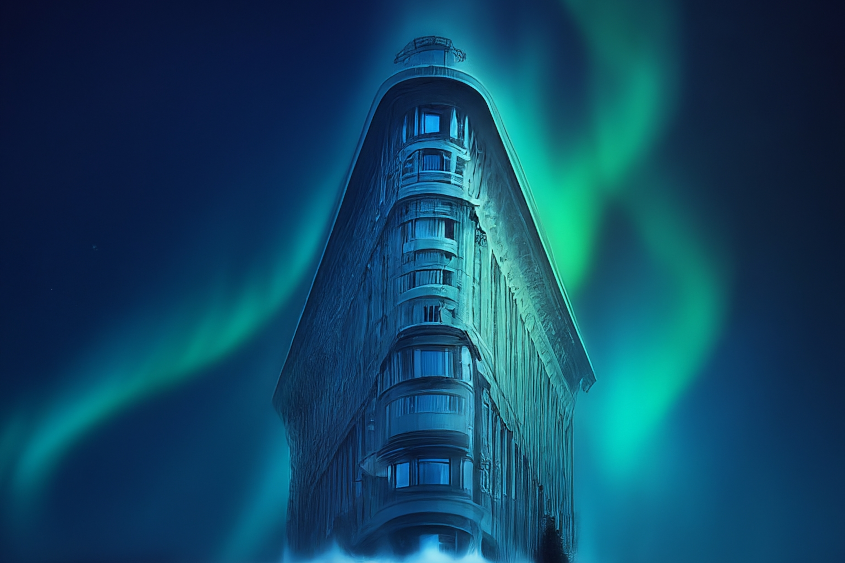
|
使用以下示例发送 Imagen 2 受控自定义请求:
产品使用
如需查看与 Imagen on Vertex AI 关联的使用标准和内容限制,请参阅使用指南。
模型版本
您可以使用多种图片生成模型。如需了解详情,请参阅 Imagen 模型。
后续步骤
阅读有关 Imagen 和其他 Vertex AI 上的生成式 AI 产品的文章:
- Imagen 3 on Vertex AI 开发者入门指南
- 与创作者一起为创作者打造的全新生成式媒体模型和工具
- Gemini 中的新功能:自定义 Gem 以及通过 Imagen 3 改进的图片生成
- Google DeepMind:Imagen 3 - 我们质量最高的文本转图片模型