

You can use SSH to connect to a Managed Service for Apache Spark cluster if SSH access to the cluster is enabled when you create the cluster.
Enable or disable SSH access to a cluster
The ability to use SSH to connect to a cluster
is enabled by default for image versions prior to 3.1 and is disabled by
default for image versions 3.1 and later. The default behavior can be
changed when creating clusters using image versions 2.3.30 and later.
Google Cloud CLI
When creating a cluster with the
gcloud dataproc clusters create
command, pass the --enable-ssh flag to enable SSH access or the
--no-ssh flag to disable SSH access to the cluster.
gcloud dataproc clusters create CLUSTER_NAME \
    --region=REGION \
    --enable-ssh | --no-ssh \
    ... other args
REST API
As part of a
clusters.create
request, set the
IdentityConfig.enableSsh
field to true to enable and false to disable SSH access to the cluster.
Connect to a cluster using SSH
Console
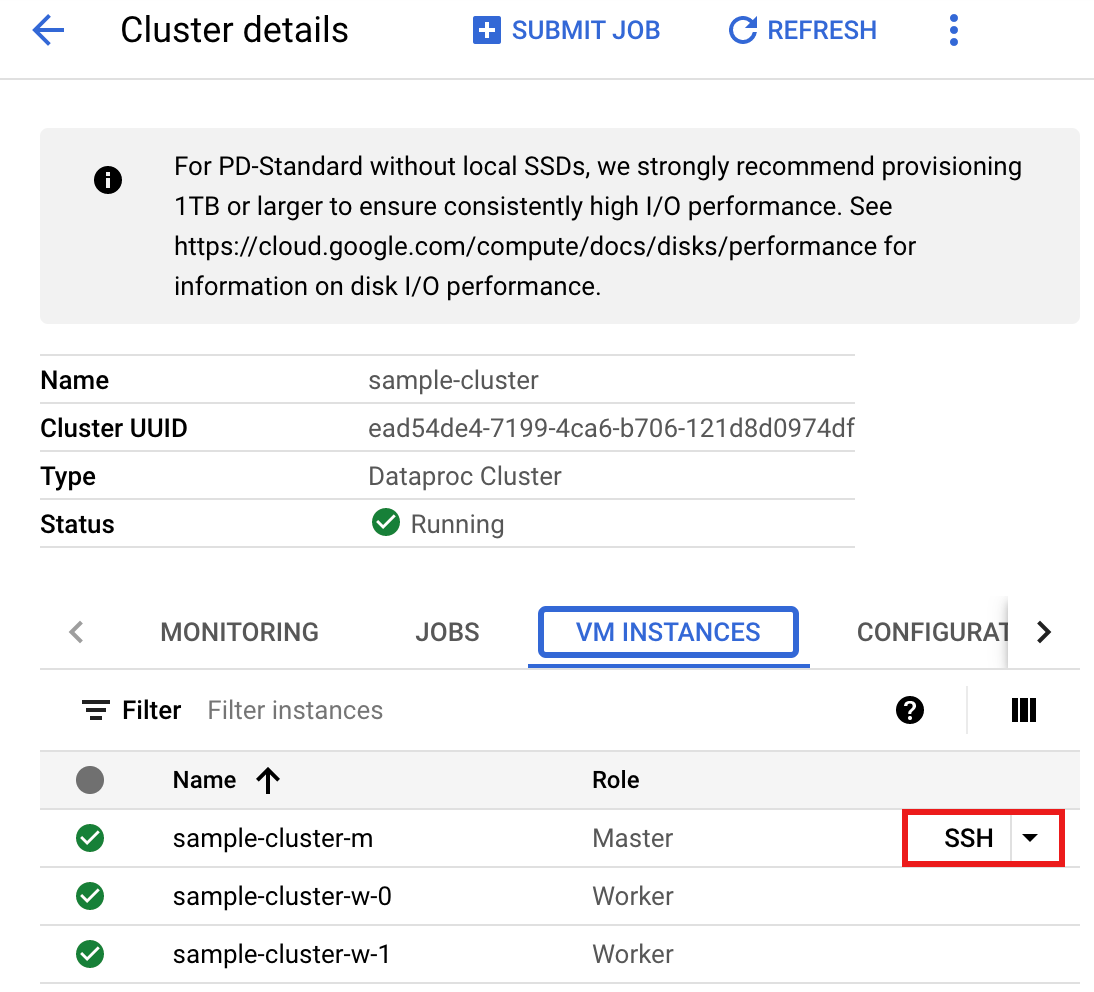
- In the Google Cloud console, go to the VM Instances page.
- In the list of virtual machine instances, click SSH in the row of the
Managed Service for Apache Spark VM instance that you want to connect to.
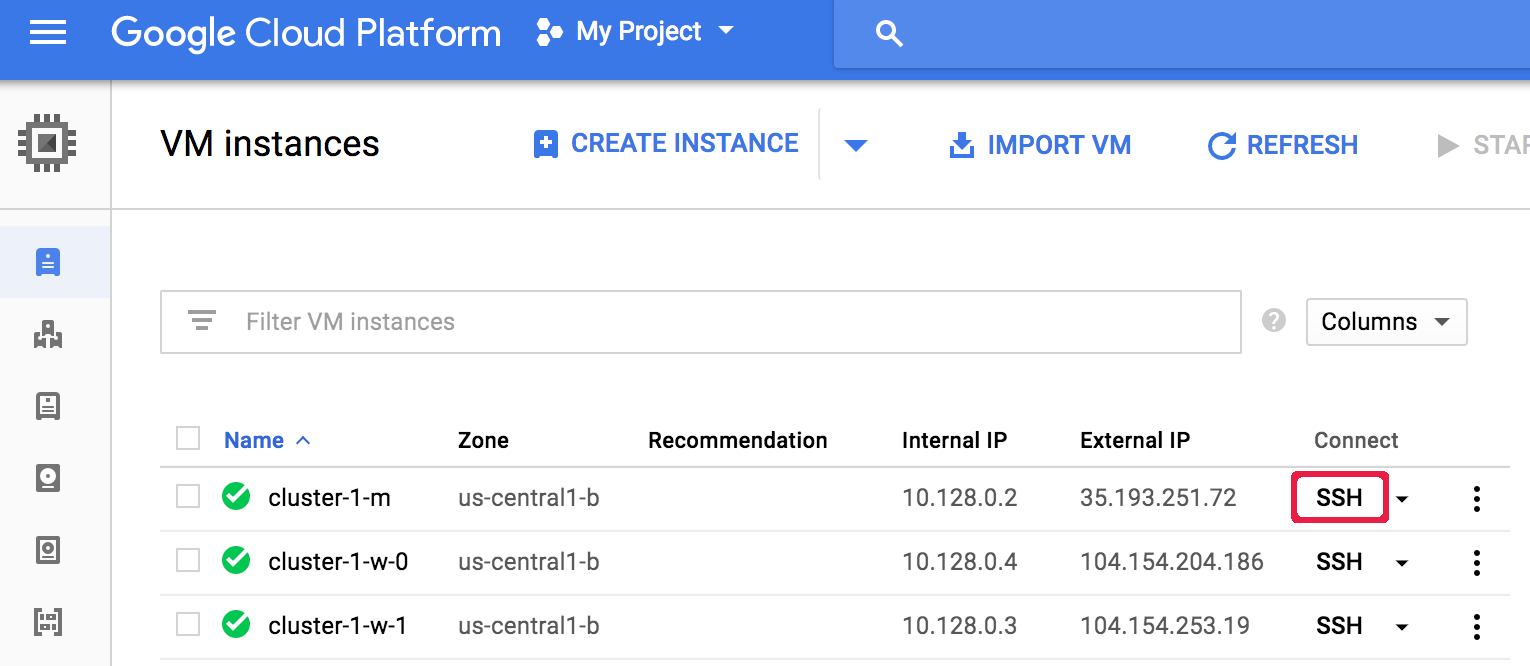
A browser window opens in your home directory on the node.
Connected, host fingerprint: ssh-rsa ...
Linux cluster-1-m 3.16.0-0.bpo.4-amd64 ...
...
user@cluster-1-m:~$
Google Cloud CLI
Run the gcloud compute ssh command in a local terminal window or from Cloud Shell to connect using SSH to a cluster VM node.
gcloud compute ssh VM_NAME\
    --zone=ZONE \
    --project=PROJECT_ID
Example (the default name for the master node is the cluster name followed
by an -m suffix):
gcloud compute ssh cluster-1-m \
  --zone=us-central-1-a \
  --project=my-project-id
...
Linux cluster-1-m 4.9.0-8-amd64 #1 SMP Debian 4.9.110-3+deb9u6...
...
user@cluster-1-m:~$