

In Data Studio, you can manage assets by using either the no-cost version or Data Studio Pro. Understanding how Pro content differs from standard content helps you choose the right options for team workspaces, organization ownership, and administrative controls.
The main differences between Data Studio content and Data Studio Pro content appear in the following areas:
- Access to Pro features
- Content ownership
- Content location and management
Access to Pro features
Data Studio content can use only the features that are available in the no-cost version of the product. Data Studio content can't use Data Studio Pro features.
Data Studio Pro content can include Pro features, such as managing content with team workspaces, multiple delivery schedules, and personal report links. Data Studio Pro users can also access technical support.
Note: Access to technical support requires both a Google Cloud support plan and a Data Studio Pro subscription.
Content ownership
Data Studio content is owned by the person who created that content. If you're using Data Studio in an organization, and the owner of some Data Studio content leaves the org, you may lose access to the content unless the original owner transfers that content to a new, active owner in your organization.
Data Studio Pro content, on the other hand, is owned by your organization. That content will continue to work even if the creator of that content leaves the organization.
Content location and management
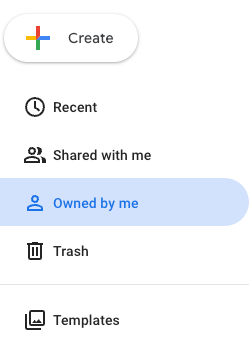
Data Studio content lives in a Google Cloud project that Google administers for you. Data Studio content that you own appears in the Owned by me location in the left navigation panel of the Data Studio user interface. Content that is owned by other people and shared with you appears under Shared with me.
Data Studio Pro content lives in a Google Cloud project that is managed by your organization. Administrators can manage Data Studio Pro using the Google Cloud console and Google Workspace Admin console. Data Studio Pro content that you create appears either in a team workspace or in a Sandbox under that project.

If your administrator has set up a default Pro project, and you have a Pro license on that project, you won't see Owned by me in your left navigation. You can create content only in your Sandbox or in a team workspace.
