


如果建立叢集時已啟用叢集的 SSH 存取權,您可以使用 SSH 連線至 Managed Service for Apache Spark 叢集。
啟用或停用叢集的 SSH 存取權
對於 3.1 之前的映像檔版本,系統預設會啟用透過 SSH 連線至叢集的功能;對於 3.1 以上的映像檔版本,系統預設會停用這項功能。使用 2.3.30 以上版本的映像檔建立叢集時,可以變更預設行為。
Google Cloud CLI
使用 gcloud dataproc clusters create 指令建立叢集時,請傳遞 --enable-ssh 旗標來啟用 SSH 存取權,或傳遞 --no-ssh 旗標來停用叢集的 SSH 存取權。
gcloud dataproc clusters create CLUSTER_NAME \
    --region=REGION \
    --enable-ssh | --no-ssh \
    ... other args
REST API
在 clusters.create
要求中,將 IdentityConfig.enableSsh
欄位設為 true 可啟用叢集的 SSH 存取權,設為 false 則可停用。
使用 SSH 連線至叢集
控制台
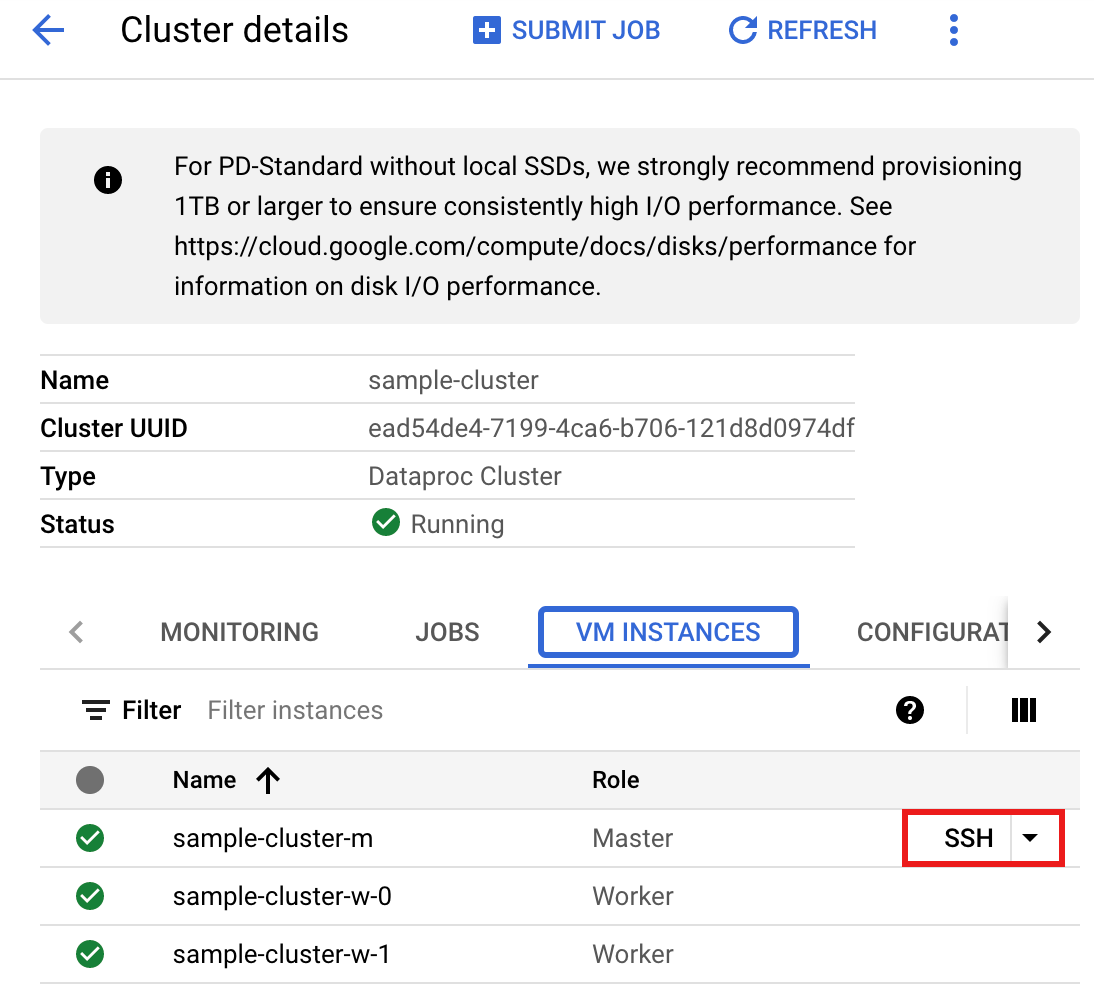
- 前往 Google Cloud 控制台的「VM instances」(VM 執行個體) 頁面。
- 在虛擬機器執行個體清單中,按一下您要連線的 Managed Service for Apache Spark VM 執行個體那一列的「SSH」SSH。
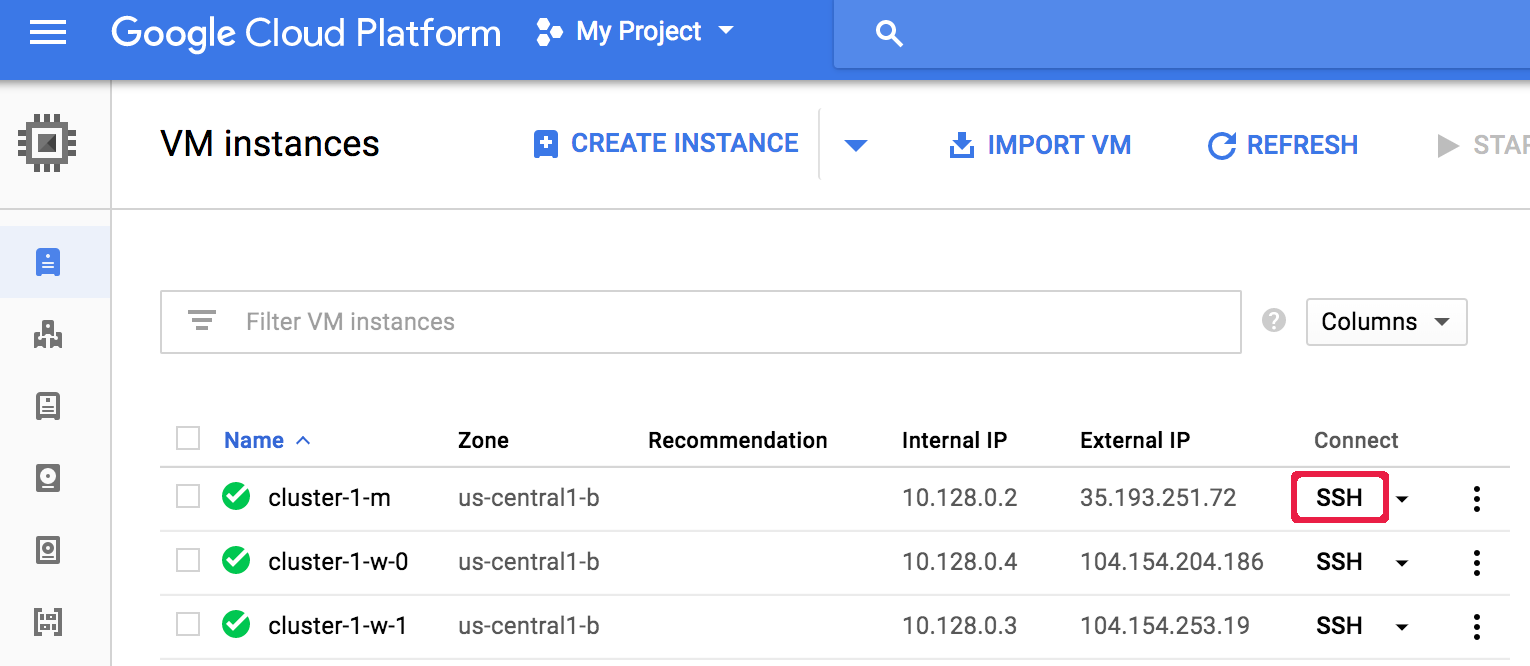
瀏覽器視窗會開啟節點上的主目錄。
Connected, host fingerprint: ssh-rsa ...
Linux cluster-1-m 3.16.0-0.bpo.4-amd64 ...
...
user@cluster-1-m:~$
Google Cloud CLI
在本機終端機視窗或從 Cloud Shell 執行 gcloud compute ssh 指令,以使用 SSH 連線至叢集 VM 節點。
gcloud compute ssh VM_NAME\
    --zone=ZONE \
    --project=PROJECT_ID
範例 (主要節點的預設名稱是叢集名稱加一個 -m 後置字串):
gcloud compute ssh cluster-1-m \
  --zone=us-central-1-a \
  --project=my-project-id
...
Linux cluster-1-m 4.9.0-8-amd64 #1 SMP Debian 4.9.110-3+deb9u6...
...
user@cluster-1-m:~$