


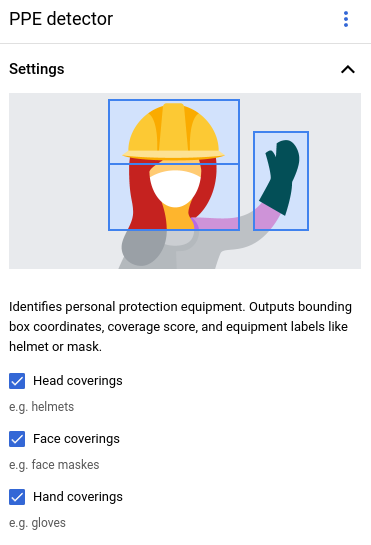
個人防護裝備 (PPE) 偵測器模型可協助您驗證工作場所或社群環境中,是否有可限制暴露於危害的裝備。
模型會偵測特定人員和個人防護裝備 (手套、口罩和安全帽)。模型會偵測 PPE 項目,以及這些項目是否遮蓋住對應的人體部位。模型會將這項涵蓋範圍資訊回報為涵蓋範圍分數,範圍介於 [0, 1]。模型會接受影片串流做為輸入內容。模型會以通訊協定緩衝區的形式輸出偵測結果,您可以在 BigQuery 中查看。模型會以每秒 1 幀的速度執行。
PPE 偵測運算子有三個可設定的控制參數:
- 頭部護具:作業人員會輸出頭部護具相關的個人防護裝備項目資訊。請在 Google Cloud 控制台中設定這個值,或在
PersonalProtectiveEquipmentDetectionConfig中將enableHeadCoverageDetection設為 true。 - 口罩:作業人員會輸出與口罩相關的個人防護裝備項目資訊。請在 Google Cloud 控制台中設定這個值,或在
PersonalProtectiveEquipmentDetectionConfig中將enableFaceCoverageDetection設為 true。 - 手部遮蓋物:作業人員會輸出與手部遮蓋物相關的 PPE 項目資訊。在 Google Cloud 控制台中設定這個值,或在
PersonalProtectiveEquipmentDetectionConfig中將enableHandsCoverageDetection設為 true。
PPE 偵測工具模型應用程式規格
按照下列操作說明,在Google Cloud 控制台中建立 PPE 偵測器模型。
控制台
在 Google Cloud 控制台中建立應用程式
如要建立 PPE 偵測器應用程式,請按照「建構應用程式」中的指示操作。
新增 PPE 偵測工具模型
新增模型節點時,請從預先訓練模型清單中選取「PPE detector」(個人防護裝備偵測器)。
在選項選單中設定要偵測的 PPE 類型。
新增 BigQuery 連接器
如要使用輸出內容,請將應用程式連結至 BigQuery 連接器。
如要瞭解如何使用 BigQuery 連接器,請參閱「連結並將資料儲存至 BigQuery」。如需 BigQuery 定價資訊,請參閱 BigQuery 定價頁面。
在 BigQuery 中查看輸出結果
模型將資料輸出至 BigQuery 後,您可以在 BigQuery 資訊主頁中查看輸出註解。
如果未指定 BigQuery 路徑,您可以在 Agent Platform Vision Studio 頁面中,查看系統建立的路徑。
在 Google Cloud 控制台開啟「BigQuery」頁面。
依序選取目標專案、資料集名稱和應用程式名稱旁的「展開」。
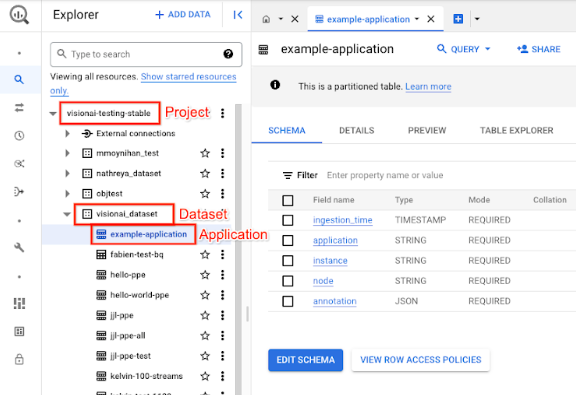
在表格詳細資料檢視畫面中,按一下「預覽」。查看「annotation」(註解) 欄中的結果。如要瞭解輸出格式,請參閱「模型輸出內容」。
應用程式會依時間順序儲存結果。最舊的結果會顯示在表格開頭,最新的結果則會新增至表格結尾。如要查看最新結果,請按一下頁碼,前往最後一個資料表頁面。
模型輸出
模型輸出內容包括時間戳記、偵測框、與方框對應的物件標籤,以及該物件的可信度分數。輸出串流的速率為每秒一個影格。
模型輸出內容為通訊協定緩衝區格式,內含視訊影格和 PPE 偵測預測結果的相關資訊。這項模型的目標是檢查人員是否正確穿戴防護裝備。因此模型會著重於偵測人員和人員穿戴的 PPE。模型輸出內容著重於人員偵測。 模型會列出偵測到的每個人周圍的 PPE,以及每件裝備的遮蓋分數。
在下列通訊協定緩衝區範例中,請注意以下事項。
- 目前時間 - 時間戳記會記錄推論結果的產生時間。
- 偵測到的人員 - 主要偵測結果,包括一個人員識別框、多個 PPE 識別框,以及每個身體部位的涵蓋範圍分數。
- 「識別出的人」方塊 - 定界框、可信度分數和人員實體。
- 標示 PPE 的方塊 - 定界框、可信度分數和 PPE 實體。
註解輸出內容 JSON 物件範例
{
  "currentTime": "2022-11-10T21:02:13.499255040Z",
  "detectedPersons": [
    {
      "personId": "0",
      "detectedPersonIdentifiedBox": {
        "boxId": "0",
        "normalizedBoundingBox": {
          "xmin": 0.486749,
          "ymin": 0.35927793,
          "width": 0.048630536,
          "height": 0.21746585
        },
        "confidenceScore": 0.31775203,
        "personEntity":{
          "personEntityId":"0"
        }
      },
      "detected_ppe_identified_boxes": {
        "normalized_bounding_box": {
          "xmin": 0.07268746,
          "ymin": 0.80575824,
          "width": 0.22973709,
          "height": 0.18754286
        },
        "confidence_score": 0.45171335,
        "ppe_entity": {
          "ppe_label_string": "Glove",
          "ppe_supercategory_label_string": "Hand Coverage"
        }
      },
      "detected_ppe_identified_boxes":{
        "normalized_bounding_box":{
          "xmin": 0.35457548,
          "ymin": 0.016402662,
          "width": 0.31828704,
          "height": 0.18849815
        },
        "confidence_score": 0.44129524,
        "ppe_entity":{
          "ppe_label_string": "Helmet",
          "ppe_supercategory_label_string": "Head Coverage"
          }
      }
    }
  ]
}
通訊協定緩衝區定義
// Output format for Personal Protective Equipment Detection Operator
message PersonalProtectiveEquipmentDetectionOutput {
 // Current timestamp
 protobuf.Timestamp current_time = 1;

 // The entity info for annotations from person detection prediction result
 message PersonEntity {

   // Entity id
   int64 person_entity_id = 1;
 }

 // The entity info for annotations from PPE detection prediction result
 message PPEEntity {
   // Label id
   int64 ppe_label_id = 1;
   // Human readable string of the label (Examples: helmet, glove, mask)
   string ppe_label_string = 2;
   // Human readable string of the super category label (Examples: head_cover,
   // hands_cover, face_cover)
   string ppe_supercategory_label_string = 3;
   // Entity id
   int64 ppe_entity_id = 4;
 }

 // Bounding Box in the normalized coordinates
 message NormalizedBoundingBox {
   // Min in x coordinate
   float xmin = 1;
   // Min in y coordinate
   float ymin = 2;
   // Width of the bounding box
   float width = 3;
   // Height of the bounding box
   float height = 4;
 }

 // PersonIdentified box contains the location and the entity info of the
 // person
 message PersonIdentifiedBox {
   // An unique id for this box
   int64 box_id = 1;
   // Bounding Box in the normalized coordinates
   NormalizedBoundingBox normalized_bounding_box = 2;
   // Confidence score associated with this box
   float confidence_score = 3;
   // Person entity info
   PersonEntity person_entity = 4;
 }

 // PPEIdentified box contains the location and the entity info of the PPE
 message PPEIdentifiedBox {
   // An unique id for this box
   int64 box_id = 1;
   // Bounding Box in the normalized coordinates
   NormalizedBoundingBox normalized_bounding_box = 2;
   // Confidence score associated with this box
   float confidence_score = 3;
   // PPE entity info
   PPEEntity ppe_entity = 4;
 }

 // Detected Person contains the detected person and their associated
 // PPE and their protecting information
 message DetectedPerson {
   // The id of detected person
   int64 person_id = 1;
   // The info of detected person identified box
   PersonIdentifiedBox detected_person_identified_box = 2;
   // The info of detected person associated ppe identified boxes
   repeated PPEIdentifiedBox detected_ppe_identified_boxes = 3;

   // Coverage score for each body part


   // Coverage score for face
   optional float face_coverage_score = 4;
   // Coverage score for eyes
   optional float eyes_coverage_score = 5;
   // Coverage score for head
   optional float head_coverage_score = 6;
   // Coverage score for hands
   optional float hands_coverage_score = 7;
   // Coverage score for body
   optional float body_coverage_score = 8;
   // Coverage score for feet
   optional float feet_coverage_score = 9;
 }

 // A list of DetectedPersons
 repeated DetectedPerson detected_persons = 2;
}
最佳做法和限制
為確保 PPE 偵測器發揮最佳效果,請在取得資料及使用模型時,注意下列事項。
來源資料建議
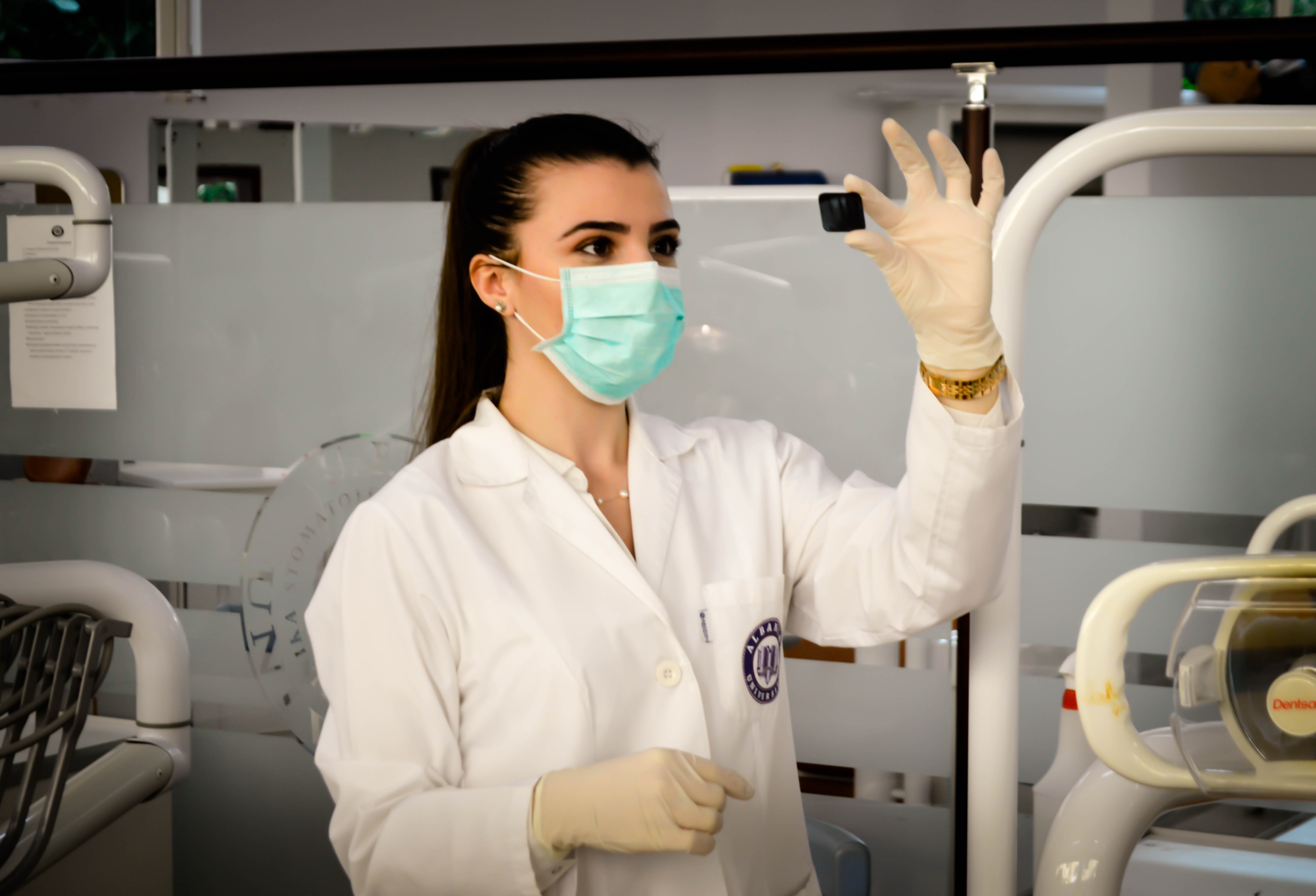
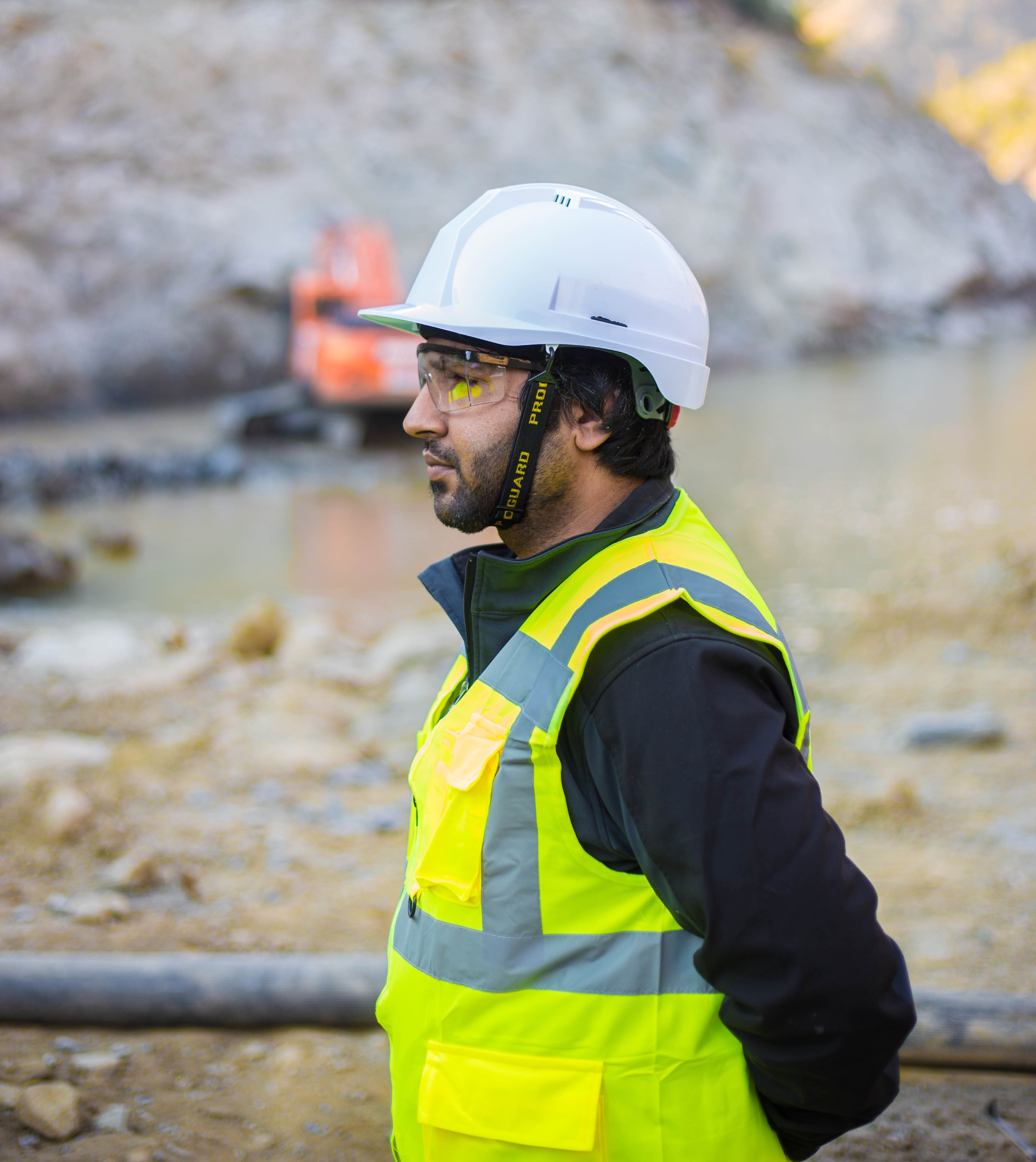
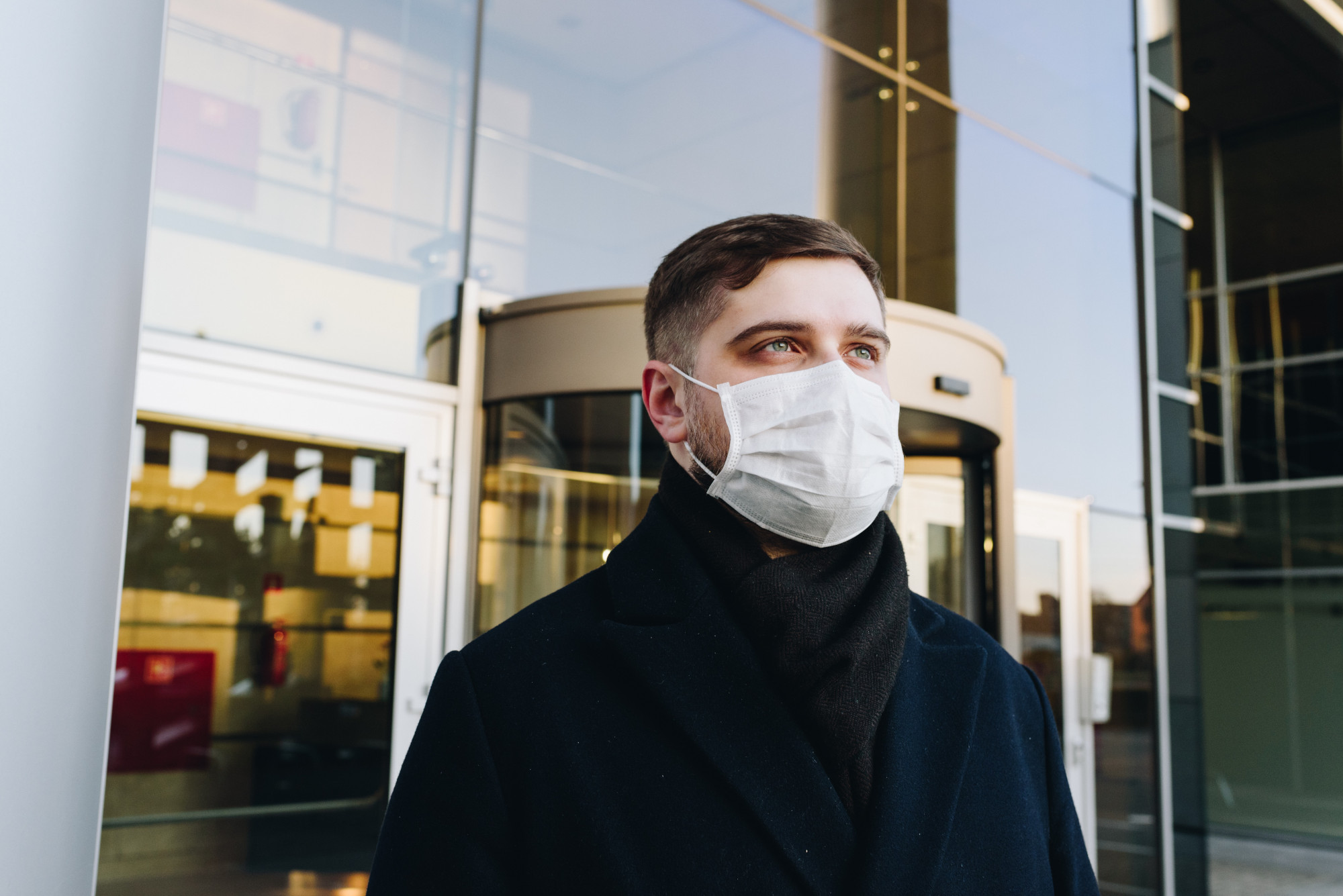
建議:盡可能讓偵測對象靜止不動並面向攝影機。
PPE 偵測工具可正確處理的樣本圖片資料:
|
|
|
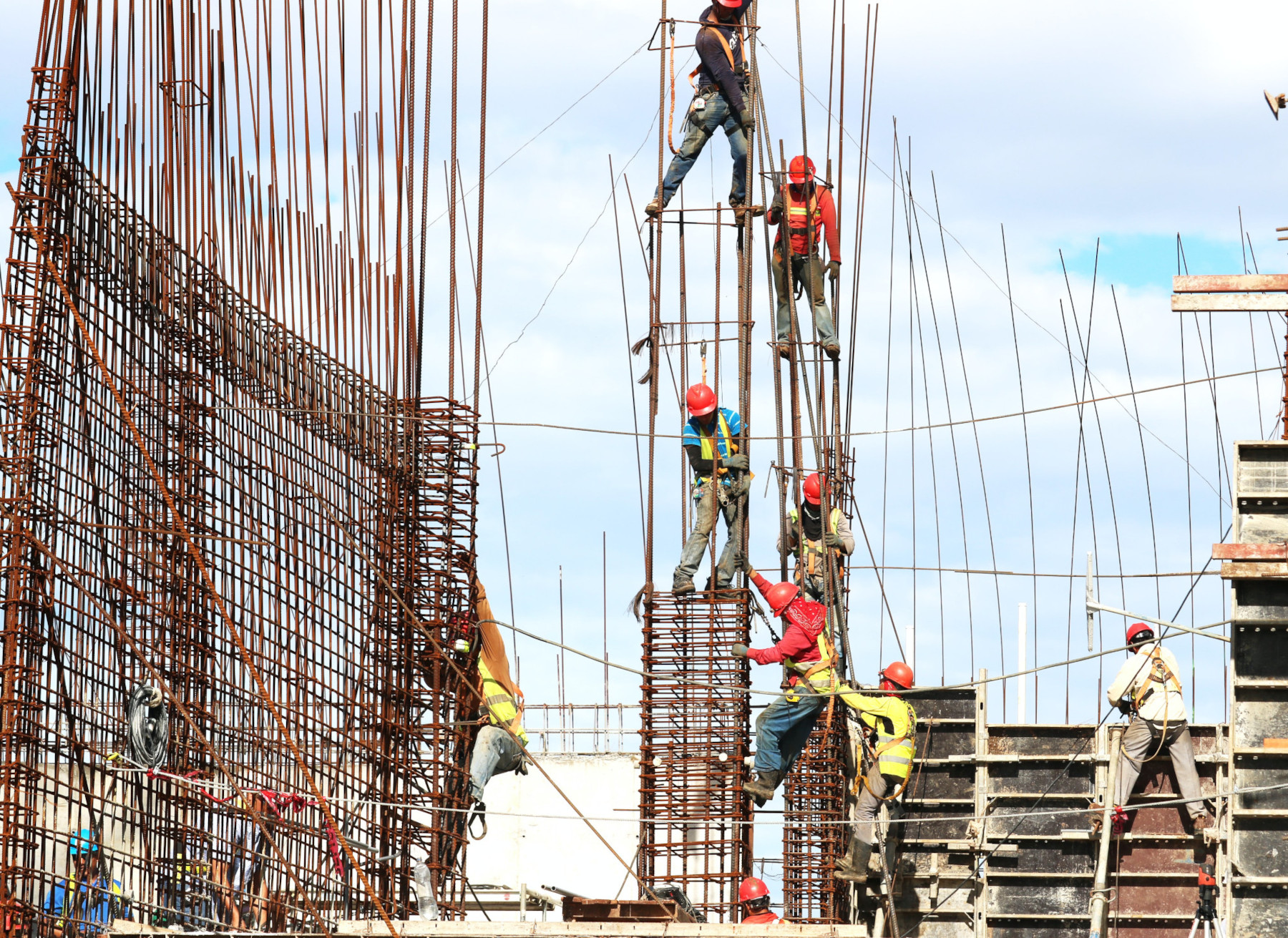
不建議:避免圖片資料中,關鍵 PPE 項目在畫面中太小。
PPE 偵測器無法正確處理的樣本圖片資料:
|
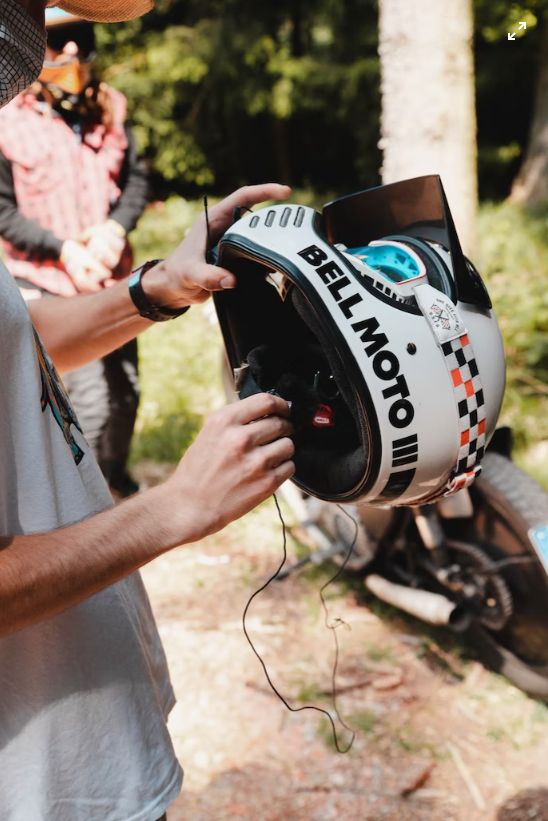
不建議:避免從不常見的視角或不規則的角度拍攝主要 PPE 項目。
PPE 偵測器無法正確處理的樣本圖片資料:
|
限制
- 解析度:建議輸入影片的最高解析度為 1920 x 1080, 最低解析度為 160 x 120。
- 可偵測到的最小物件大小:模型會忽略場景中佔影格大小不到 5% 的任何物件。
- 光線:影片光線應正常。視訊資料過亮或過暗可能會導致偵測器效能降低。
- 個人防護裝備項目放置位置:個人防護裝備模型著重於分析使用者是否正確使用個人防護裝備項目。因此,如果使用者未穿戴 PPE 項目,模型會忽略該項目。
- 個人防護裝備項目類型:模型著重於建築防護裝備,不是醫療個人防護裝備項目。因此,偵測器在醫療中心或醫院可能無法正常運作。
- 自訂 PPE 類型:PPE 模型不支援客戶定義的 PPE 項目。這個模型支援偵測安全帽、口罩和手套。
這份清單僅列舉部分內容,且這些限制和功能可能會因日後產品異動而有所變更。