

This document explains how to download the gdcloud CLI in your Google Distributed Cloud (GDC) air-gapped environment. GDC offers multiple gdcloud CLI bundle options for various use cases, such as:
- Platform: Select the operating system (OS) and architecture that correspond with your local environment.
- GDC version: Select the binary version of the gdcloud CLI, which corresponds with GDC patch versions. We recommend using the latest version available, but you can download archived versions for specific use cases.
- Type: Select the binary type based on your needs. The
Fullbundle type is the comprehensive gdcloud CLI command bundle that includes all supported commands for the chosen platform. TheLitebundle type includes a subset of the gdcloud CLI commands from theFullbundle to provide a smaller bundle download size.
The available gdcloud CLI bundles give you flexibility to run the CLI as you prefer. For more information, see Available gdcloud CLI bundles.
This document is for all audience groups that work on GDC that must use a dedicated command-line interface tool for their air-gapped hardware and software workflows. For more information, see Audiences for GDC air-gapped documentation.
Before you begin
Configure an organization network policy
to allow traffic from a specific CIDR outside the organization to the artifact
registry. Use service all in the OrganizationNetworkPolicy resource
configuration.
Download the gdcloud CLI
Download the gdcloud CLI bundle to your system from the GDC console:
Sign in and access the GDC Welcome page.
Navigate to the Connect with CLI section.

Click Download CLI Bundle.
Choose the supported platform of interest.
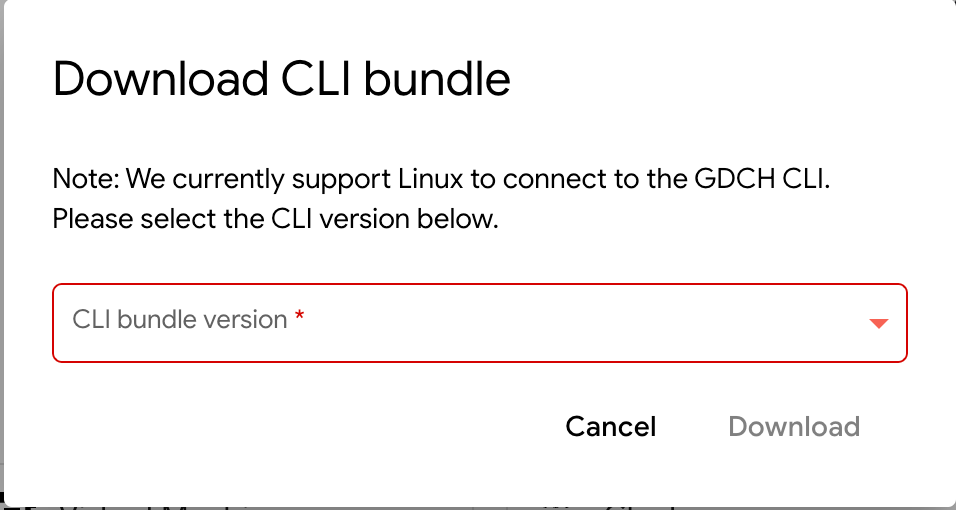
Choose the type and version that corresponds with the platform you selected.
Click Download to download the gdcloud CLI bundle to your local environment. Alternatively, you can select Copy Bundle URL to copy the download URL if you prefer initiating the download from the command-line.
Extract the gdcloud CLI bundle
Extract the contents of the downloaded gdcloud CLI bundle to any location on your file system.
To replace an existing installation, remove the existing
google-distributed-cloud-hosted-cli directory and extract the archive to the
same location.
Extract the bundle:
tar -xf BUNDLE_PATH/CLI_TAR_FILEReplace the following:
BUNDLE_PATH: the path of the gdcloud CLI bundle. The default path is~/Downloads, unless the bundle download path was intentionally changed.CLI_TAR_FILE: the name of the gdcloud CLI tar file you downloaded, such asgdcloud_cli_windows_amd64.tar.gz.