


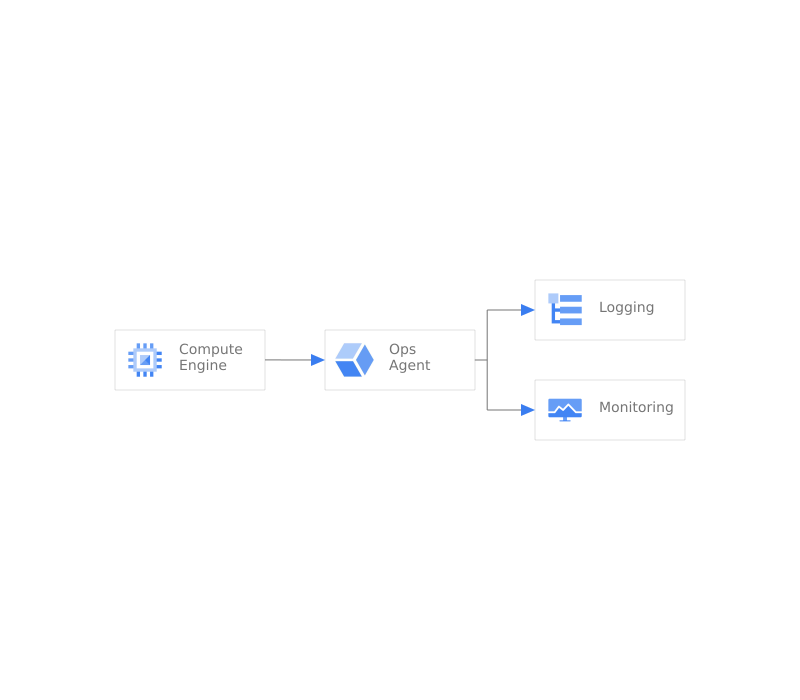
Ops Agent 會建立虛擬機器,並安裝 Ops Agent,以便與 Monitoring 和 Logging 服務整合。這項功能會使用:
- Compute Engine
- 監控
- 記錄
範例會設定簡單的單一虛擬機器,並將其連線至 Logging 進行回報。
開始使用
按一下下列連結,即可在 Cloud Shell 中複製原始碼。完成後,只要執行單一指令,即可在專案中啟動應用程式的工作副本。

Ops Agent 元件
Ops Agent 架構會使用多項產品。下表列出各項元件,並提供元件的相關資訊,包括相關影片、產品說明文件和互動式導覽的連結。


指令碼
安裝指令碼會使用以 go 撰寫的可執行檔和 Terraform CLI 工具,在空白專案中安裝應用程式。輸出內容應為可運作的應用程式,以及負載平衡 IP 位址的網址。
./main.tf
啟用服務
專案預設會停用 Google Cloud 服務。如要使用本文中的任何解決方案,請先啟用下列項目:
- Compute Engine:虛擬機器和網路
variable "gcp_service_list" {
    description = "The list of apis necessary for the project"
    type        = list(string)
    default = [
        "compute.googleapis.com",
    ]
}

resource "google_project_service" "all" {
  for_each                   = toset(var.gcp_service_list)
  project                    = var.project_number
  service                    = each.key
  disable_dependent_services = false
  disable_on_destroy         = false
}
建立虛擬機器
建立 VM。
resource "google_compute_instance" "default" {
  project      = var.project_id
  name         = "${var.basename}-instance"
  machine_type = "f1-micro"
  zone         = var.zone

  boot_disk {
    initialize_params {
      image = "centos-cloud/centos-8-v20210817"
    }
  }
  labels = {
    env        = "prod"
    app        = "myproduct"
    created_by = "terraform"
  }

  network_interface {
    network = "default"

    access_config {
      // Include this section to give the VM an external ip address
    }
  }
  service_account {
    // Google recommends custom service accounts that have cloud-platform scope and permissions granted via IAM Roles.
    // This non production example uses the default compute service account.
    email  = local.sacompute
    scopes = ["cloud-platform"]
  }
}
安裝 Ops Agent
作業套件代理程式是從 Compute Engine 執行個體收集遙測資料的主要代理程式。本文將說明如何使用 Terraform 安裝。
module "agent_policy" {
    source  = "terraform-google-modules/cloud-operations/google//modules/agent-policy"
    version = "~> 0.1.0"

    project_id = var.project_id
    policy_id  = "ops-agents-example-policy"
    agent_rules = [
        {
        type               = "ops-agent"
        version            = "current-major"
        package_state      = "installed"
        enable_autoupgrade = true
        },
    ]
    group_labels = [
        {
        env        = "prod"
        app        = "myproduct"
        created_by = "terraform"
        }
    ]

    os_types = [
        {
        short_name = "centos"
        version    = "8"
        },
    ]
}
結論
執行後,您應該會看到 VM 已正確設定,可將事件記錄到 Google Cloud Logging。此外,您也應擁有所有程式碼,可修改或擴充這個解決方案,以符合您的環境需求。