

The advanced preview functionality is housed within the Merchandising console. Its primary purpose is to allow users to preview the serving experience and confirm that their specific serving configurations are working as expected before those changes are pushed live to the website code.
Access the preview in Merchandising console
To access the preview:
Click Home home in the Merchandising console navigational panel.
Enter your test query, such as shoes.
Preview query controls
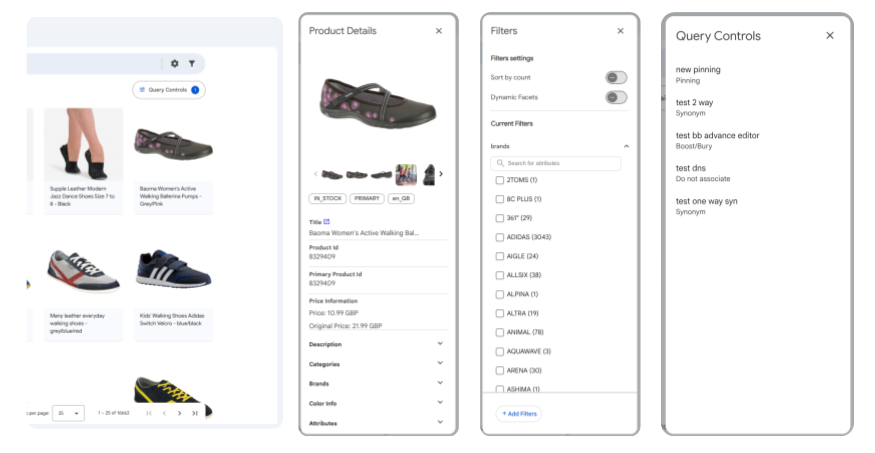
Click a product in the preview to view preview each component of the product query.
- Product details
- Filters
- Controls applied
Preview controls applied
On the Preview page, click Query controls to open the pane for controls over the query. Or to find a product's specific control, click the up-arrow on any product tile.
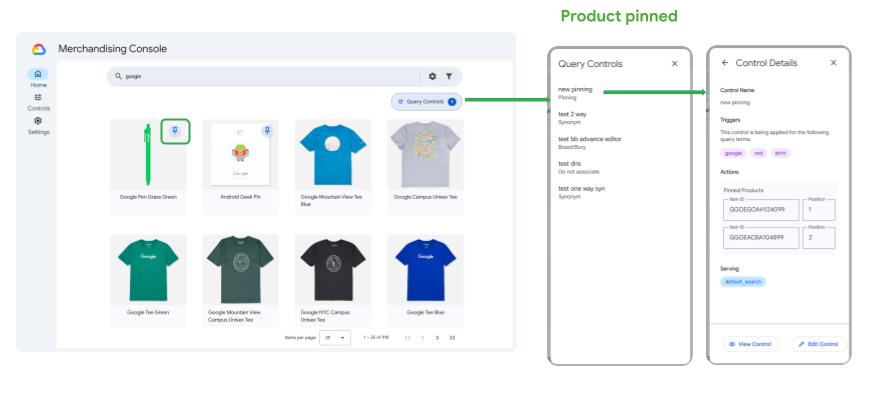
The Query controls pane includes several capabilities to help you visualize or Preview your search behavior by query and by product:
- Highlight control name: This option selects the products to which it's applied.
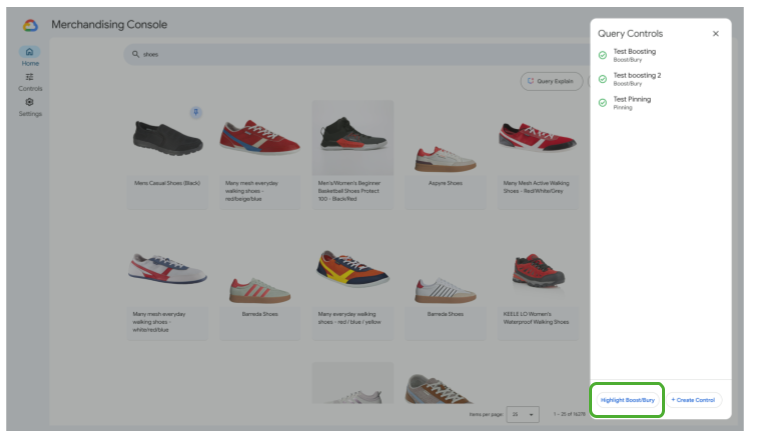
- add_boxCreate control: This is a shortcut that lets you create a control directly from the Query controls pane.