

Dialogflow maintains a change history for all agent modifications. Each entry identifies what was changed, when the update occurred, and who performed it.
Access change history
Access the change history for an agent:
Console
- Go to the Dialogflow CX console.
- Select a project.
- Find your agent in the list.
- Select the Manage tab.
- Select Change History.
View the results and filter as needed.
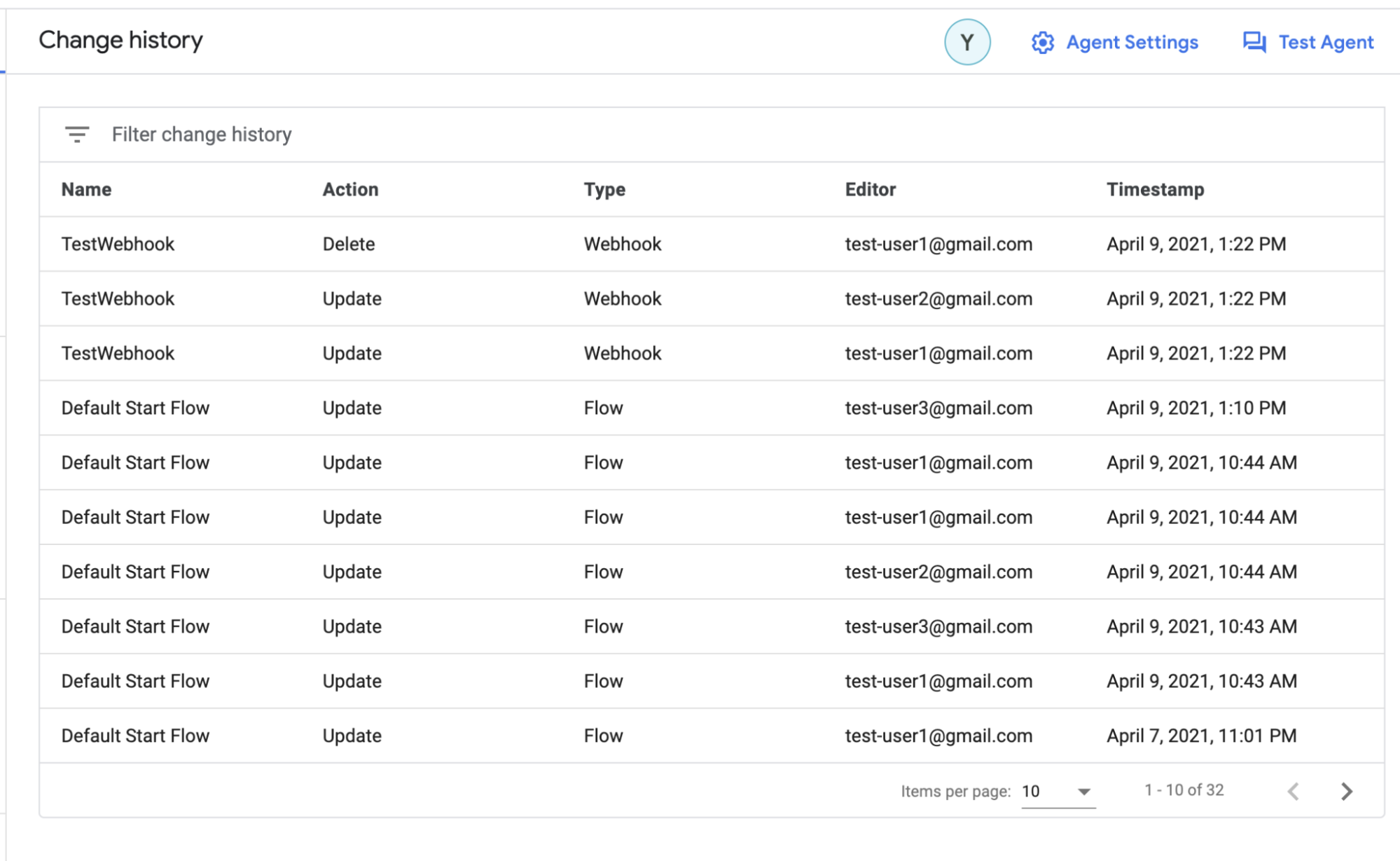
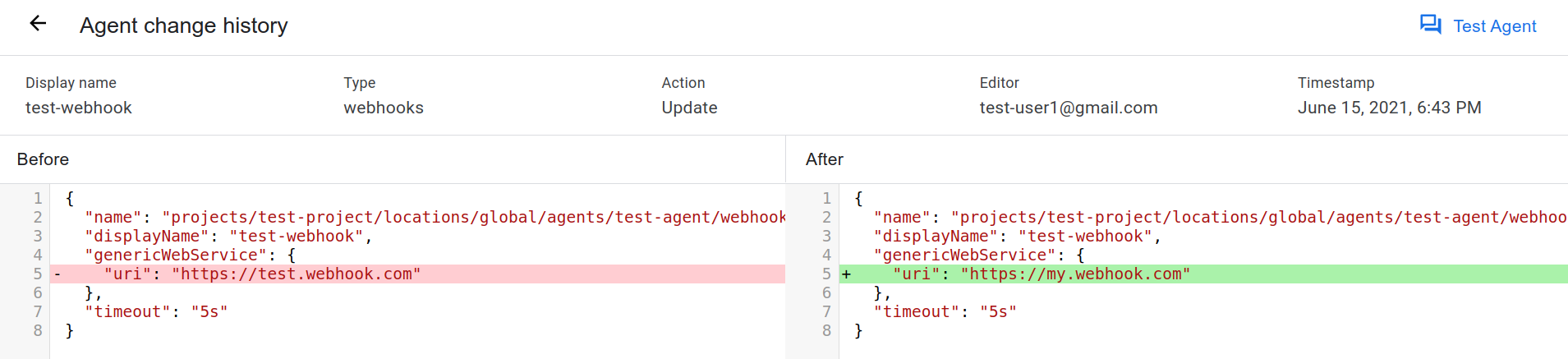
Select a change to open the diff view.
API
For more information about the changelog, see the Changelog reference documentation.
Select a protocol and version for the Changelog reference:
| Protocol | V3 | V3beta1 |
|---|---|---|
| REST | Changelog resource | Changelog resource |
| RPC | Changelog interface | Changelog interface |
| C++ | ChangelogsClient | Not available |
| C# | ChangelogsClient | Not available |
| Go | ChangelogsClient | Not available |
| Java | ChangelogsClient | ChangelogsClient |
| Node.js | ChangelogsClient | ChangelogsClient |
| PHP | Not available | Not available |
| Python | ChangelogsClient | ChangelogsClient |
| Ruby | Not available | Not available |