

The Agent Assist Summarization feature lets you provide conversation summaries to your agents after each conversation is completed. The summaries help agents create their conversation notes and understand end-user communication history. For example, a summary output about a conversation might look similar to the following:
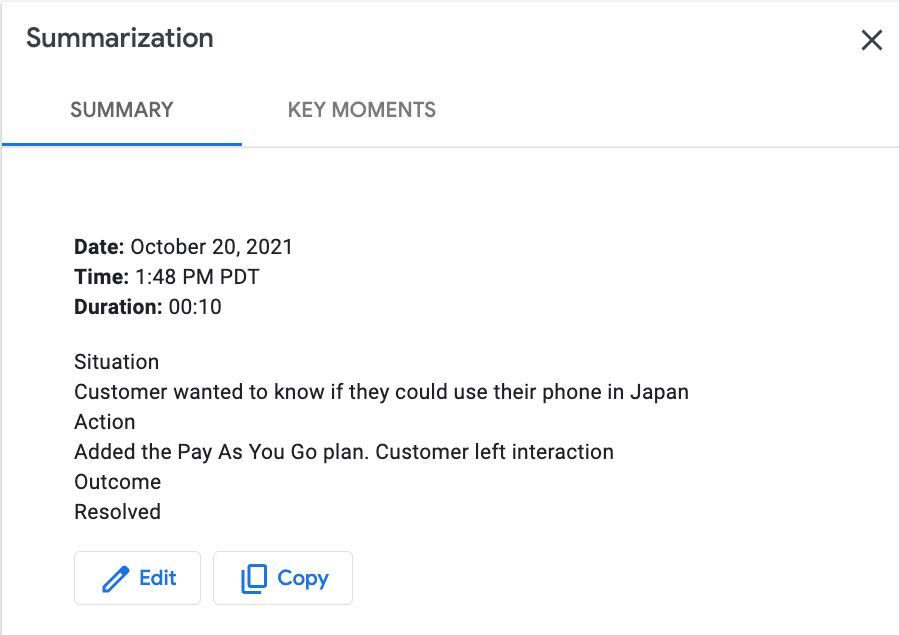
This tutorial guides you through training and deploying a Summarization model using the Agent Assist console. You can use it to train a model and test its performance, but be aware that all runtime operations must be carried out by calling the API directly. See the Agent Assist Summarization how-to guide for instructions.
If preferred, you can also create and deploy a Summarization model by calling the API directly
Before you begin
- If you are using your own data, make sure that you have formatted it correctly and uploaded it to a Cloud Storage bucket.
Create & train a new model
Navigate to the Agent Assist console. Select the Summarization card in the center of the screen and click Get started. You can create your own custom model using one or more datasets.
What's next
After you have deployed your model, you can then proceed to create a conversation profile.