


Dialogflow 中的 Webhook 執行要求可讓我們充分控制服務機器人的流程。在本教學課程中,您需要使用 webhook 驗證在「序列」意圖中收集到的英數字元序列。Webhook 會重複執行該意圖,以便在更易管理的疊代中收集長序列。
使用內嵌編輯器建立 Webhook
Dialogflow 主控台內建內嵌編輯器,可讓您直接編寫 NodeJS 程式碼,然後部署至 Cloud Functions 上,以 Webhook 的形式執行。
如要使用 Dialogflow 的內嵌編輯器建立 webhook,請按照下列步驟操作:
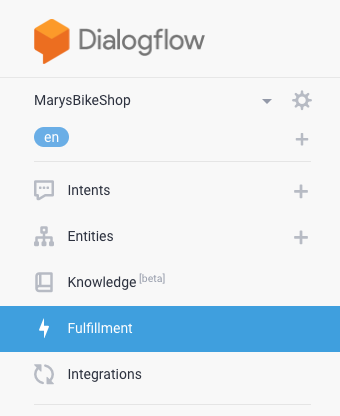
- 按一下導覽列中的「Fulfillment」分頁標籤,前往執行要求頁面。
- 將內嵌編輯器的按鈕切換為「ENABLED」。

- 刪除內嵌編輯器
package.json分頁中的現有內容。
複製下方的 JSON 內容,並貼到內嵌編輯器的
package.json分頁中:{ "name": "DialogflowFirebaseWebhook", "description": "Firebase Webhook dependencies for a Dialogflow agent.", "version": "0.0.1", "private": true, "license": "Apache Version 2.0", "author": "Google Inc.", "engines": { "node": "10" }, "scripts": { "lint": "semistandard --fix \"**/*.js\"", "start": "firebase deploy --only functions", "deploy": "firebase deploy --only functions" }, "dependencies": { "firebase-functions": "^2.0.2", "firebase-admin": "^5.13.1" } }刪除內嵌編輯器
index.js分頁中的現有程式碼。
複製下列程式碼,然後貼到內嵌編輯器的
index.js分頁中:/** * Copyright 2020 Google Inc. All Rights Reserved. * * Licensed under the Apache License, Version 2.0 (the "License"); * you may not use this file except in compliance with the License. * You may obtain a copy of the License at * * http://www.apache.org/licenses/LICENSE-2.0 * * Unless required by applicable law or agreed to in writing, software * distributed under the License is distributed on an "AS IS" BASIS, * WITHOUT WARRANTIES OR CONDITIONS OF ANY KIND, either express or implied. * See the License for the specific language governing permissions and * limitations under the License. */ 'use strict'; const functions = require('firebase-functions'); // TODO: set this to the minimum valid length for your sequence. // There's no logic in here to enforce this length, but once the // user has said this many digits, the slot-filling prompt will // also instruct the user to say "that's all" to end the slot-filling. const MIN_SEQUENCE_LENGTH = 10; exports.dialogflowFirebaseFulfillment = functions.https.onRequest((request, response) => { let dfRequest = request.body; let action = dfRequest.queryResult.action; switch (action) { case 'handle-sequence': handleSequence(dfRequest, response); break; case 'validate-sequence': validateSequence(dfRequest, response); break; default: response.json({ fulfillmentText: `Webhook for action "${action}" not implemented.` }); } }); //// // Helper functions /* Send an SSML response. * @param request: Dialogflow WebhookRequest JSON with camelCase keys. * See https://cloud.google.com/dialogflow/es/docs/reference/common-types#webhookrequest * @param response: Express JS response object * @param ssml: SSML string. * @example: sendSSML(request, response, 'hello') * Will call response.json() with SSML payload '<speak>hello</speak>' */ function sendSSML(request, response, ssml) { ssml = `<speak>${ssml}</speak>`; if (request.originalDetectIntentRequest.source == 'GOOGLE_TELEPHONY') { // Dialogflow Phone Gateway Response // see https://cloud.google.com/dialogflow/es/docs/reference/rpc/google.cloud.dialogflow.v2beta1#google.cloud.dialogflow.v2beta1.Intent.Message.TelephonySynthesizeSpeech response.json({ fulfillmentMessages: [{ platform: 'TELEPHONY', telephonySynthesizeSpeech: {ssml: ssml} }] }); } else { // Some CCAI telephony partners accept SSML in a plain text response. // Check your specific integration and customize the payload here. response.json({ fulfillmentText: ssml }); } } /* Extract an output context from the incoming WebhookRequest. * @param request: Dialogflow WebhookRequest JSON with camelCase keys. * See https://cloud.google.com/dialogflow/es/docs/reference/common-types#webhookrequest * @param name: A string * @return: The context object if found, or undefined * @see: https://cloud.google.com/dialogflow/es/docs/reference/rpc/google.cloud.dialogflow.v2#google.cloud.dialogflow.v2.Context * and note this webhook uses JSON camelCase instead of RPC snake_case. * @example: * // Modify an existing output content * let context = getOutputContext(request, 'some-context'); * context.lifespanCount = 5; * context.parameters.some_parameter = 'new value'; * response.json({ * fulfillmentText: 'new value set', * outputContexts: [context] * }); */ function getOutputContext(request, name) { return request.queryResult.outputContexts.find( context => context.name.endsWith(`/contexts/${name}`) ); } //// // Action handler functions /* * Fulfillment function for: * actions: handle-sequence * intents: "Sequence", "Sequence - Edit" * @param request: Dialogflow WebhookRequest JSON with camelCase keys. * See https://cloud.google.com/dialogflow/es/docs/reference/common-types#webhookrequest * @param response: Express JS response object */ function handleSequence(request, response) { let parameters = request.queryResult.parameters; let isSlotFilling = !request.queryResult.allRequiredParamsPresent; let isEditing = getOutputContext(request, 'editing-sequence'); console.log(request.queryResult.action + ': ' + JSON.stringify(parameters)); if (isSlotFilling) { // Prompt the user for the sequence let verbatim = `<prosody rate="slow"><say-as interpret-as="verbatim">${parameters.existing_sequence}</say-as></prosody>`; if (!parameters.existing_sequence && !parameters.new_sequence) { // Initial prompt response.json({ fulfillmentText: "What is your sequence? Please pause after a few characters so I can confirm as we go." }); } else if (!isEditing) { // Confirm what the system heard with the user. We customize the response // according to how many sequences we've heard to make the prompts less // verbose. if (!parameters.previous_sequence) { // after the first input sendSSML(request, response, `Say "no" to correct me at any time. Otherwise, what comes after ${verbatim}`); } else if (parameters.existing_sequence.length < MIN_SEQUENCE_LENGTH) { // we know there are more characters to go sendSSML(request, response, `${verbatim} What's next?`); } else { // we might have all we need sendSSML(request, response, `${verbatim} What's next? Or say "that's all".`); } } else { // User just said "no" sendSSML(request, response, `Let's try again. What comes after ${verbatim}`); } } else { // Slot filling is complete. // Construct the full sequence. let sequence = (parameters.existing_sequence || '') + (parameters.new_sequence || ''); // Trigger the follow up event to get back into slot filling for the // next sequence. response.json({ followupEventInput: { name: 'continue-sequence', parameters: { existing_sequence: sequence, previous_sequence: parameters.existing_sequence || '' } } }); // TODO: CHALLENGE: consider validating the sequence here. // The user has already confirmed existing_sequence, so if you find a unique // record in your database with this existing_sequence prefix, you could send // a followUpEventInput like 'validated-sequence' to skip to the next part // of the flow. You could either create a new intent for this event, or // reuse the "Sequence - done" intent. If you reuse the "done" intent, you // could add another parameter "assumed_sequence" with value // "#validated-sequence.sequence", then modify the validateSequence function // below to customize the response for this case. } } /* * Fulfillment function for: * action: validate-sequence * intents: "Sequence - Done" * @param request: Dialogflow WebhookRequest JSON with camelCase keys. * See https://cloud.google.com/dialogflow/es/docs/reference/common-types#webhookrequest * @param response: Express JS response object */ function validateSequence(request, response) { let parameters = request.queryResult.parameters; // TODO: add logic to validate the sequence and customize your response let verbatim = `<say-as interpret-as="verbatim">${parameters.sequence}</say-as>`; sendSSML(request, response, `Thank you. Your sequence is ${verbatim}`); }按一下「部署」。
您現在應該可以透過呼叫代理程式來測試整合功能。如果您尚未設定,現在是時候設定合作夥伴提供的一鍵電話整合功能,或是設定 Dialogflow 電話閘道,透過電話測試您的服務機器人。
瞭解程式碼
由於 webhook 的進入點,此處的 dialogflowFirebaseFulfillment 函式會在每次觸發 webhook 時呼叫。每次要求時,Dialogflow 都會傳送您在 Dialogflow 主控台為意圖指定的「動作」名稱。程式碼會使用這個動作名稱,判斷要呼叫哪個 webhook 函式 (handleSequence 或 validateSequence)。
處理序列
handleSequence 是本教學課程的核心功能。負責序列插入的所有層面,包括:
- 在工作階段首次進入意圖時,以語音播放初始指示。
- 在提示下一個動作之前,重複執行動作。
- 告知使用者如何修正機器人。
- 辨識有效序列的足夠位數,並告知使用者如何完成輸入 (請參閱程式碼中的 `MIN_SEQUENCE_LENGTH')。
- 循環執行插入空白,收集多個部分序列。
- 將部分序列連結成一個長序列。
驗證序列
validateSequence 是您要新增資料儲存庫連線的位置,以便驗證最終序列,並根據該資料向使用者傳回自訂訊息。舉例來說,如果您要建構訂單查詢代理程式,可以自訂此處的回應,讓系統回覆:
Thank you. Your order ${verbatim} will arrive on ${lookup.date} and will
${lookup.require_signature ? '' : 'not'} require a signature.
其中 lookup 是您在資料儲存庫中找到的此訂單相關物件。
輔助函式
這個範例不會使用任何 Dialogflow 專屬依附元件。請改為參閱 WebhookRequest 參考資料,瞭解 request.body 的預期內容,以及參閱 WebhookResponse 參考資料,瞭解如何回應 response.json({...})。
程式碼包含兩個輔助函式,可簡化以下操作:
- 將字串傳遞至
sendSSML,為目前平台傳送適當的 JSON 回應。 - 將背景名稱傳遞至
getOutputContext,即可在要求中尋找有效的 Dialogflow 背景資訊。
進一步改善
這樣一來,您就能開始使用 webhook 進行進階用途。您設計的代理程式可在使用者說出序列時重複播放序列提示,並在過程中向使用者保證虛擬服務專員能正確聽到他們的聲音。
以下提供一些想法,協助你進一步改善使用體驗:
- 變更部分 webhook 回應,讓回應符合您的品牌。舉例來說,您可以編輯程式碼,改為使用「What is your order number? 你可以在 ..." 中找到它。
- 建議您在「序列 - 完成」意圖中新增其他輸出背景資訊,然後在該輸入背景資訊下建立一些新意圖,讓使用者針對訂單提出後續問題。
- 如果您想進一步瞭解這個用途,請查看上述範例程式碼中的
TODO: CHALLENGE,瞭解如何進一步改善使用者體驗。