


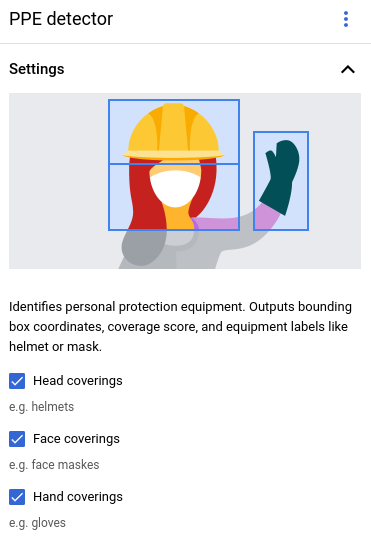
个人防护用品 (PPE) 检测器 模型可帮助您验证工作场所或社区环境中是否存在限制接触危险的设备。
该模型可检测特定人员以及该人员佩戴的 PPE(手套、口罩和头盔)。该模型可检测 PPE,以及 PPE 是否覆盖相应的人体部位。该模型会将此覆盖信息报告为 [0, 1] 范围内的覆盖率分数。该模型接受视频流作为输入。该模型会将 检测结果输出为协议缓冲区,您可以在 BigQuery 中查看该缓冲区 。该模型以 1 FPS 的速度运行。
PPE 检测运算符有三个可设置的控制参数:
- 头部防护用品:
运算符会输出与头部防护用品相关的 PPE 信息。在 Google Cloud 控制台中设置此值
,或在
PersonalProtectiveEquipmentDetectionConfig中将enableHeadCoverageDetection设置为 true 。 - 面部防护用品:运算符会输出与面部防护用品相关的 PPE 信息。在 Google Cloud 控制台中设置此值
,或在
PersonalProtectiveEquipmentDetectionConfig中将enableFaceCoverageDetection设置为 true 。 - 手部防护用品:运算符会输出与手部防护用品相关的 PPE 信息。在 Google Cloud 控制台中设置此值
,或在
PersonalProtectiveEquipmentDetectionConfig中将enableHandsCoverageDetection设置为 true 。
PPE 检测器模型应用规范
按照以下说明在 Google Cloud 控制台中创建 PPE 检测器模型。
控制台
在 Google Cloud 控制台中创建应用
添加 PPE 检测器模型
添加模型节点时,从预训练模型列表中选择 PPE 检测器 。
在选项菜单中设置要检测的 PPE 类型。
添加 BigQuery 连接器
如需使用输出,请将应用连接到 BigQuery 连接器。
如需了解如何使用 BigQuery 连接器, 请参阅连接数据并将其存储到 BigQuery。如需了解 BigQuery 价格信息,请参阅 BigQuery 价格页面。
在 BigQuery 中查看输出结果
模型将数据输出到 BigQuery 后,在 BigQuery 信息中心内查看输出注释。
如果您未指定 BigQuery 路径,则可以在 Agent Platform Vision 架构 Studio 页面中查看系统创建的路径。
在 Google Cloud 控制台中,打开 BigQuery 页面。
选择目标项目、数据集名称和应用名称旁边的 展开 。
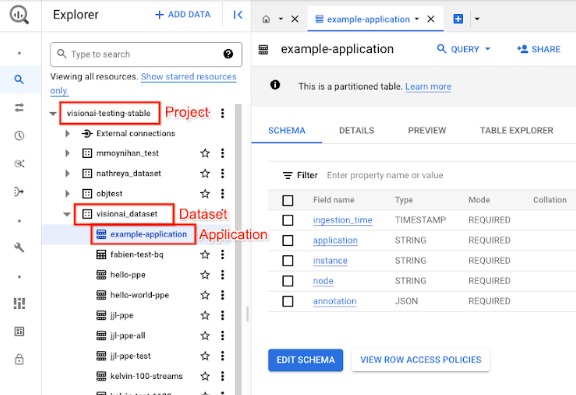
在表格详细视图中,点击预览 。在注解 列中查看结果。如需了解输出格式的说明,请参阅 模型输出。
应用会按时间顺序存储结果。最早的结果位于表格开头,而最新结果会添加到表格末尾。如需查看最新结果,请点击页码以转到最后一个表格页面。
模型输出
模型输出包括时间戳、检测框、与框对应的对象标签,以及来自该对象的置信度分数。输出流的速率为每秒一帧。
模型输出采用 协议缓冲区 格式,其中包含 视频帧和 PPE 检测预测结果的相关信息。该模型的目标是检查人员是否正确佩戴防护设备。因此,该模型专注于检测人员以及人员佩戴的 PPE。模型输出专注于人员动态检测功能。对于检测到的每个人员,该模型会列出人员周围的 PPE 以及每件设备的覆盖率分数。
在下面的协议缓冲区示例中,请注意以下几点。
- 当前时间 - 时间戳记录了做出推理结果的时间。
- 检测到的人员 - 主要检测结果,包括一个人员标识框、多个 PPE 标识框,以及每个身体部位的覆盖率分数。
- 人员标识框 - 边界框、置信度分数和人员实体。
- PPE 标识框 - 边界框、置信度分数和 PPE 实体。
注解输出 JSON 对象示例
{
  "currentTime": "2022-11-10T21:02:13.499255040Z",
  "detectedPersons": [
    {
      "personId": "0",
      "detectedPersonIdentifiedBox": {
        "boxId": "0",
        "normalizedBoundingBox": {
          "xmin": 0.486749,
          "ymin": 0.35927793,
          "width": 0.048630536,
          "height": 0.21746585
        },
        "confidenceScore": 0.31775203,
        "personEntity":{
          "personEntityId":"0"
        }
      },
      "detected_ppe_identified_boxes": {
        "normalized_bounding_box": {
          "xmin": 0.07268746,
          "ymin": 0.80575824,
          "width": 0.22973709,
          "height": 0.18754286
        },
        "confidence_score": 0.45171335,
        "ppe_entity": {
          "ppe_label_string": "Glove",
          "ppe_supercategory_label_string": "Hand Coverage"
        }
      },
      "detected_ppe_identified_boxes":{
        "normalized_bounding_box":{
          "xmin": 0.35457548,
          "ymin": 0.016402662,
          "width": 0.31828704,
          "height": 0.18849815
        },
        "confidence_score": 0.44129524,
        "ppe_entity":{
          "ppe_label_string": "Helmet",
          "ppe_supercategory_label_string": "Head Coverage"
          }
      }
    }
  ]
}
协议缓冲区定义
// Output format for Personal Protective Equipment Detection Operator
message PersonalProtectiveEquipmentDetectionOutput {
 // Current timestamp
 protobuf.Timestamp current_time = 1;

 // The entity info for annotations from person detection prediction result
 message PersonEntity {

   // Entity id
   int64 person_entity_id = 1;
 }

 // The entity info for annotations from PPE detection prediction result
 message PPEEntity {
   // Label id
   int64 ppe_label_id = 1;
   // Human readable string of the label (Examples: helmet, glove, mask)
   string ppe_label_string = 2;
   // Human readable string of the super category label (Examples: head_cover,
   // hands_cover, face_cover)
   string ppe_supercategory_label_string = 3;
   // Entity id
   int64 ppe_entity_id = 4;
 }

 // Bounding Box in the normalized coordinates
 message NormalizedBoundingBox {
   // Min in x coordinate
   float xmin = 1;
   // Min in y coordinate
   float ymin = 2;
   // Width of the bounding box
   float width = 3;
   // Height of the bounding box
   float height = 4;
 }

 // PersonIdentified box contains the location and the entity info of the
 // person
 message PersonIdentifiedBox {
   // An unique id for this box
   int64 box_id = 1;
   // Bounding Box in the normalized coordinates
   NormalizedBoundingBox normalized_bounding_box = 2;
   // Confidence score associated with this box
   float confidence_score = 3;
   // Person entity info
   PersonEntity person_entity = 4;
 }

 // PPEIdentified box contains the location and the entity info of the PPE
 message PPEIdentifiedBox {
   // An unique id for this box
   int64 box_id = 1;
   // Bounding Box in the normalized coordinates
   NormalizedBoundingBox normalized_bounding_box = 2;
   // Confidence score associated with this box
   float confidence_score = 3;
   // PPE entity info
   PPEEntity ppe_entity = 4;
 }

 // Detected Person contains the detected person and their associated
 // PPE and their protecting information
 message DetectedPerson {
   // The id of detected person
   int64 person_id = 1;
   // The info of detected person identified box
   PersonIdentifiedBox detected_person_identified_box = 2;
   // The info of detected person associated ppe identified boxes
   repeated PPEIdentifiedBox detected_ppe_identified_boxes = 3;

   // Coverage score for each body part


   // Coverage score for face
   optional float face_coverage_score = 4;
   // Coverage score for eyes
   optional float eyes_coverage_score = 5;
   // Coverage score for head
   optional float head_coverage_score = 6;
   // Coverage score for hands
   optional float hands_coverage_score = 7;
   // Coverage score for body
   optional float body_coverage_score = 8;
   // Coverage score for feet
   optional float feet_coverage_score = 9;
 }

 // A list of DetectedPersons
 repeated DetectedPerson detected_persons = 2;
}
最佳实践和限制
如需在使用 PPE 检测器时获得最佳结果,请在获取数据和使用模型时考虑以下事项。
源数据建议
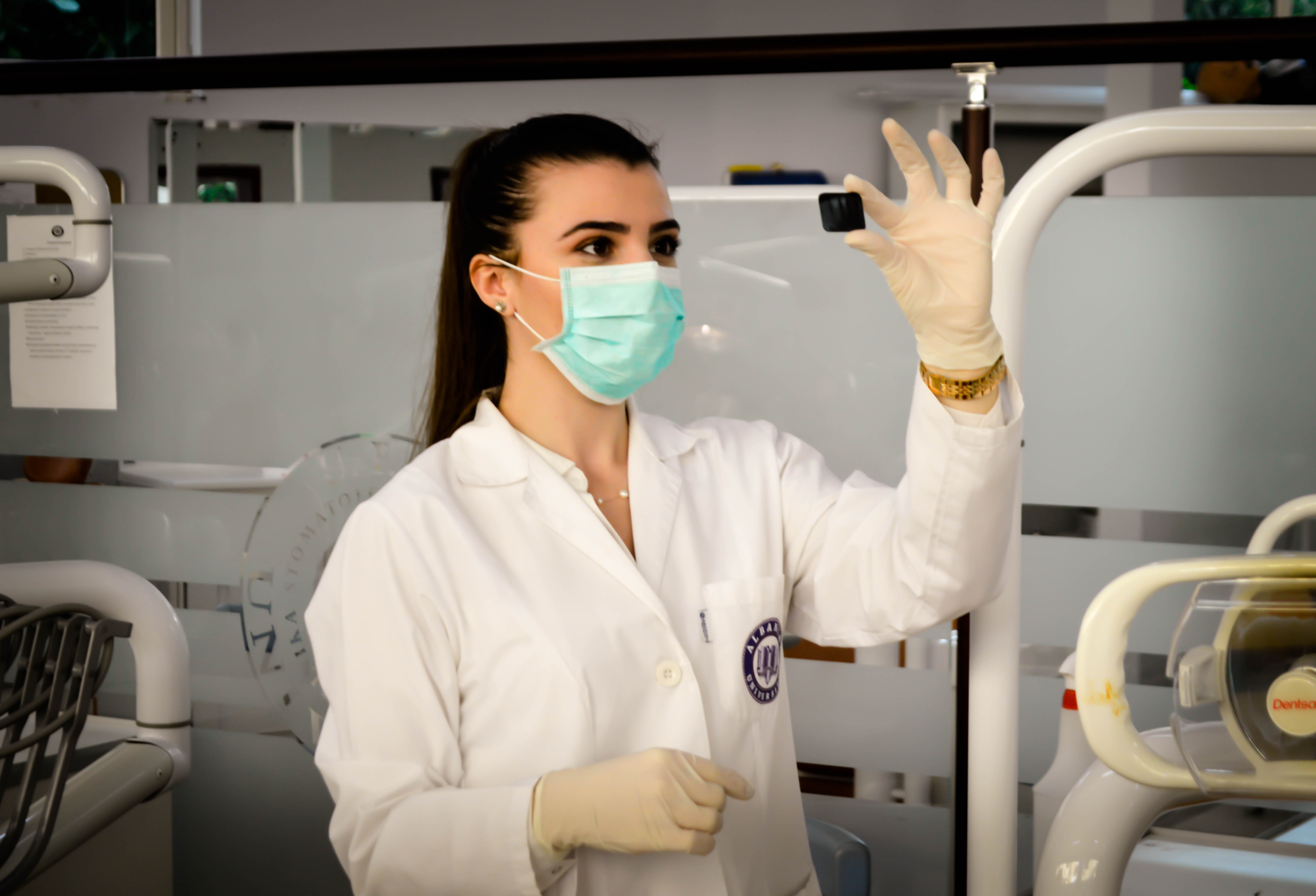
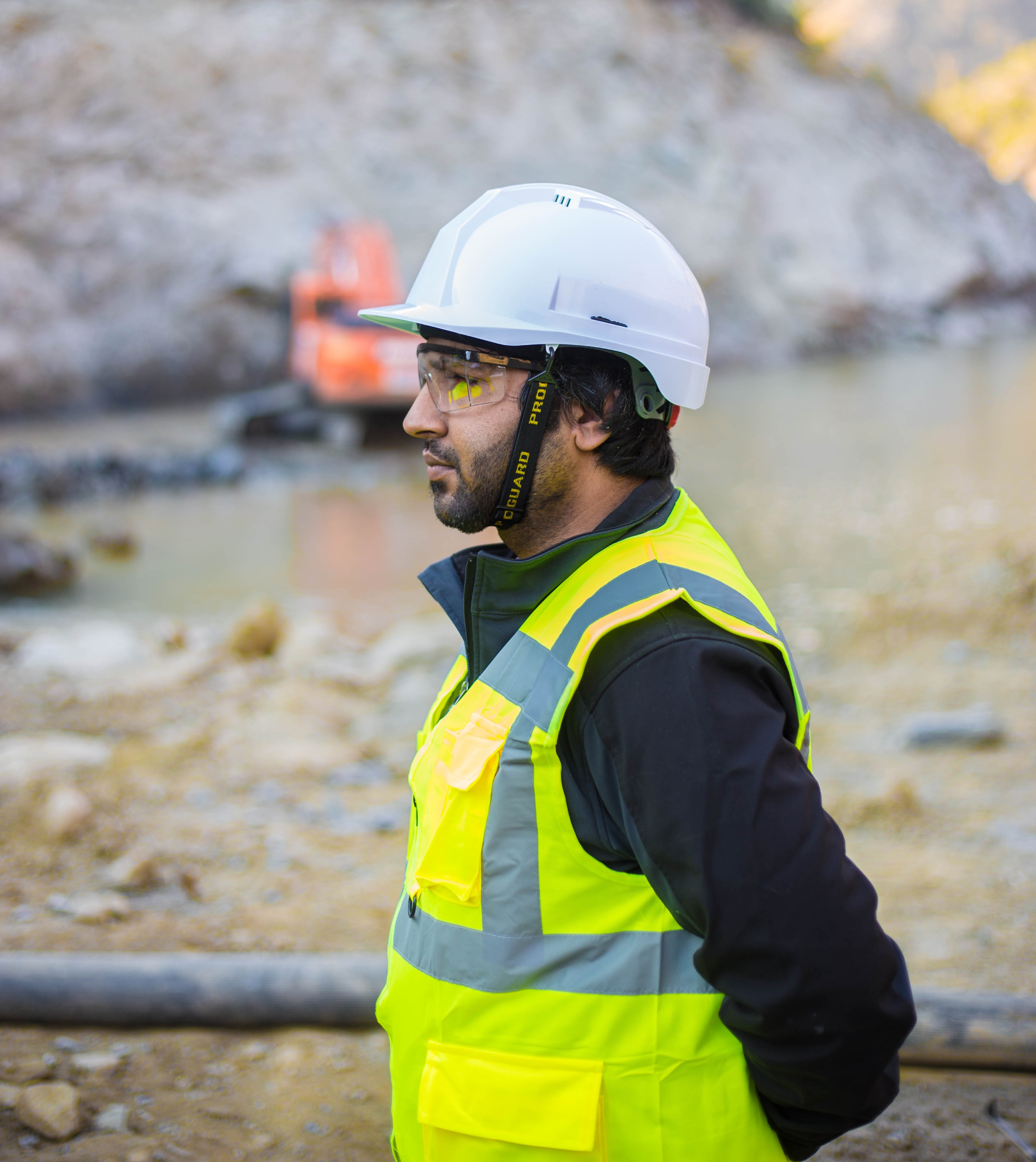
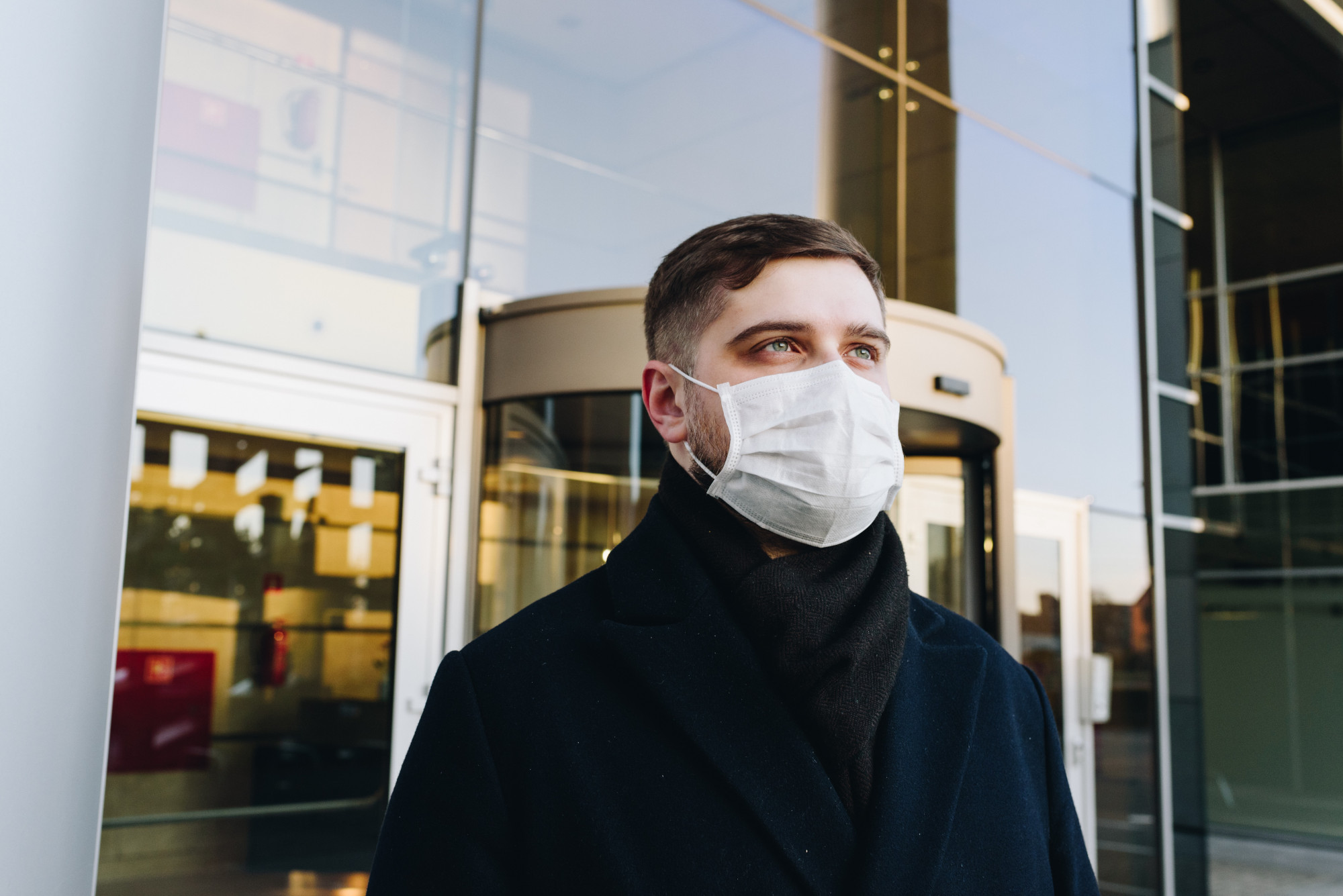
建议:尽可能让检测对象静止站立并面向摄像头。
PPE 检测器能够正确处理的示例图片数据:
|
|
|
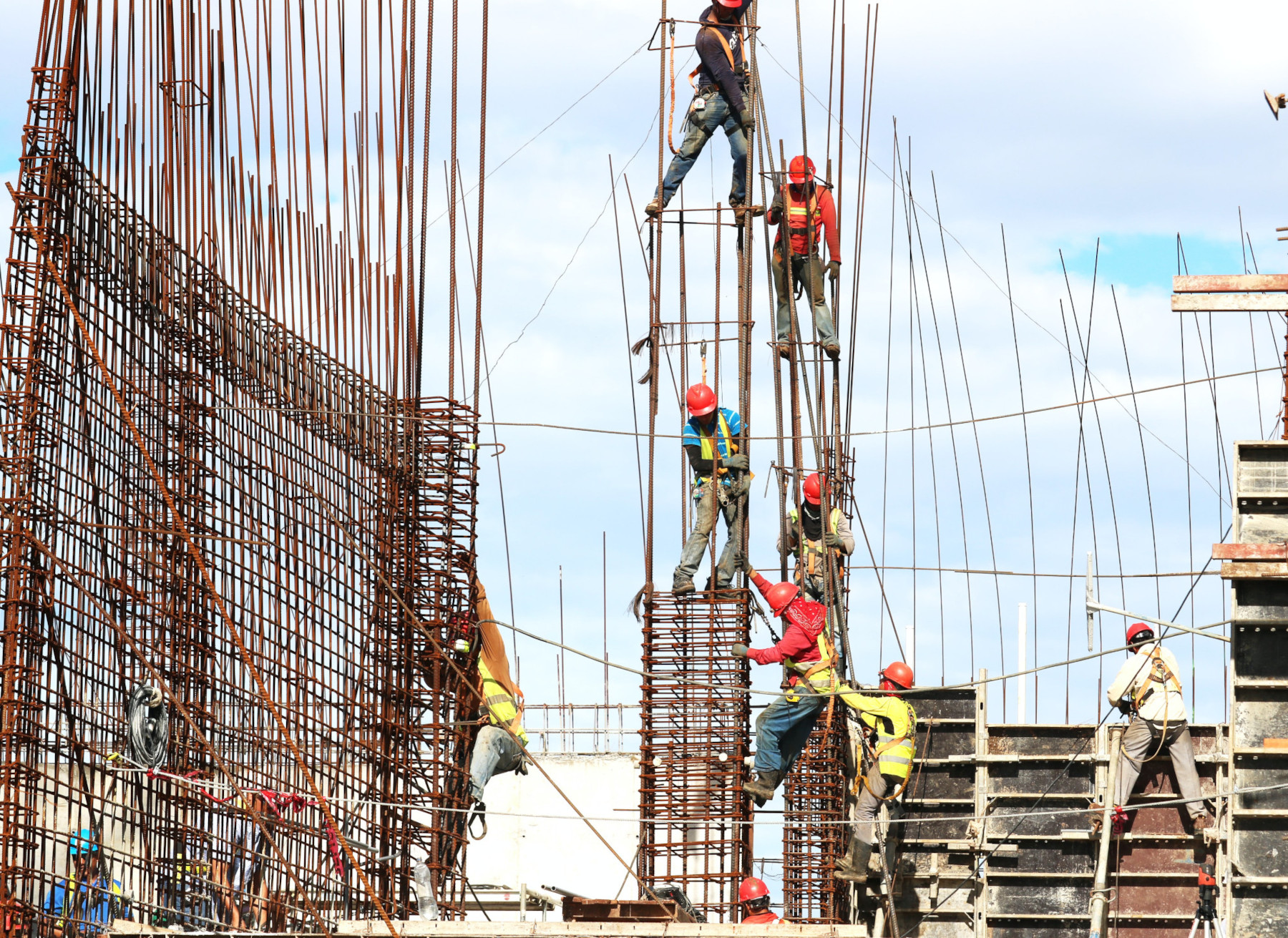
不建议:避免使用 关键 PPE 在帧中过小的图片数据。
PPE 检测器无法正确处理的示例图片数据:
|
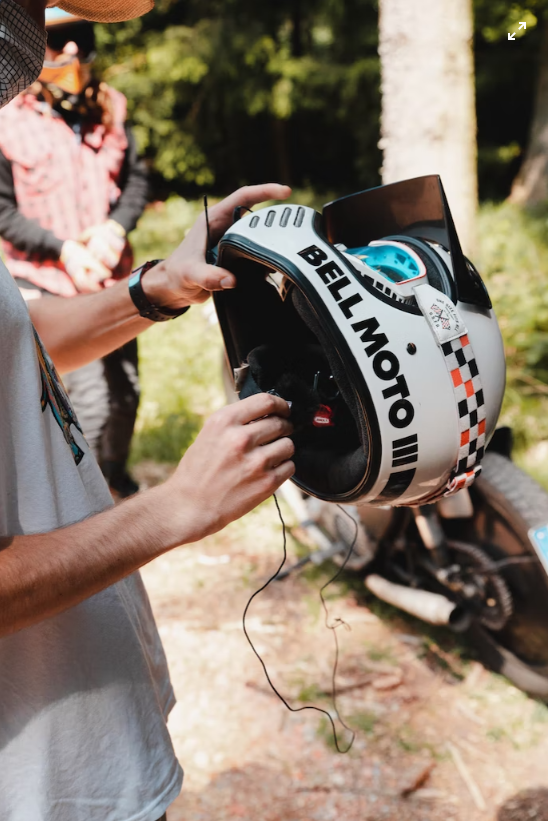
不建议:避免使用从不常见的视角或不规则角度显示关键 PPE 的图片数据。
PPE 检测器无法正确处理的示例图片数据:
|
限制
- 分辨率:建议的最大输入视频分辨率为 1920 x 1080, 建议的最小分辨率为 160 x 120。
- 可检测到的最小对象大小:该模型会忽略 场景中任何占帧大小不到 5% 的对象。
- 光照:视频光照应正常。视频数据中的极端亮度或黑暗可能会导致检测器性能下降。
- PPE 物品放置:PPE 模型专注于分析人员是否正确使用 PPE 物品。因此,如果有人未佩戴 PPE,该模型会忽略该 PPE。
- PPE 商品种类:该模型专注于建筑防护设备,而非医疗 PPE。因此,检测器可能无法在医疗中心或医院中正常工作。
- 自定义 PPE 类型:PPE 模型不支持客户定义的 PPE 。该模型支持检测头盔、口罩和手套。
此列表并非详尽无遗,这些限制和功能可能会因未来的产品修改而发生变化。