


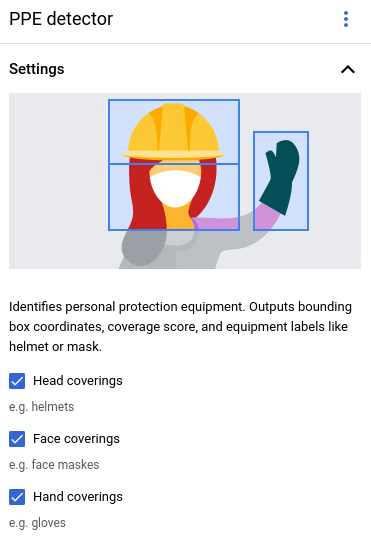
個人用防護具(PPE)検出機能 モデルは、職場やコミュニティ環境での危険への曝露を制限する装備の有無を確認するのに役立ちます。
このモデルは、特定の人物と、その人物が身につけている PPE アイテム(手袋、マスク、ヘルメット)を検出します。このモデルは、PPE アイテムと、そのアイテムが対応する人体の部位を覆っているかどうかを検出します。このモデルは、このカバレッジ情報を [0, 1] の範囲のカバレッジ スコアとして報告します。このモデルは、動画ストリームを入力として受け取ります。このモデルは、 検出結果をプロトコル バッファとして出力します。このプロトコル バッファは BigQuery で確認できます。このモデルは 1 FPS で実行されます。
PPE 検出オペレータには、設定可能な 3 つの制御パラメータがあります。
- 頭部保護具: オペレータは、頭部保護具に関連する PPE アイテム情報を出力します。この値は
Google Cloud コンソールで設定するか、
enableHeadCoverageDetectionを true に設定しますPersonalProtectiveEquipmentDetectionConfig。 - 顔面保護具: オペレータは、顔面保護具に関連する PPE アイテム情報を出力します。この値は
Google Cloud コンソールで設定するか、
enableFaceCoverageDetectionを truePersonalProtectiveEquipmentDetectionConfigに設定します。 - 手袋: オペレータは、手袋に関連する PPE アイテム情報を出力します。この値は
Google Cloud コンソールで設定するか、
enableHandsCoverageDetectionをPersonalProtectiveEquipmentDetectionConfigで true に設定します。
PPE 検出モデル アプリの仕様
コンソールで PPE 検出モデルを作成する手順は次のとおりです。Google Cloud
コンソール
コンソールでアプリを作成する Google Cloud
PPE 検出機能アプリを作成するには、 アプリケーションを構築するの手順に沿って操作します。
個人用保護具検出モデルを追加する
モデルノードを追加するときに、事前トレーニング済みモデルのリストから [PPE 検出機能] を選択します。
オプション メニューで、検出する PPE の種類を設定します。
BigQuery コネクタを追加する
出力を使用するには、アプリを BigQuery コネクタに接続します。
BigQuery コネクタの使用方法については、BigQuery にデータを接続して保存するをご覧ください。BigQuery の料金については、 BigQuery の料金ページをご覧ください。
BigQuery で出力結果を表示する
モデルが BigQuery にデータを出力したら、BigQuery ダッシュボードで出力アノテーションを表示します。
BigQuery パスを指定しなかった場合は、Agent Platform Vision スキーマの [Studio] ページで、システムによって作成されたパスを確認できます。
コンソールで、[BigQuery] ページを開きます。 Google Cloud
ターゲット プロジェクト、データセット名、アプリケーション名の横にある [展開] を選択します。
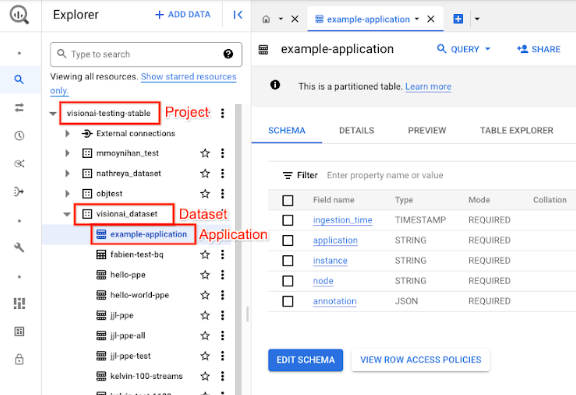
テーブルの詳細ビューで、[プレビュー] をクリックします。結果は [アノテーション] 列に表示されます。出力形式の説明については、 モデル出力をご覧ください。
アプリケーションは結果を日付順に保存します。最も古い結果はテーブルの先頭に表示され、最新の結果はテーブルの末尾に追加されます。最新の結果を確認するには、ページ番号をクリックしてテーブルの最後のページに移動します。
モデル出力
モデル出力には、タイムスタンプ、検出ボックス、ボックスに対応するオブジェクト ラベル、そのオブジェクトの信頼度スコアが含まれます。出力ストリームのレートは 1 フレーム / 秒です。
モデル出力は、プロトコル バッファ形式で、動画フレームと PPE 検出予測結果に関する情報を含みます。このモデルの目的は、保護具が適切に着用されているかどうかを確認することです。そのため、このモデルは人物と、その人物が身につけている PPE の検出に重点を置いています。モデル出力は人感センサーに重点を置いています。検出された人物ごとに、その人物の周囲にある PPE と、各装備のカバレッジ スコアが一覧表示されます。
次のプロトコル バッファの例では、次の点に注意してください。
- 現在の時刻 - タイムスタンプは、推論結果が作成された時刻を示します。
- 検出された人物 - 1 つの人物識別ボックス、複数の PPE 識別ボックス、各身体部位のカバレッジ スコアを含む主な検出結果。
- 人物識別ボックス - 境界ボックス、信頼度スコア、人物エンティティ。
- PPE 識別ボックス - 境界ボックス、信頼度スコア、PPE エンティティ。
アノテーション出力 JSON オブジェクトのサンプル
{
  "currentTime": "2022-11-10T21:02:13.499255040Z",
  "detectedPersons": [
    {
      "personId": "0",
      "detectedPersonIdentifiedBox": {
        "boxId": "0",
        "normalizedBoundingBox": {
          "xmin": 0.486749,
          "ymin": 0.35927793,
          "width": 0.048630536,
          "height": 0.21746585
        },
        "confidenceScore": 0.31775203,
        "personEntity":{
          "personEntityId":"0"
        }
      },
      "detected_ppe_identified_boxes": {
        "normalized_bounding_box": {
          "xmin": 0.07268746,
          "ymin": 0.80575824,
          "width": 0.22973709,
          "height": 0.18754286
        },
        "confidence_score": 0.45171335,
        "ppe_entity": {
          "ppe_label_string": "Glove",
          "ppe_supercategory_label_string": "Hand Coverage"
        }
      },
      "detected_ppe_identified_boxes":{
        "normalized_bounding_box":{
          "xmin": 0.35457548,
          "ymin": 0.016402662,
          "width": 0.31828704,
          "height": 0.18849815
        },
        "confidence_score": 0.44129524,
        "ppe_entity":{
          "ppe_label_string": "Helmet",
          "ppe_supercategory_label_string": "Head Coverage"
          }
      }
    }
  ]
}
プロトコル バッファの定義
// Output format for Personal Protective Equipment Detection Operator
message PersonalProtectiveEquipmentDetectionOutput {
 // Current timestamp
 protobuf.Timestamp current_time = 1;

 // The entity info for annotations from person detection prediction result
 message PersonEntity {

   // Entity id
   int64 person_entity_id = 1;
 }

 // The entity info for annotations from PPE detection prediction result
 message PPEEntity {
   // Label id
   int64 ppe_label_id = 1;
   // Human readable string of the label (Examples: helmet, glove, mask)
   string ppe_label_string = 2;
   // Human readable string of the super category label (Examples: head_cover,
   // hands_cover, face_cover)
   string ppe_supercategory_label_string = 3;
   // Entity id
   int64 ppe_entity_id = 4;
 }

 // Bounding Box in the normalized coordinates
 message NormalizedBoundingBox {
   // Min in x coordinate
   float xmin = 1;
   // Min in y coordinate
   float ymin = 2;
   // Width of the bounding box
   float width = 3;
   // Height of the bounding box
   float height = 4;
 }

 // PersonIdentified box contains the location and the entity info of the
 // person
 message PersonIdentifiedBox {
   // An unique id for this box
   int64 box_id = 1;
   // Bounding Box in the normalized coordinates
   NormalizedBoundingBox normalized_bounding_box = 2;
   // Confidence score associated with this box
   float confidence_score = 3;
   // Person entity info
   PersonEntity person_entity = 4;
 }

 // PPEIdentified box contains the location and the entity info of the PPE
 message PPEIdentifiedBox {
   // An unique id for this box
   int64 box_id = 1;
   // Bounding Box in the normalized coordinates
   NormalizedBoundingBox normalized_bounding_box = 2;
   // Confidence score associated with this box
   float confidence_score = 3;
   // PPE entity info
   PPEEntity ppe_entity = 4;
 }

 // Detected Person contains the detected person and their associated
 // PPE and their protecting information
 message DetectedPerson {
   // The id of detected person
   int64 person_id = 1;
   // The info of detected person identified box
   PersonIdentifiedBox detected_person_identified_box = 2;
   // The info of detected person associated ppe identified boxes
   repeated PPEIdentifiedBox detected_ppe_identified_boxes = 3;

   // Coverage score for each body part


   // Coverage score for face
   optional float face_coverage_score = 4;
   // Coverage score for eyes
   optional float eyes_coverage_score = 5;
   // Coverage score for head
   optional float head_coverage_score = 6;
   // Coverage score for hands
   optional float hands_coverage_score = 7;
   // Coverage score for body
   optional float body_coverage_score = 8;
   // Coverage score for feet
   optional float feet_coverage_score = 9;
 }

 // A list of DetectedPersons
 repeated DetectedPerson detected_persons = 2;
}
ベスト プラクティスと制限事項
PPE 検出機能を使用する際に最適な結果を得るには、データの取得とモデルの使用時に次の点を考慮してください。
ソースデータに関する推奨事項
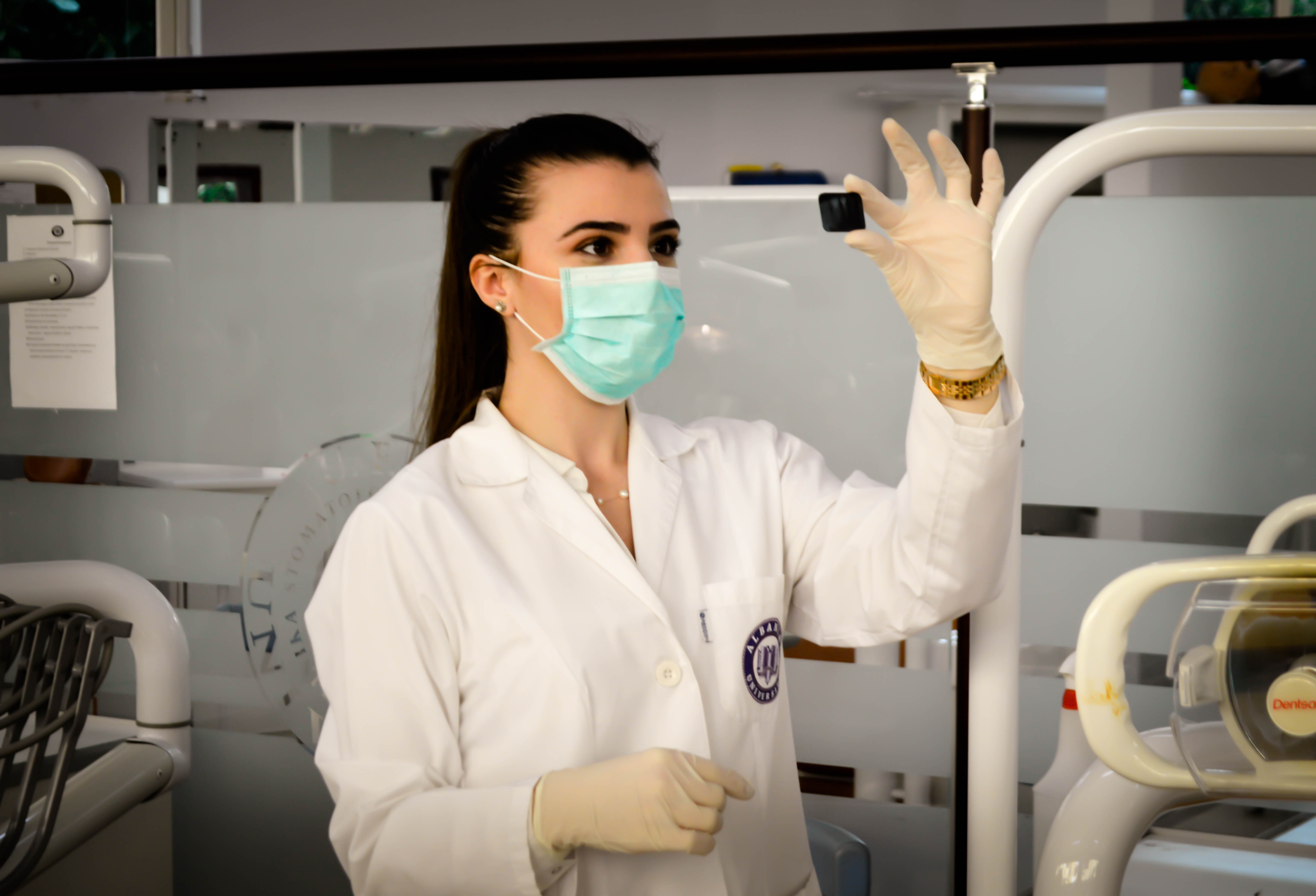
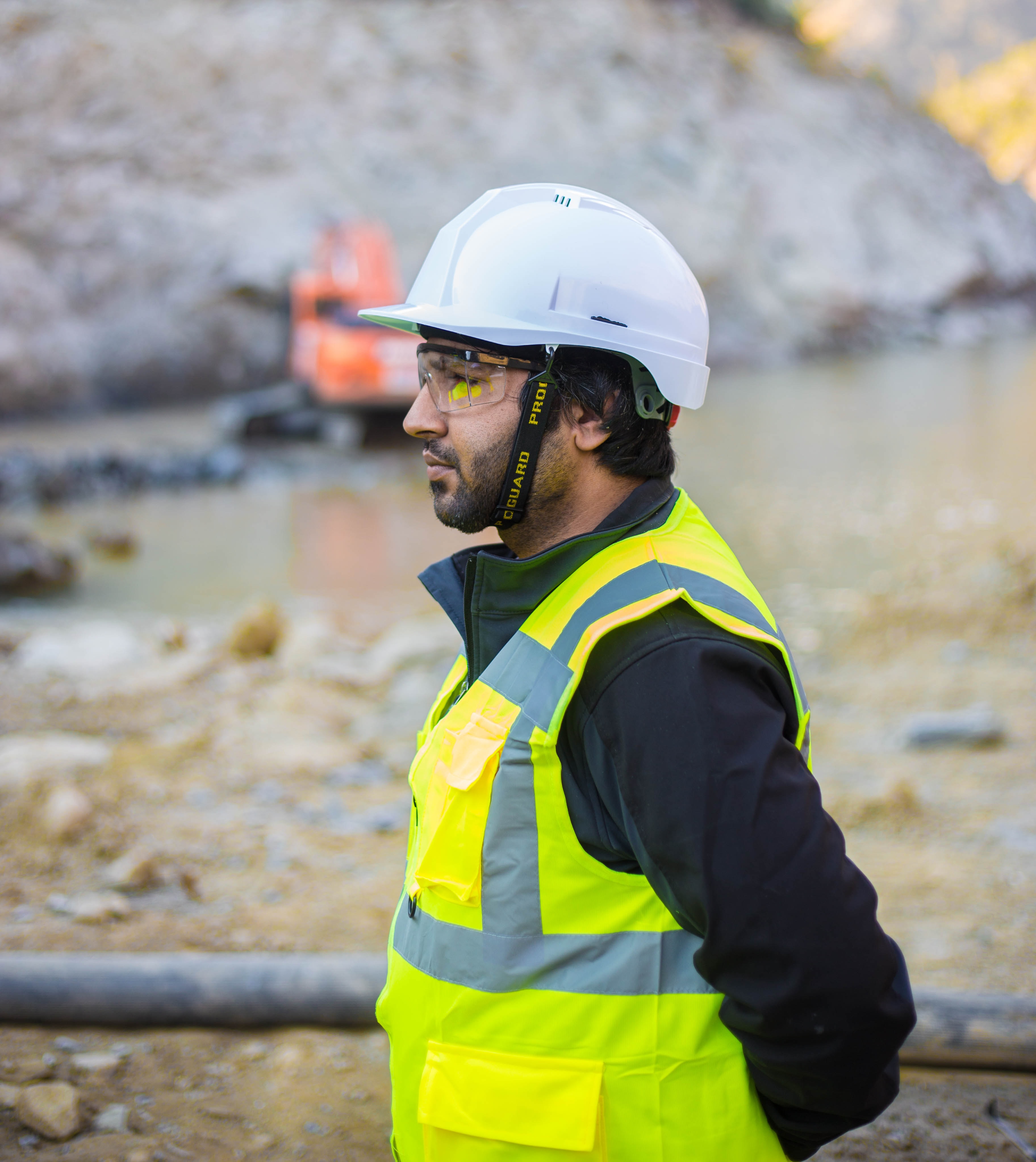
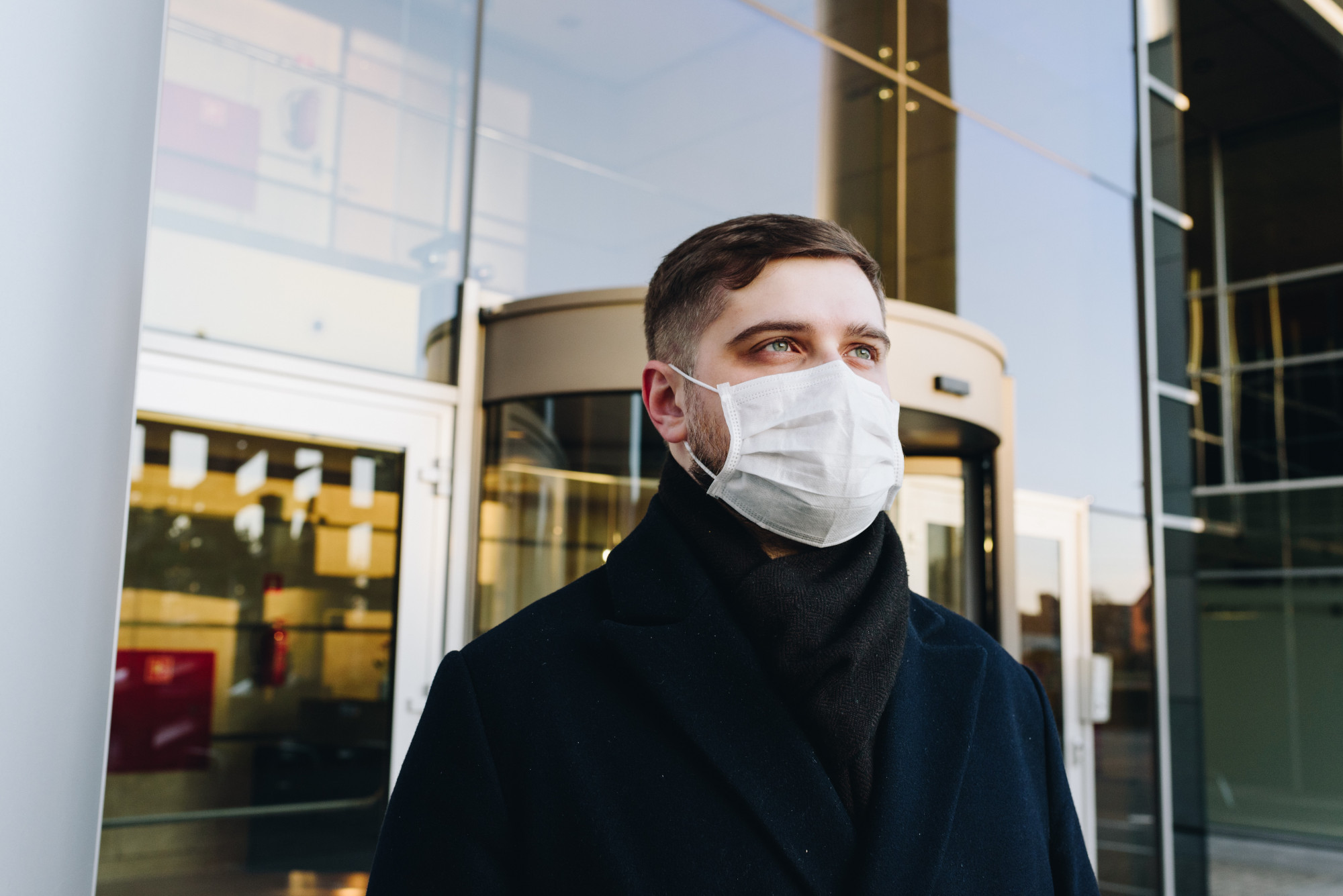
推奨: 可能であれば、検出 対象を静止させてカメラに向かわせます。
PPE 検出機能が正しく処理できる画像データの例:
|
|
|
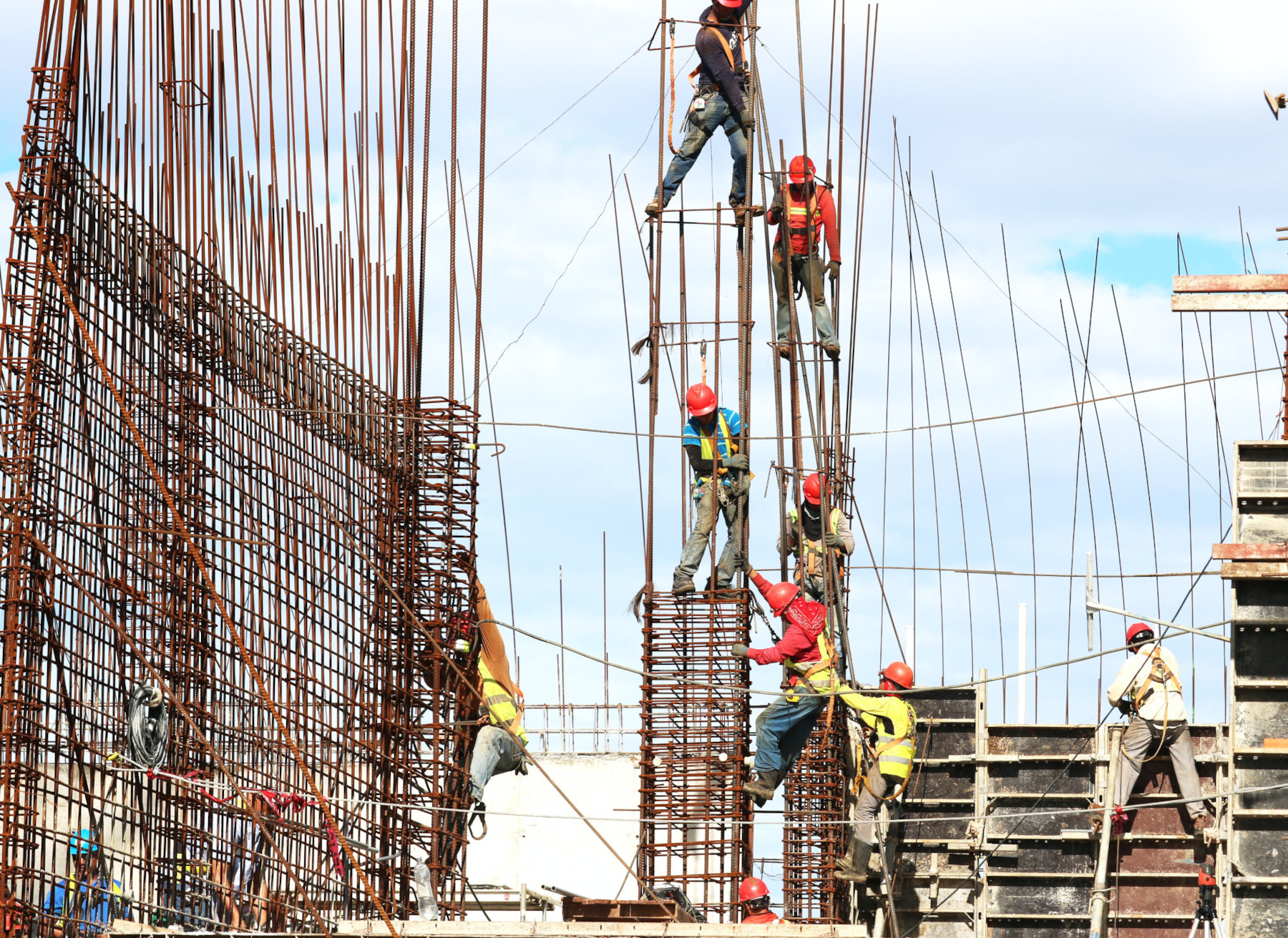
非推奨: フレーム内の 主要な PPE アイテムが小さすぎる画像データは避けてください。
PPE 検出が正しく処理できない画像データの例:
|
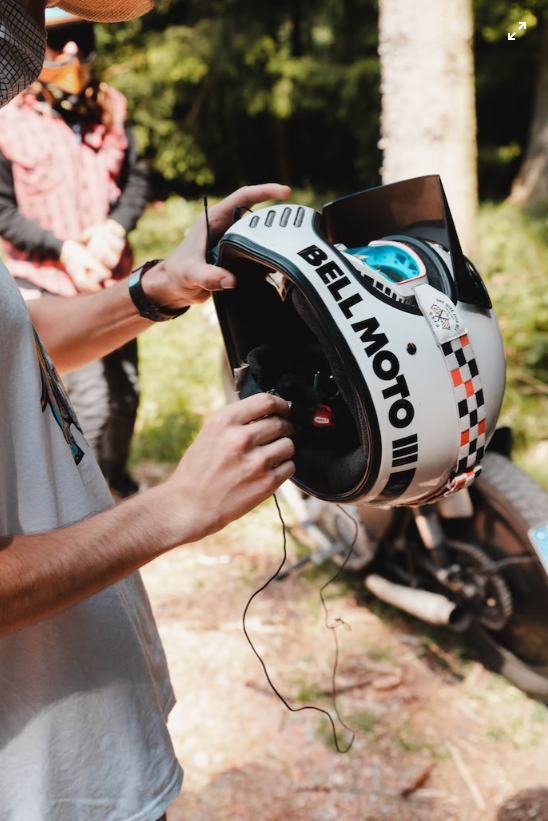
非推奨: 一般的でない視点や不規則な角度から主要な PPE アイテムを 撮影した画像データは避けてください。
PPE 検出が正しく処理できない画像データの例:
|
制限事項
- 解像度: 推奨される最大入力動画解像度は 1920 x 1080、 推奨される最小解像度は 160 x 120 です。
- 検出可能な最小オブジェクト サイズ: フレームサイズの 5% 未満のシーン内のオブジェクトは無視されます。
- 照明: 動画の照明は通常どおりにする必要があります。動画データが極端に明るい場合や暗い場合は、検出のパフォーマンスが低下する可能性があります。
- PPE アイテムの配置: PPE モデルは、人々が PPE アイテムを適切に使用しているかどうかを分析することに重点を置いています。そのため、PPE アイテムを着用していない場合、そのアイテムは無視されます。
- PPE 商品アイテム タイプ: このモデルは、医療用 PPE アイテムではなく、建設用 保護具に重点を置いています。そのため、医療センターや病院では検出機能が適切に機能しない可能性があります。
- カスタム PPE タイプ: PPE モデルは、ユーザー定義の PPE アイテムをサポートしていません。このモデルは、ヘルメット、マスク、手袋の検出をサポートしています。
このリストはすべてを網羅しているわけではなく、これらの制限事項と機能は今後のプロダクトの変更に伴って変更される可能性があります。