

You can shut down the appliance to relocate it, or if planned power or facility work will affect the appliance. To ensure that your data is safe, you must power down the appliance before disconnecting power.
Appliance power controls
The location and type of power controls depend on the appliance model you received:
Rackable TA40 and TA300: Use the button module on the front panel.
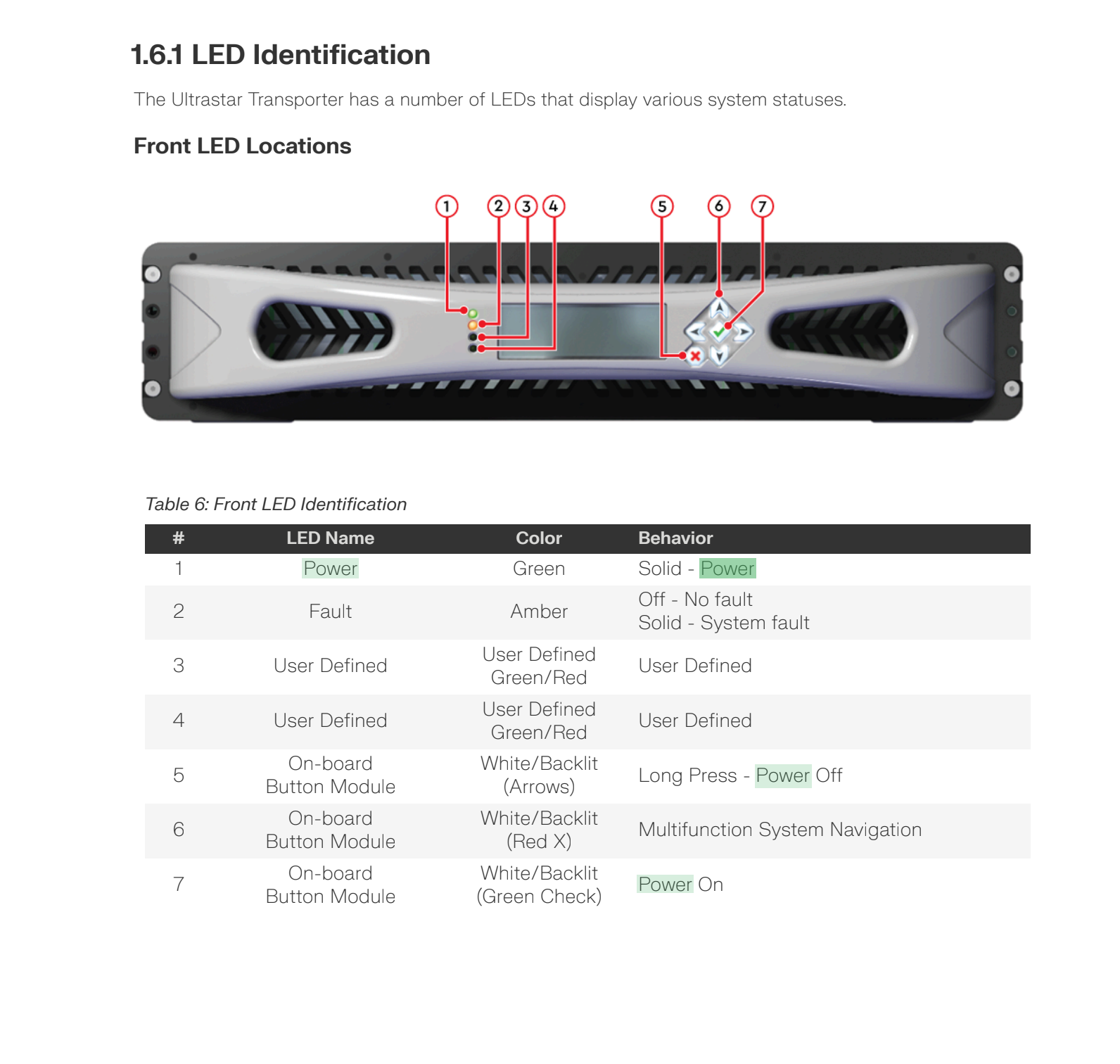
- Power On: Press the Green Check button (7).
- Power Off: Long press the Arrows (Up/Down) (5).
Freestanding TA40 and TA300: Open the case lid and press the power button on the top panel.
Power down
To power down the appliance, run the shutdown command from the appliance
command line:
sudo shutdown now
To restart the appliance after powering down, use the power controls described in Appliance power controls.