


השימוש ב-webhook fulfillment ב-Dialogflow מאפשר לנו לשלוט בתהליך של הנציג שלנו. במדריך הזה, צריך webhook כדי לאמת את הרצפים האלפאנומריים שנאספים בכוונת Sequence. ה-webhook יחזור על הכוונה הזו שוב ושוב כדי לאסוף רצף ארוך יותר של נתונים באיטרציות קלות יותר לניהול.
יצירת webhook באמצעות העורך המוטמע
ל-Dialogflow יש עורך ישיר במסוף שמאפשר לכם לכתוב קוד NodeJS ישירות, ואז לפרוס אותו כדי להריץ אותו כ-webhook ב-Cloud Functions.
כדי ליצור webhook באמצעות העורך המוטבע של Dialogflow:
- בסרגל הניווט לוחצים על הכרטיסייה ניהול משלוחים כדי לעבור לדף ניהול המשלוחים.
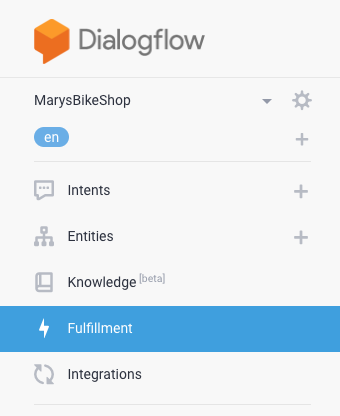
- מעבירים את הכפתור של העורך המוטבע למצב מופעל.

- מוחקים את התוכן הקיים בכרטיסייה
package.jsonבכלי לעריכה מוטבעת.
מעתיקים את תוכן ה-JSON שבהמשך ומדביקים אותו בכרטיסייה
package.jsonשל העורך המוטבע:{ "name": "DialogflowFirebaseWebhook", "description": "Firebase Webhook dependencies for a Dialogflow agent.", "version": "0.0.1", "private": true, "license": "Apache Version 2.0", "author": "Google Inc.", "engines": { "node": "10" }, "scripts": { "lint": "semistandard --fix \"**/*.js\"", "start": "firebase deploy --only functions", "deploy": "firebase deploy --only functions" }, "dependencies": { "firebase-functions": "^2.0.2", "firebase-admin": "^5.13.1" } }מוחקים את הקוד הקיים בכרטיסייה
index.jsבכלי העריכה המוטבע.
מעתיקים את הקוד שבהמשך ומדביקים אותו בכרטיסייה
index.jsשל העורך המוטבע:/** * Copyright 2020 Google Inc. All Rights Reserved. * * Licensed under the Apache License, Version 2.0 (the "License"); * you may not use this file except in compliance with the License. * You may obtain a copy of the License at * * http://www.apache.org/licenses/LICENSE-2.0 * * Unless required by applicable law or agreed to in writing, software * distributed under the License is distributed on an "AS IS" BASIS, * WITHOUT WARRANTIES OR CONDITIONS OF ANY KIND, either express or implied. * See the License for the specific language governing permissions and * limitations under the License. */ 'use strict'; const functions = require('firebase-functions'); // TODO: set this to the minimum valid length for your sequence. // There's no logic in here to enforce this length, but once the // user has said this many digits, the slot-filling prompt will // also instruct the user to say "that's all" to end the slot-filling. const MIN_SEQUENCE_LENGTH = 10; exports.dialogflowFirebaseFulfillment = functions.https.onRequest((request, response) => { let dfRequest = request.body; let action = dfRequest.queryResult.action; switch (action) { case 'handle-sequence': handleSequence(dfRequest, response); break; case 'validate-sequence': validateSequence(dfRequest, response); break; default: response.json({ fulfillmentText: `Webhook for action "${action}" not implemented.` }); } }); //// // Helper functions /* Send an SSML response. * @param request: Dialogflow WebhookRequest JSON with camelCase keys. * See https://cloud.google.com/dialogflow/es/docs/reference/common-types#webhookrequest * @param response: Express JS response object * @param ssml: SSML string. * @example: sendSSML(request, response, 'hello') * Will call response.json() with SSML payload '<speak>hello</speak>' */ function sendSSML(request, response, ssml) { ssml = `<speak>${ssml}</speak>`; if (request.originalDetectIntentRequest.source == 'GOOGLE_TELEPHONY') { // Dialogflow Phone Gateway Response // see https://cloud.google.com/dialogflow/es/docs/reference/rpc/google.cloud.dialogflow.v2beta1#google.cloud.dialogflow.v2beta1.Intent.Message.TelephonySynthesizeSpeech response.json({ fulfillmentMessages: [{ platform: 'TELEPHONY', telephonySynthesizeSpeech: {ssml: ssml} }] }); } else { // Some CCAI telephony partners accept SSML in a plain text response. // Check your specific integration and customize the payload here. response.json({ fulfillmentText: ssml }); } } /* Extract an output context from the incoming WebhookRequest. * @param request: Dialogflow WebhookRequest JSON with camelCase keys. * See https://cloud.google.com/dialogflow/es/docs/reference/common-types#webhookrequest * @param name: A string * @return: The context object if found, or undefined * @see: https://cloud.google.com/dialogflow/es/docs/reference/rpc/google.cloud.dialogflow.v2#google.cloud.dialogflow.v2.Context * and note this webhook uses JSON camelCase instead of RPC snake_case. * @example: * // Modify an existing output content * let context = getOutputContext(request, 'some-context'); * context.lifespanCount = 5; * context.parameters.some_parameter = 'new value'; * response.json({ * fulfillmentText: 'new value set', * outputContexts: [context] * }); */ function getOutputContext(request, name) { return request.queryResult.outputContexts.find( context => context.name.endsWith(`/contexts/${name}`) ); } //// // Action handler functions /* * Fulfillment function for: * actions: handle-sequence * intents: "Sequence", "Sequence - Edit" * @param request: Dialogflow WebhookRequest JSON with camelCase keys. * See https://cloud.google.com/dialogflow/es/docs/reference/common-types#webhookrequest * @param response: Express JS response object */ function handleSequence(request, response) { let parameters = request.queryResult.parameters; let isSlotFilling = !request.queryResult.allRequiredParamsPresent; let isEditing = getOutputContext(request, 'editing-sequence'); console.log(request.queryResult.action + ': ' + JSON.stringify(parameters)); if (isSlotFilling) { // Prompt the user for the sequence let verbatim = `<prosody rate="slow"><say-as interpret-as="verbatim">${parameters.existing_sequence}</say-as></prosody>`; if (!parameters.existing_sequence && !parameters.new_sequence) { // Initial prompt response.json({ fulfillmentText: "What is your sequence? Please pause after a few characters so I can confirm as we go." }); } else if (!isEditing) { // Confirm what the system heard with the user. We customize the response // according to how many sequences we've heard to make the prompts less // verbose. if (!parameters.previous_sequence) { // after the first input sendSSML(request, response, `Say "no" to correct me at any time. Otherwise, what comes after ${verbatim}`); } else if (parameters.existing_sequence.length < MIN_SEQUENCE_LENGTH) { // we know there are more characters to go sendSSML(request, response, `${verbatim} What's next?`); } else { // we might have all we need sendSSML(request, response, `${verbatim} What's next? Or say "that's all".`); } } else { // User just said "no" sendSSML(request, response, `Let's try again. What comes after ${verbatim}`); } } else { // Slot filling is complete. // Construct the full sequence. let sequence = (parameters.existing_sequence || '') + (parameters.new_sequence || ''); // Trigger the follow up event to get back into slot filling for the // next sequence. response.json({ followupEventInput: { name: 'continue-sequence', parameters: { existing_sequence: sequence, previous_sequence: parameters.existing_sequence || '' } } }); // TODO: CHALLENGE: consider validating the sequence here. // The user has already confirmed existing_sequence, so if you find a unique // record in your database with this existing_sequence prefix, you could send // a followUpEventInput like 'validated-sequence' to skip to the next part // of the flow. You could either create a new intent for this event, or // reuse the "Sequence - done" intent. If you reuse the "done" intent, you // could add another parameter "assumed_sequence" with value // "#validated-sequence.sequence", then modify the validateSequence function // below to customize the response for this case. } } /* * Fulfillment function for: * action: validate-sequence * intents: "Sequence - Done" * @param request: Dialogflow WebhookRequest JSON with camelCase keys. * See https://cloud.google.com/dialogflow/es/docs/reference/common-types#webhookrequest * @param response: Express JS response object */ function validateSequence(request, response) { let parameters = request.queryResult.parameters; // TODO: add logic to validate the sequence and customize your response let verbatim = `<say-as interpret-as="verbatim">${parameters.sequence}</say-as>`; sendSSML(request, response, `Thank you. Your sequence is ${verbatim}`); }לוחצים על DEPLOY.
עכשיו אפשר לבדוק את השילוב על ידי התקשרות לנציג. אם עדיין לא עשיתם זאת, עכשיו זה זמן טוב להגדיר אחד משילובי הטלפוניה של השותפים שלנו בלחיצה אחת, או להגדיר את Dialogflow Phone Gateway כדי לבדוק את הסוכן בטלפון.
הסבר על הקוד
הפונקציה dialogflowFirebaseFulfillment כאן היא נקודת הכניסה ל-webhook, והיא נקראת בכל פעם שמופעל webhook. עם כל בקשה, Dialogflow שולח את שם ה-action שציינתם במסוף Dialogflow עבור כוונת המשתמש. הקוד משתמש בשם הפעולה הזה כדי לקבוע איזו פונקציית webhook להפעיל, handleSequence או validateSequence.
טיפול ברצף
handleSequence היא הפונקציה העיקרית במדריך הזה. היא אחראית לכל ההיבטים של מילוי המשבצות ברצף, כולל:
- הוראות ראשוניות מושמעות כשסשן נכנס לראשונה לכוונה.
- לחזור על הרצף לפני שמבקשים את הסט הבא.
- הסבר למשתמשי הקצה איך לתקן את הבוט.
- המערכת מזהה מתי יש מספיק ספרות לרצף תקין, ומסבירה למשתמש הקצה איך לסיים את הקלט (ראו את הערך `MIN_SEQUENCE_LENGTH' בקוד).
- הפעלת לולאה של מילוי משבצות כדי לאסוף כמה רצפים חלקיים.
- שרשור הרצפים החלקיים לרצף ארוך אחד.
אימות הרצף
validateSequence הוא המקום שבו כדאי להוסיף חיבור למאגר הנתונים כדי לאמת את הרצף הסופי ולהחזיר למשתמש הודעה מותאמת אישית על סמך הנתונים האלה. לדוגמה, אם אתם בונים סוכן לחיפוש הזמנות, אתם יכולים להתאים אישית את התשובה כך שתכלול את הטקסט הבא:
Thank you. Your order ${verbatim} will arrive on ${lookup.date} and will
${lookup.require_signature ? '' : 'not'} require a signature.
כאשר lookup הוא אובייקט מסוים שמצאתם במאגר הנתונים של ההזמנה הזו.
פונקציות עזר
בדוגמה הזו לא נעשה שימוש בתלות ספציפית ב-Dialogflow. במקום זאת, כדאי לעיין בהפניה אל WebhookRequest כדי להבין מה צפוי ב-request.body, ובהפניה אל WebhookResponse כדי להבין מה צריך להחזיר ב-response.json({...}).
הקוד כולל שתי פונקציות עזר שמקלות על:
- שולחים את תגובת ה-JSON המתאימה לפלטפורמה הנוכחית על ידי העברת מחרוזת אל
sendSSML. - מחפשים הקשר פעיל של Dialogflow מהבקשה על ידי העברת שם ההקשר אל
getOutputContext.
שיפור נוסף
ההסבר הזה יעזור לכם להתחיל להשתמש ב-webhook בתרחישים מתקדמים לדוגמה. תכננת סוכן שיכול להריץ בלולאה הנחיה לרצף בזמן שמשתמש קצה מדבר את הרצף, ולוודא לאורך הדרך שהנציג הווירטואלי שומע אותו כמו שצריך.
הנה כמה רעיונות לשיפור נוסף של החוויה:
- לשנות חלק מהתשובות של ה-webhook כך שיתאימו למותג שלכם. לדוגמה, במקום ההנחיה הכללית 'מה הרצף שלך?', אפשר לערוך את הקוד כך שיופיע 'מה מספר ההזמנה שלך?'. במקום זאת, אפשר להגיד: "אפשר למצוא אותו ב ...".
- כדאי להוסיף עוד הקשר פלט לכוונת המשתמש 'רצף – סיום', ואז ליצור כמה כוונות משתמש חדשות בהקשר הקלט הזה כדי לאפשר למשתמשים לשאול שאלות המשך לגבי ההזמנה שלהם.
- אם אתם רוצים להעמיק בנושא הזה, כדאי לעיין ב
TODO: CHALLENGEבקוד לדוגמה שלמעלה כדי לראות איך אפשר לשפר עוד יותר את חוויית המשתמש.