

如果您已啟用 Dialogflow 執行階段整合,但 CX Insights 控制台未顯示在 Dialogflow 中建立的對話,請按照下列步驟排解問題。
- 請確認您已完成所有功能必要條件。
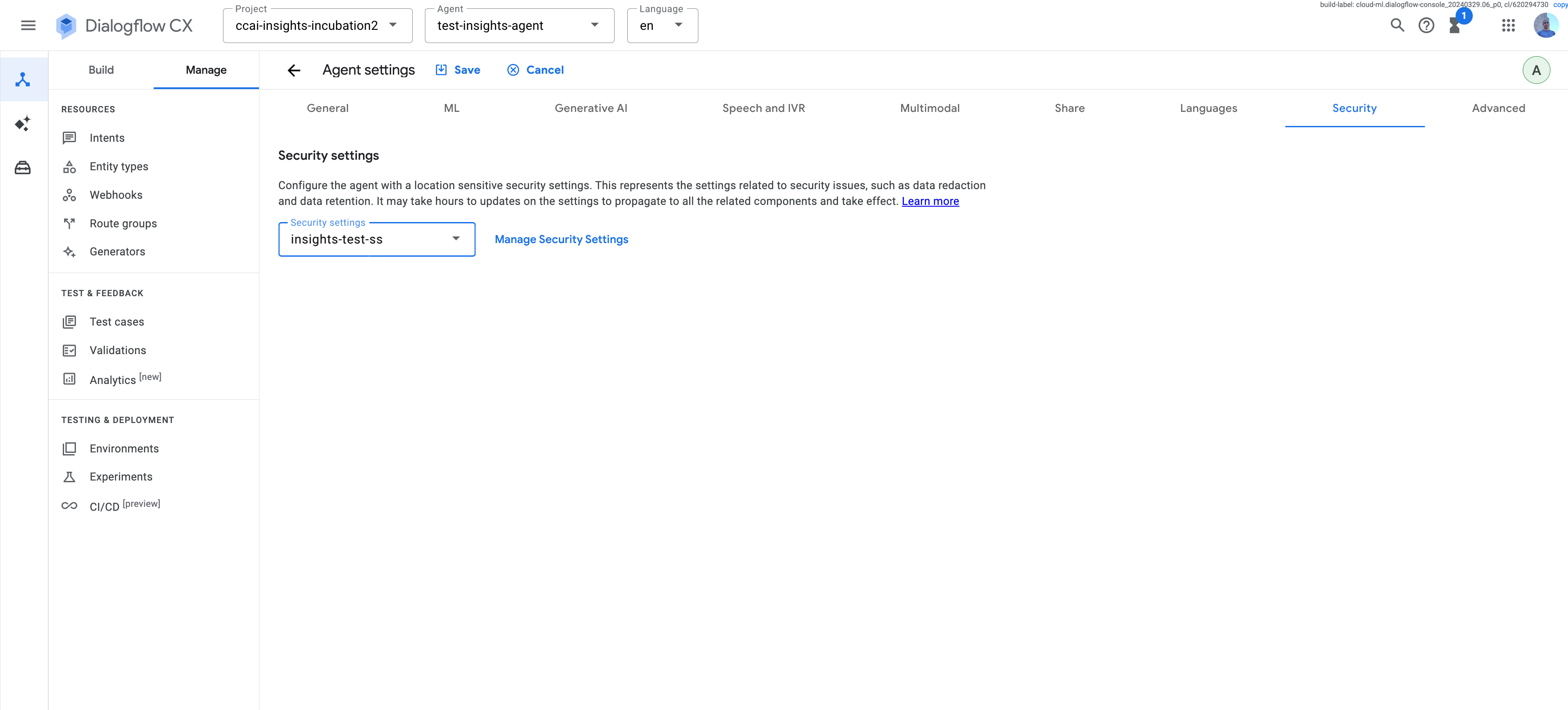
請檢查您使用的是專案層級還是代理程式專屬的安全設定。V2 安全性設定會套用至整個專案,且僅適用於全域區域。其他所有區域都會使用代理程式專屬或對話設定檔專屬的安全設定。
執行下列 curl 指令,列出 Dialogflow 或 Agent Assist 專案中所有可用的安全性設定。
curl -H "Content-Type: application/json" \
    -H "Authorization: Bearer $(gcloud auth application-default print-access-token)" \
    -H "x-goog-user-project: PROJECT" \
   'https://LOCATION-dialogflow.googleapis.com/v3/projects/PROJECT/locations/LOCATION/securitySettings'
如要編輯現有的安全性設定,請從清單指令的回應中取得設定 ID。例如:
projects/ccai-fishfood/locations/us-east1/securitySettings/729a8e06dfed549f:SECURITY_SETTINGS=729a8e06dfed549f。執行下列 curl 指令,更新 Dialogflow
SecuritySettings。將enable_insights_export設為true。curl -H "Content-Type: application/json" \ -H "Authorization: Bearer $(gcloud auth application-default print-access-token)" \ -H "x-goog-user-project: PROJECT" \ -X PATCH https://LOCATION-dialogflow.googleapis.com/v3/projects/PROJECT/locations/LOCATION/securitySettings/SECURITY_SETTINGS?update_mask=insights_export_settings \ --data '{"insights_export_settings": {"enable_insights_export": true}}'
使用下列指令建立啟用 CX Insights 的安全性設定。
curl -H "Content-Type: application/json" \
    -H "Authorization: Bearer $(gcloud auth application-default print-access-token)" \
    -H "x-goog-user-project: PROJECT" \
    -X POST https://LOCATION-dialogflow.googleapis.com/v3/projects/PROJECT/locations/LOCATION/securitySettings\
    --data '{ "display_name": "Insights export enabled", "insights_export_settings": {"enable_insights_export": true}}'
如要儲存錄音內容以供播放,請執行下列 curl 指令,設定 Cloud Storage bucket 名稱和音訊檔案格式。
curl -H "Content-Type: application/json"\
    -H "Authorization: Bearer $(gcloud auth application-default print-access-token)" \
    -H "x-goog-user-project: PROJECT" \
    -X PATCH https://LOCATION-dialogflow.googleapis.com/v3/projects/PROJECT/locations/LOCATION/securitySettings/SECURITY_SETTINGS?update_mask=audio_export_settings\
    --data '{"audio_export_settings":{"gcs_bucket": "BUCKET","audio_format": "FORMAT"}}'
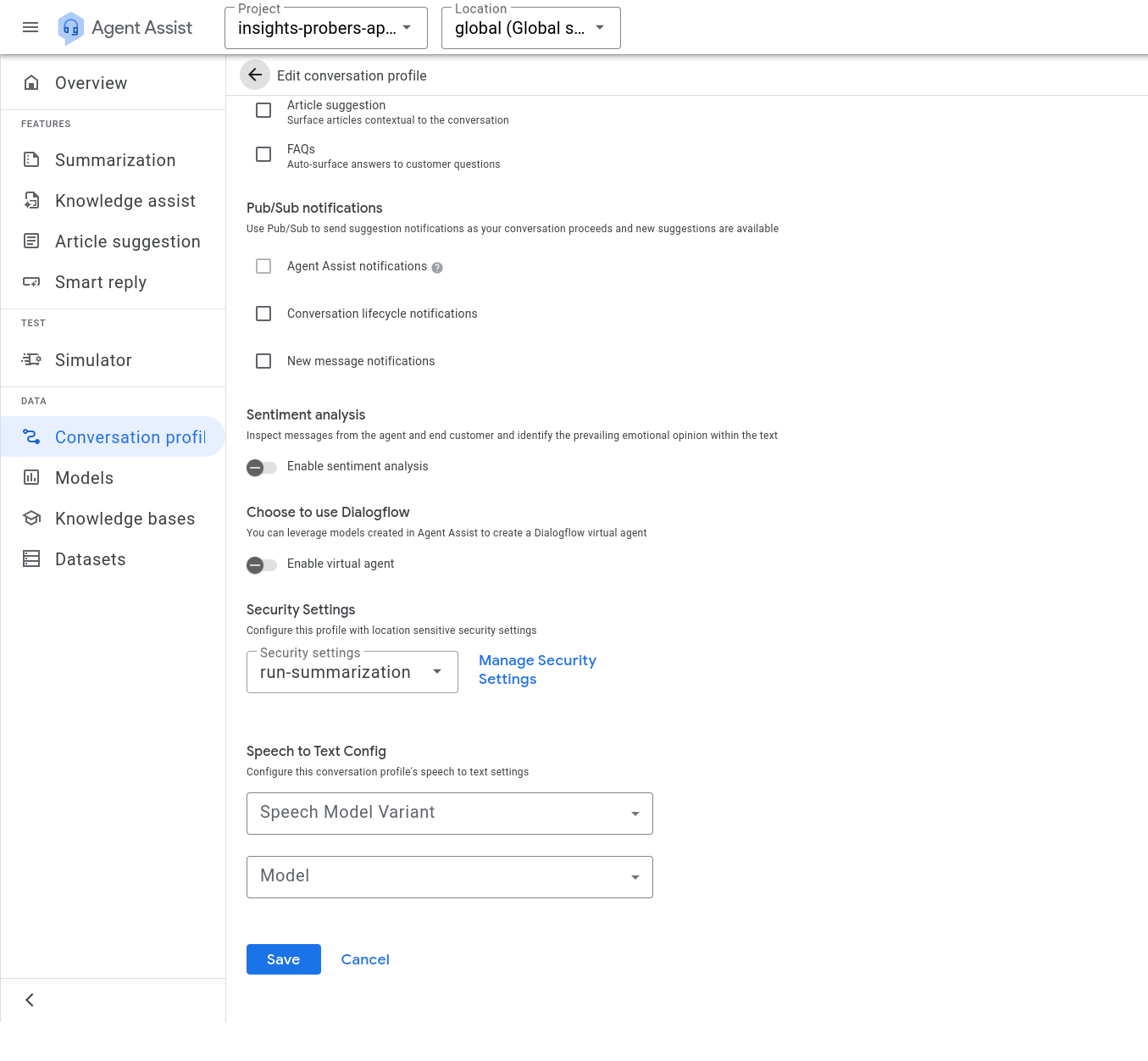
如果使用 Agent Assist,請在「對話設定檔」頁面中,將安全性設定附加至所有對話設定檔:
- 如果使用 Dialogflow,請前往「代理程式設定」頁面,並在「安全性」分頁中附加安全性設定。針對每個虛擬代理重複執行這個步驟。
- 確認啟用執行階段整合功能後,已進行一些 Dialogflow 對話。Dialogflow 執行階段整合功能不會追溯套用至對話。
- 如果使用
AnalyzeContent,請務必關閉對話。 - 請確認 Customer Experience Insights 服務代理有權從 Dialogflow 擷取對話。
- 查看 Cloud Monitoring Metrics Explorer,瞭解整合專用的指標。尋找「Customer Experience Insights Environment」資源類型和「Notifications From Contact Center AI Runtime」指標。這項指標會顯示對話發生時,Dialogflow 是否實際通知 CX Insights。
- 查看記錄檔探索工具,找出錯誤發生位置。
- 如果上述步驟都無法解決問題,請與 Google 代表聯絡。你可以直接傳送支援要求和意見回饋給他們。
curl -H "Content-Type: application/json"\
     -H "Authorization: Bearer $(gcloud auth application-default print-access-token)"\
     -H "x-goog-user-project: PROJECT"\
    'https://LOCATION-dialogflow.googleapis.com/v3/projects/PROJECT/locations/LOCATION/securitySettings'
curl -H "Content-Type: application/json"\
     -H "Authorization: Bearer $(gcloud auth application-default print-access-token)"\
     -H "x-goog-user-project: PROJECT"\
    'https://LOCATION-dialogflow.googleapis.com/v3/projects/PROJECT/locations/LOCATION/agents/AGENT-ID'
curl -H "Content-Type: application/json"\
     -H "Authorization: Bearer $(gcloud auth application-default print-access-token)"\
     -H "x-goog-user-project: PROJECT"\
    'https://LOCATION-dialogflow.googleapis.com/v2/projects/PROJECT/locations/LOCATION/conversationProfiles'