מדריך לזיהוי טקסט במסמכים צפופים

קהל

המדריך הזה נועד לעזור לכם לפתח אפליקציות באמצעות Google Cloud Vision API Document Text Detection. המדריך מניח שיש לכם היכרות עם מבנים וטכניקות תכנות בסיסיים, אבל גם אם אתם מתחילים בתחום התכנות, תוכלו לעקוב אחרי המדריך ולהריץ אותו בלי קושי, ואז להשתמש במאמרי העזרה של Cloud Vision API כדי ליצור אפליקציות בסיסיות.

דרישות מוקדמות

Python

הוספת הערות לתמונה באמצעות OCR של טקסט במסמך

במדריך הזה מוסבר איך ליצור אפליקציה בסיסית של Vision API ששולחת DOCUMENT_TEXT_DETECTION בקשה ומעבדת את fullTextAnnotation התגובה.

fullTextAnnotation היא תשובה היררכית מובנית לטקסט UTF-8 שחולץ מהתמונה, והיא מאורגנת כך: דפים→בלוקים→פסקאות→מילים→סמלים:

  • Page הוא אוסף של בלוקים, בתוספת מידע על הדף: גדלים, רזולוציות (רזולוציית X ורזולוציית Y עשויות להיות שונות).

  • Block מייצג רכיב "לוגי" אחד בדף – לדוגמה, אזור שמכוסה בטקסט, תמונה או קו הפרדה בין עמודות. בלוקים של טקסט וטבלה מכילים את המידע העיקרי שנדרש לחילוץ הטקסט.

  • Paragraph היא יחידה מבנית של טקסט שמייצגת רצף מסודר של מילים. כברירת מחדל, המילים נחשבות מופרדות על ידי מעברי מילים.

  • Word היא יחידת הטקסט הקטנה ביותר. הוא מיוצג כמערך של סמלים.

  • Symbol מייצג תו או סימן פיסוק.

בנוסף, fullTextAnnotation יכול לספק כתובות URL של תמונות באינטרנט שתואמות באופן חלקי או מלא לתמונה שבבקשה.

רשימת קוד מלאה

במהלך קריאת הקוד, מומלץ לעיין בהפניה ל-Cloud Vision API Python.

import argparse
from enum import Enum

from google.cloud import vision
from PIL import Image, ImageDraw


class FeatureType(Enum):
    PAGE = 1
    BLOCK = 2
    PARA = 3
    WORD = 4
    SYMBOL = 5


def draw_boxes(image, bounds, color):
    """Draws a border around the image using the hints in the vector list.

    Args:
        image: the input image object.
        bounds: list of coordinates for the boxes.
        color: the color of the box.

    Returns:
        An image with colored bounds added.
    """
    draw = ImageDraw.Draw(image)

    for bound in bounds:
        draw.polygon(
            [
                bound.vertices[0].x,
                bound.vertices[0].y,
                bound.vertices[1].x,
                bound.vertices[1].y,
                bound.vertices[2].x,
                bound.vertices[2].y,
                bound.vertices[3].x,
                bound.vertices[3].y,
            ],
            None,
            color,
        )
    return image


def get_document_bounds(image_file, feature):
    """Finds the document bounds given an image and feature type.

    Args:
        image_file: path to the image file.
        feature: feature type to detect.

    Returns:
        List of coordinates for the corresponding feature type.
    """
    client = vision.ImageAnnotatorClient()

    bounds = []

    with open(image_file, "rb") as image_file:
        content = image_file.read()

    image = vision.Image(content=content)

    response = client.document_text_detection(image=image)
    document = response.full_text_annotation

    # Collect specified feature bounds by enumerating all document features
    for page in document.pages:
        for block in page.blocks:
            for paragraph in block.paragraphs:
                for word in paragraph.words:
                    for symbol in word.symbols:
                        if feature == FeatureType.SYMBOL:
                            bounds.append(symbol.bounding_box)

                    if feature == FeatureType.WORD:
                        bounds.append(word.bounding_box)

                if feature == FeatureType.PARA:
                    bounds.append(paragraph.bounding_box)

            if feature == FeatureType.BLOCK:
                bounds.append(block.bounding_box)

    # The list `bounds` contains the coordinates of the bounding boxes.
    return bounds


def render_doc_text(filein, fileout):
    """Outlines document features (blocks, paragraphs and words) given an image.

    Args:
        filein: path to the input image.
        fileout: path to the output image.
    """
    image = Image.open(filein)
    bounds = get_document_bounds(filein, FeatureType.BLOCK)
    draw_boxes(image, bounds, "blue")
    bounds = get_document_bounds(filein, FeatureType.PARA)
    draw_boxes(image, bounds, "red")
    bounds = get_document_bounds(filein, FeatureType.WORD)
    draw_boxes(image, bounds, "yellow")

    if fileout != 0:
        image.save(fileout)
    else:
        image.show()


if __name__ == "__main__":
    parser = argparse.ArgumentParser()
    parser.add_argument("detect_file", help="The image for text detection.")
    parser.add_argument("-out_file", help="Optional output file", default=0)
    args = parser.parse_args()

    render_doc_text(args.detect_file, args.out_file)

האפליקציה הפשוטה הזו מבצעת את המשימות הבאות:

  • ייבוא הספריות שנדרשות להפעלת האפליקציה
  • הפונקציה מקבלת שלושה ארגומנטים ומעבירה אותם לפונקציה main():
    • image_file – קובץ תמונת הקלט שצריך להוסיף לו הערות
    • output_file – שם קובץ הפלט שאליו Cloud Vision ייצור תמונת פלט עם תיבות פוליגון מצוירות
  • יצירת מופע של ImageAnnotatorClient כדי ליצור אינטראקציה עם השירות
  • שולח את הבקשה ומחזיר תגובה
  • יוצר תמונת פלט עם תיבות שמצוירות מסביב לטקסט

מבט מקרוב על הקוד

ייבוא ספריות

import argparse
from enum import Enum

from google.cloud import vision
from PIL import Image, ImageDraw

אנחנו מייבאים ספריות רגילות:

  • argparse כדי לאפשר לאפליקציה לקבל שמות של קובצי קלט כארגומנטים
  • enum לערך הספירה FeatureType
  • io לקלט/פלט של קבצים

ייבוא אחר:

  • המחלקות ImageAnnotatorClient בספרייה google.cloud.vision לגישה ל-Vision API.
  • מודול types בספריית google.cloud.vision ליצירת בקשות.
  • הספריות Image ו-ImageDraw מהספרייה PIL משמשות ליצירת תמונת הפלט עם תיבות שמצוירות על תמונת הקלט.

הפעלת האפליקציה

parser = argparse.ArgumentParser()
parser.add_argument("detect_file", help="The image for text detection.")
parser.add_argument("-out_file", help="Optional output file", default=0)
args = parser.parse_args()

render_doc_text(args.detect_file, args.out_file)

במקרה הזה, אנחנו פשוט מנתחים את הארגומנטים שהועברו ומעבירים אותם לפונקציה render_doc_text().

אימות ל-API

לפני שמתקשרים עם שירות Vision API, צריך לאמת את השירות באמצעות פרטי כניסה שהושגו קודם. הדרך הכי פשוטה לקבל פרטי כניסה באפליקציה היא באמצעות Application Default Credentials ‏(ADC). כברירת מחדל, ספריית הלקוח ב-Cloud תנסה לקבל פרטי כניסה ממשתנה הסביבה GOOGLE_APPLICATION_CREDENTIALS, שצריך להיות מוגדר כך שיצביע על קובץ מפתח ה-JSON של חשבון השירות (מידע נוסף זמין במאמר בנושא הגדרת חשבון שירות).

שליחת בקשת ה-API וקריאת גבולות הטקסט מהתגובה

עכשיו ששירות Vision API מוכן, אפשר לגשת לשירות על ידי קריאה ל-method‏ document_text_detection של מופע ImageAnnotatorClient.

ספריית הלקוח כוללת את הפרטים של הבקשות והתגובות ל-API. מידע מלא על מבנה הבקשה זמין בהפניית Vision API.

def get_document_bounds(image_file, feature):
    """Finds the document bounds given an image and feature type.

    Args:
        image_file: path to the image file.
        feature: feature type to detect.

    Returns:
        List of coordinates for the corresponding feature type.
    """
    client = vision.ImageAnnotatorClient()

    bounds = []

    with open(image_file, "rb") as image_file:
        content = image_file.read()

    image = vision.Image(content=content)

    response = client.document_text_detection(image=image)
    document = response.full_text_annotation

    # Collect specified feature bounds by enumerating all document features
    for page in document.pages:
        for block in page.blocks:
            for paragraph in block.paragraphs:
                for word in paragraph.words:
                    for symbol in word.symbols:
                        if feature == FeatureType.SYMBOL:
                            bounds.append(symbol.bounding_box)

                    if feature == FeatureType.WORD:
                        bounds.append(word.bounding_box)

                if feature == FeatureType.PARA:
                    bounds.append(paragraph.bounding_box)

            if feature == FeatureType.BLOCK:
                bounds.append(block.bounding_box)

    # The list `bounds` contains the coordinates of the bounding boxes.
    return bounds

אחרי שספריית הלקוח תטפל בבקשה, התגובה שלנו תכיל AnnotateImageResponse, שמורכבת מרשימה של תוצאות Image Annotation, אחת לכל תמונה שנשלחה בבקשה. מכיוון ששלחנו רק תמונה אחת בבקשה, נסביר על ה-TextAnnotation המלא ונאסוף את הגבולות של התכונה שצוינה במסמך.

הפעלת האפליקציה

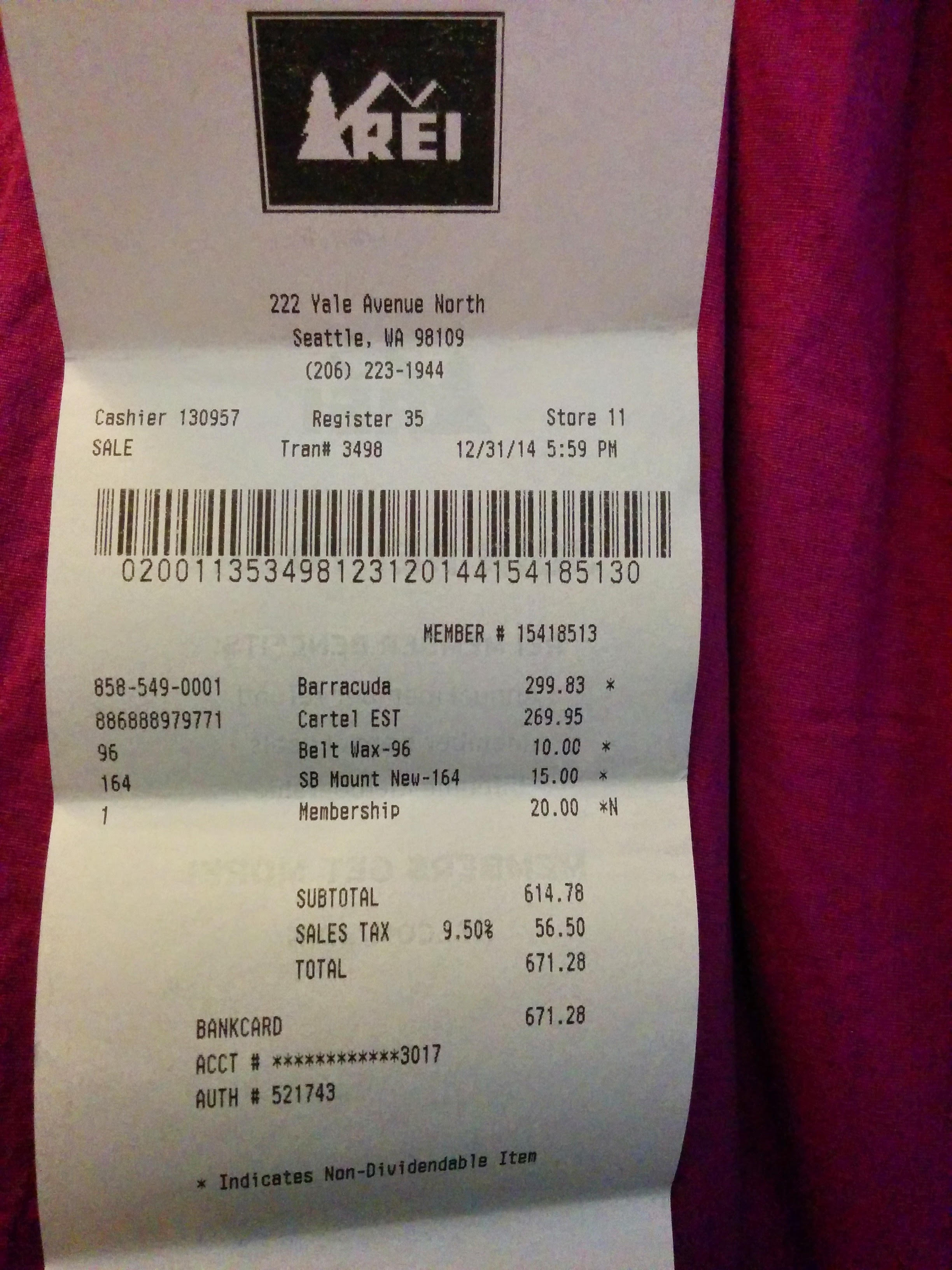
כדי להפעיל את האפליקציה, אפשר להוריד את הקובץ receipt.jpg (יכול להיות שתצטרכו ללחוץ לחיצה ימנית על הקישור), ואז להעביר את המיקום שבו הורדתם את הקובץ במחשב המקומי שלכם לאפליקציית ההדרכה (doctext.py).

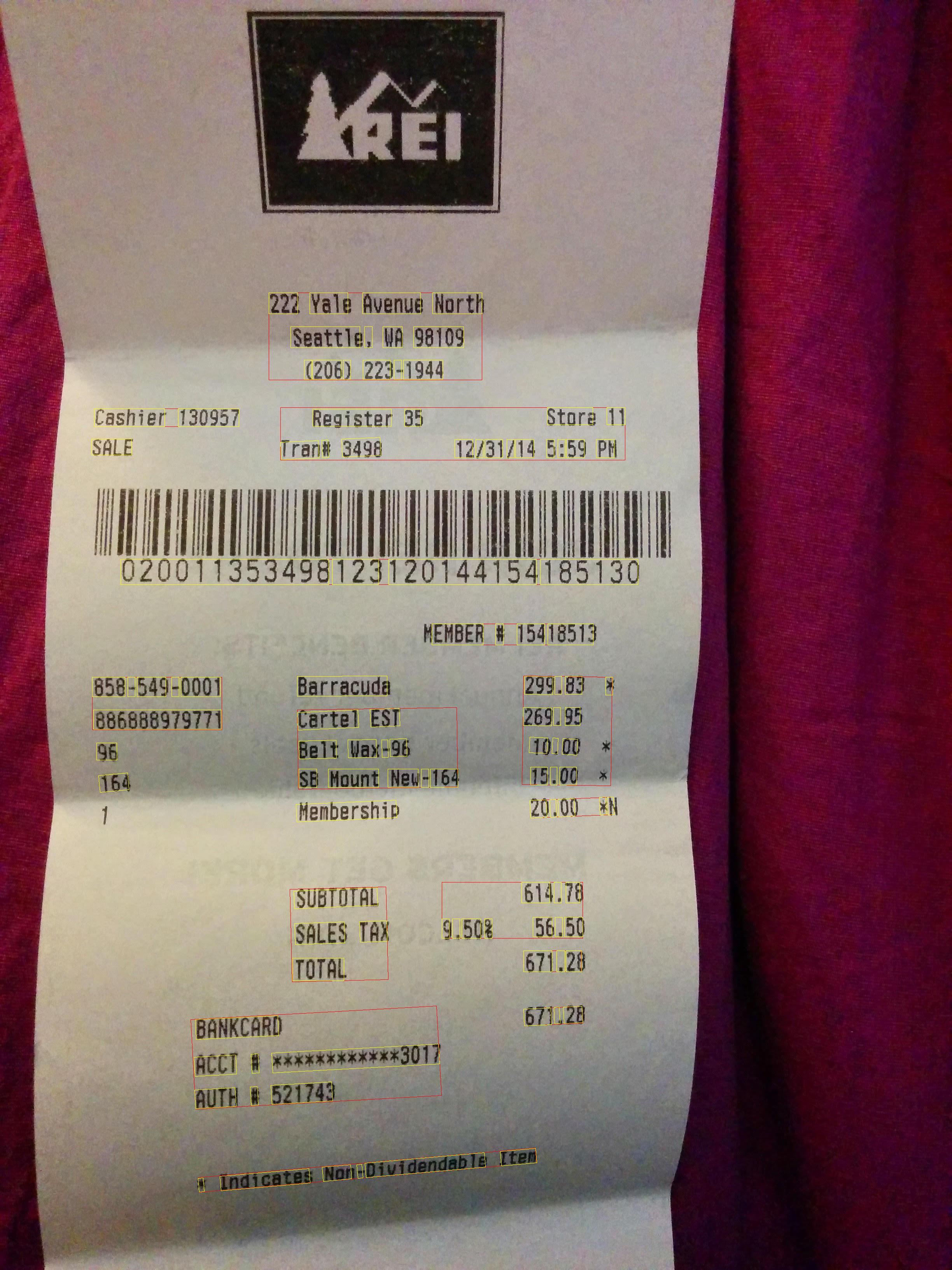
הנה פקודת Python, ואחריה תמונות הפלט של Text Annotation.

$ python doctext.py receipt.jpg -out_file out.jpg

בתמונה הבאה מוצגות מילים בתיבות צהובות ומשפטים באדום.
כל הכבוד! ביצעתם זיהוי טקסט באמצעות הערות טקסט מלאות של Google Cloud Vision.