To use Imagen on Vertex AI you must provide a text description of what you want
to generate or edit. These descriptions are called *prompts*, and these prompts
are the primary way you communicate with Generative AI on Vertex AI.
This guide shows you how modifying parts of a text-to-image prompt
can produce different results and gives you examples of images you
can create. This guide also provides guidance on how you can edit images using
text prompts and iteration.
## Product usage
To view usage standards and content restrictions associated with
Imagen on Vertex AI, see the
[usage guidelines](https://docs.cloud.google.com/vertex-ai/generative-ai/docs/image/responsible-ai-imagen.md.txt#imagen-guidelines).
## Content filtering - input text, uploaded images, and generated images
Generated images are filtered for undesirable or harmful content. Similarly, any
input Imagen on Vertex AI receives is checked for offensive content. This
includes the input text prompt and uploaded photos in the case of image editing.
For more information, see [Responsible AI and usage guidelines for
Imagen](https://docs.cloud.google.com/vertex-ai/generative-ai/docs/image/responsible-ai-imagen).
You can also report suspected abuse of Imagen on Vertex AI or any generated
output that contains inappropriate material or inaccurate information using the
[Report suspected abuse on
Google Cloud](https://support.google.com/code/contact/cloud_platform_report)
form.
## Prompt writing basics (subject, context, and style)
While there's no one way to write good prompts, adding some keywords and
modifiers will help you get closer to your end goal. Prompts don't need to be
long or complex, but most good prompts are descriptive and clear.
A good starting point can be to think of **subject** ,
**context** , and **style**.
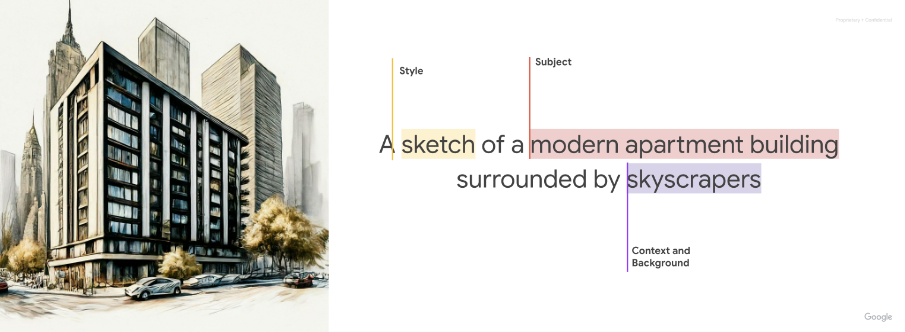 Image text: A *sketch* (**style** ) of a *modern apartment building* (**subject** ) surrounded by *skyscrapers* (**context and background**).
1. **Subject** : The first thing to think about with any prompt is the
*subject*: the object, person, animal, or scenery you want an image of.
2. **Context and background:** Just as important is the *background or context*
in which the subject will be placed. Try placing your subject in a variety
of backgrounds. For example, a studio with a white background, outdoors, or
indoor environments.
3. **Style:** Finally, add the style of image you want. *Styles* can be general
(painting, photograph, sketches) or very specific (pastel painting, charcoal
drawing, isometric 3D).
After you write a first version of your prompt, refine your prompt by adding
more details until you get to the image that you want. Iteration is important.
Start by establishing your core idea, and then refine and expand upon that core
idea until the generated image is close to your vision.
|---|---|---|
| 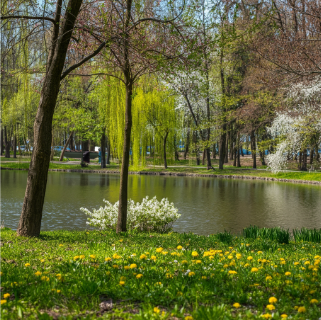 Prompt: A park in the spring next to a lake | 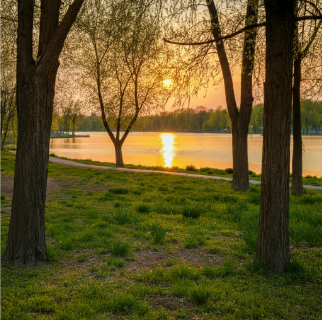 Prompt: A park in the spring next to a lake, **the sun sets across the lake, golden hour** | 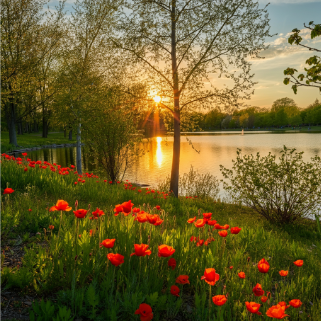 Prompt: A park in the spring next to a lake, ***the sun sets across the lake, golden hour, red wildflowers*** |
### Imagen 3 prompt writing
[View Imagen for Generation model card](https://console.cloud.google.com/vertex-ai/publishers/google/model-garden/imagen-4.0-generate-preview-06-06)
Imagen 3 can transform your ideas into detailed images, whether
your prompts are short or long and detailed. Refine your vision
through iterative prompting, adding details until you achieve the perfect
result.
|---|---|
| Short prompts let you generate an image quickly. 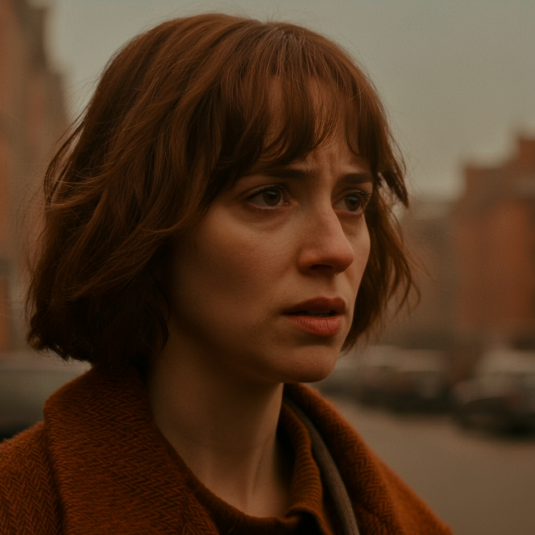 Prompt: close-up photo of a woman in her 20s, street photography, movie still, muted orange warm tones | Longer prompts let you add specific details and build your image. 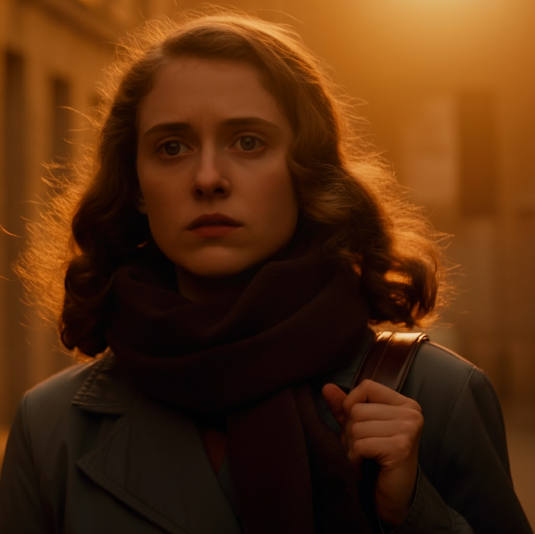 Prompt: captivating photo of a woman in her 20s utilizing a street photography style. The image should look like a movie still with muted orange warm tones. |
Additional advice for Imagen 3 prompt writing:
- **Use descriptive language**: Employ detailed adjectives and adverbs to paint a clear picture for Imagen 3.
- **Provide context**: If necessary, include background information to aid the AI's understanding.
- **Reference specific artists or styles**: If you have a particular aesthetic in mind, referencing specific artists or art movements can be helpful.
- **Use prompt engineering tools**: Consider exploring prompt engineering tools or resources to help you refine your prompts and achieve optimal results.
- **Enhancing the facial details in your personal and group images** :
- Specify facial details as a focus of the photo (for example, use the word "portrait" in the prompt).
- Consider using a larger model like Imagen 3 instead of Imagen 3 Fast to improve detail.
### Generate text in images
Imagen 3's ability to add text into your images opens up
creative image generation possibilities. Use the following guidance to get the
most out of this feature:
- **Iterate with confidence**: You might have to regenerate images until you achieve the look you want. Imagen's text integration is still evolving, and sometimes multiple attempts yield the best results.
- **Keep it short**: Limit text to 25 characters or less for optimal generation.
- **Multiple phrases**: Experiment with two or three distinct phrases to
provide additional information. Avoid exceeding three phrases for cleaner
compositions.
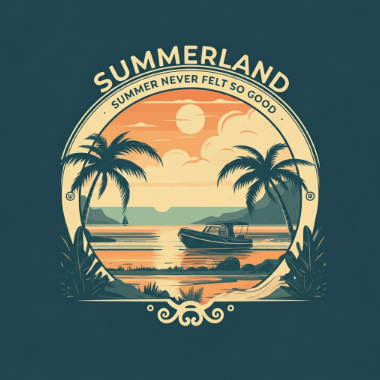 Prompt: A poster with the text "Summerland" in bold font as a title, underneath this text is the slogan "Summer never felt so good"
- **Guide Placement**: While Imagen can attempt to position
text as directed, you should expect occasional variations. This feature is
continually improving.
- **Inspire font style**: Specify a general font style to subtly influence
Imagen's choices. Don't rely on precise font replication, but
expect creative interpretations.
- **Font size** : Specify a font size or a general indication of size (for
example, *small* , *medium* , *large*) to influence the font size generation.
### Prompt parameterization
To better control output results, you might find it helpful to parameterize the
inputs into Imagen when working with the
Imagen API or Vertex AI SDK for Python. For example, suppose you
want your customers to be able to generate logos for their business, and you
want to make sure logos are always generated on a solid color background. You
also want to limit the options that the client can select from a menu.
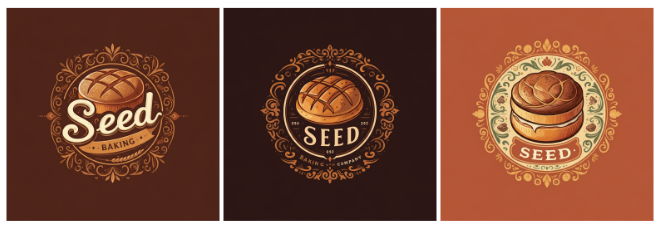
In this example, you can create a parameterized prompt similar to the
following:
```
A {logo_style} logo for a {company_area} company on a solid color background. Include the text {company_name}.
```
In your custom user interface, the customer can input the parameters using
a menu, and their chosen value populates the prompt
Imagen receives.
For example:
1. Prompt: `A minimalist logo for a health care company on a solid color background. Include the text Journey.`

2. Prompt: `A modern logo for a software company on a solid color background. Include the text Silo.`
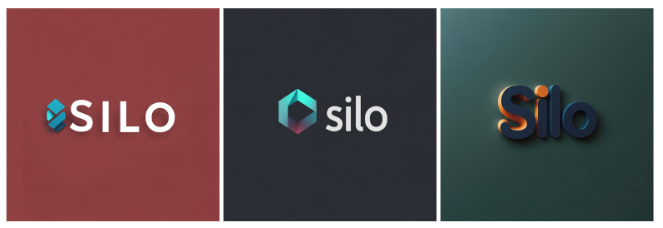
3. Prompt: `A traditional logo for a baking company on a solid color background. Include the text Seed.`
### Style: photography
- Prompt includes: *"A photo of..."*
To use this style, start with using keywords that clearly tell
Imagen on Vertex AI that you're looking for a photograph. Start your prompts with
*"A photo of. . ."*. For example:
|---|---|---|
| 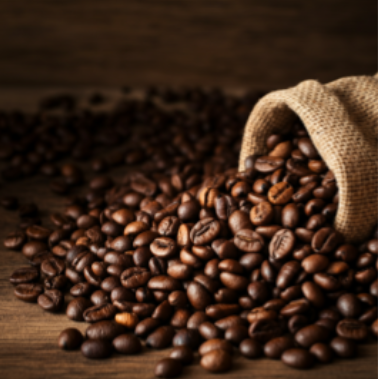 Prompt: **A photo of** coffee beans in a kitchen on a wooden surface | 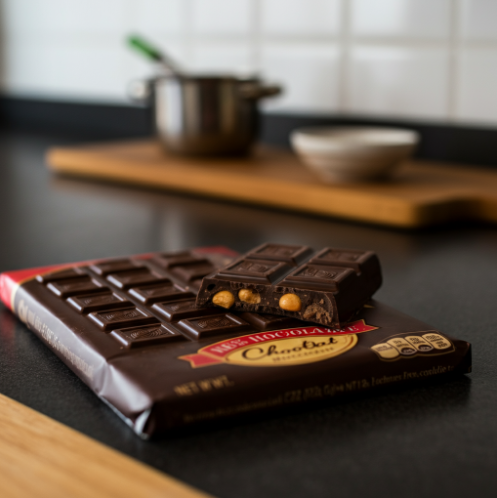 Prompt: **A photo of** a chocolate bar on a kitchen counter | 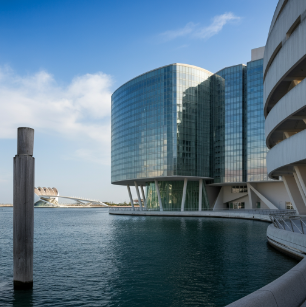 Prompt: **A photo of** a modern building with water in the background |
^Image source: Each image was generated using its corresponding text prompt with the Imagen 3 model.^
### Style: illustration and art
- Prompt includes: *"A painting of..."* , *"A sketch of..."*
Art styles vary from monochrome styles like pencil sketches, to hyper-realistic
digital art. For example, the following images use the same prompt with
different styles:
*"An \[art style or creation technique\] of an angular sporty electric sedan with
skyscrapers in the background"*
|---|---|---|
| 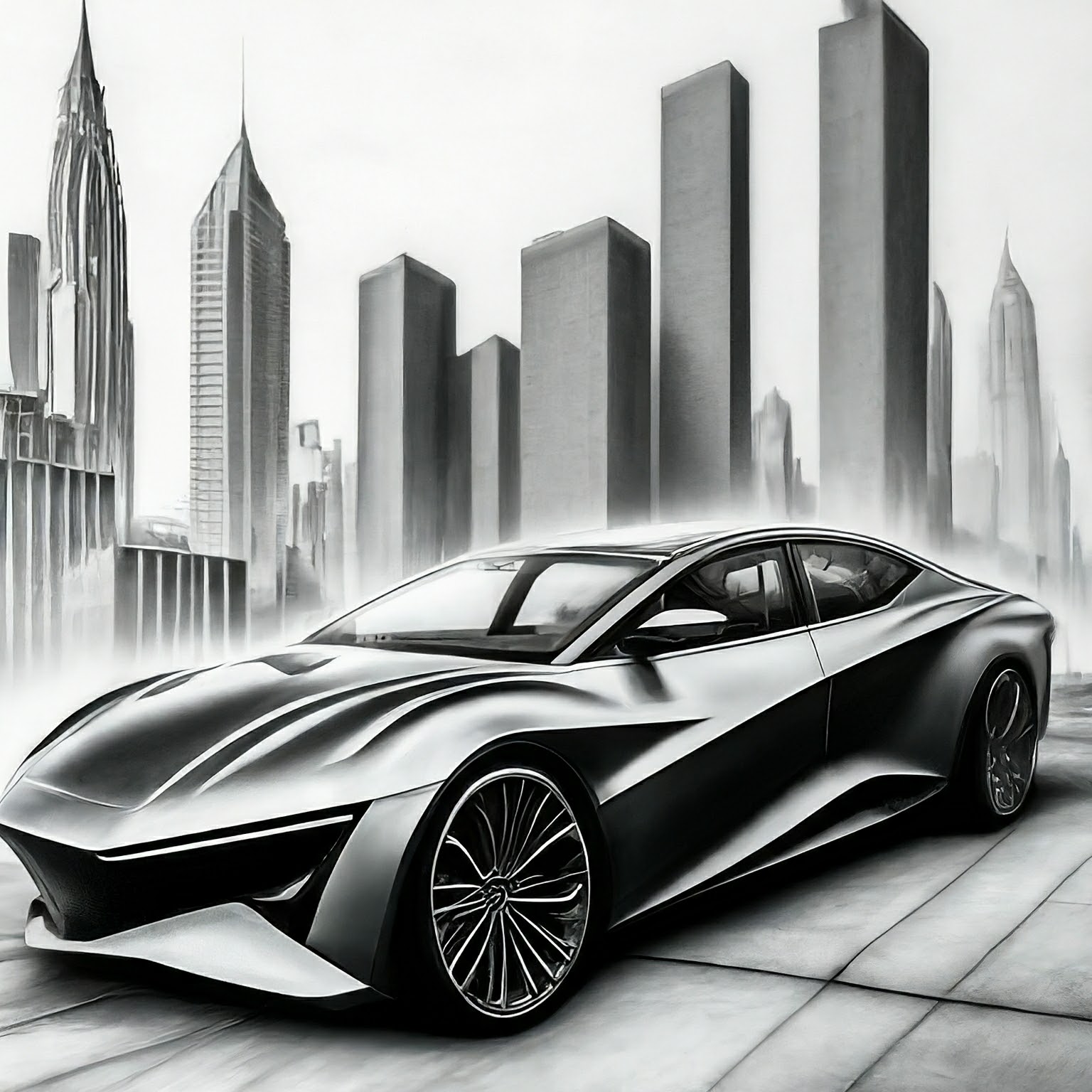 Prompt: A **technical pencil drawing** of an angular... | 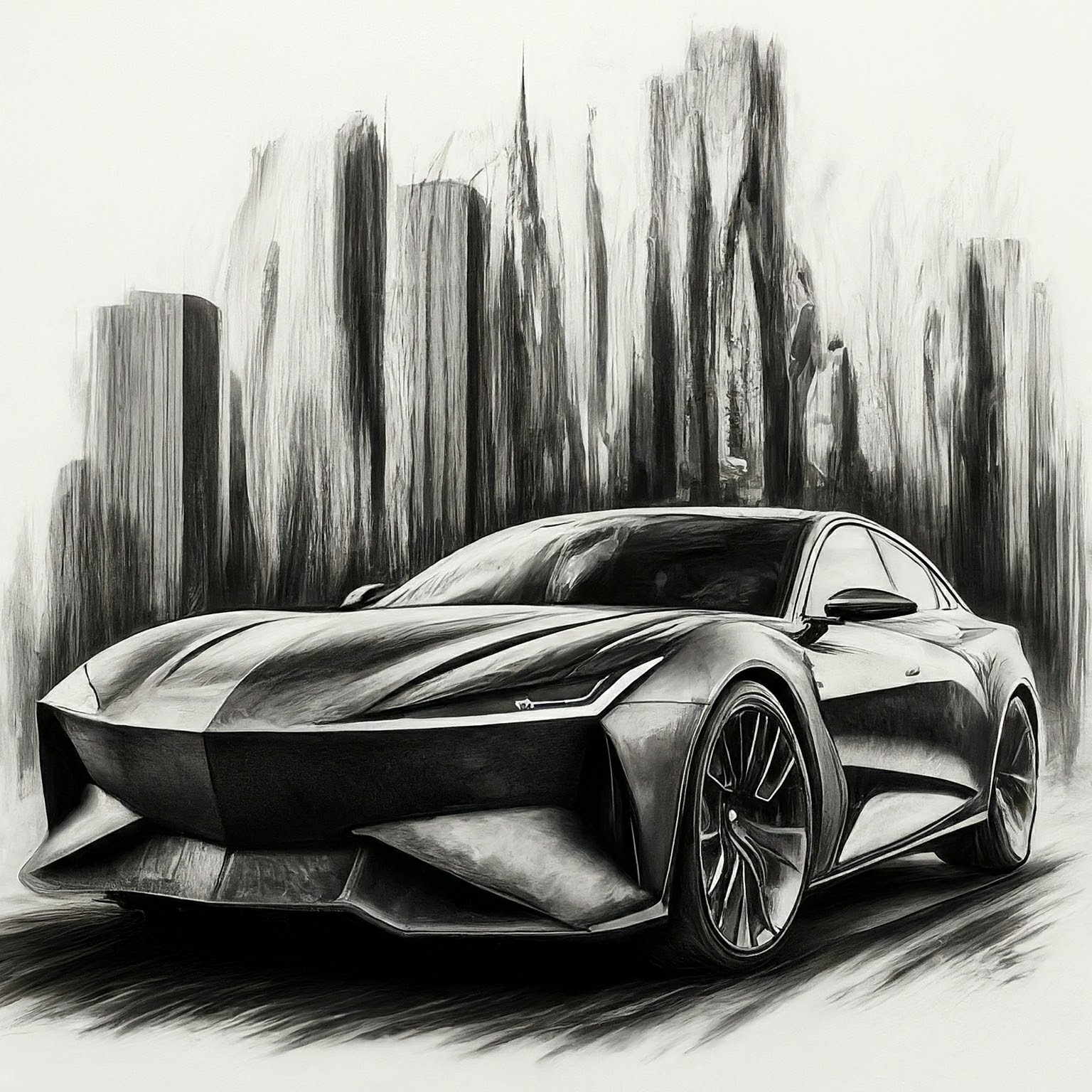 Prompt: A **charcoal drawing** of an angular... | 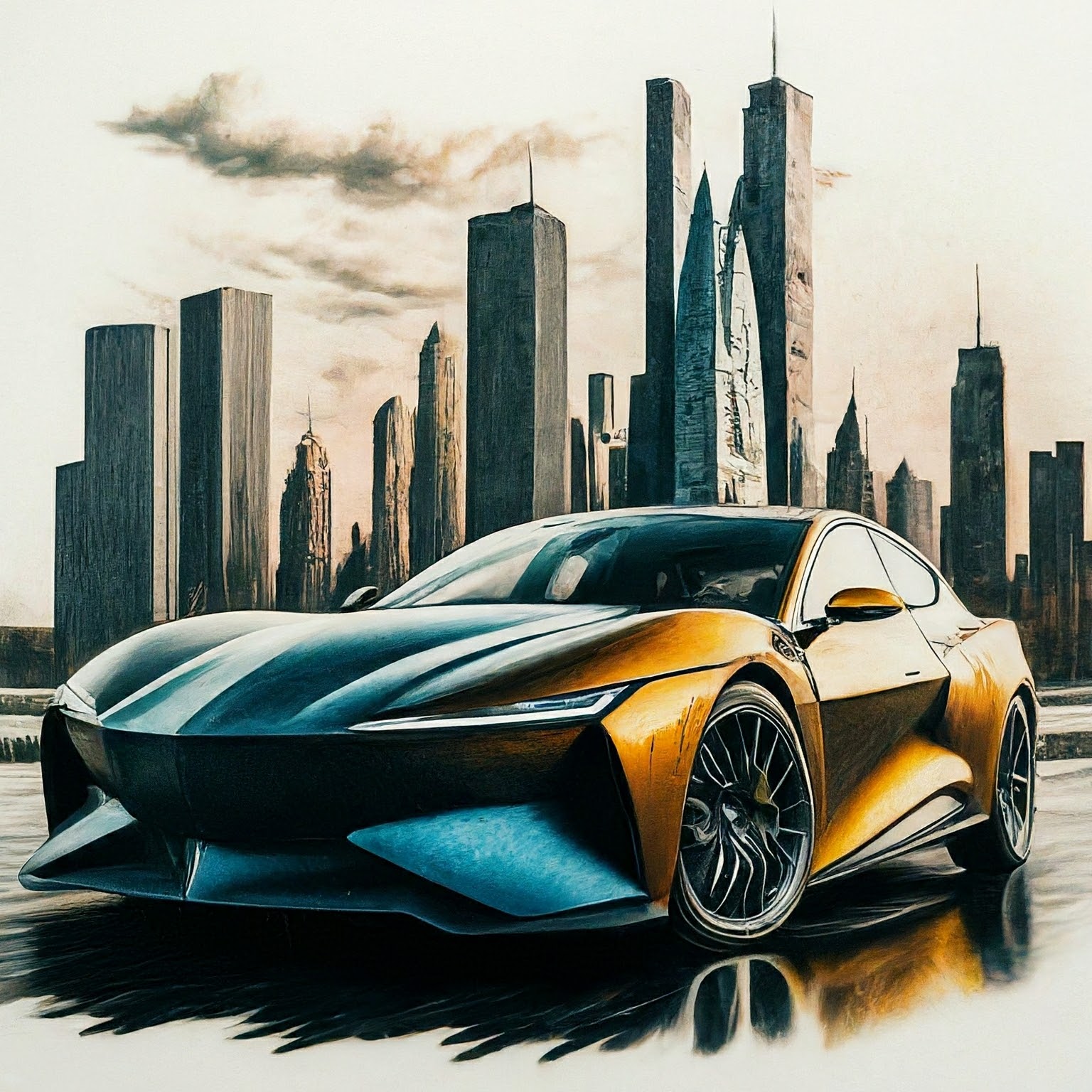 Prompt: A **color pencil drawing** of an angular... |
|---|---|---|
| 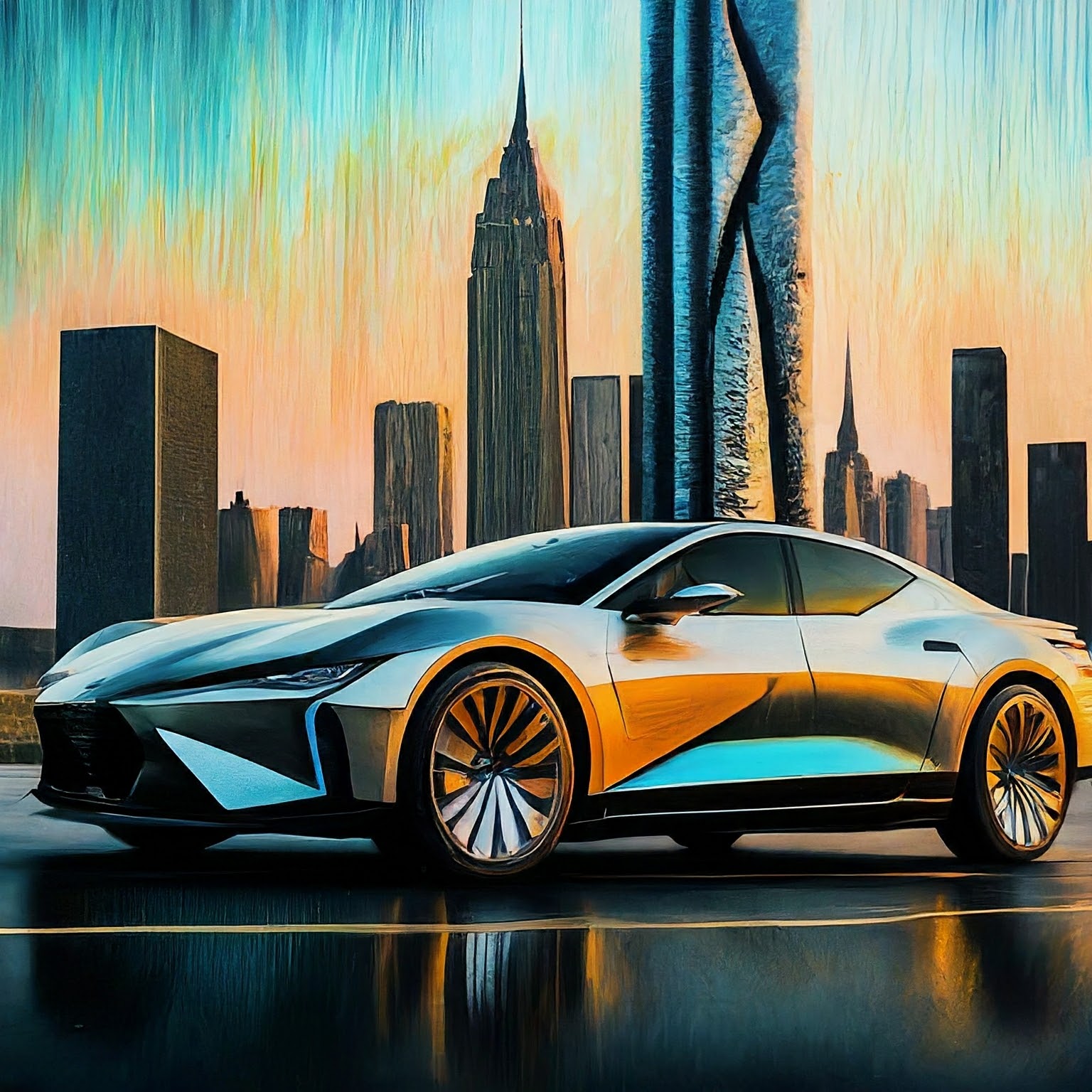 Prompt: A **pastel painting** of an angular... | 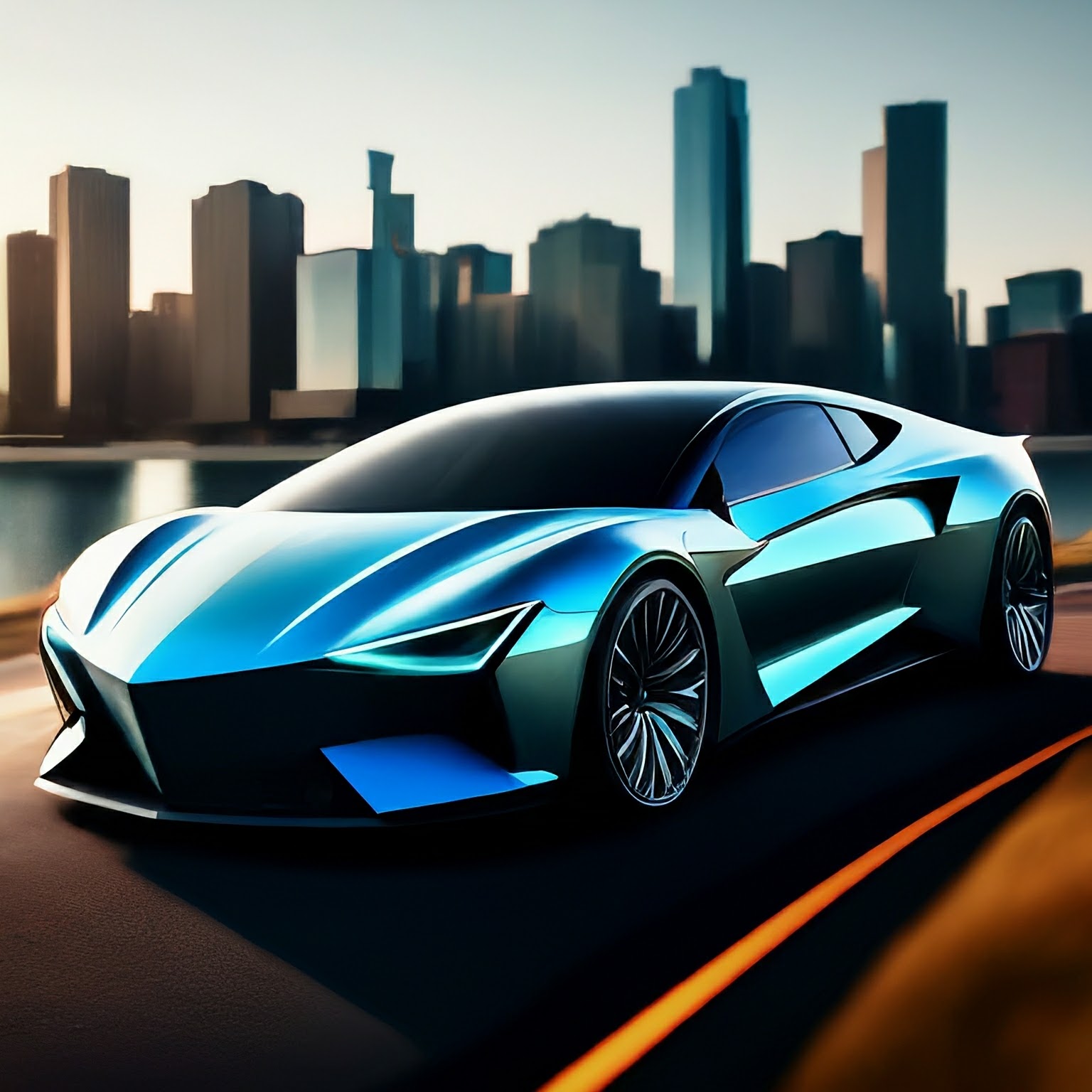 Prompt: A **digital art** of an angular... | 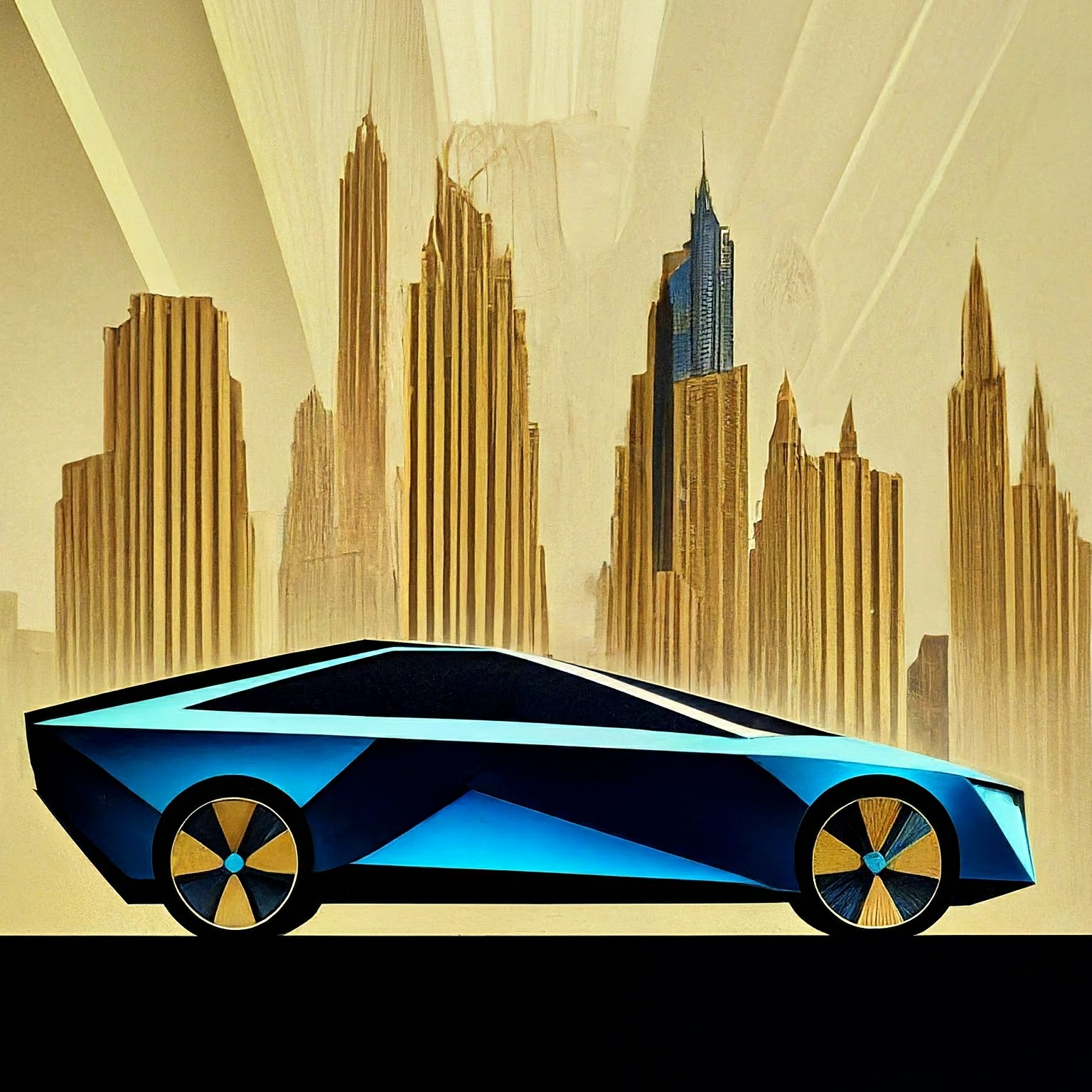 Prompt: An **art deco (poster)** of an angular... |
^Image source: Each image was generated using its corresponding text prompt with the Imagen 2 model.^
## Advanced prompt writing techniques
Use the following examples to create more specific prompts based on the
attributes: photography descriptors, shapes and materials, historical art
movements, and image quality modifiers.
### Photography modifiers
In the following examples, you can see several photography-specific
modifiers and parameters.
1. **Camera Proximity** - *Close up, taken from far away*
|---|---|
| 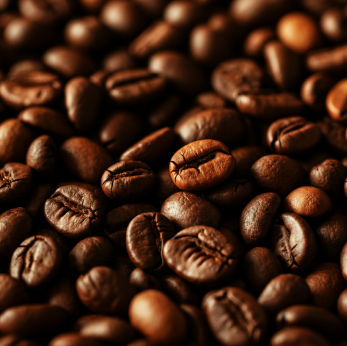 Prompt: A **close-up** photo of coffee beans |  Prompt: A **zoomed out** photo of a small bag of coffee beans in a messy kitchen |
2. **Camera Position** - *aerial, from below*
|---|---|
|  Prompt: **aerial photo** of urban city with skyscrapers | 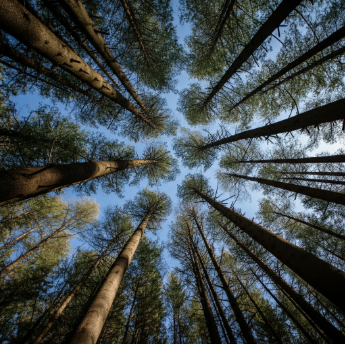 Prompt: A photo of a forest canopy with blue skies **from below** |
3. **Lighting** - *natural, dramatic, warm, cold*
|---|---|
| 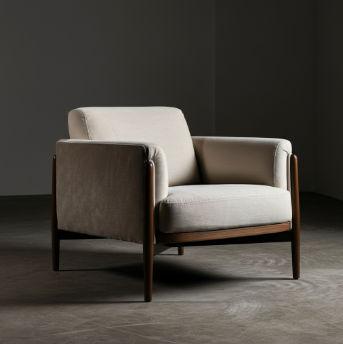 Prompt: studio photo of a modern arm chair, **natural lighting** | 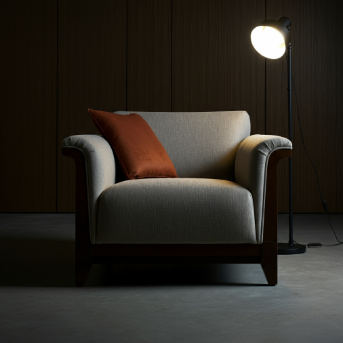 Prompt: studio photo of a modern arm chair, **dramatic lighting** |
4. **Camera Settings** *- motion blur, soft focus, bokeh, portrait*
|---|---|
| 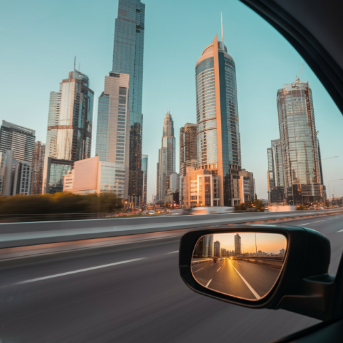 Prompt: photo of a city with skyscrapers from the inside of a car with **motion blur** | 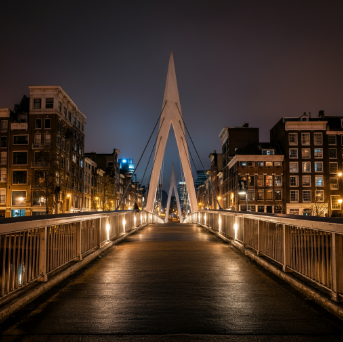 Prompt: **soft focus** photograph of a bridge in an urban city at night |
5. **Lens types** - *35mm, 50mm, fisheye, wide angle, macro*
|---|---|
|  Prompt: photo of a leaf, **macro lens** |  Prompt: street photography, new york city, **fisheye lens** |
6. **Film types** - *black and white, polaroid*
|---|---|
|  Prompt: a **polaroid portrait** of a dog wearing sunglasses |  Prompt: **black and white photo** of a dog wearing sunglasses |
^Image source: Each image was generated using its corresponding text prompt with the Imagen 3 model.^
### Shapes and materials
- Prompt includes: *"...made of..."* , *"...in the shape of..."*
One of the strengths of this technology is that you can create imagery that
is otherwise difficult or impossible. For example, you can recreate
your company logo in different materials and textures.
|---|---|---|
| 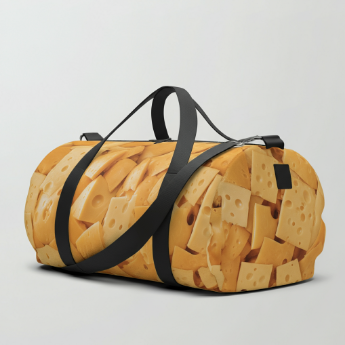 Prompt: a duffle bag **made of** cheese | 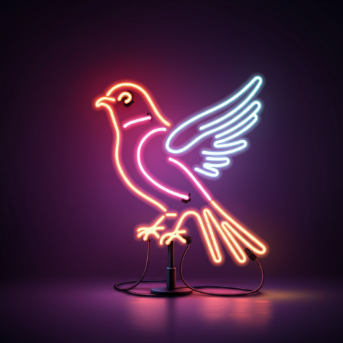 Prompt: neon tubes **in the shape** of a bird | 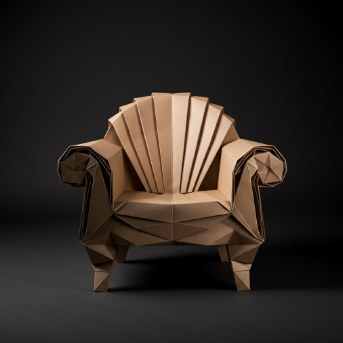 Prompt: an armchair **made of paper**, studio photo, origami style |
^Image source: Each image was generated using its corresponding text prompt with the Imagen 3 model.^
### Historical art references
- Prompt includes: *"...in the style of..."*
Certain styles have become iconic over the years. The following are some ideas
of historical painting or art styles that you can try.
*"generate an image in the style of \[art period or movement\]: a wind farm"*
|---|---|---|
|  Prompt: generate an image **in the style of *an impressionist painting***: a wind farm | 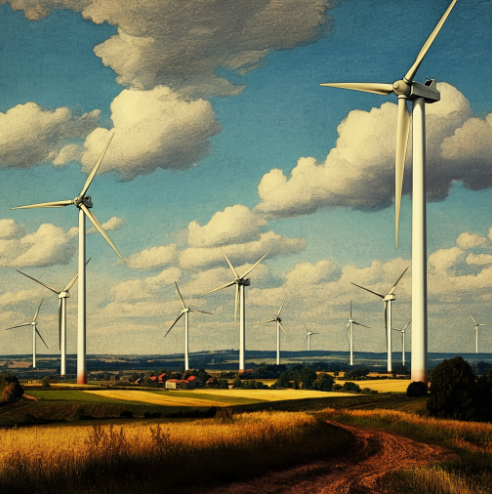 Prompt: generate an image **in the style of *a renaissance painting***: a wind farm | 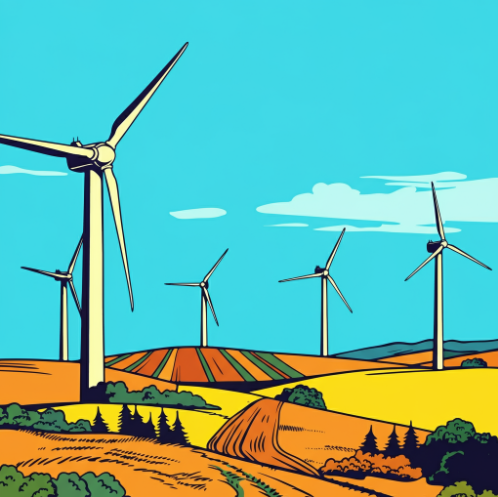 Prompt: generate an image **in the style of *pop art***: a wind farm |
^Image source: Each image was generated using its corresponding text prompt with the Imagen 3 model.^
### Image quality modifiers
Certain keywords can let the model know that you're looking for a high-quality
asset. Examples of quality modifiers include the following:
- **General Modifiers** - *high-quality, beautiful, stylized*
- **Photos** - *4K, HDR, Studio Photo*
- **Art, Illustration** - *by a professional, detailed*
The following are a few examples of prompts without quality modifiers and
the same prompt with quality modifiers.
|---|---|
| 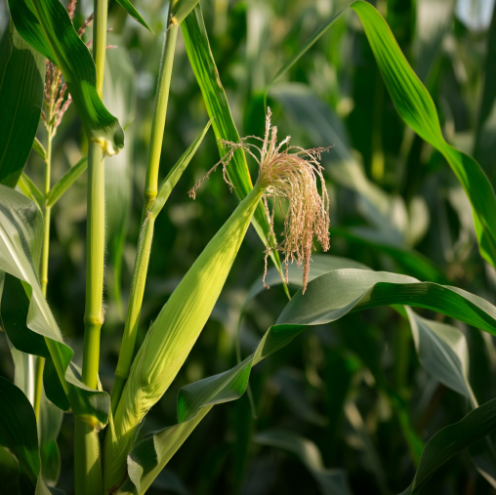 Prompt (no quality modifiers): a photo of a corn stalk |  Prompt (with quality modifiers): **4k HDR beautiful** photo of a corn stalk **taken by a professional photographer** |
^Image source: Each image was generated using its corresponding text prompt with the Imagen 3 model.^
### Aspect ratios
Imagen 3 image generation lets you set five distinct image
aspect ratios.
1. **Square** (1:1, default) - A standard square photo. Common uses for this aspect ratio include social media posts.
2. **Fullscreen** (4:3) - This aspect ratio is commonly used in media or film.
It is also the dimensions of most old (non-widescreen) TVs and medium format
cameras. It captures more of the scene horizontally (compared to 1:1),
making it a preferred aspect ratio for photography.
|---|---|
| 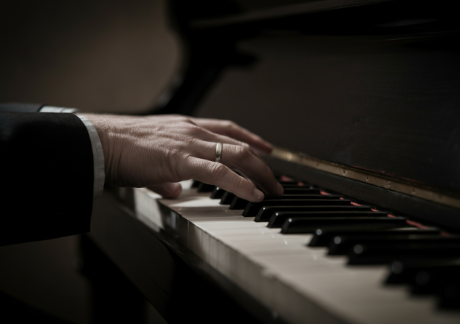 Prompt: close up of a musician's fingers playing the piano, black and white film, vintage (4:3 aspect ratio) | 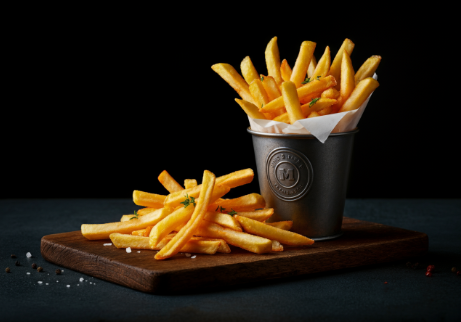 Prompt: A professional studio photo of french fries for a high end restaurant, in the style of a food magazine (4:3 aspect ratio) |
3. **Portrait full screen** (3:4) - This is the fullscreen aspect ratio rotated
90 degrees. This lets to capture more of the scene vertically compared to
the 1:1 aspect ratio.
|---|---|
| 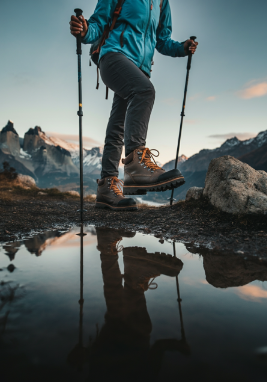 Prompt: a woman hiking, close of her boots reflected in a puddle, large mountains in the background, in the style of an advertisement, dramatic angles (3:4 aspect ratio) | 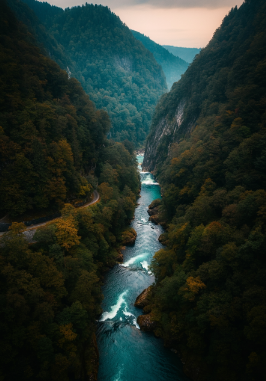 Prompt: aerial shot of a river flowing up a mystical valley (3:4 aspect ratio) |
4. **Widescreen** (16:9) - This ratio has replaced 4:3 and is now the most
common aspect ratio for TVs, monitors, and mobile phone screens (landscape).
Use this aspect ratio when you want to capture more of the background (for
example, scenic landscapes).
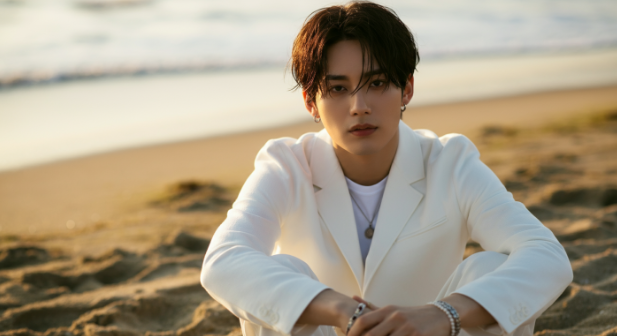 Prompt: a man wearing all white clothing sitting on the beach, close up, golden hour lighting (16:9 aspect ratio)
5. **Portrait** (9:16) - This ratio is widescreen but rotated. This a
relatively new aspect ratio that has been popularized by short form video
apps (for example, YouTube shorts). Use this for tall objects with strong
vertical orientations such as buildings, trees, waterfalls, or other similar
objects.
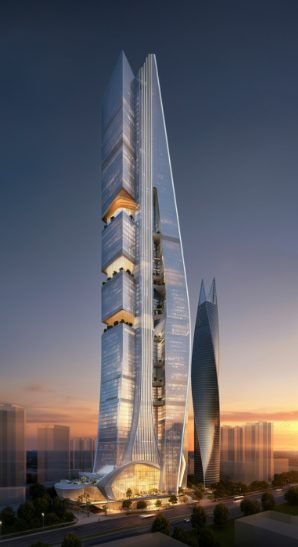 Prompt: a digital render of a massive skyscraper, modern, grand, epic with a beautiful sunset in the background (9:16 aspect ratio)
### Negative prompts
The previous examples focus on writing prompts for what you want
Imagen to create, but you can also provide a *negative* prompt
along with the original prompt to help the product generate or edit images.
These negative prompts can be a powerful tool that helps specify what elements
to omit from the image. Simply describe what you *don't want*.
Recommended --- Plainly describe what you
don't want to see. For example "*wall, frame*".
Not recommended --- Avoid instructive
language or words like "no" or "don't". For example, avoid phrases like
"***no** walls*" or "***don't show** walls*".
|---|---|
|  Prompt (no negative prompt): 4K video game concept art, urban jungle, cyberpunk city, detailed rendering | 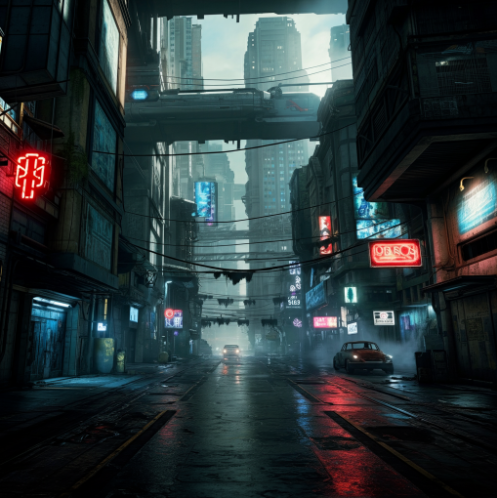 Prompt: 4K video game concept art, urban jungle, cyberpunk city, detailed rendering Negative prompt: **greenery, plants, forest, trees** |
|---|---|
|  Prompt (no negative prompt): Illustration of a mythical wyvern flying over mountains | 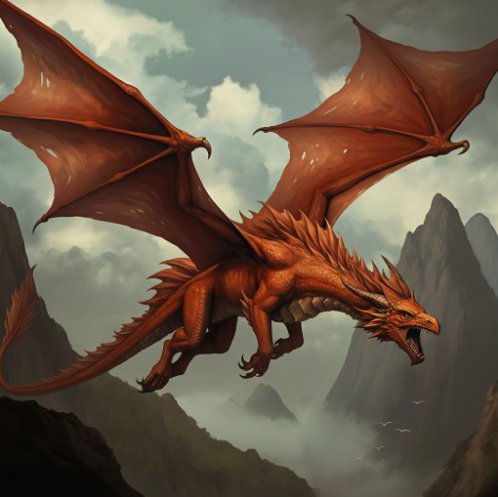 Prompt: Illustration of a mythical wyvern flying over mountains Negative prompt: **snow, frost** |
### Photorealistic images
Different [versions](https://docs.cloud.google.com/vertex-ai/generative-ai/docs/image/model-versioning) of the image generation
model might offer a mix of artistic and photorealistic output. Use the following
wording in prompts to generate more photorealistic output, based on the subject
you want to generate.
> [!NOTE]
> **Note:** Take these keywords as general guidance when you try to create photorealistic images. They aren't required to achieve your goal.
| Use case | Lens type | Focal lengths | Additional details |
|---|---|---|---|
| People (portraits) | Prime, zoom | 24-35mm | black and white film, Film noir, Depth of field, duotone (mention two colors) |
| Food, insects, plants (objects, still life) | Macro | 60-105mm | High detail, precise focusing, controlled lighting |
| Sports, wildlife (motion) | Telephoto zoom | 100-400mm | Fast shutter speed, Action or movement tracking |
| Astronomical, landscape (wide-angle) | Wide-angle | 10-24mm | Long exposure times, sharp focus, long exposure, smooth water or clouds |
#### Portraits
| Use case | Lens type | Focal lengths | Additional details |
|---|---|---|---|
| People (portraits) | Prime, zoom | 24-35mm | black and white film, Film noir, Depth of field, duotone (mention two colors) |
Using several keywords from the table, Imagen can
generate the following portraits.
|---|---|---|---|
| 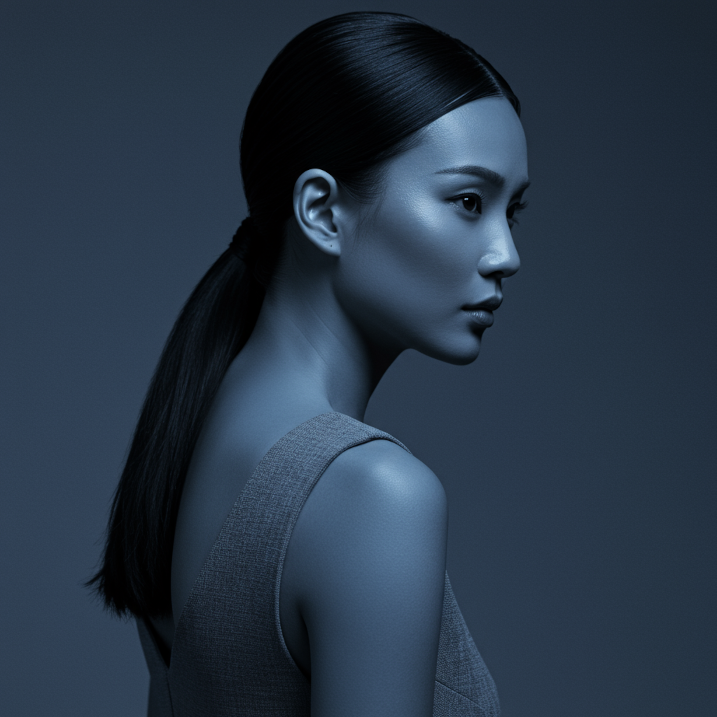 | 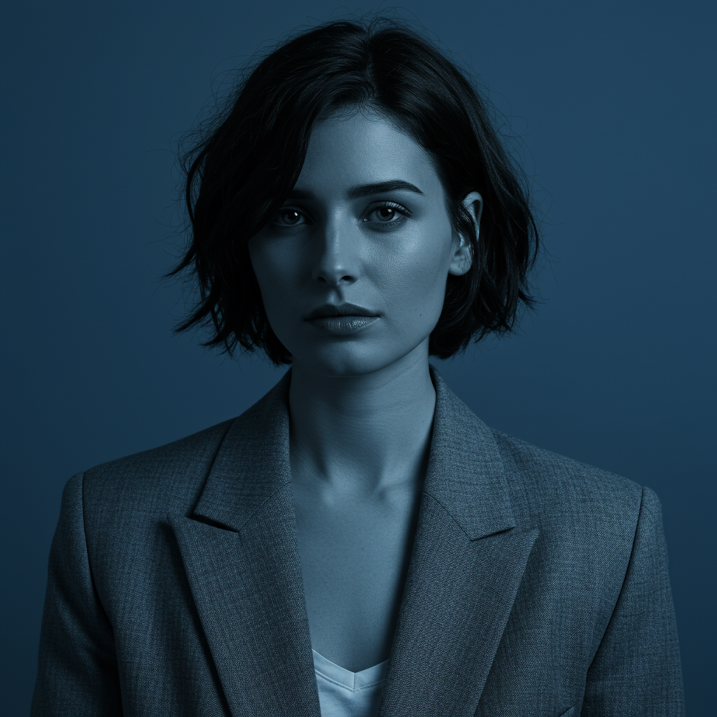 | 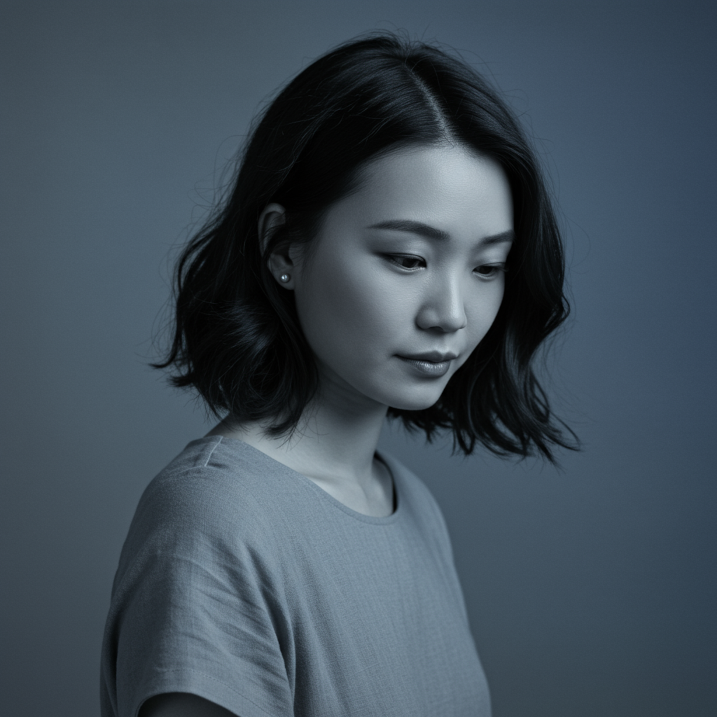 | 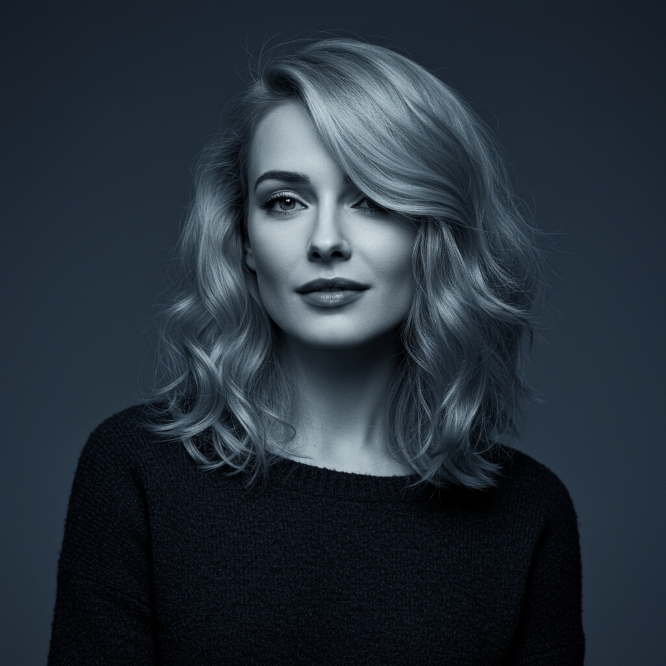 |
Prompt: *A woman, 35mm portrait, blue and grey duotones*
Model: Imagen 3 (`imagen-3.0-generate-002`)
|---|---|---|---|
|  | 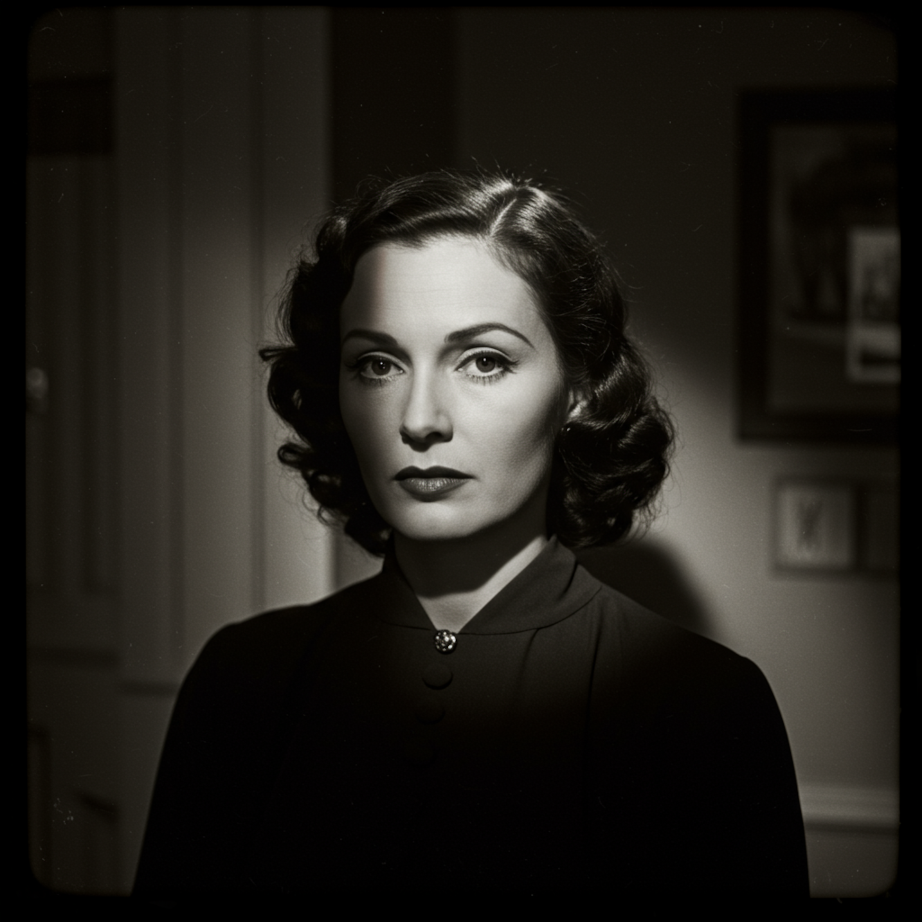 | 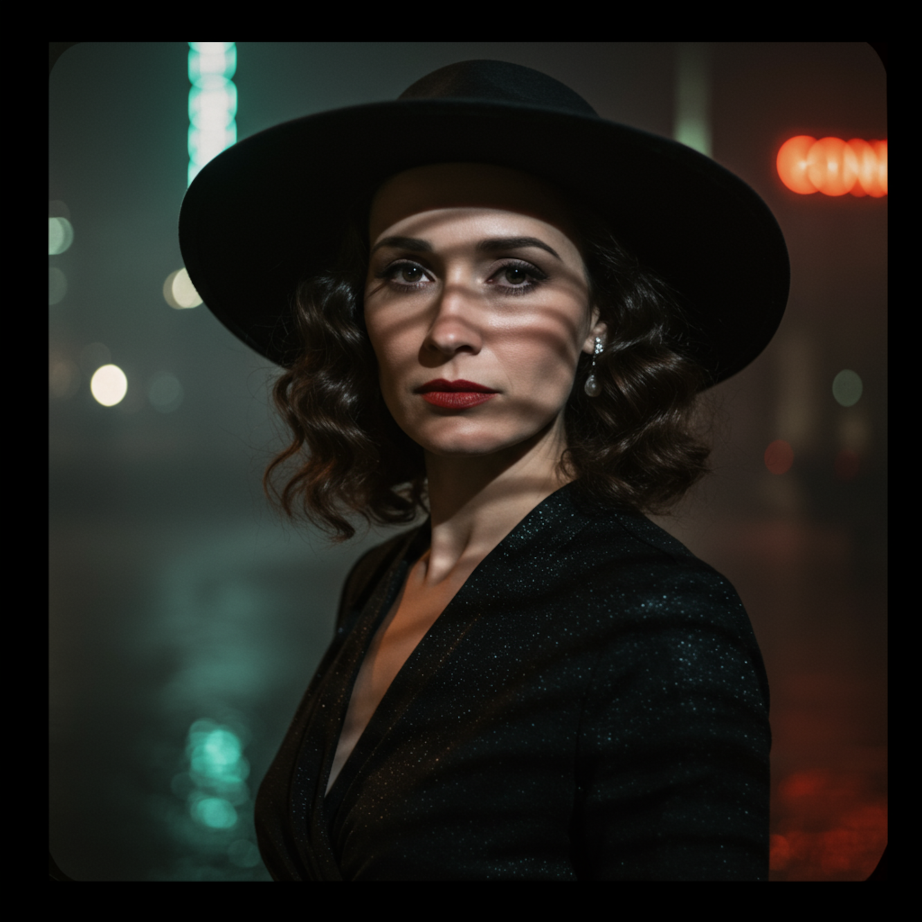 | 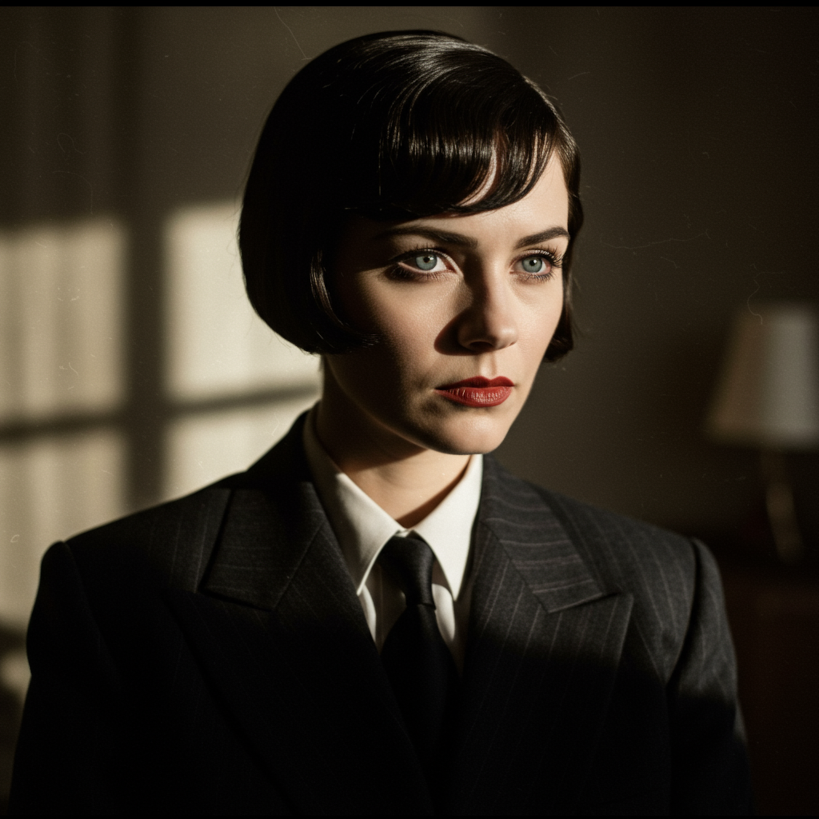 |
Prompt: *A woman, 35mm portrait, film noir*
Model: Imagen 3 (`imagen-3.0-generate-002`)
#### Objects
| Use case | Lens type | Focal lengths | Additional details |
|---|---|---|---|
| Food, insects, plants (objects, still life) | Macro | 60-105mm | High detail, precise focusing, controlled lighting |
Using several keywords from the table, Imagen can
generate the following object images.
|---|---|---|---|
| 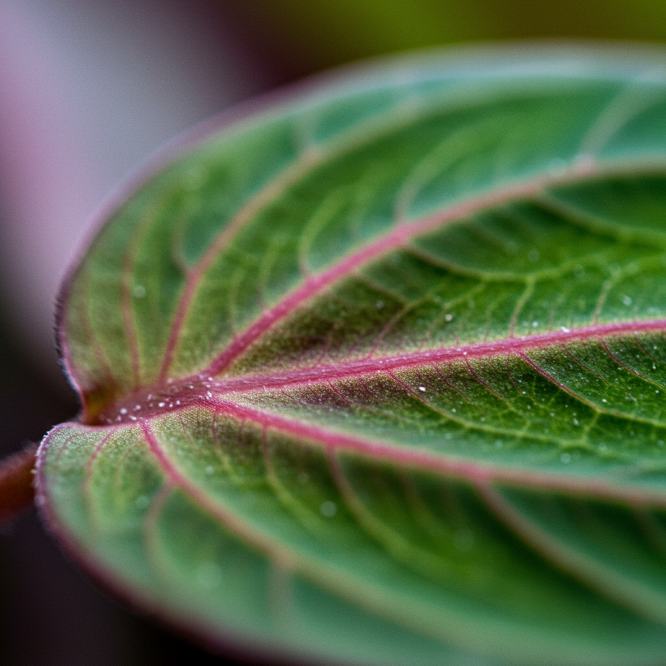 | 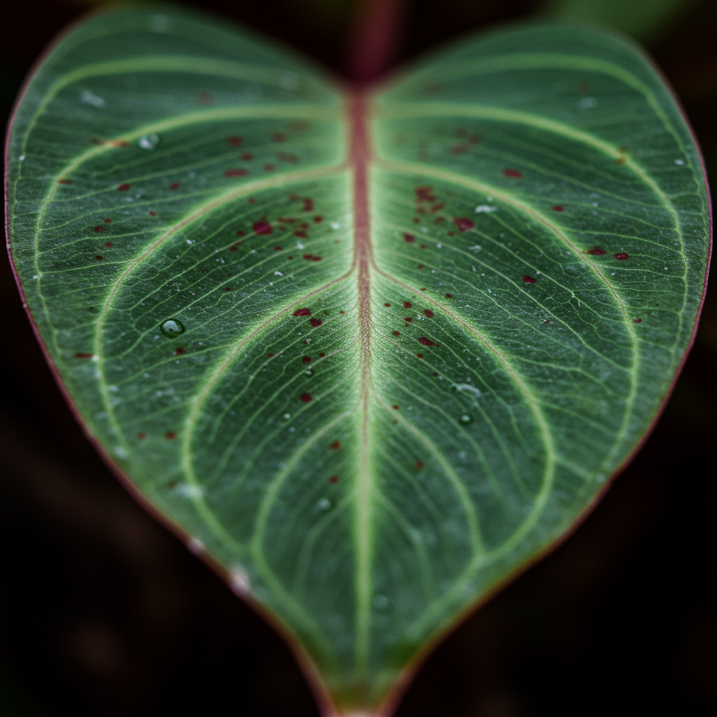 | 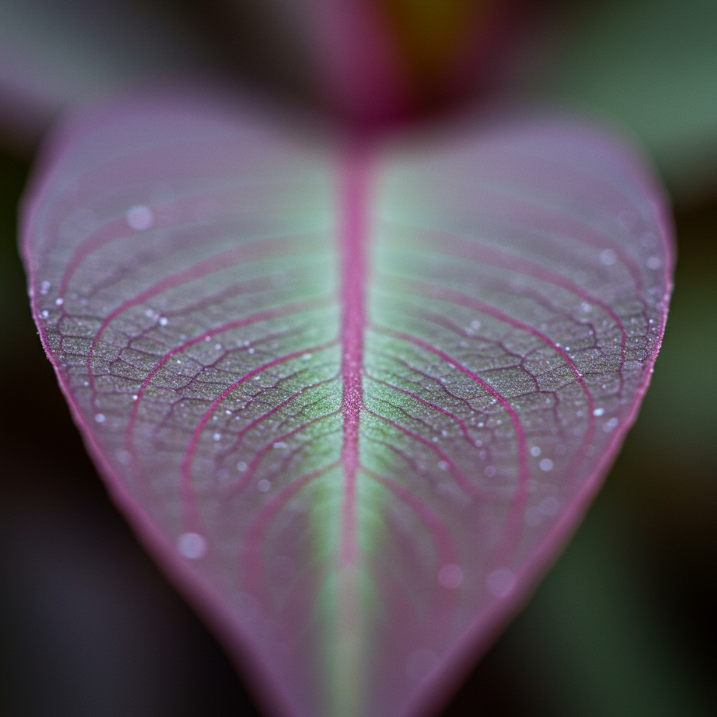 | 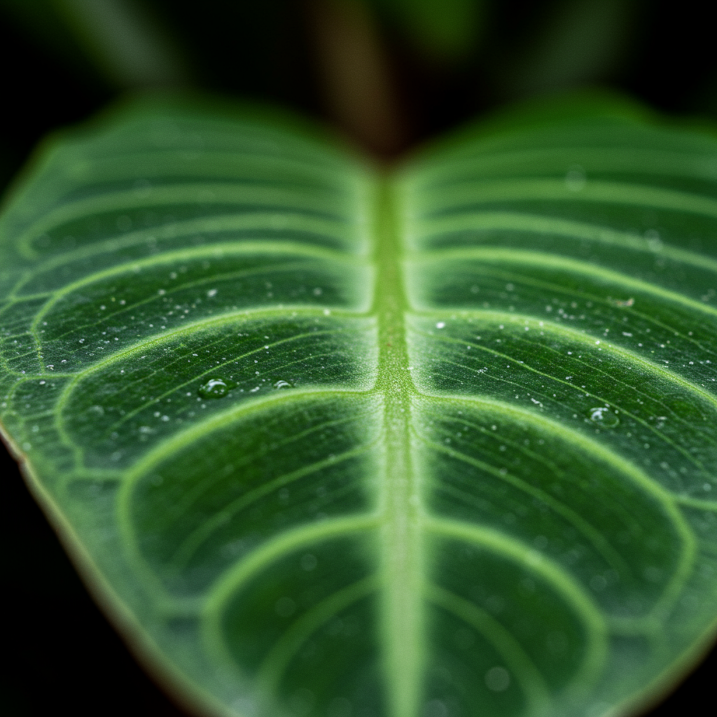 |
Prompt: *leaf of a prayer plant, macro lens, 60mm*
Model: Imagen 3 (`imagen-3.0-generate-002`)
|---|---|---|---|
| 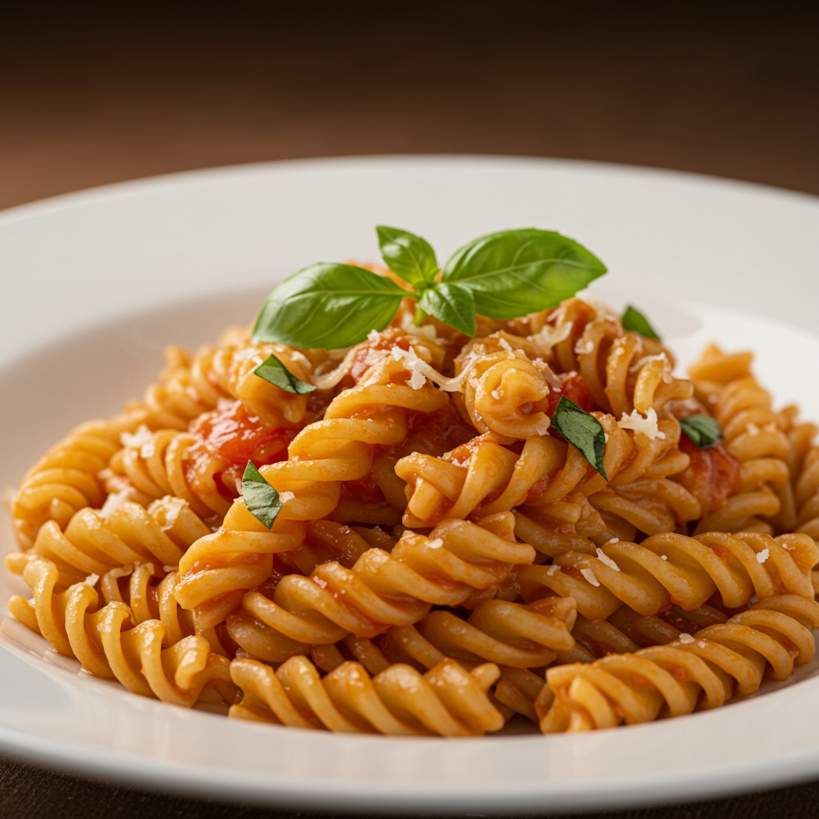 | 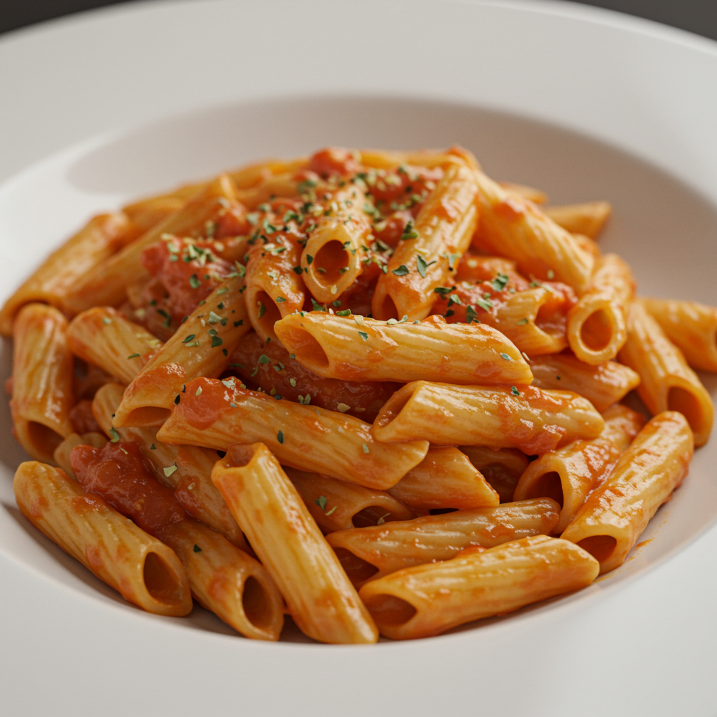 |  | 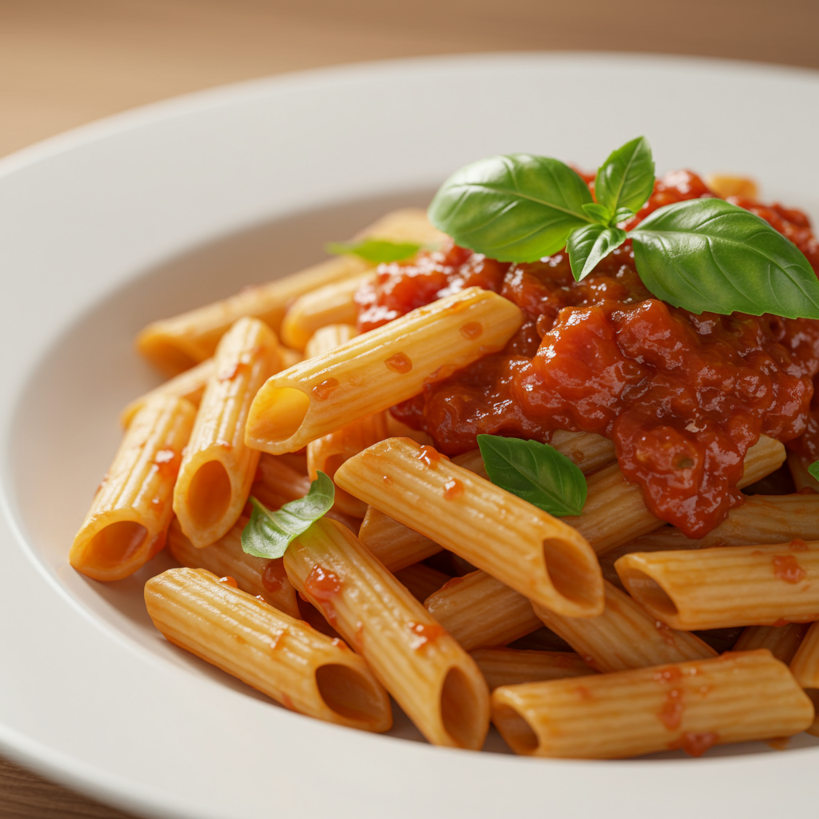 |
Prompt: *a plate of pasta, 100mm Macro lens*
Model: Imagen 3 (`imagen-3.0-generate-002`)
#### Motion
| Use case | Lens type | Focal lengths | Additional details |
|---|---|---|---|
| Sports, wildlife (motion) | Telephoto zoom | 100-400mm | Fast shutter speed, Action or movement tracking |
Using several keywords from the table, Imagen can
generate the following motion images.
|---|---|---|---|
| 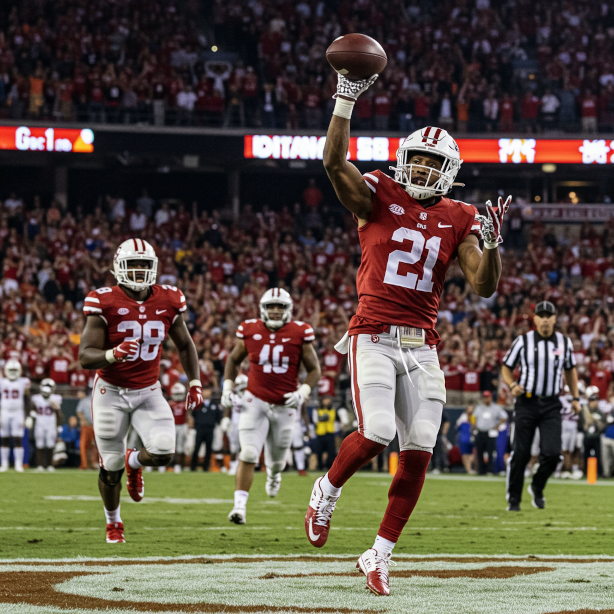 | 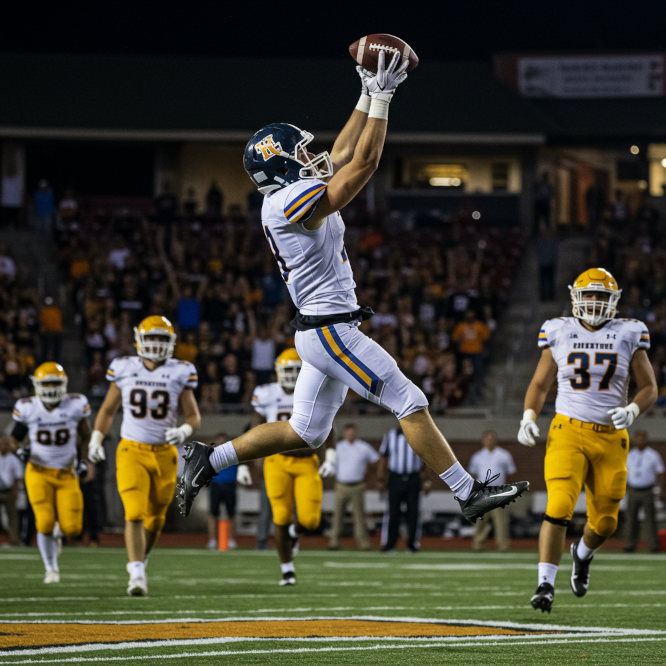 | 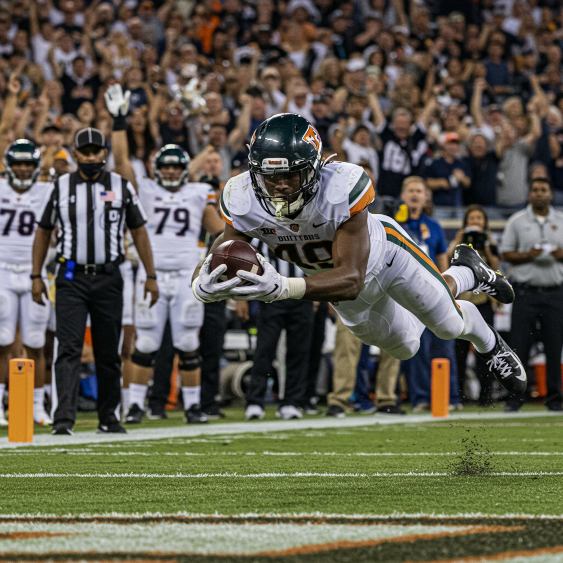 | 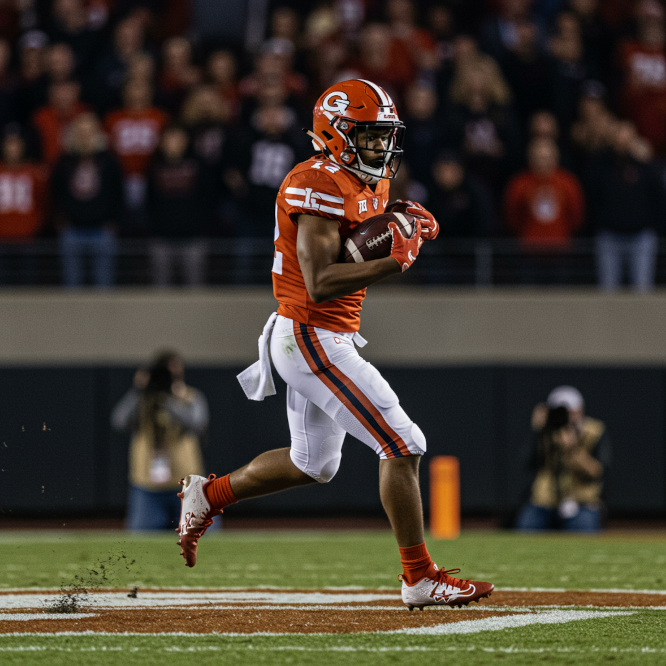 |
Prompt: *a winning touchdown, fast shutter speed, movement tracking*
Model: Imagen 3 (`imagen-3.0-generate-002`)
|---|---|---|---|
| 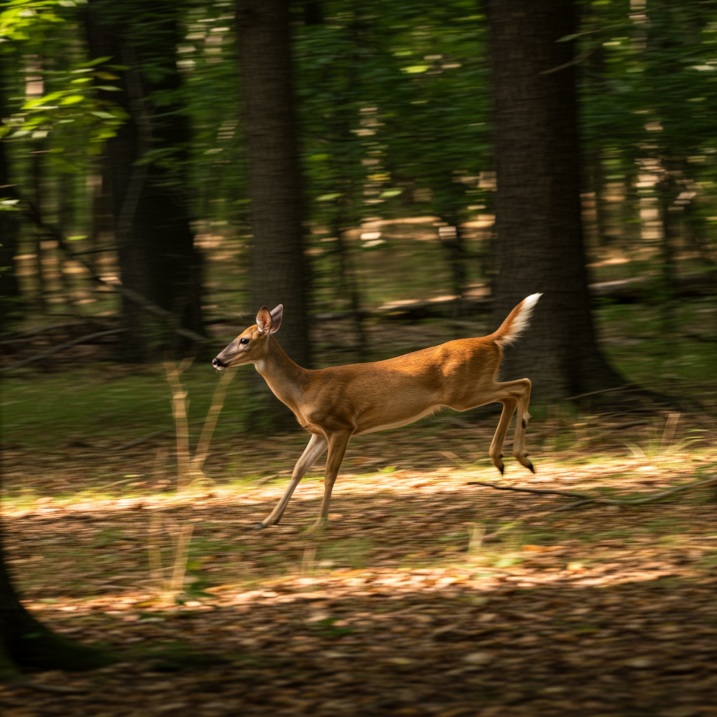 |  | 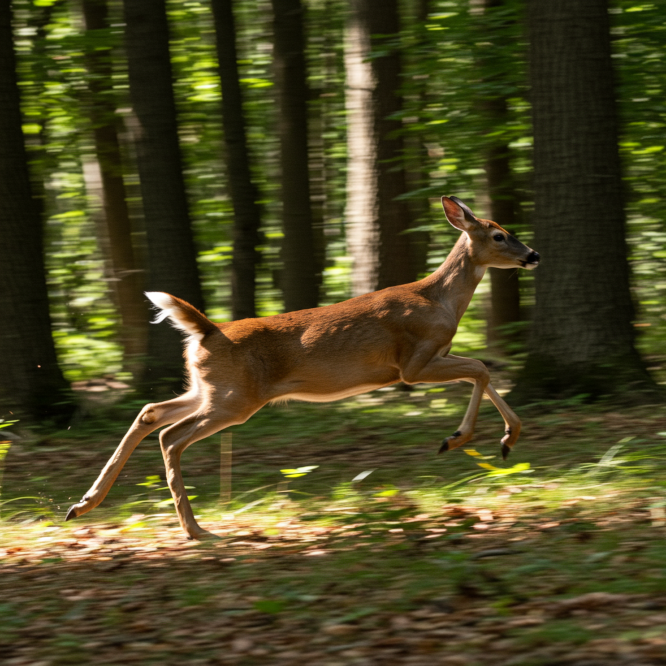 | 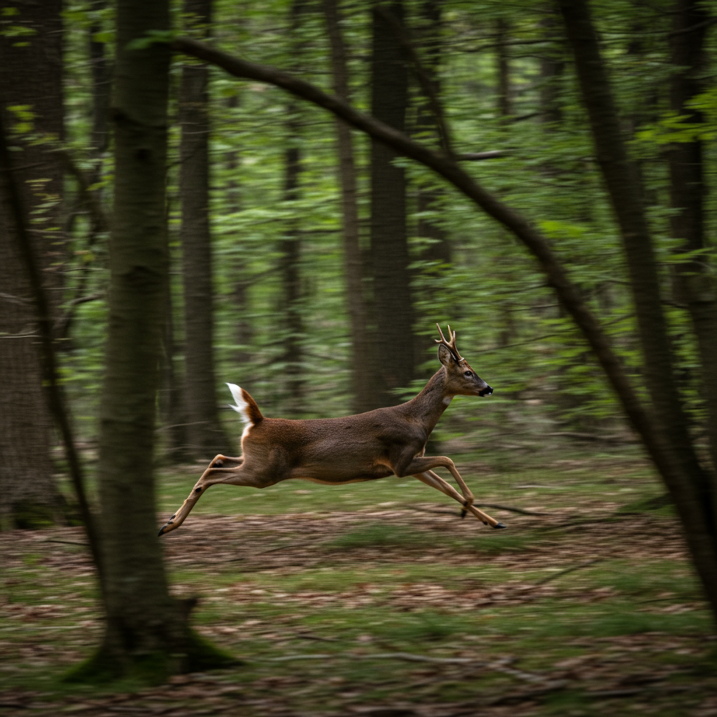 |
Prompt: *A deer running in the forest, fast shutter speed, movement tracking*
Model: Imagen 3 (`imagen-3.0-generate-002`)
#### Wide-angle
| Use case | Lens type | Focal lengths | Additional details |
|---|---|---|---|
| Astronomical, landscape (wide-angle) | Wide-angle | 10-24mm | Long exposure times, sharp focus, long exposure, smooth water or clouds |
Using several keywords from the table, Imagen can
generate the following wide-angle images.
|---|---|---|---|
| 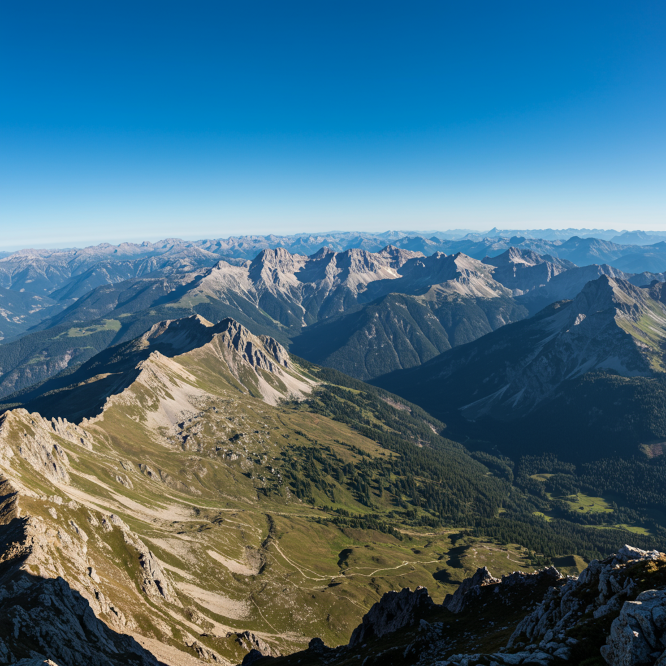 | 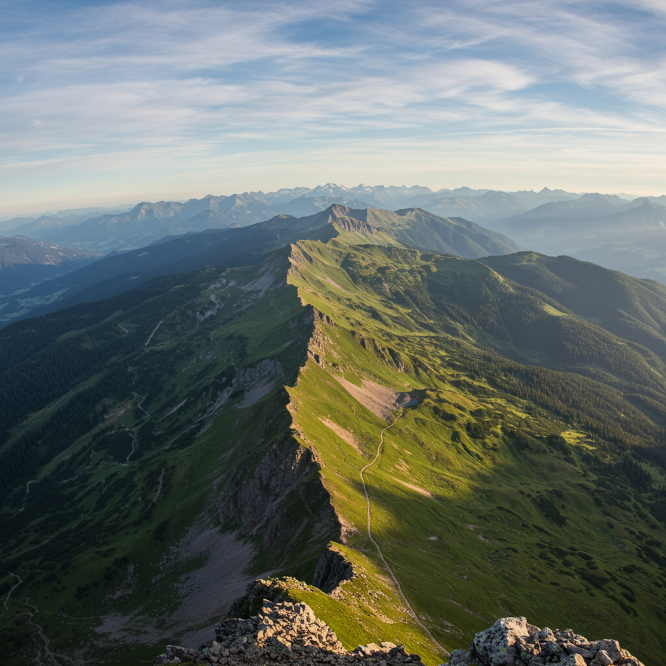 | 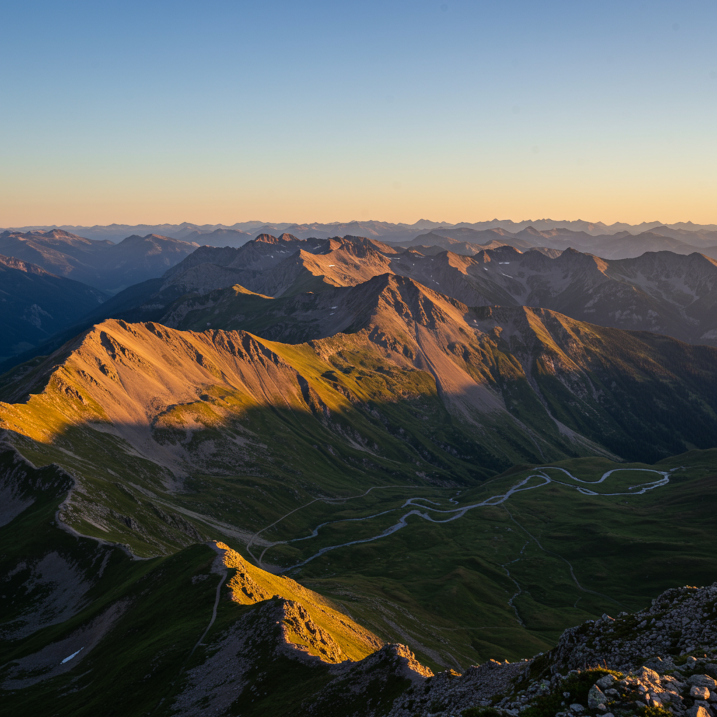 | 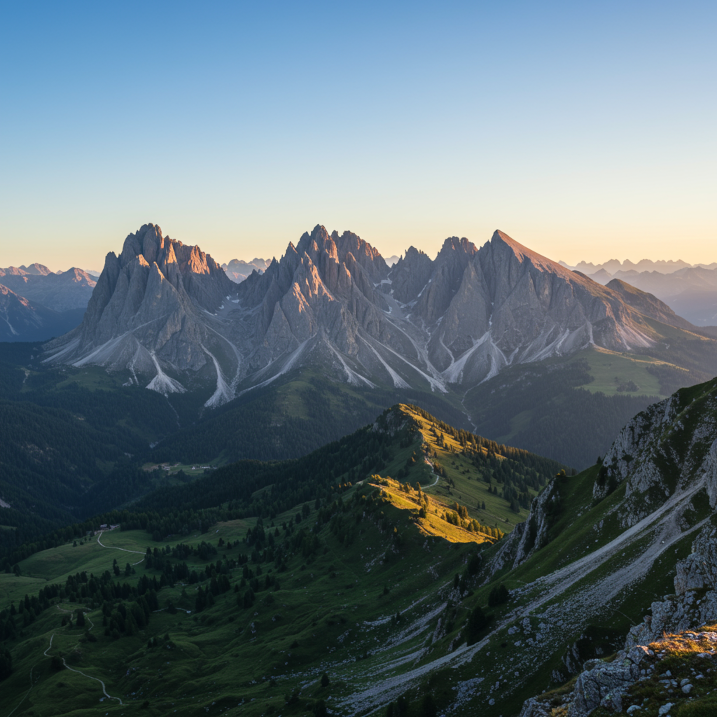 |
Prompt: *an expansive mountain range, landscape wide angle 10mm*
Model: Imagen 3 (`imagen-3.0-generate-002`)
|---|---|---|---|
| 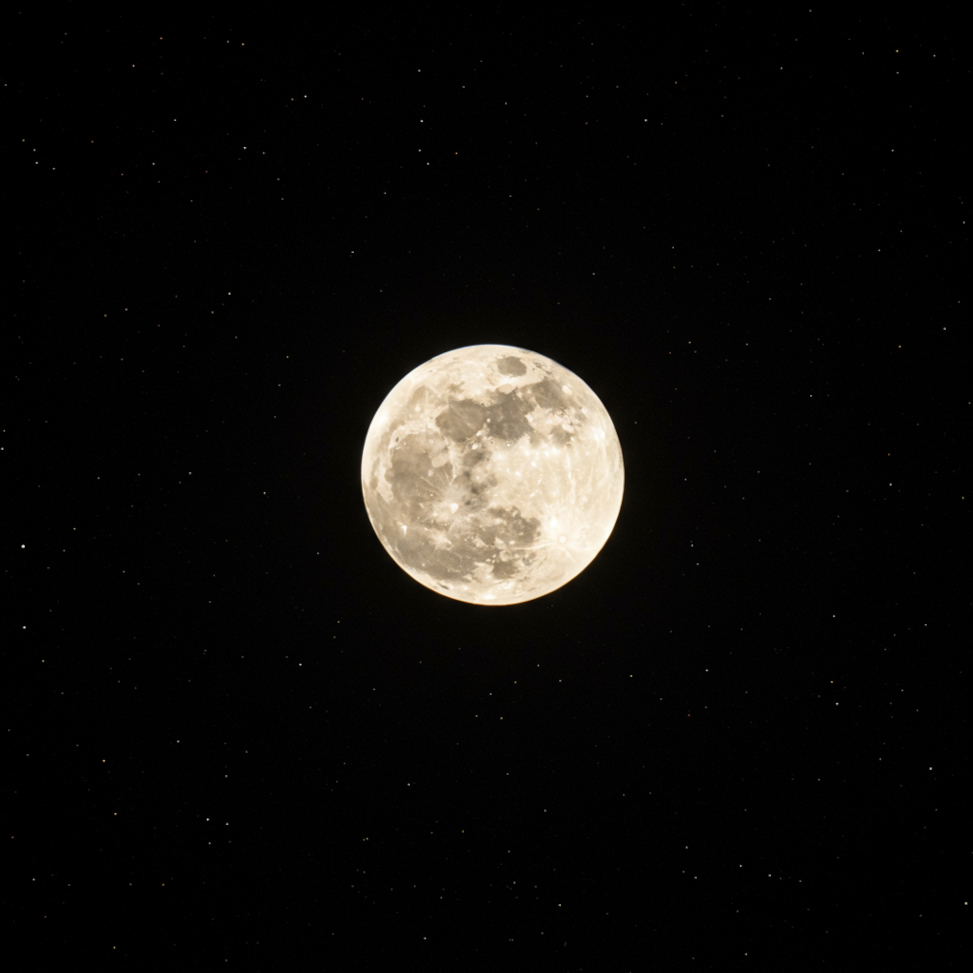 |  | 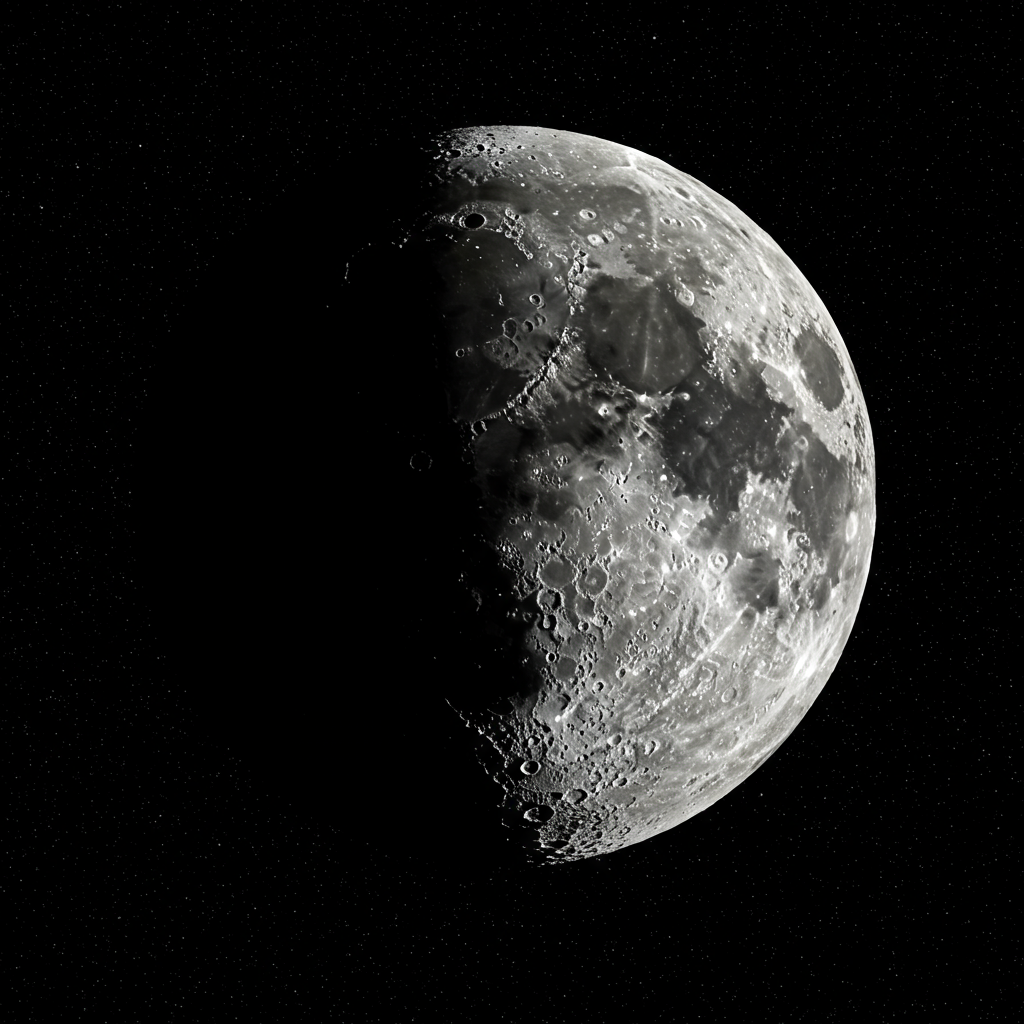 |  |
Prompt: *a photo of the moon, astro photography, wide angle 10mm*
Model: Imagen 3 (`imagen-3.0-generate-002`)
## What's next
Read articles about Imagen and other Generative AI on Vertex AI
products:
- [A developer's guide to getting started with Imagen 3 on
Vertex AI](https://cloud.google.com/blog/products/ai-machine-learning/a-developers-guide-to-imagen-3-on-vertex-ai?e=0?utm_source%3Dlinkedin)
- [New generative media models and tools, built with and for creators](https://blog.google/technology/ai/google-generative-ai-veo-imagen-3/#veo)
- [New in Gemini: Custom Gems and improved image generation with
Imagen 3](https://blog.google/products/gemini/google-gemini-update-august-2024/)
- [Google DeepMind: Imagen 3 - Our highest quality
text-to-image model](https://deepmind.google/technologies/imagen-3/)