Cloud Tools for Visual Studio is deprecated. Effective March 2, 2026, Cloud Tools for Visual Studio is removed from distribution. For more information about the Cloud Tools for Visual Studio deprecation, see Cloud Tools for Visual Studio deprecation.
Finding a Google API Library
Stay organized with collections
Save and categorize content based on your preferences.
All Google APIs are available to .NET developers through the NuGet package
manager.
To add Google APIs to your project in Visual Studio:
Right-click Project references.
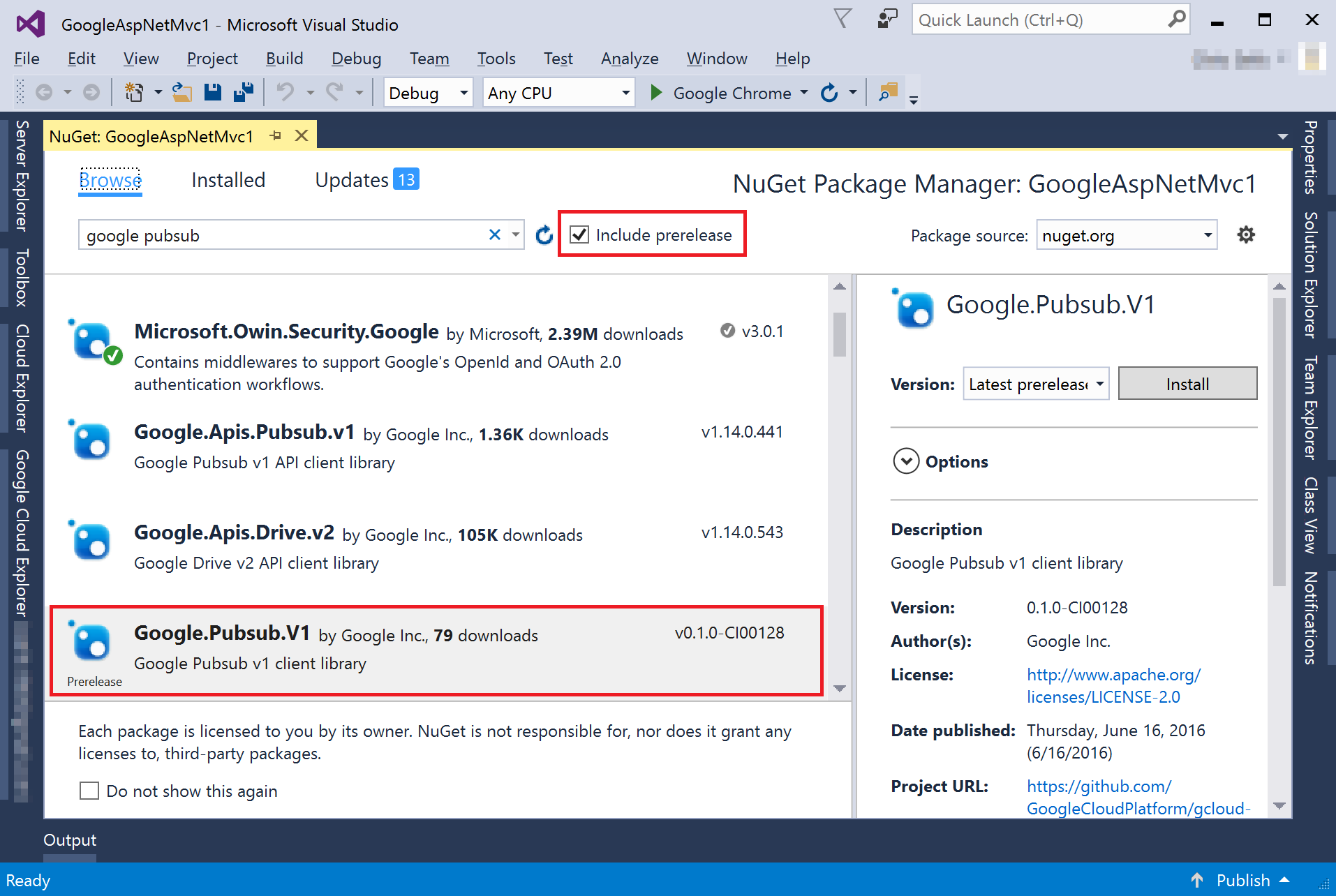
Click Manage NuGet Packages.
Choose the Browse tab.
Before searching, make sure that Include prerelease is checked to show
all Google Cloud libraries.
Note: Some of the libraries listed are Beta.
Enter a search string, for example google pubsub.
Searching returns two different types of results:
Results with a Google Cloud prefix are the Cloud Client Libraries
and the recommended way to access Google Cloud APIs
programmatically. For more information and a list of APIs, see
.NET Cloud Client Libraries.
Results with a Google.Apis prefix are Google API Client Libraries that are
available for all Google APIs. You might want to use these libraries if a
Cloud Client Library isn't available for the API you're using. For a
complete list of Google API Client Libraries, see
.NET.
[[["Easy to understand","easyToUnderstand","thumb-up"],["Solved my problem","solvedMyProblem","thumb-up"],["Other","otherUp","thumb-up"]],[["Hard to understand","hardToUnderstand","thumb-down"],["Incorrect information or sample code","incorrectInformationOrSampleCode","thumb-down"],["Missing the information/samples I need","missingTheInformationSamplesINeed","thumb-down"],["Other","otherDown","thumb-down"]],["Last updated 2026-03-03 UTC."],[],[]]