This page describes common scenarios for testing connectivity to and from
Google-managed services, such as Google Kubernetes Engine (GKE) control
planes and Cloud SQL instances.
You can get a Connectivity Tests configuration analysis on routes
to and from Google-managed services. Even though you do not have permission to
access the Google-owned project where these resources are located,
Connectivity Tests can still analyze the configuration of the
project's Virtual Private Cloud (VPC) network and provide an overall
reachability result. Connectivity Tests does
not provide configuration details for analysis within the Google-owned project.
By default, Connectivity Tests attempts to run a test by using the
private IP address of the Google-managed service endpoint and the
VPC Network Peering connection between your network and the Google-owned
network. If the endpoint does not have a private IP address,
Connectivity Tests uses the public IP address.
Connectivity Tests analyzes whether the packet can reach the endpoint, which
includes analyzing the configuration within the Google-owned VPC
network for the endpoint. If Connectivity Tests detects configuration issues
within your project, its analysis stops before reaching the Google-owned network.
Trace diagrams on this page use the symbols described in the following legend.
| Symbol | Name | Meaning |
|---|---|---|
| Gray diamond [](https://docs.cloud.google.com/static/network-intelligence-center/docs/connectivity-tests/images/gray-diamond.png) | Checkpoint | A decision point where Connectivity Tests checks a configuration and decides whether a trace packet is to be forwarded, delivered, or dropped. |
| Blue rectangle [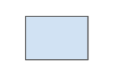](https://docs.cloud.google.com/static/network-intelligence-center/docs/connectivity-tests/images/blue-rectangle.png) | Hop | A step in the forwarding path for a trace packet, representing a Google Cloud resource that forwards a packet to the next hop in a VPC network---for example, to a Cloud Load Balancing proxy or to a Cloud VPN tunnel. |
| Orange hexagon [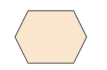](https://docs.cloud.google.com/static/network-intelligence-center/docs/connectivity-tests/images/orange-hexagon.png) | Endpoint | The source or destination of a trace packet. |
The following diagram shows the trace path when testing connectivity to
Google-managed services. The diagram uses a GKE node to control
plane test as an example.
[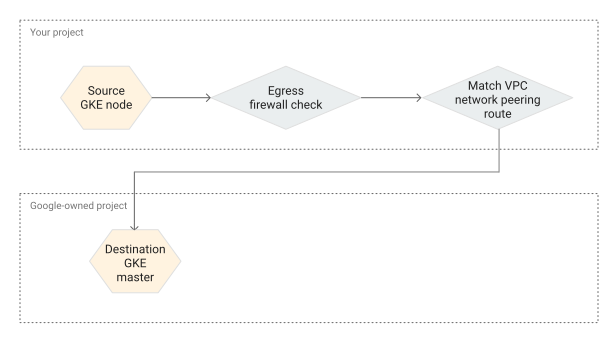](https://docs.cloud.google.com/static/network-intelligence-center/docs/connectivity-tests/images/trace-path-gke.svg) Source GKE node to destination GKE control plane trace
## Cloud SQL to a VM
The following screenshot from the Google Cloud console shows a trace from
a Cloud SQL instance that indicates an
[overall result of `Reachable`](https://docs.cloud.google.com/network-intelligence-center/docs/connectivity-tests/concepts/state-tables#result-values).
This result shows that Connectivity Tests has validated network
connectivity from the source Cloud SQL instance to the destination VM.
This includes analyzing the configuration inside the Google-owned project
where the Cloud SQL instance runs. The trace does not provide details
for the resources in the Google-owned project because you do not have
permission to view them.
[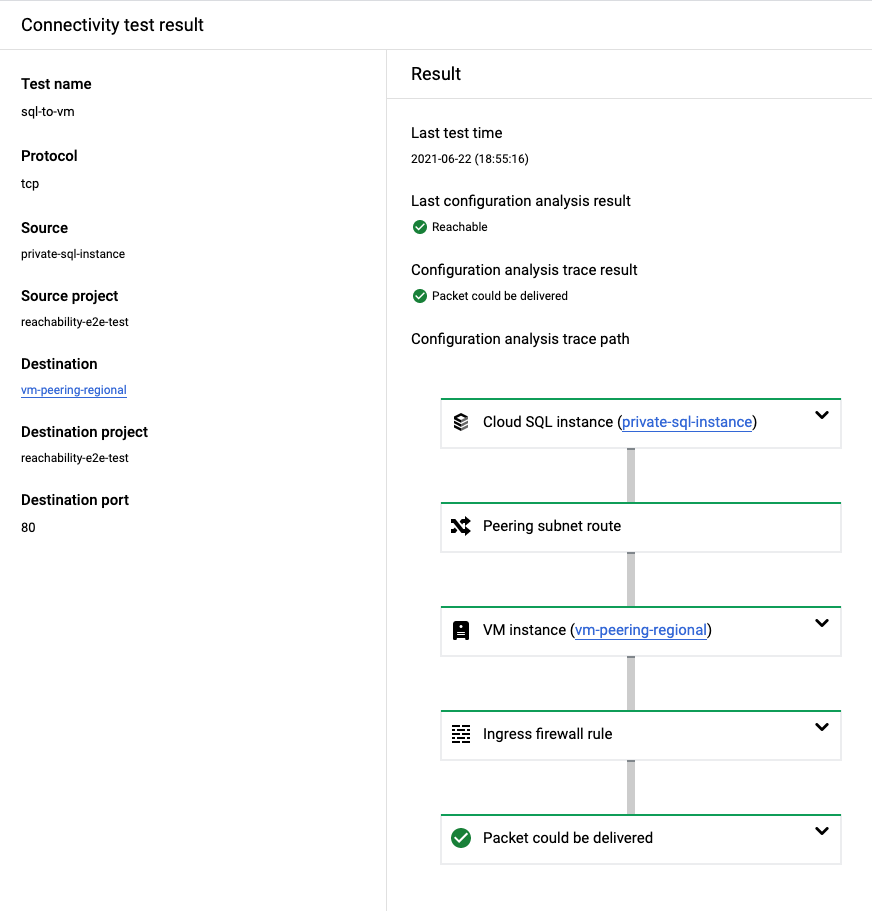](https://docs.cloud.google.com/static/network-intelligence-center/docs/connectivity-tests/images/sql-2-vm-ui-cards.png) Google Cloud console screenshot for Cloud SQL instance to VM trace
## VM to Cloud SQL
This section provides an example result of a successful test from a VM to a
Cloud SQL instance. In this example, the configuration analysis
indicates an
[overall result of `Reachable`](https://docs.cloud.google.com/network-intelligence-center/docs/connectivity-tests/concepts/state-tables#result-values).
This result shows that Connectivity Tests has validated network
connectivity from the source VM to the destination Cloud SQL instance.
This includes analyzing the configuration inside the Google-owned project
where the Cloud SQL instance runs. The trace does not provide details
for the resources in the Google-owned project because you do not have
permission to view them.
[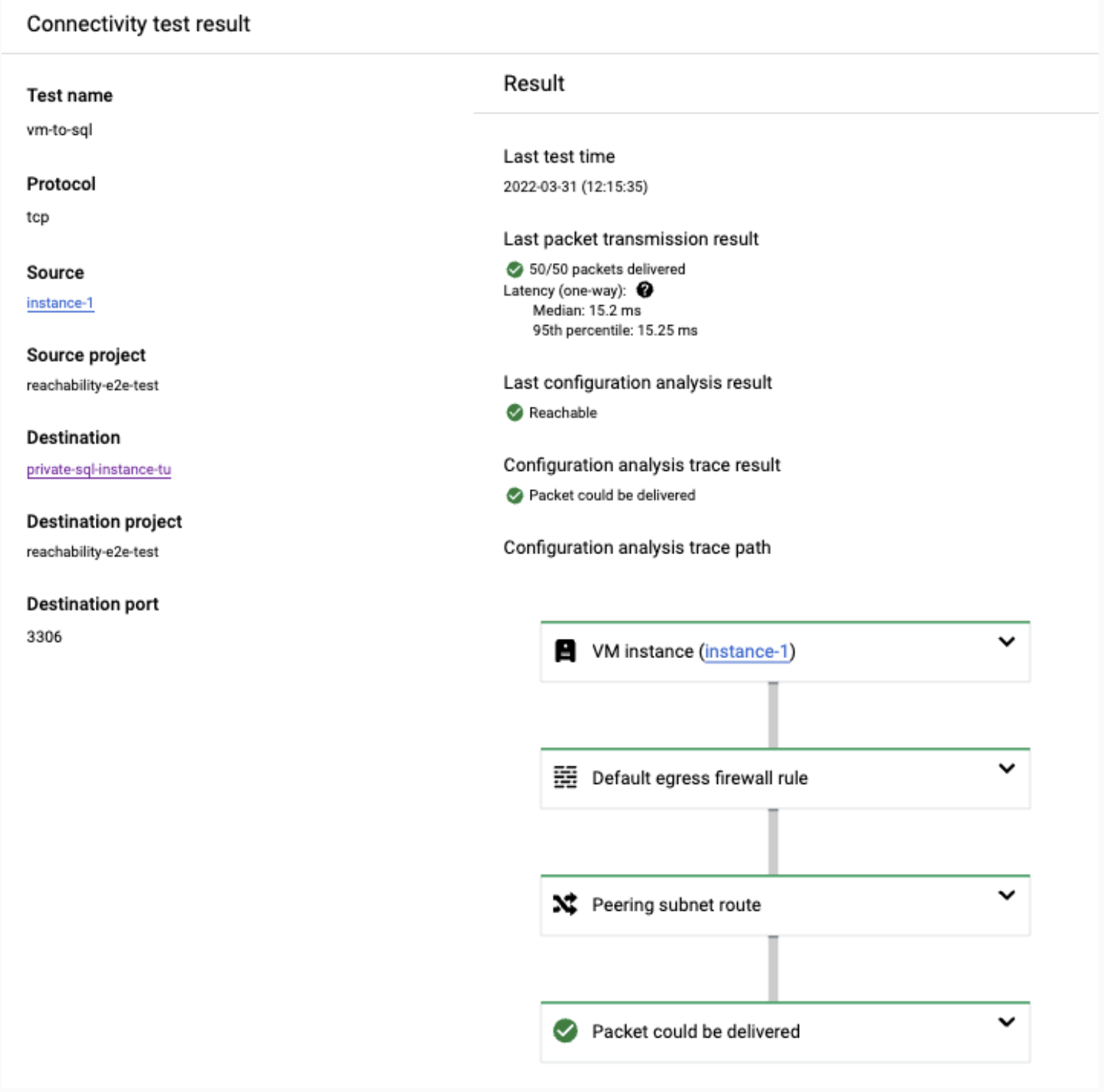](https://docs.cloud.google.com/static/network-intelligence-center/docs/connectivity-tests/images/vm-2-sql-ui-cards_upd.png) Google Cloud console screenshot for VM to Cloud SQL instance trace
## VM to Cloud SQL through public IP address
This section provides an example result of a successful test from a VM to a
Cloud SQL instance through a public IP address. In this example,
the configuration analysis indicates an
[overall result of `Reachable`](https://docs.cloud.google.com/network-intelligence-center/docs/connectivity-tests/concepts/state-tables#result-values).
This result shows that Connectivity Tests has validated network
connectivity from the source VM to the destination Cloud SQL instance
through a public IP address. This includes analyzing the configuration inside
the Google-owned project where the Cloud SQL instance runs. The trace
does not provide details for the resources in the Google-owned project because
you do not have permission to view them.
[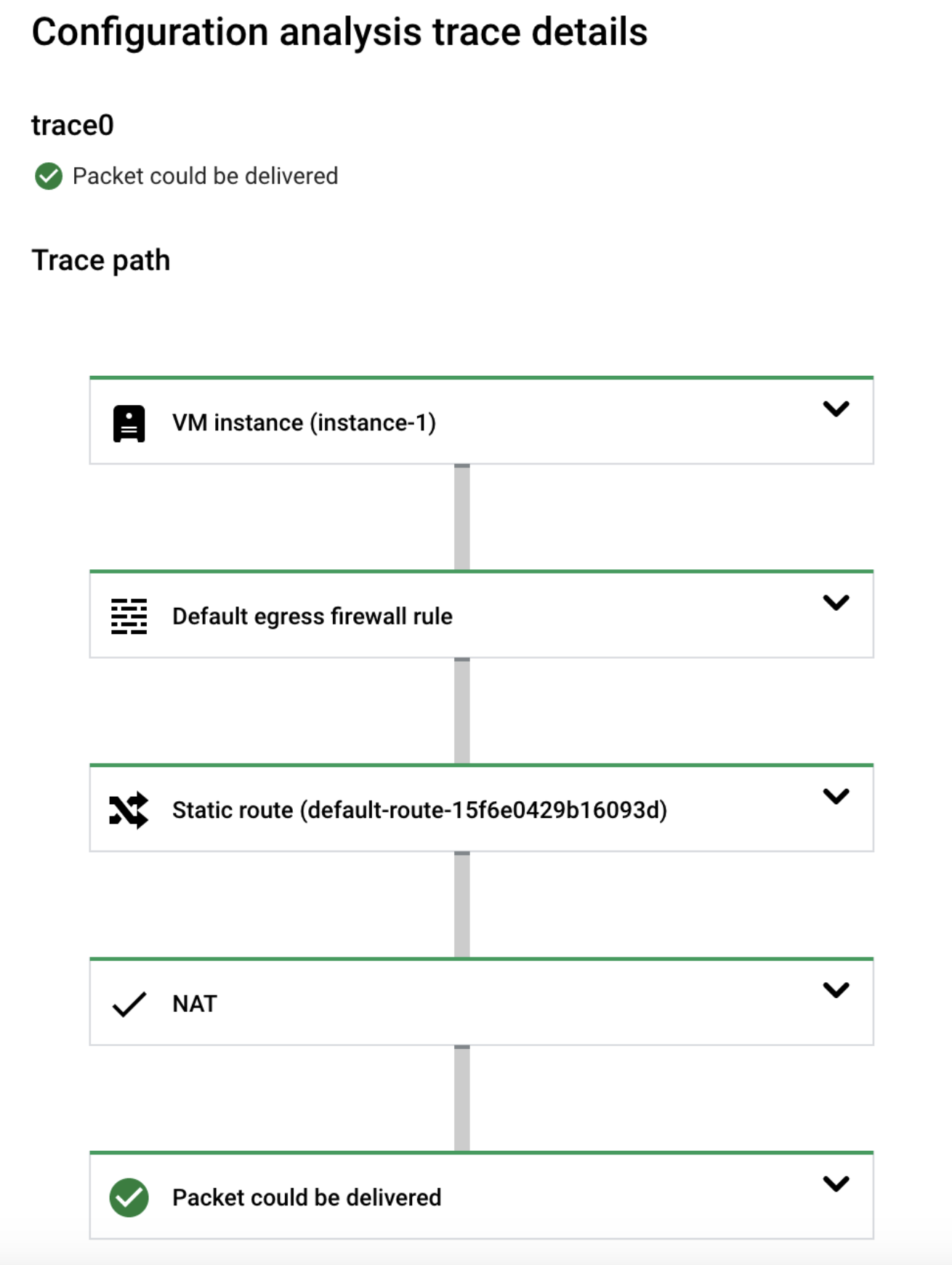](https://docs.cloud.google.com/static/network-intelligence-center/docs/connectivity-tests/images/vm-2-sql-public-ui-cards.png) Google Cloud console screenshot for VM to Cloud SQL instance trace through a public IP address
## GKE control plane to GKE node
This section provides an example result of a successful test to a
GKE node. In this example, the configuration
analysis indicates an
[overall result of `Reachable`](https://docs.cloud.google.com/network-intelligence-center/docs/connectivity-tests/concepts/state-tables#result-values).
This result shows that Connectivity Tests has validated network
connectivity from the source GKE control plane to the destination
GKE node. This includes analyzing the configuration of the
resources inside the Google-owned project where the node runs. The trace does
not provide details for the resources in the Google-owned project because you do
not have permission to view them.
[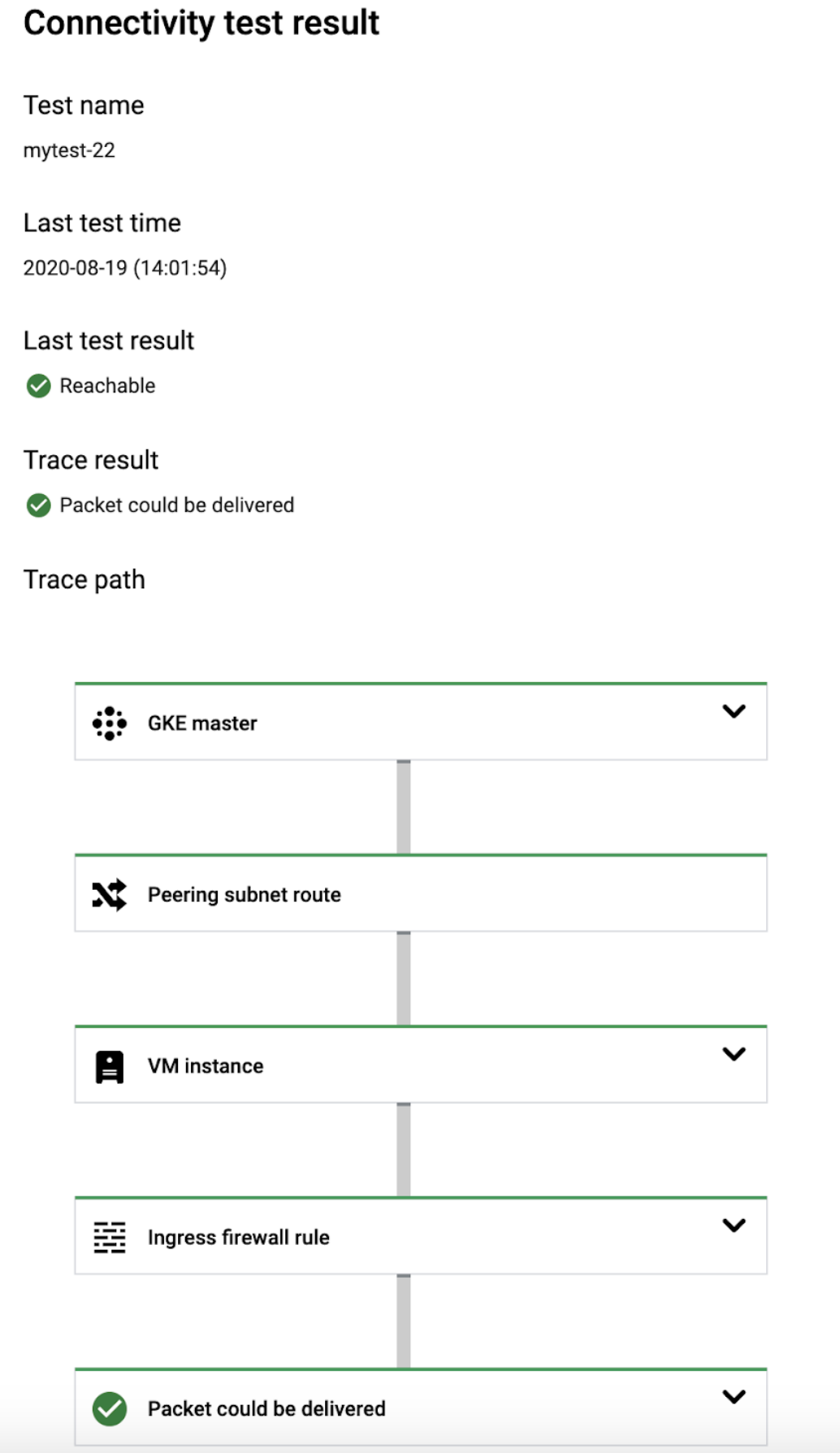](https://docs.cloud.google.com/static/network-intelligence-center/docs/connectivity-tests/images/master-2-node-ui-cards.png) Google Cloud console screenshot for GKE control plane to node trace
## GKE node to GKE control plane
This section provides an example result of a successful test to a
GKE control plane. In this example, the configuration analysis
indicates an
[overall result of `Reachable`](https://docs.cloud.google.com/network-intelligence-center/docs/connectivity-tests/concepts/state-tables#result-values).
This result shows that Connectivity Tests has validated network
connectivity from the source GKE node to the destination
GKE control plane. This includes analyzing the configuration of
the resources inside the Google-owned project where the control plane runs. The
trace does not provide details for the resources in
the Google-owned project because you do not have permission to view them.
[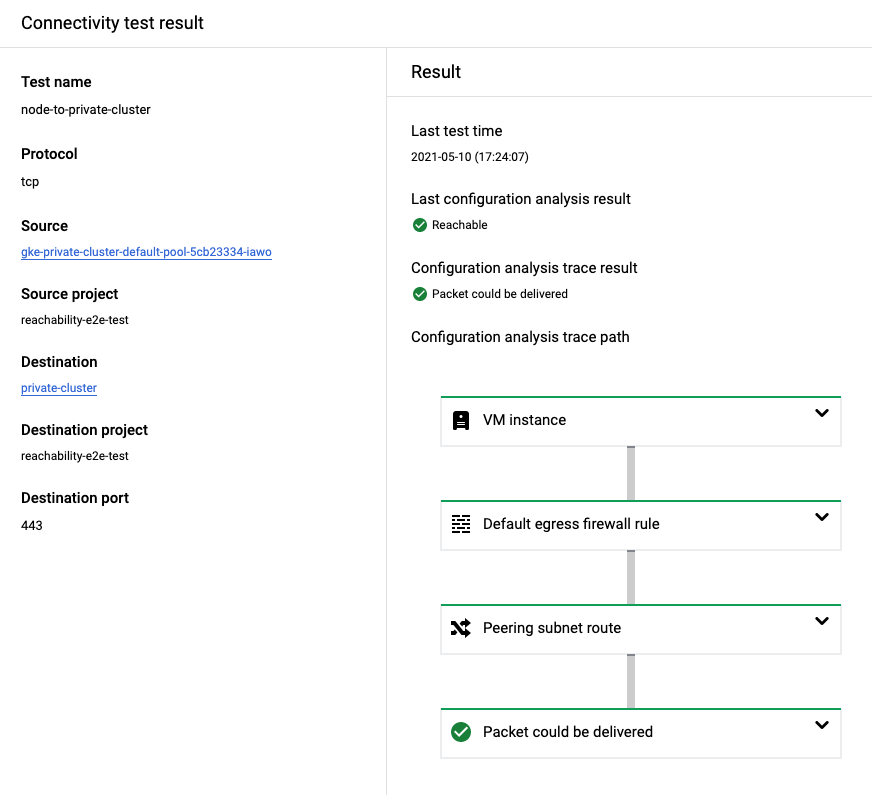](https://docs.cloud.google.com/static/network-intelligence-center/docs/connectivity-tests/images/node-2-master-ui-cards.png) Google Cloud console screenshot for GKE node to control plane trace
## GKE node to GKE control plane through public IP address
This section describes an example of a successful test to a GKE
control plane through a public IP address. In this example, the configuration
analysis indicates an
[overall result of `Reachable`](https://docs.cloud.google.com/network-intelligence-center/docs/connectivity-tests/concepts/state-tables#result-values).
This result shows that Connectivity Tests has validated network
connectivity from the source GKE node to the network in which the
GKE control plane runs, but not to the GKE control
plane. When testing through a public IP address, Connectivity Tests
does not analyze the configuration of the resources inside the Google-owned
project where the control plane runs.
[](https://docs.cloud.google.com/static/network-intelligence-center/docs/connectivity-tests/images/node-2-master-public-ui-cards.png) Google Cloud console screenshot for GKE node to control plane trace through a public IP address
## Test failures for Google-managed services
When testing Google-managed services, the test can fail with an error message
that the packet was dropped inside the service
(for example `DROPPED_INSIDE_GKE_SERVICE`
or `DROPPED_INSIDE_CLOUD_SQL_SERVICE`). This message might indicate a
configuration issue in the Google-owned project that hosts the service in the
following cases:
- You tested connectivity between a GKE control plane and a GKE node in the same cluster (in either direction).
- You tested connectivity from your VPC network to a Cloud SQL instance connected to your network, where both the source and destination are in the same region.
If you receive the previously mentioned error message for one of the cases
listed earlier, [contact Support](https://docs.cloud.google.com/network-intelligence-center/docs/connectivity-tests/support/getting-support).
Otherwise, the error message might indicate invalid input. Confirm that you are
testing to or from an endpoint that exists and that you expect to reach the
managed resource in the Google-owned project. For example, if
you are testing from a GKE node to a GKE control
plane, confirm that the node exists and is expected to have connectivity to the
control plane.
The following screenshot from the Google Cloud console shows a trace to a
destination Cloud SQL instance that indicates an
[overall result of `Unreachable`](https://docs.cloud.google.com/network-intelligence-center/docs/connectivity-tests/concepts/state-tables#result-values).
The test failed because it was created with port `80` instead of port `5432`,
the port on which the target Cloud SQL instance (Postgres)
is accepting connections.
[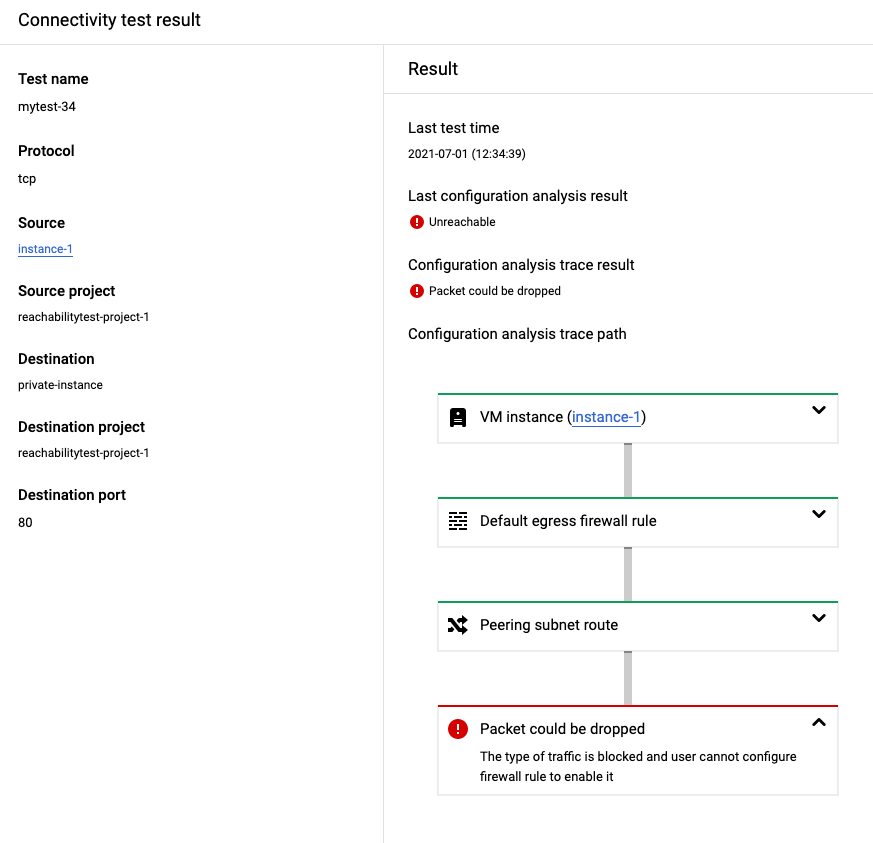](https://docs.cloud.google.com/static/network-intelligence-center/docs/connectivity-tests/images/vm-2-sql-failure-ui-cards.png) Google Cloud console screenshot for failed VM to Cloud SQL trace
## What's next
- [Common test scenarios](https://docs.cloud.google.com/network-intelligence-center/docs/connectivity-tests/concepts/common-use-cases)
- [Learn about Connectivity Tests](https://docs.cloud.google.com/network-intelligence-center/docs/connectivity-tests/concepts/overview)
- [Troubleshoot Connectivity Tests](https://docs.cloud.google.com/network-intelligence-center/docs/connectivity-tests/support/troubleshooting)