パッケージのライフサイクル
このページでは、Manufacturing Data Engine(MDE)のパッケージのライフサイクルについて説明します。
新しい構成パッケージをアップロードする
MDE の新しい構成パッケージは、REST エンドポイントまたは MDE ウェブ インターフェースを使用して、単一の *.zip ファイルを指定してアップロードできます。
REST
次の情報を使用して REST API リクエストを実行します。
- メソッド: POST
- エンドポイント:
/configuration/v1/configuration-packages. - リクエストの本文:
multiform data with key=”packageArchive”, value=configuration-package-zip file - レスポンス コード: 200 OK
レスポンスの本文(JSON):
{
    "id": "4adaecc2-54b9-482b-90d6-380f5d4b2be6",
    "name": "basic-configuration",
    "provider": "google",
    "latestStatus": "ACTIVATED",
    "status": [
        {
            "code": "NOT_LOADED",
            "updatedTime": "1742566718210",
            "messages": []
        },
        {
            "code": "VALIDATED",
            "updatedTime": "1742566718210",
            "messages": [
                {
                    "severity": "INFO",
                    "message": "Successfully validated all message classes in the package"
                },
                {
                    "severity": "INFO",
                    "message": "Successfully validated all parsers in the package"
                },
                {
                    "severity": "INFO",
                    "message": "Successfully validated all types in the package"
                }
            ]
        },
        {
            "code": "LOADED",
            "updatedTime": "1742566718696",
            "messages": [
                {
                    "severity": "INFO",
                    "message": "Successfully applied all message classes in the package"
                },
                {
                    "severity": "INFO",
                    "message": "Successfully applied all types in the package"
                },
                {
                    "severity": "INFO",
                    "message": "Successfully applied all parsers in the package"
                }
            ]
        },
        {
            "code": "ACTIVATED",
            "updatedTime": "1742566718792",
            "messages": [
                {
                    "severity": "INFO",
                    "message": "Successfully activated all ingestion-specification, if there is any, in the package"
                },
                {
                    "severity": "INFO",
                    "message": "Successfully activated all message classes, if there is any, in the package"
                },
                {
                    "severity": "INFO",
                    "message": "Successfully activated all buckets, if there is any, in the package"
                },
                {
                    "severity": "INFO",
                    "message": "Successfully activated all metadata instance, if there is any, in the package"
                },
                {
                    "severity": "INFO",
                    "message": "Successfully activated all types, if there is any, in the package"
                },
                {
                    "severity": "INFO",
                    "message": "Successfully activated all parsers, if there is any, in the package"
                }
            ]
        }
    ]
}
コンソール
- [Cloud Configuration] をクリックします。
- [ADD NEW CONFIGURATION PACKAGE] をクリックします。
- コンソールにアップロードするファイルを選択します。
- [UPLOAD] をクリックします。
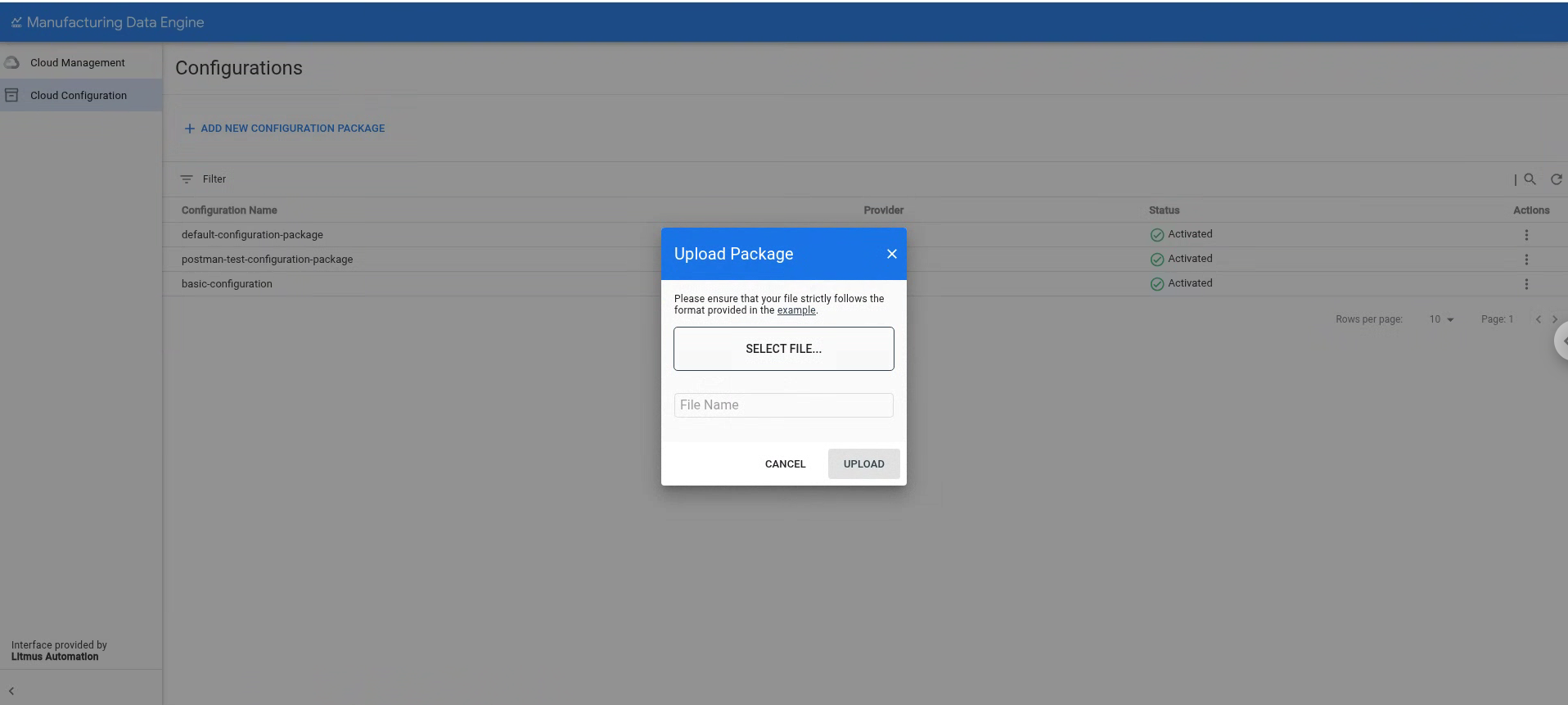
パッケージがアップロードされると、MDE は次のステージを実行して処理します。
検証: このステージでは、MDE は パッケージの内容を検証し、すべてのファイルの構文が正しいこと、 正しい場所に配置されていることを確認します。このフェーズが正常に完了すると、MDE は次のステージに進みます。
読み込み: このステージでは、MDE はパッケージで指定された構成を読み込んで、現在の環境構成とマージしようとします。依存関係を確認し、既存の構成との名前の衝突がないことを確認します。このステージはアトミックです。つまり、パッケージが正常に読み込まれるか、完全にロールバックされます。読み込みが成功すると、MDE は次のステージに進みます。
有効化: このステージでは、MDE は構成を有効にし 、環境内の他のユーザーに表示できるようにします。また、パッケージ構成の一部として必要なインフラストラクチャ要素(タイプの有効化など)の作成をトリガーします。
MDE v1.5.0 では、すでに デプロイまたは有効化されているパッケージの更新はサポートされていません。検証または読み込みのステージでエラーを修正する必要がある場合は、パッケージが有効になっていない限り、同じパッケージを再度アップロードできます。パッケージが有効に設定されると、同じパッケージを再度アップロードしたり、名前が競合する構成エンティティを含むパッケージをアップロードしたりすることはできません。
既存の構成パッケージを一覧表示する
MDE の既存の構成パッケージは、REST エンドポイントまたは MDE ウェブ インターフェースを使用して一覧表示できます。
REST
次の情報を使用して REST API リクエストを実行します。
- メソッド: GET
- エンドポイント:
/configuration/v1/configuration-packages. - レスポンス コード: 200 OK
レスポンスの本文(JSON):
{
    "configurationPackages": [
        {
            "id": "0505ed17-ad20-458d-9128-d44783704acb",
            "name": "default-configuration-package",
            "provider": "google",
            "latestStatus": "ACTIVATED",
            "status": [
                {
                    "code": "NOT_LOADED",
                    "updatedTime": "1742501535249",
                    "messages": []
                },
                {
                    "code": "VALIDATED",
                    "updatedTime": "1742501535249",
                    "messages": [
                        {
                            "severity": "INFO",
                            "message": "Successfully validated all buckets in the package"
                        },
                        {
                            "severity": "INFO",
                            "message": "Successfully validated all message classes in the package"
                        },
                        {
                            "severity": "INFO",
                            "message": "Successfully validated all metadata-instances in the package"
                        },
                        {
                            "severity": "INFO",
                            "message": "Successfully validated all parsers in the package"
                        },
                        {
                            "severity": "INFO",
                            "message": "Successfully validated all types in the package"
                        }
                    ]
                },
                {
                    "code": "LOADED",
                    "updatedTime": "1742501536740",
                    "messages": [
                        {
                            "severity": "INFO",
                            "message": "Successfully applied all message classes in the package"
                        },
                        {
                            "severity": "INFO",
                            "message": "Successfully applied all buckets in the package"
                        },
                        {
                            "severity": "INFO",
                            "message": "Successfully validated all metadata-instances in the package"
                        },
                        {
                            "severity": "INFO",
                            "message": "Successfully applied all types in the package"
                        },
                        {
                            "severity": "INFO",
                            "message": "Successfully applied all parsers in the package"
                        }
                    ]
                },
                {
                    "code": "ACTIVATED",
                    "updatedTime": "1742501537289",
                    "messages": [
                        {
                            "severity": "INFO",
                            "message": "Successfully activated all ingestion-specification, if there is any, in the package"
                        },
                        {
                            "severity": "INFO",
                            "message": "Successfully activated all message classes, if there is any, in the package"
                        },
                        {
                            "severity": "INFO",
                            "message": "Successfully activated all buckets, if there is any, in the package"
                        },
                        {
                            "severity": "INFO",
                            "message": "Successfully activated all metadata instance, if there is any, in the package"
                        },
                        {
                            "severity": "INFO",
                            "message": "Successfully activated all types, if there is any, in the package"
                        },
                        {
                            "severity": "INFO",
                            "message": "Successfully activated all parsers, if there is any, in the package"
                        }
                    ]
                }
            ]
        },
        {
            "id": "4adaecc2-54b9-482b-90d6-380f5d4b2be6",
            "name": "basic-configuration",
            "provider": "google",
            "latestStatus": "ACTIVATED",
            "status": [
                {
                    "code": "NOT_LOADED",
                    "updatedTime": "1742566718210",
                    "messages": []
                },
                {
                    "code": "VALIDATED",
                    "updatedTime": "1742566718210",
                    "messages": [
                        {
                            "severity": "INFO",
                            "message": "Successfully validated all message classes in the package"
                        },
                        {
                            "severity": "INFO",
                            "message": "Successfully validated all parsers in the package"
                        },
                        {
                            "severity": "INFO",
                            "message": "Successfully validated all types in the package"
                        }
                    ]
                },
                {
                    "code": "LOADED",
                    "updatedTime": "1742566718696",
                    "messages": [
                        {
                            "severity": "INFO",
                            "message": "Successfully applied all message classes in the package"
                        },
                        {
                            "severity": "INFO",
                            "message": "Successfully applied all types in the package"
                        },
                        {
                            "severity": "INFO",
                            "message": "Successfully applied all parsers in the package"
                        }
                    ]
                },
                {
                    "code": "ACTIVATED",
                    "updatedTime": "1742566718792",
                    "messages": [
                        {
                            "severity": "INFO",
                            "message": "Successfully activated all ingestion-specification, if there is any, in the package"
                        },
                        {
                            "severity": "INFO",
                            "message": "Successfully activated all message classes, if there is any, in the package"
                        },
                        {
                            "severity": "INFO",
                            "message": "Successfully activated all buckets, if there is any, in the package"
                        },
                        {
                            "severity": "INFO",
                            "message": "Successfully activated all metadata instance, if there is any, in the package"
                        },
                        {
                            "severity": "INFO",
                            "message": "Successfully activated all types, if there is any, in the package"
                        },
                        {
                            "severity": "INFO",
                            "message": "Successfully activated all parsers, if there is any, in the package"
                        }
                    ]
                }
            ]
        }
    ],
    "nextPageToken": ""
}
コンソール
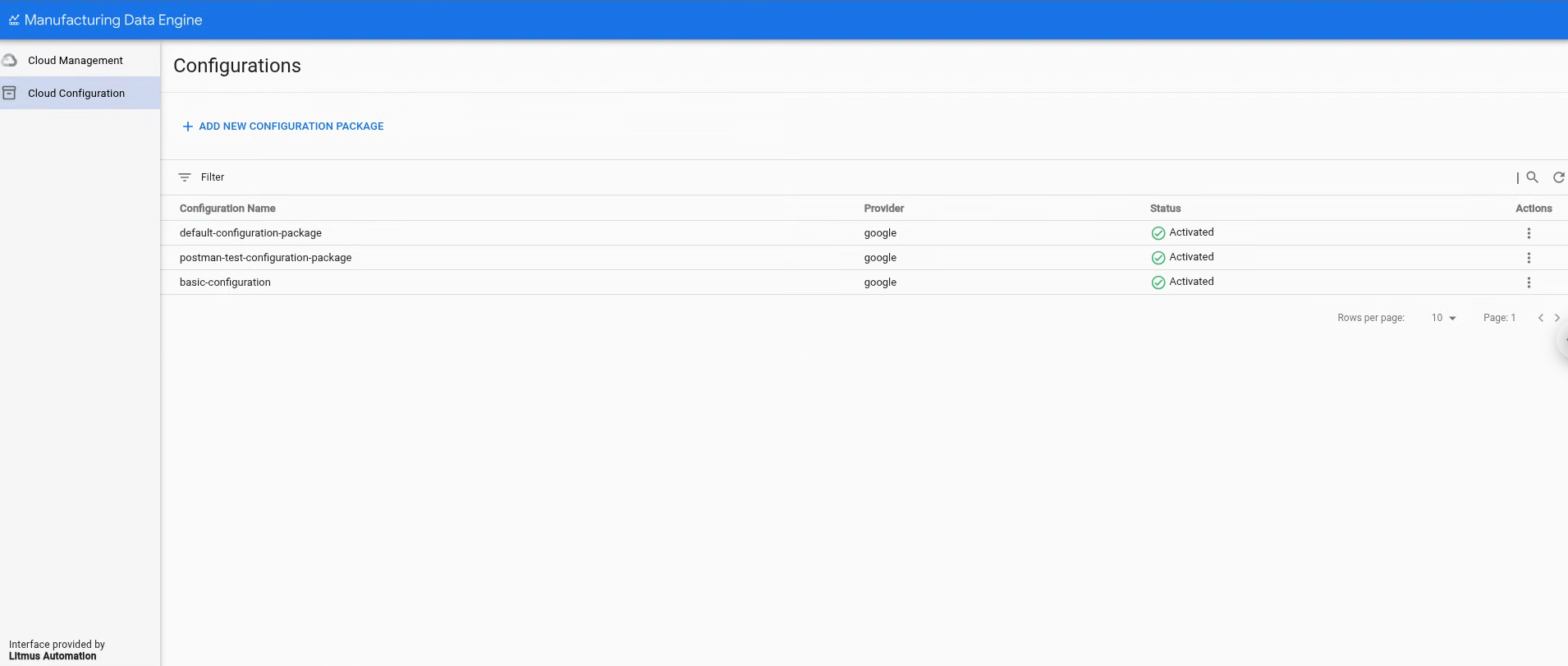
既存の構成パッケージ のリストは、[構成] ページの [Cloud Configuration] セクションに表示されます。
既存の構成パッケージを削除する
v1.5.0 以降、MDE は、環境を 開発モードに変更できる環境フラグをサポートしています。 これにより、構成エンティティを削除して構成パッケージを削除できます。 このモードを設定したら、REST エンドポイントまたは MDE ウェブ インターフェースの削除ボタンを使用して、すでに有効になっているパッケージを削除できます。
REST
次の情報を使用して REST API リクエストを実行します。
- メソッド: DELETE
- エンドポイント:
/configuration/v1/configuration-packages/$PACKAGE-ID - レスポンス コード: 200 OK
- レスポンスの本文(JSON):
{
    "id": "87e160db-8ff9-403a-a873-e6674f6ac3cb",
    "name": "postman-test-configuration-package",
    "provider": "google",
    "latestStatus": "DELETED",
    "status": [
        {
            "code": "NOT_LOADED",
            "updatedTime": "1742550114832",
            "messages": []
        },
        {
            "code": "VALIDATED",
            "updatedTime": "1742550114832",
            "messages": [
                {
                    "severity": "INFO",
                    "message": "Successfully validated all buckets in the package"
                },
                {
                    "severity": "INFO",
                    "message": "Successfully validated all ingestion-specifications in the package"
                },
                {
                    "severity": "INFO",
                    "message": "Successfully validated all message classes in the package"
                },
                {
                    "severity": "INFO",
                    "message": "Successfully validated all metadata-instances in the package"
                },
                {
                    "severity": "INFO",
                    "message": "Successfully validated all parsers in the package"
                },
                {
                    "severity": "INFO",
                    "message": "Successfully validated all types in the package"
                }
            ]
        },
        {
            "code": "LOADED",
            "updatedTime": "1742550115241",
            "messages": [
                {
                    "severity": "INFO",
                    "message": "Successfully applied all ingestion-specification in the package"
                },
                {
                    "severity": "INFO",
                    "message": "Successfully applied all message classes in the package"
                },
                {
                    "severity": "INFO",
                    "message": "Successfully applied all buckets in the package"
                },
                {
                    "severity": "INFO",
                    "message": "Successfully validated all metadata-instances in the package"
                },
                {
                    "severity": "INFO",
                    "message": "Successfully applied all types in the package"
                },
                {
                    "severity": "INFO",
                    "message": "Successfully applied all parsers in the package"
                }
            ]
        },
        {
            "code": "ACTIVATED",
            "updatedTime": "1742550115327",
            "messages": [
                {
                    "severity": "INFO",
                    "message": "Successfully activated all ingestion-specification, if there is any, in the package"
                },
                {
                    "severity": "INFO",
                    "message": "Successfully activated all message classes, if there is any, in the package"
                },
                {
                    "severity": "INFO",
                    "message": "Successfully activated all buckets, if there is any, in the package"
                },
                {
                    "severity": "INFO",
                    "message": "Successfully activated all metadata instance, if there is any, in the package"
                },
                {
                    "severity": "INFO",
                    "message": "Successfully activated all types, if there is any, in the package"
                },
                {
                    "severity": "INFO",
                    "message": "Successfully activated all parsers, if there is any, in the package"
                }
            ]
        },
        {
            "code": "DELETED",
            "updatedTime": "1742567553260",
            "messages": [
                {
                    "severity": "INFO",
                    "message": "Successfully deleted all parsers, if there is any, in the package"
                },
                {
                    "severity": "INFO",
                    "message": "Successfully deleted all message classes, if there is any, in the package"
                },
                {
                    "severity": "INFO",
                    "message": "Successfully deleted all types, if there is any, in the package"
                },
                {
                    "severity": "INFO",
                    "message": "Successfully activated all metadata instance, if there is any, in the package"
                },
                {
                    "severity": "INFO",
                    "message": "Successfully deleted all buckets, if there is any, in the package"
                },
                {
                    "severity": "INFO",
                    "message": "Successfully deleted all ingestion-specification, if there is any, in the package"
                }
            ]
        }
    ]
}
コンソール
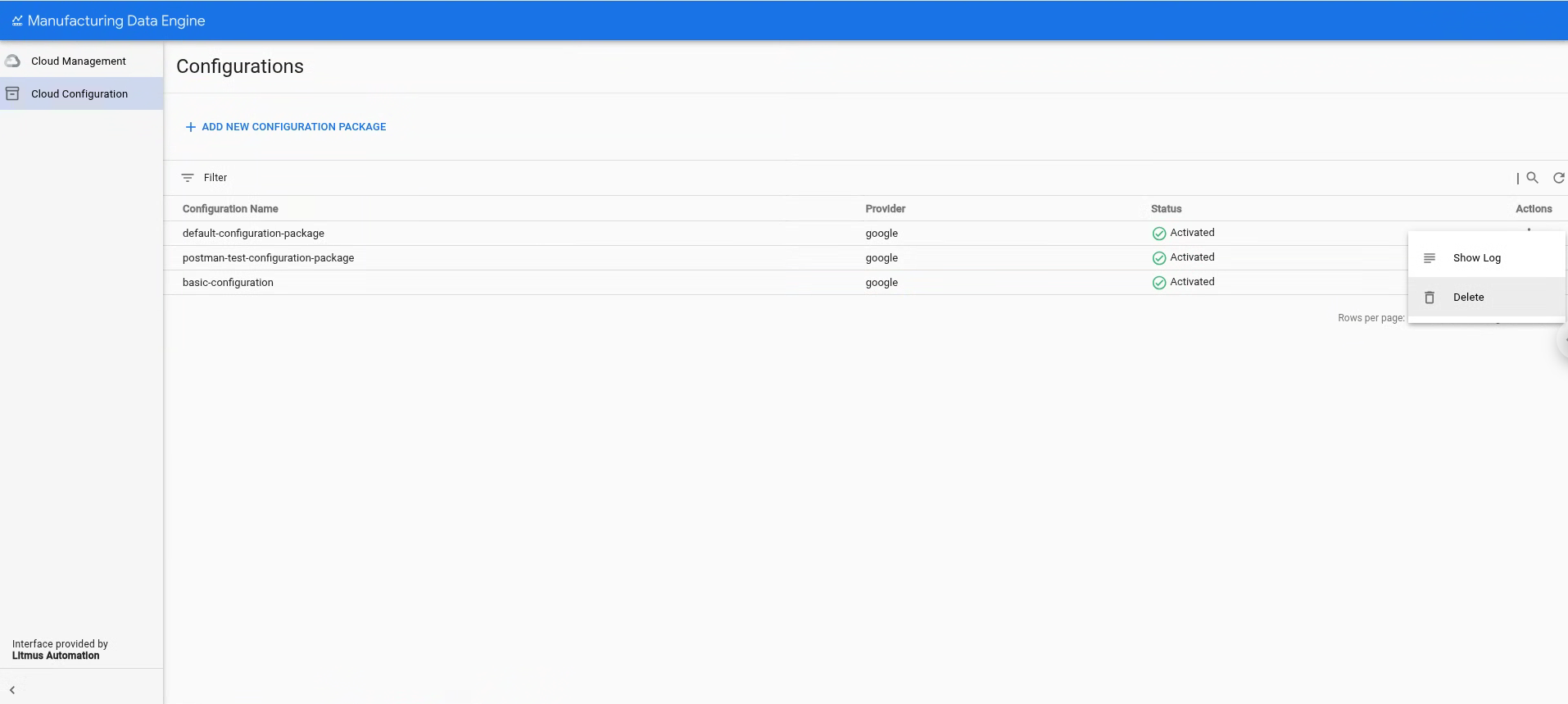
- [Cloud Configuration] をクリックします。
- 削除する構成パッケージを選択します。
- [操作] をクリックします。
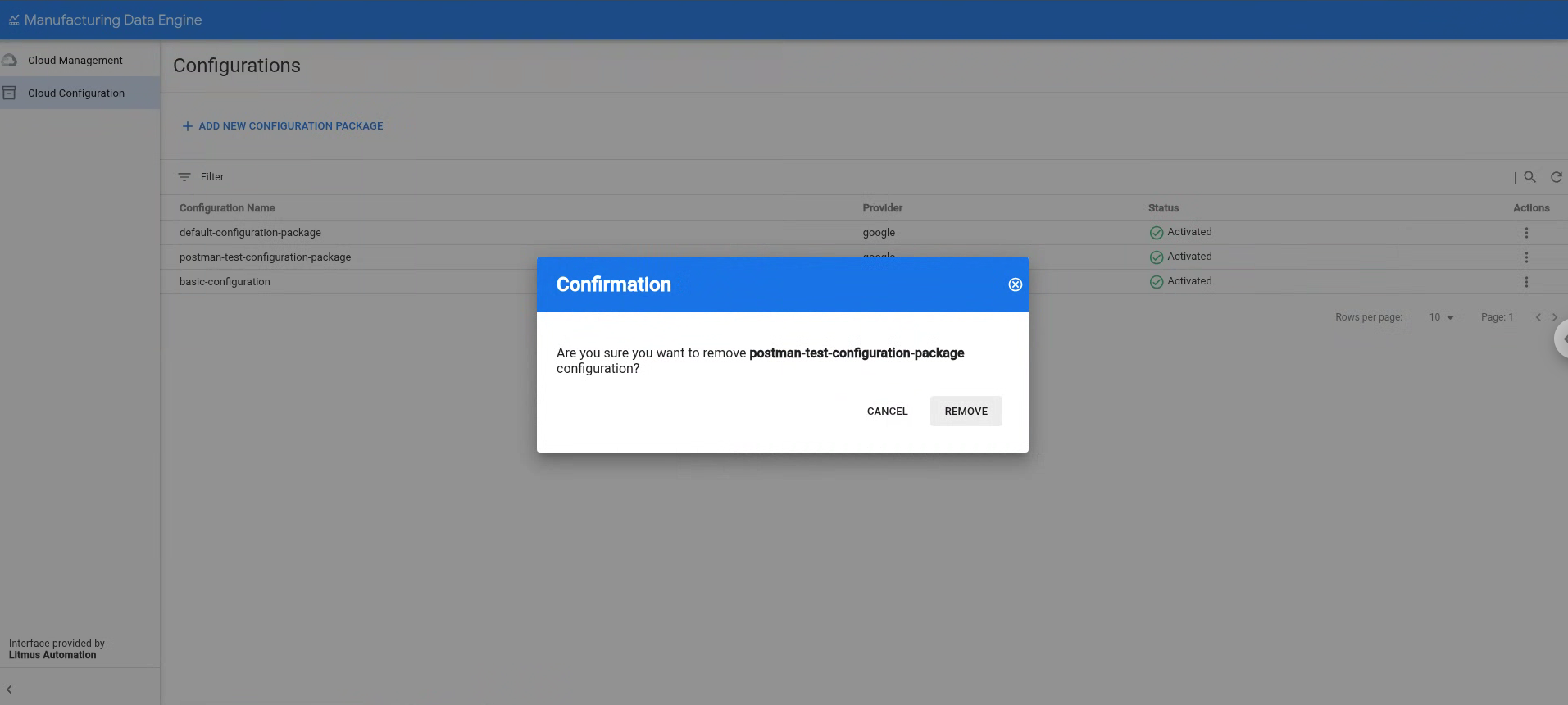
[削除] をクリックします。
[削除] をクリックして、選択した構成パッケージを削除することを確認します。