## **Looker 21.20**
Expected rollout start: **Monday, November 16th, 2021**
Expected final deployment and download available: **Thursday, December 9th, 2021**
### Potentially breaking changes
Check out these potentially breaking changes! Depending on which features or configurations you have implemented, all, some, or none of these changes may apply to your instance.
- In order to address a vulnerability, Looker no longer recognizes self-closing XHTML tags in custom visualizations. Enabling a new legacy feature, **Allow XHTML-style Empty Tags in Custom Visualizations** , causes self-closing XHTML tags to be recognized in custom visualizations, but also exposes the vulnerability. For more information, see the Best Practices page [Allowing XHTML-style empty tags in custom visualizations](https://docs.cloud.google.com/looker/docs/best-practices/how-to-use-allow-xhtml-style-empty-tags-in-custom-visualizations-legacy-feature).
- Looker now accepts any valid certificate trust path when verifying SSL/TLS certificates, rather than failing if there is both an invalid and a valid path in the same chain presented from the server.
- The **Use old dashboards routes** [legacy feature](https://docs.cloud.google.com/looker/docs/legacy-feature-schedule) now defaults to off.
- When a user attempts to navigate away from a dashboard that has unsaved changes, the user will [now see a **Discard changes?** warning dialog](https://docs.cloud.google.com/looker/docs/editing-user-defined-dashboards#entering_edit_mode_in_dashboards).
- When a user attempts to use Liquid templates in the `value_format` parameter, they will now see a new error message.
- A new legacy feature, **Use old navigation and legacy routing** , allows you to disable enhanced navigation, which is now the default navigation experience. The **Use old navigation and legacy routing** [legacy feature](https://docs.cloud.google.com/looker/docs/legacy-feature-schedule#legacy_feature_schedule) will be removed starting in Looker 22.2.
*** ** * ** ***
### Guided analyses in System Activity
The [**Guided Analysis**](https://docs.cloud.google.com/looker/docs/admin-panel-general-labs#guided_analyses_in_system_activity) feature lets users dig into key questions about instance usage.
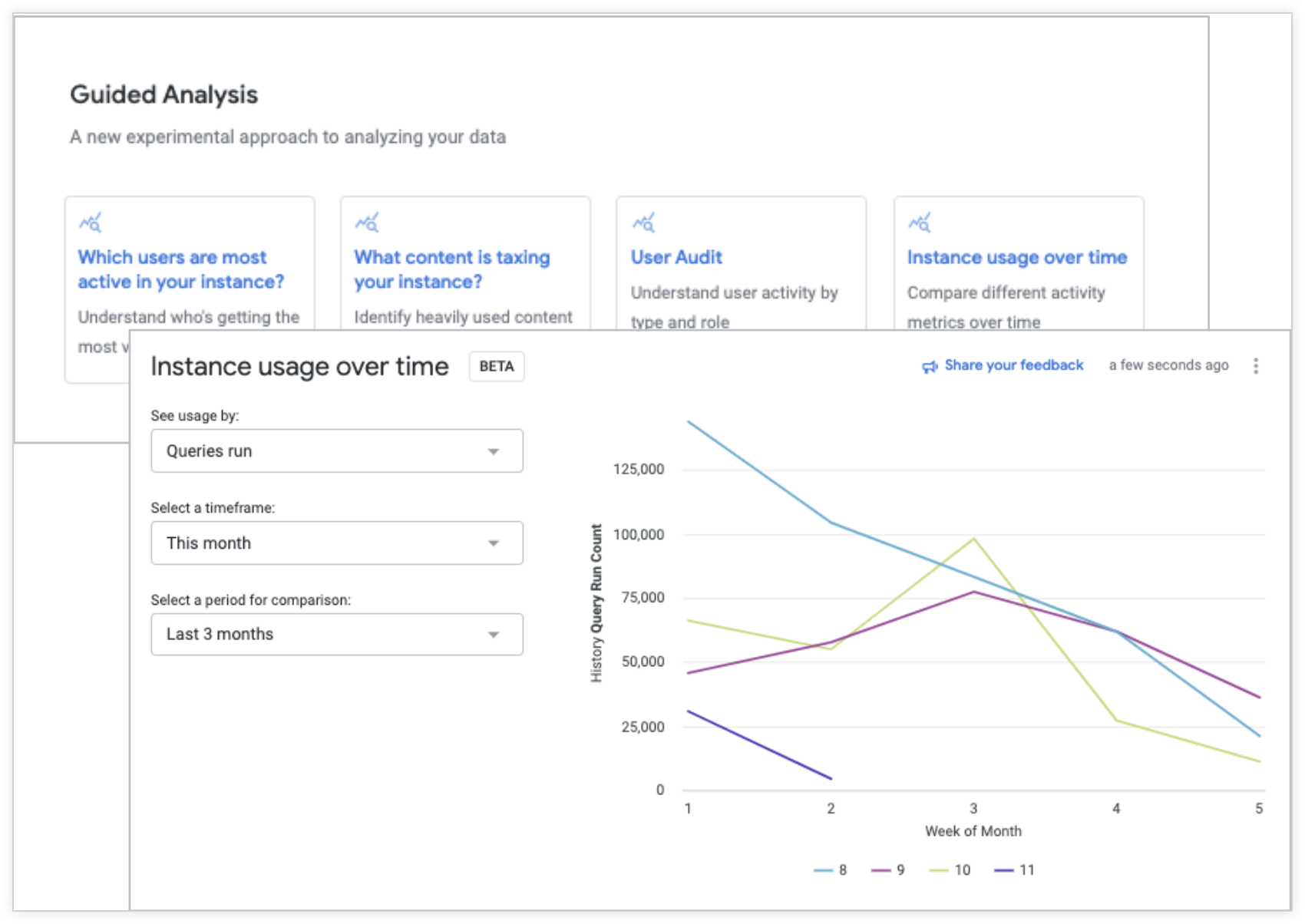
- Admins can enable this new feature using the **Guided analyses in System Activity** [Labs toggle](https://docs.cloud.google.com/looker/docs/admin-panel-general-labs#guided_analyses_in_system_activity).
- [Guided Analysis](https://docs.cloud.google.com/looker/docs/usage-reports-with-system-activity-explores#guided_analysis) lets users leverage a question-and-answer format to perform analyses.
- Users can access four different guided analyses from the System Activity [**History**](https://docs.cloud.google.com/looker/docs/usage-reports-with-system-activity-explores#history) Explore.
*** ** * ** ***
### Dashboard Details panel
Users can now [add dashboard descriptions](https://docs.cloud.google.com/looker/docs/creating-user-defined-dashboards#adding_a_description_to_a_dashboard) directly from dashboards when in edit mode.
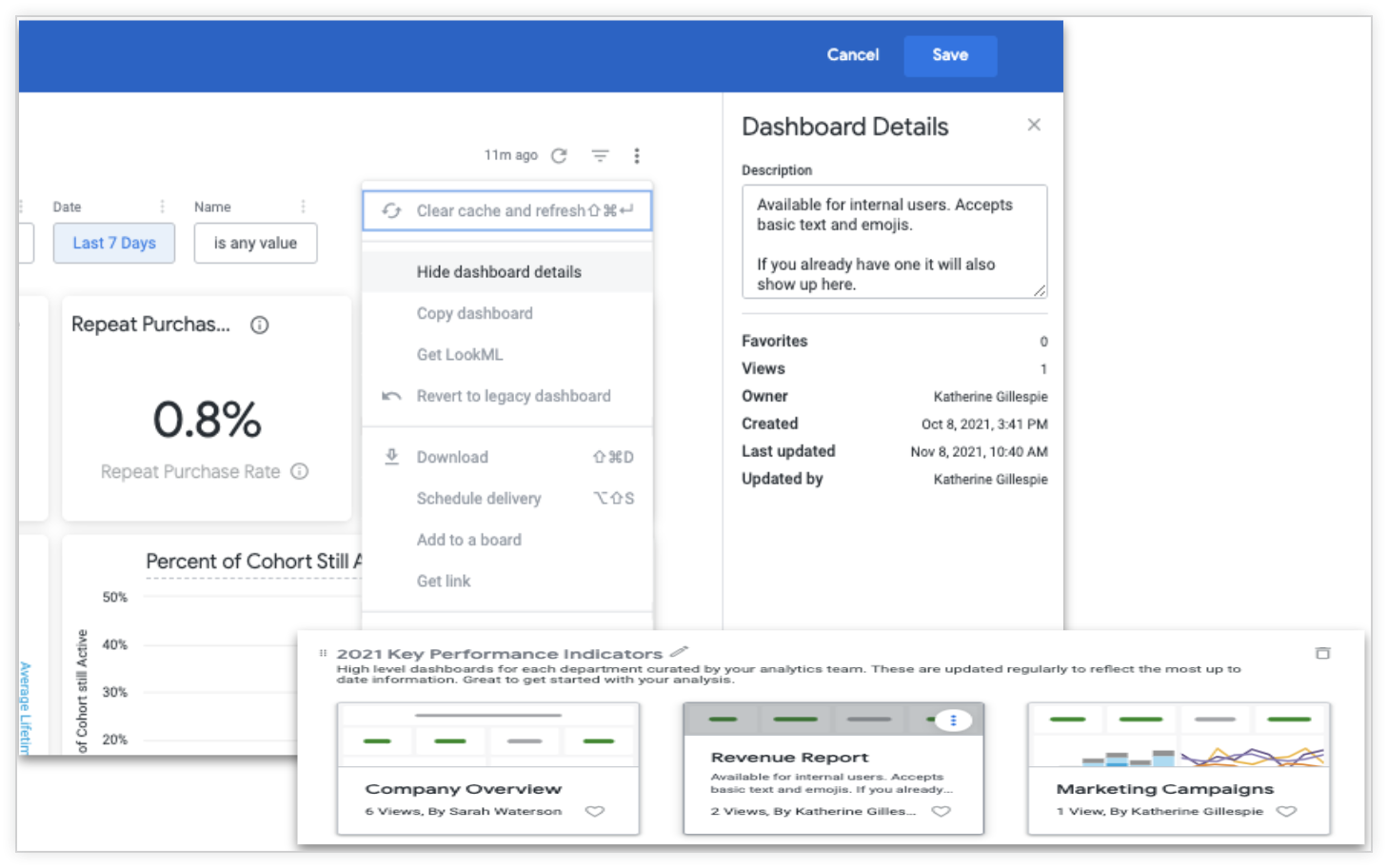
- **[Dashboard Details](https://docs.cloud.google.com/looker/docs/viewing-dashboards#dashboard_details)** uses the same API endpoints as legacy dashboard descriptions.
- It can be hidden or shown from the action menu on the dashboard.
- When navigating to a dashboard from the link in an Explore, you automatically enter edit mode, and the details panel also opens by default.
*** ** * ** ***
### Visualization components
This [React-based suite of components](https://docs.cloud.google.com/looker/docs/components-vis) can add a Looker visualization to any data experience, without using an iframe.
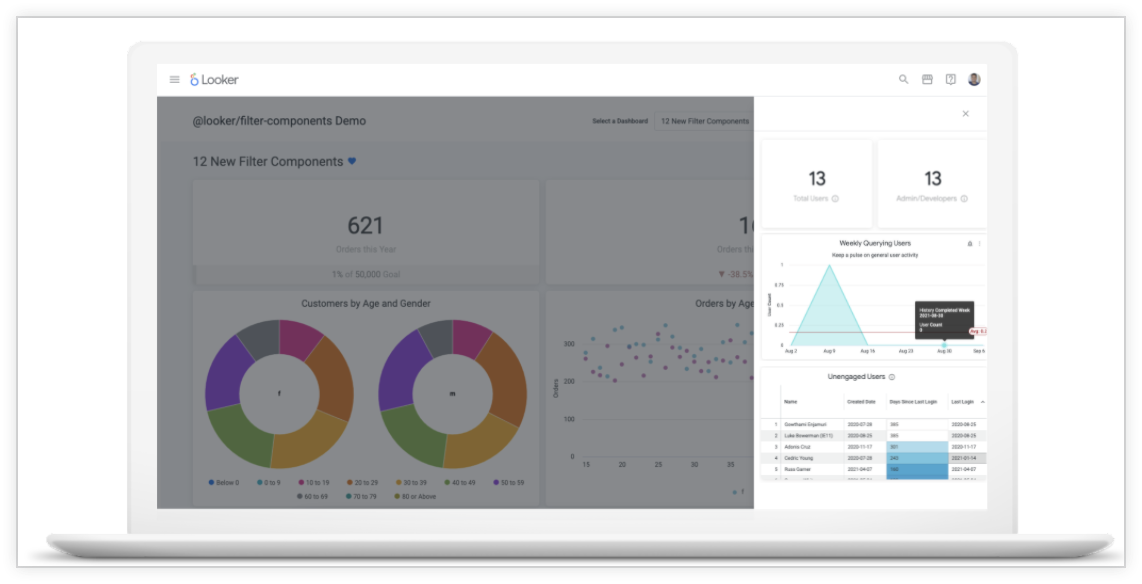
- The fully open source and extendable [visualization library](https://docs.cloud.google.com/looker/docs/components-vis) allows for further customization of each visualization.
- When combined with the [UI component library](https://looker-open-source.github.io/components/latest/), these visualization components have the potential to unlock dozens of new use cases for embedded data experiences.
*** ** * ** ***
### Looker public Marketplace
The new public Marketplace is up on [marketplace.looker.com](https://marketplace.looker.com).
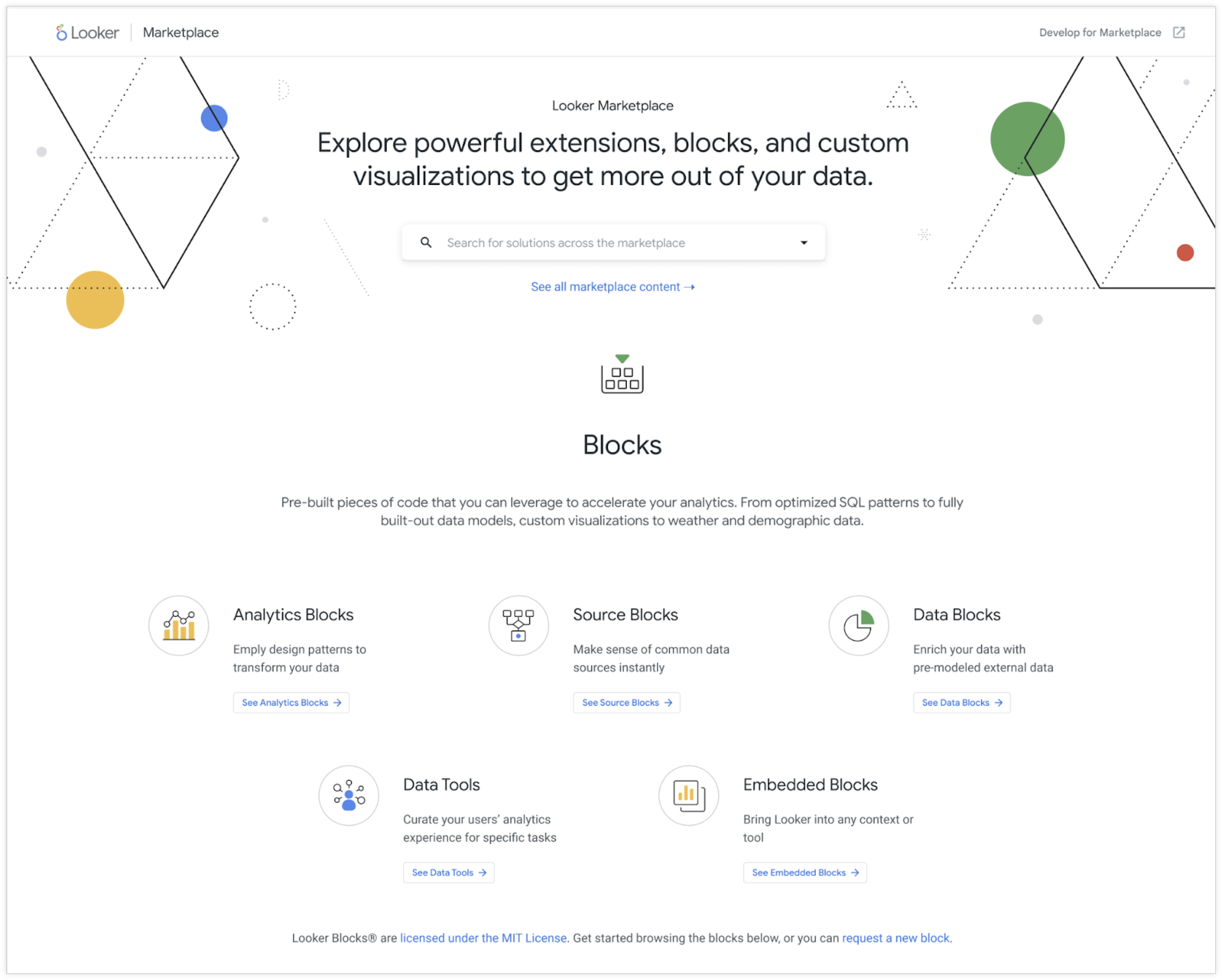
- The public Marketplace contains all content from the Looker Marketplace available on all instances.
- It replaces the public Looker Blocks directory on the Looker Marketing site.
- Basic and advanced Search functionality makes it easy to find content.
*** ** * ** ***
### PDT Dependency Visualizer
Users can visualize the relationships between PDTs and the state of each PDT at a glance.
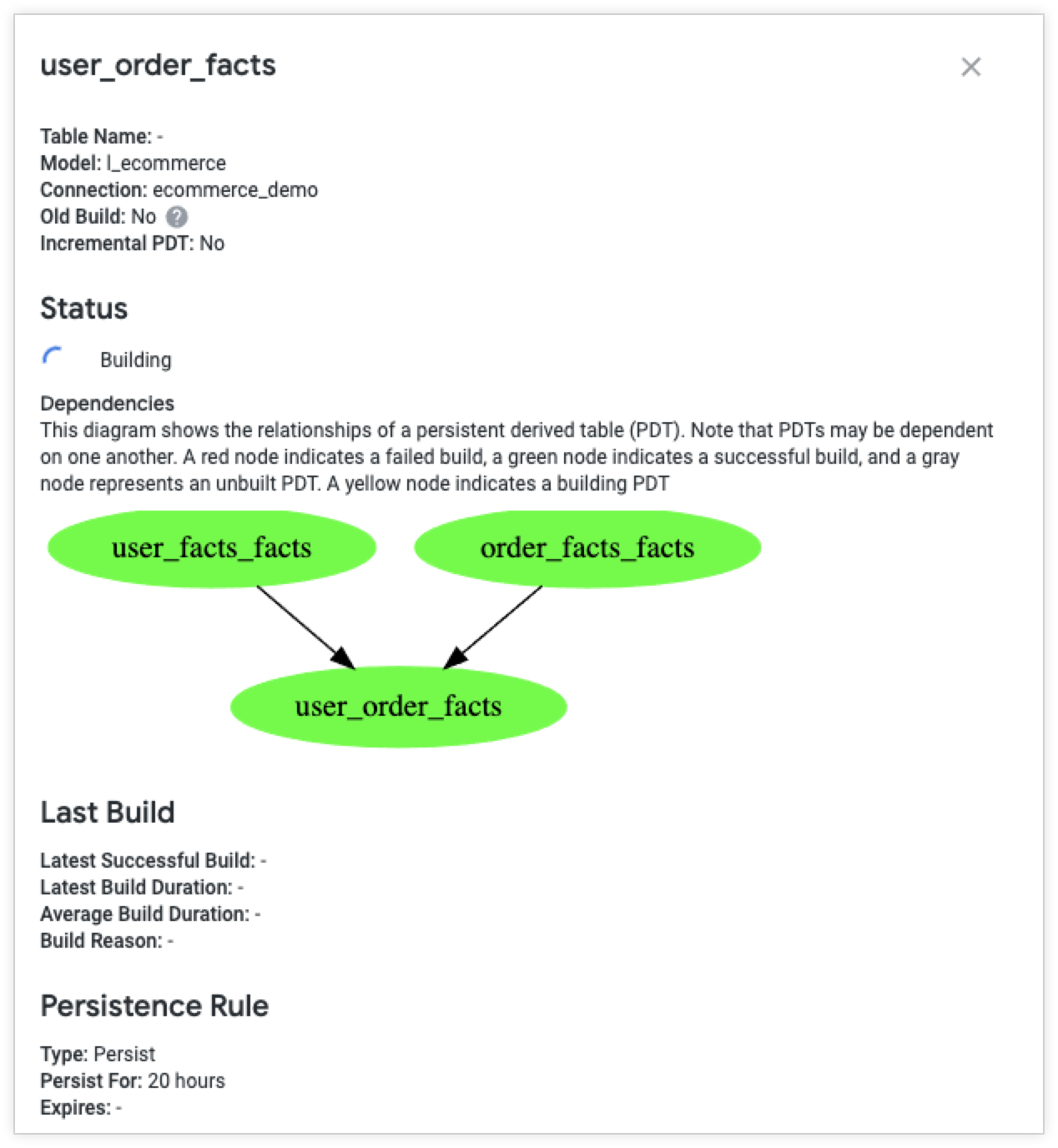
- PDT dependencies can be viewed in the **[PDT Details](https://docs.cloud.google.com/looker/docs/admin-panel-database-pdts#pdt_details_modal)** modal on the **Persistent Derived Tables** admin page.
- This previously required manually checking the LookML/SQL for each PDT individually.
- This is especially helpful for troubleshooting PDT issues where there are dependencies.
## **Looker 21.18**
Expected rollout start: **Tuesday, October 19th, 2021**
Expected final deployment and download available: **Thursday, October 28th, 2021**
### Potentially breaking changes
Check out these potentially breaking changes! Depending on which features or configurations you have implemented, all, some, or none of these changes may apply to your instance.
- Admin pages whose URLs are prefixed with `/admin/next` will show a different layout than other admin pages. Menus that were previously in the top navigation bar can now be accessed through the left navigation panel.
- Within a Looker instance, [private embeds](https://docs.cloud.google.com/looker/docs/private-embedding) can now use the [Google OAuth](https://docs.cloud.google.com/looker/docs/admin-panel-authentication-google) and [OpenID Connect](https://docs.cloud.google.com/looker/docs/admin-panel-authentication-openid-connect) authentication flows to authenticate a user.
- **Deleted Date** has been changed to **Moved to Trash Date** in the **Look** and **Dashboard** views to differentiate between soft deletion (trash) and hard (absolute) deletion.
- For Looker connections to [Microsoft SQL Server (MSSQL)](https://docs.cloud.google.com/looker/docs/db-config-microsoft-sql-server), [Microsoft Azure Synapse Analytics](https://docs.cloud.google.com/looker/docs/db-config-microsoft-azure-synapse-analytics), and [Microsoft Azure SQL Database](https://docs.cloud.google.com/looker/docs/db-config-microsoft-azure-sql-database), if you need to specify a non-default port other than 1433 and your database requires using a comma instead of a colon, you can add `useCommaHostPortSeparator=true` in the [**Additional JDBC parameters**](https://docs.cloud.google.com/looker/docs/connecting-to-your-db#additional_params) field of Looker's **Connection Settings** page. This allows you to specify a non-default port other than 1433 in the [**Remote Host:Port** field](https://docs.cloud.google.com/looker/docs/connecting-to-your-db#remote_host:port).
*** ** * ** ***
### URL links
Introducing a new Labs feature: **URL Links in Boards**.
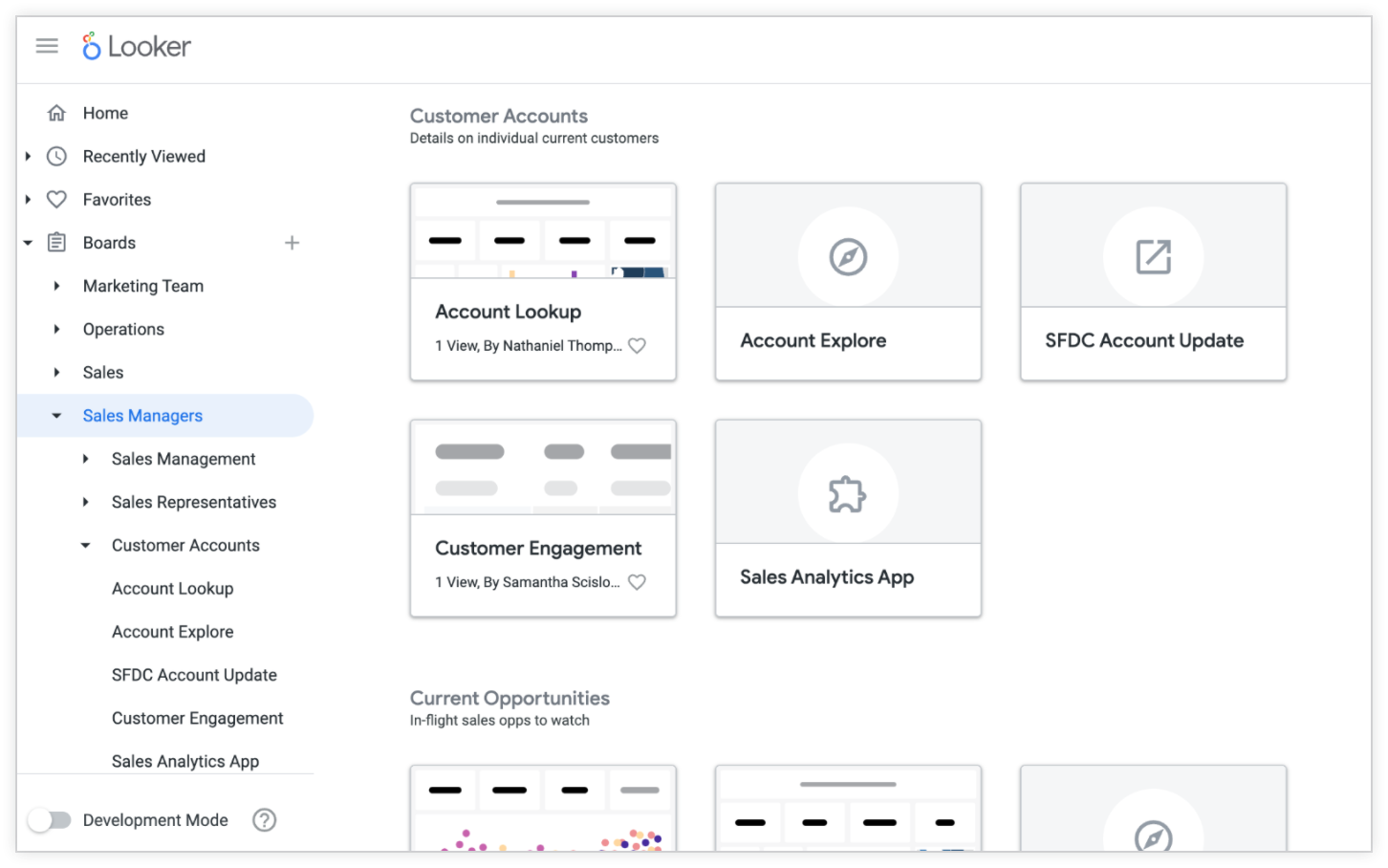
- The new **URL Links in Boards** Labs feature allows editors of boards to [add links to any URL](https://docs.cloud.google.com/looker/docs/presenting-content#adding_links_to_a_board) on a board alongside their existing Looks and dashboards.
- Links to the current Looker instance open in the current tab while links to outside the instance open in a new tab.
*** ** * ** ***
### Dashboards legacy flags
Two [legacy features](https://docs.cloud.google.com/looker/docs/legacy-feature-schedule#enabling_and_disabling_legacy_features) for dashboards
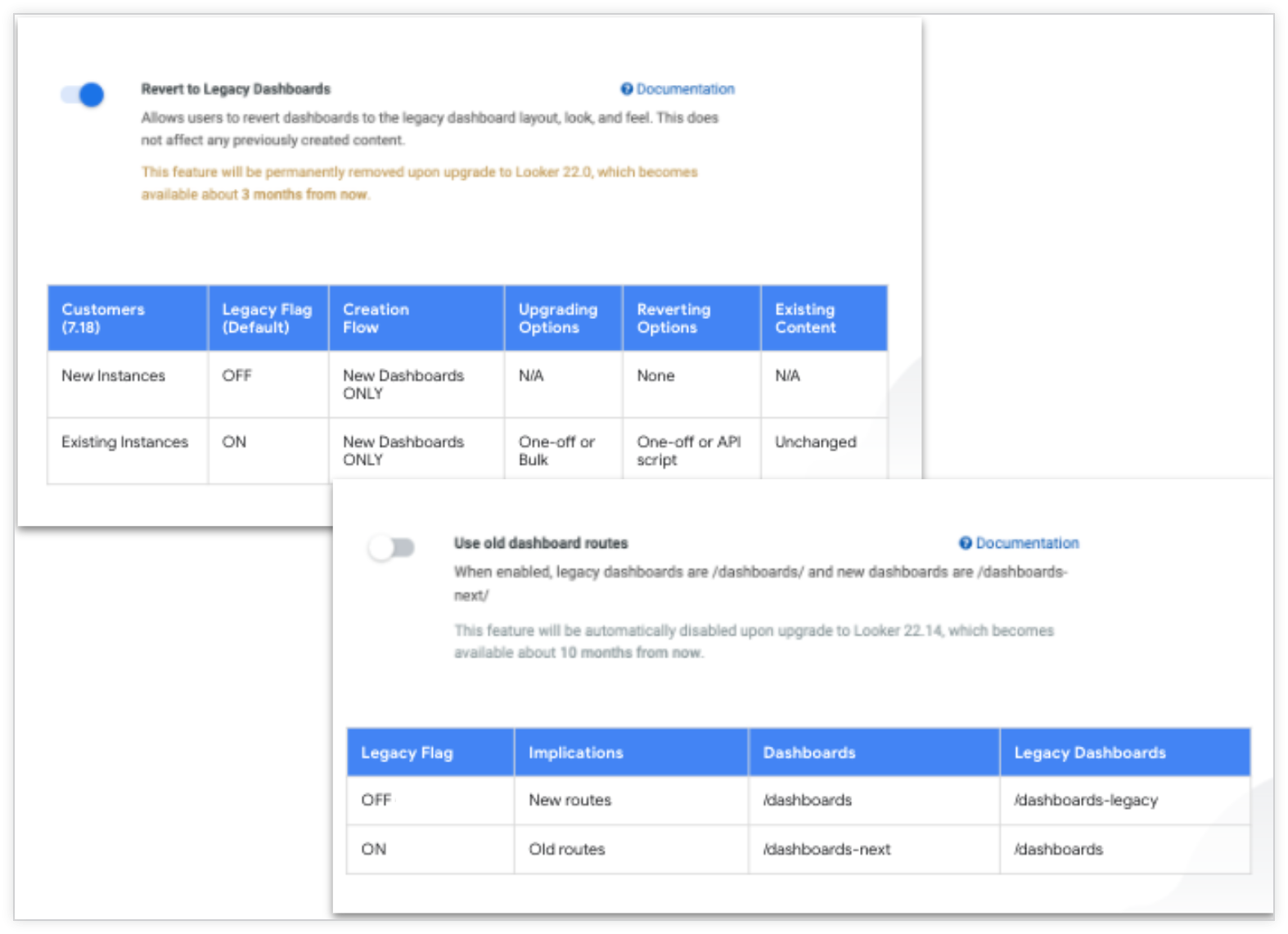
- The **Revert to Legacy Dashboards** legacy feature has been extended to Looker 22.0.
- Introducing an additional new flag, **Use old dashboard routes** . When this flag is set to ON, there is no change to pre-existing dashboard routes. When this flag is set to OFF, all URLs reflect a new style, where URLs for dashboards that use the [new dashboard experience](https://docs.cloud.google.com/looker/docs/viewing-dashboards) use `/dashboards` and URLs for [legacy dashboards](https://docs.cloud.google.com/looker/docs/viewing-legacy-dashboards) use `/dashboards-legacy`.
- The **Use old dashboard routes** flag will default to ON in this release, and no changes will be visible to customers.
*** ** * ** ***
### Default developer permission set for new customers includes `see_pdts`
For new installations, Looker's **Developer** [default permission set](https://docs.cloud.google.com/looker/docs/admin-panel-users-roles#default_permission_sets) will now also include the [`see_pdts`](https://docs.cloud.google.com/looker/docs/admin-panel-users-roles#see_pdts) permission.

- The `see_PDTs` permission governs access to PDT-related monitoring resources such as the [PDT admin page](https://docs.cloud.google.com/looker/docs/admin-panel-database-pdts) and [checking for unbuilt PDTs in the IDE](https://docs.cloud.google.com/looker/docs/derived-tables#checking_for_unbuilt_pdts_in_development_mode).
- This change does not impact existing customers and will be effective only for net new Looker deployments.
## **Looker 21.16**
Expected rollout start: **Thursday, September 14th, 2021**
Expected final deployment and download available: **Thursday, September 23rd, 2021**
### Potentially breaking changes
Check out these potentially breaking changes! Depending on which features or configurations you have implemented, all, some, or none of these changes may apply to your instance.
- The [**Enhanced Navigation**](https://docs.cloud.google.com/looker/docs/navigating-looker) Labs feature is on by default for all customer instances.
- The [**Clear cache and refresh permission** Labs feature](https://docs.cloud.google.com/looker/docs/admin-panel-general-labs#clear_cache_and_refresh_permission) is on by default for all customer instances.
- JSON numeric values must be enclosed in quotes when formatting is enabled for query downloads.
- The **Legacy Field Picker** toggle is now removed for all instances.
- [Improved search](https://docs.cloud.google.com/looker/docs/finding-content#improved_search) is generally available for all Looker-hosted instances on Kubernetes infrastructure.
*** ** * ** ***
### Dashboard improvements
Experience more performant Looker dashboards.

- Users can now can copy a dashboard from within the dashboard itself using the [dashboard's three-dot menu](https://docs.cloud.google.com/looker/docs/viewing-dashboards#copying_dashboards).
- The filter bar can now be [set to expanded or collapsed](https://docs.cloud.google.com/looker/docs/editing-user-defined-dashboards#default_filters_view) by default. The default behavior is still expanded.
- Touchscreen is now enabled for [cross-filtering](https://docs.cloud.google.com/looker/docs/cross-filtering-dashboards).
*** ** * ** ***
### Explore improvements
Introducing improvements to the [Explore](https://docs.cloud.google.com/looker/docs/exploring-data) user experience.
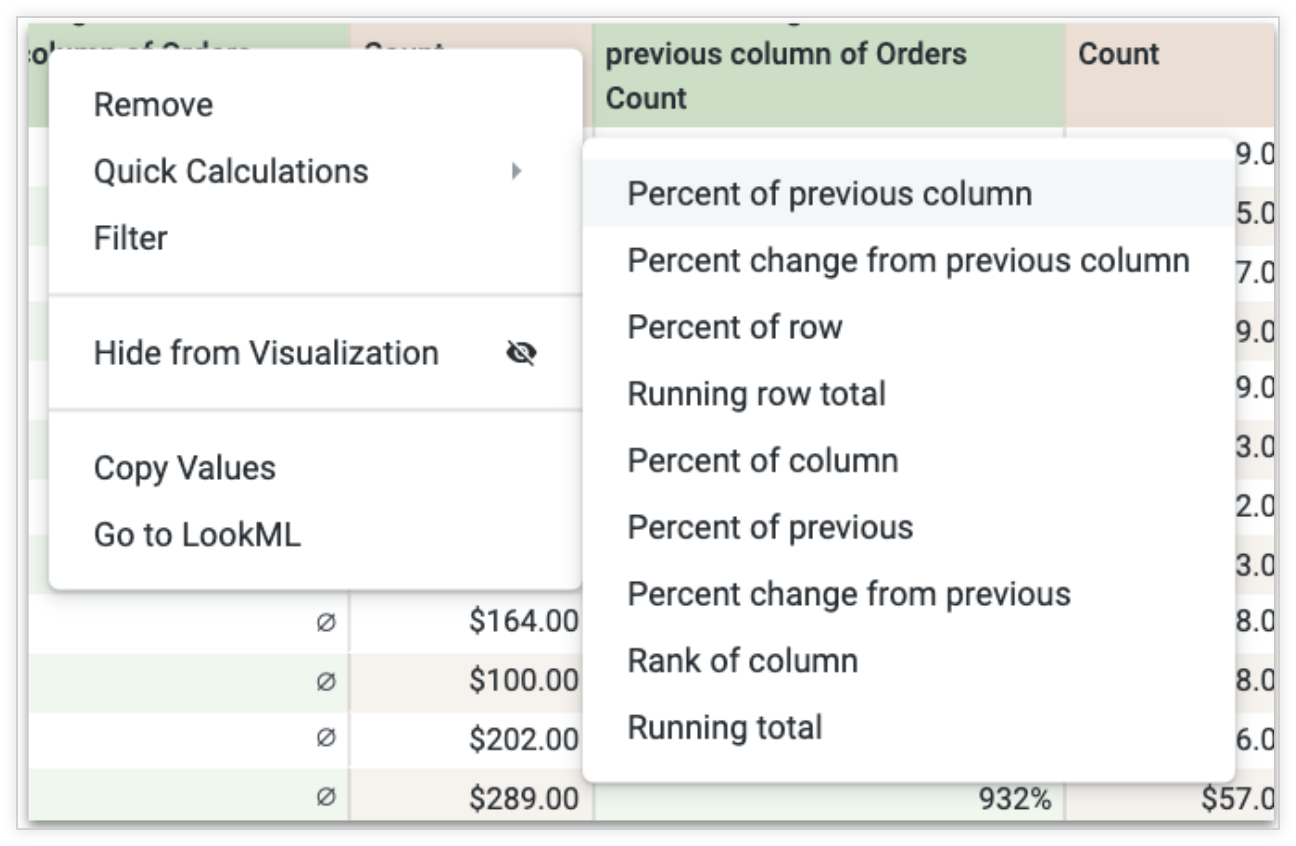
- [Quick calculations](https://docs.cloud.google.com/looker/docs/table-calculations#quick_calculations) now work with pivoted data.
- The [**Custom Fields**](https://docs.cloud.google.com/looker/docs/admin-panel-general-labs#custom_fields) Labs feature has moved from experimental to beta.
- The toggle for the legacy Explore field picker is now removed for all instances.
*** ** * ** ***
### LookML Dashboard Organization Labs feature
A new Labs feature lets users better organize their LookML dashboards.

- Toggling on the [LookML Dashboard Organization Labs feature](https://docs.cloud.google.com/looker/docs/admin-panel-general-labs#lookml_dashboard_organization) allows LookML dashboards to be moved outside of the default **LookML dashboards** folder.
- Once a LookML dashboard has been moved to another folder, it inherits that folder's [access levels](https://docs.cloud.google.com/looker/docs/organizing-spaces#managing_access_levels_for_a_folder).
- LookML dashboards may not be copied, upgraded, renamed, scheduled for delivery, or moved to the trash from a folder.
- LookML dashboards may not be moved while Development Mode is on.
- Toggling this Labs feature off returns LookML dashboards to the **LookML dashboards** folder.
- Changing the value of a LookML dashboard's [`dashboard`](https://docs.cloud.google.com/looker/docs/reference/param-lookml-dashboard#dashboard) parameter also returns it to the **LookML dashboards** folder.
*** ** * ** ***
### Improved search
See how Looker has improved our overall search performance.
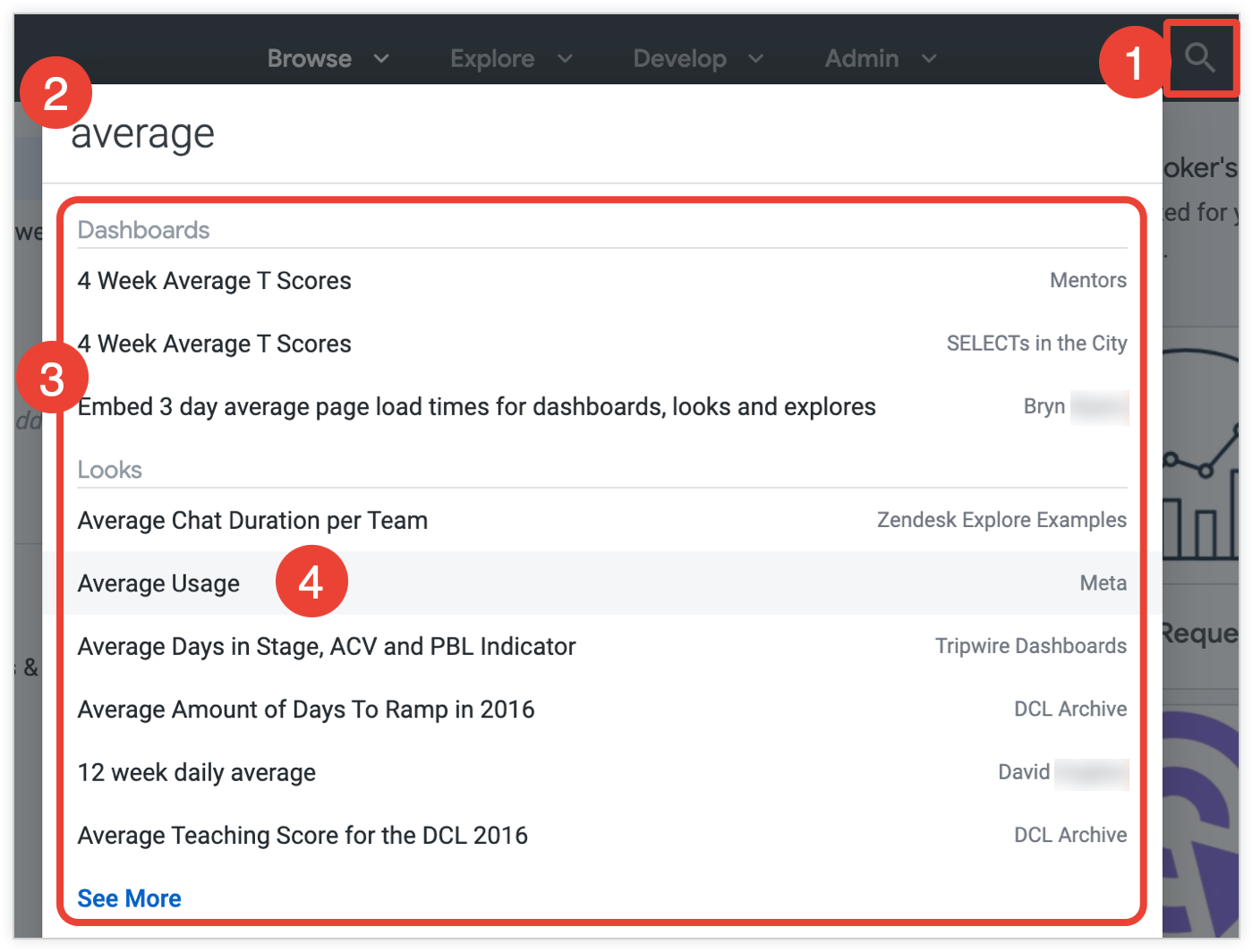
- [Improved search](https://docs.cloud.google.com/looker/docs/finding-content#improved_search) is on by default for all Looker-hosted instances on Kubernetes infrastructure.
- This feature offers better ranking for short search terms and incomplete word matches.
- LookML files are no longer included in content search; however, these files are still searchable through the IDE.
## **Looker 21.14**
Expected rollout start: **Monday, August 16th, 2021**
Expected final deployment and download available: **Thursday, August 26th, 2021**
### Potentially breaking changes
Check out these potentially breaking changes; depending on which features or configurations you have implemented, all, some, or none of these changes may apply to your instance.
- Starting August 13, 2021, [GitHub will require token authentication for all Git operations](https://github.blog/2020-12-15-token-authentication-requirements-for-git-operations/). For all LookML projects that use GitHub with password authentication, to successfully commit you will need to [reset your Git connection in your project settings](https://docs.cloud.google.com/looker/docs/setting-up-git-connection#configuring_https_git_authentication) to use a personal access token.
- Starting in Looker 21.14, the **Syntax Tolerant Liquid** legacy feature flag will be disabled for all users by default. Looker admins can continue to turn this warning off and on until October 2021, when the toggle will be removed.
- The [**New Explore Visualizations** Labs feature](https://docs.cloud.google.com/looker/docs/admin-panel-general-labs#new_explore_visualizations) is now enabled by default.
- The [Looker API](https://docs.cloud.google.com/looker/docs/api-intro) 4.0 is now designated as **beta** rather than **experimental**.
- [Native derived tables](https://docs.cloud.google.com/looker/docs/derived-tables#native_derived_tables) that use the [`dev_filters`](https://docs.cloud.google.com/looker/docs/reference/param-view-explore-source#dev_filters) parameter are rebuilt in Development Mode only if a production version that satisfies the query does not exist.
- MemSQL has been rebranded to **SingleStore**.
*** ** * ** ***
### GitHub auth change
GitHub will require token authentication for all Git operations.

- Beginning August 13, 2021, [GitHub will no longer accept account passwords when authenticating Git operations](https://github.blog/2020-12-15-token-authentication-requirements-for-git-operations/). Git actions on LookML projects that are set up with GitHub passwords will fail.
- Users must [update their Git configuration to use a personal access token](https://docs.cloud.google.com/looker/docs/setting-up-git-connection#configuring_https_git_authentication).
- This will not affect GitHub configurations that use a deploy key.
*** ** * ** ***
### API Explorer
Introducing Looker's next generation interactive API reference documentation.
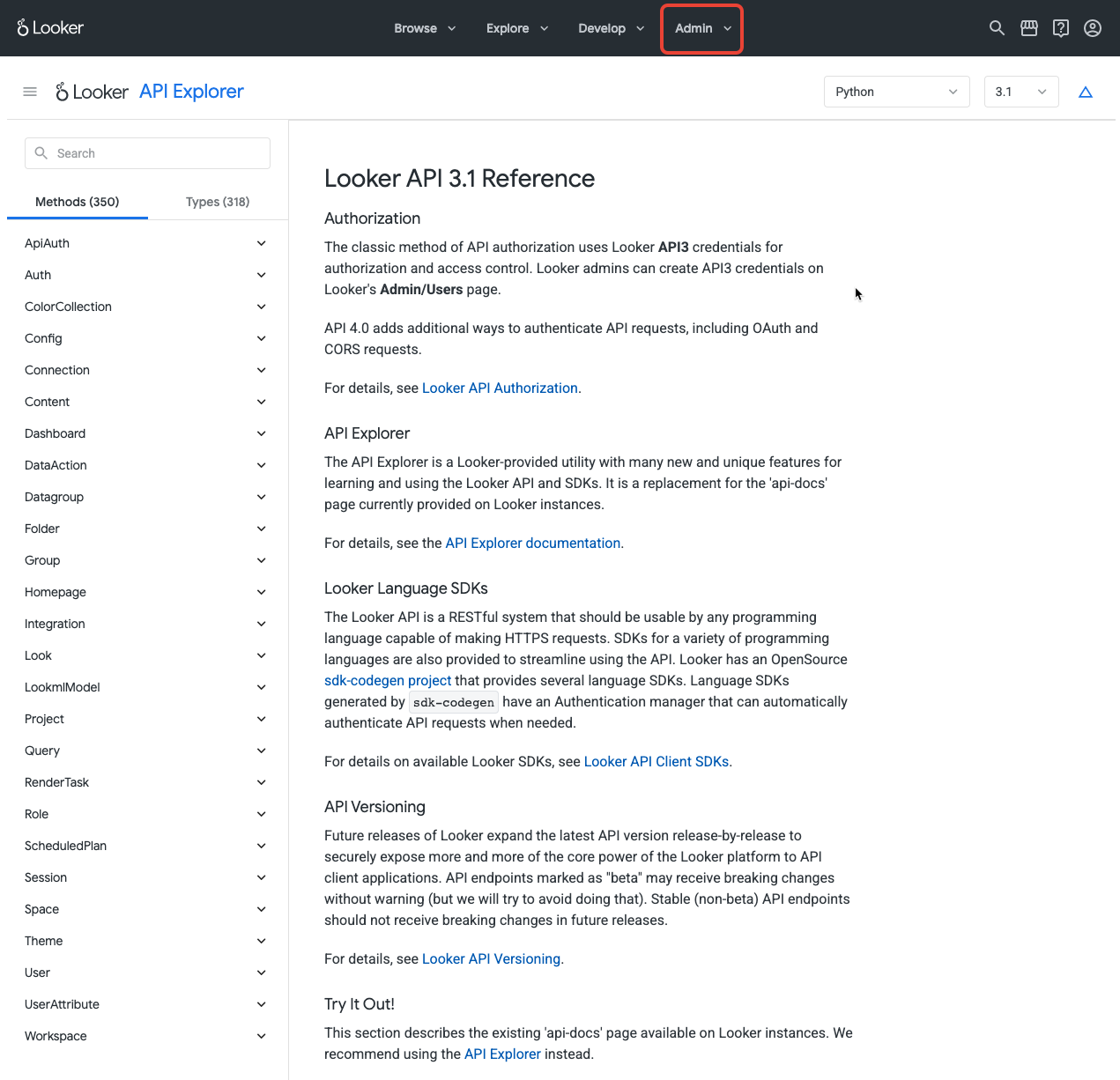
- The new [API Explorer](https://docs.cloud.google.com/looker/docs/api-explorer) provides a `RunIt` functionality to test API calls against a live server.
- Code examples are also provided in the new API Explorer in SDK-supported languages.
*** ** * ** ***
### Forecasting
Looker users can predict future values with just a couple of clicks.
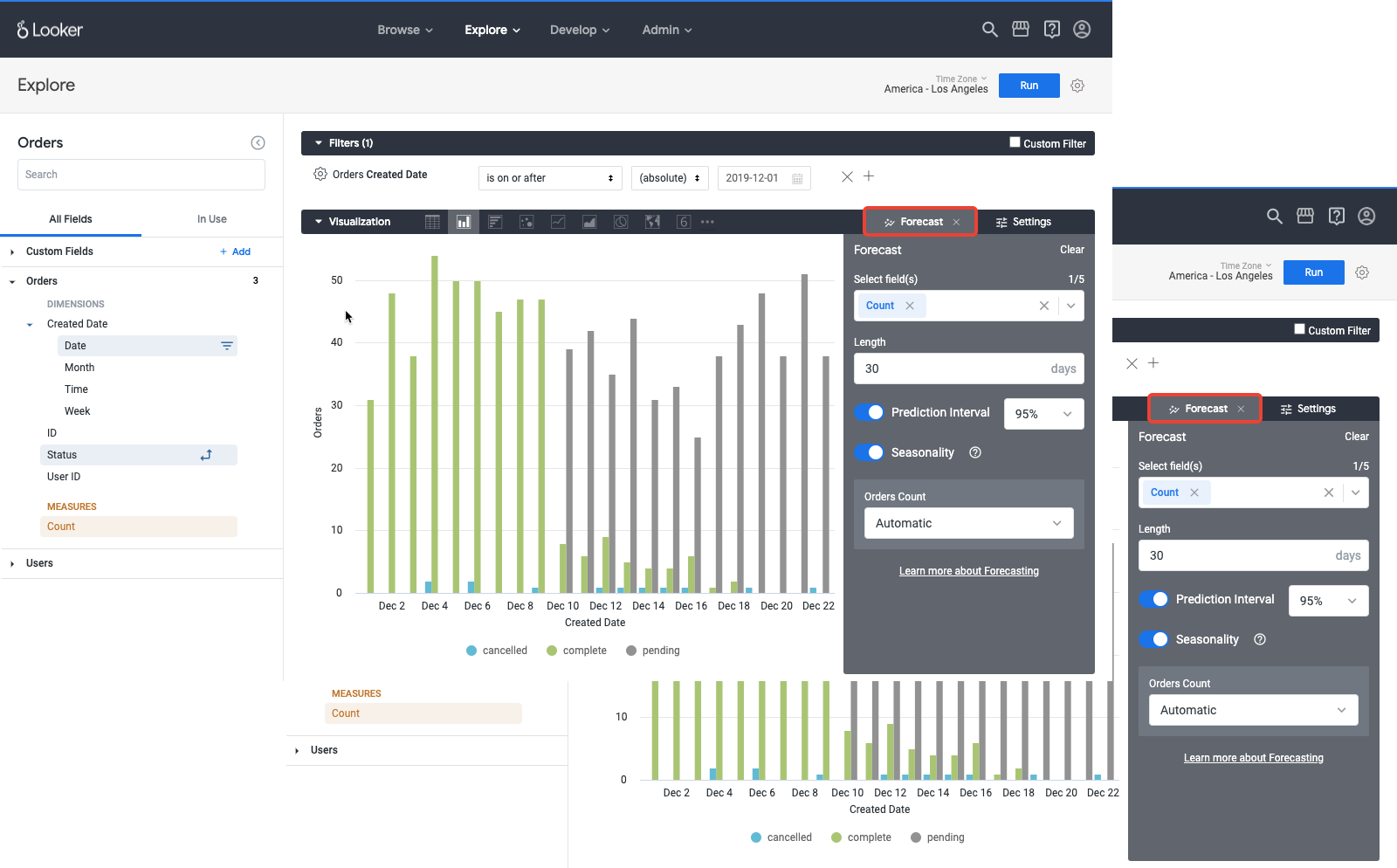
- Admin users can enable the **Forecasting** beta [Labs feature](https://docs.cloud.google.com/looker/docs/admin-panel-general-labs#forecasting).
- [Forecasting](https://docs.cloud.google.com/looker/docs/forecasting-in-visualizations) is available for Cartesian charts and data tables in Explores in the new **Forecast** tab.
- Forecasting allows users to include and adjust [seasonality](https://docs.cloud.google.com/looker/docs/forecasting-in-visualizations#seasonality) in results.
- Forecasted results can also be downloaded.
*** ** * ** ***
### Enhanced Alerts Labs feature
The **Enhanced Alerts** [Labs feature](https://docs.cloud.google.com/looker/docs/admin-panel-general-labs#enhanced_alerts) enables alerts to stay in [sync](https://docs.cloud.google.com/looker/docs/effect-of-dashboard-edits-on-alerts) with updates to dashboard content.
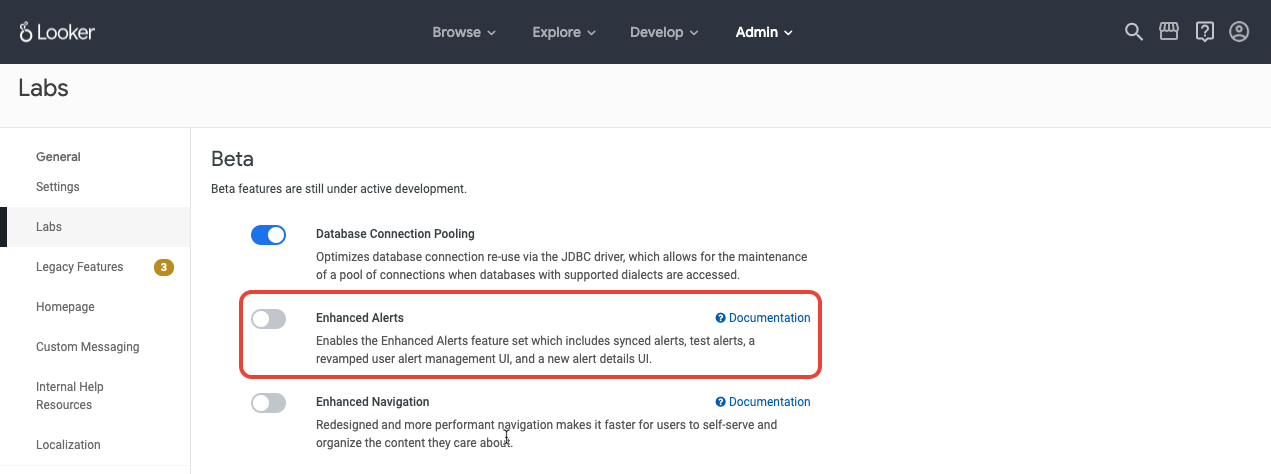
- Admin users can enable the **Enhanced Alerts** Labs feature.
- A new UI is available on the alert management pages for [users](https://docs.cloud.google.com/looker/docs/user-alerts) and [admins](https://docs.cloud.google.com/looker/docs/admin-panel-alerts-and-schedules-alerts). This UI:
- Displays [additional information](https://docs.cloud.google.com/looker/docs/user-alerts#alert_details_page) about an alert to admins, its owner, and its followers or recipients
- Enables the alert owner to [add contextual details or associate another dashboard with the alert](https://docs.cloud.google.com/looker/docs/user-alerts#configuring_the_alert_details_page)
## **Looker 21.12**
Expected rollout start: **Monday, July 19th, 2021**
Expected final deployment and download available: **Wednesday, August 4th, 2021**
### Potentially breaking changes
Check out these potentially breaking changes; depending on which features or configurations you have implemented, all, some, or none of these changes may apply to your instance.
- A new [Enhanced Navigation](https://docs.cloud.google.com/looker/docs/navigating-looker) Labs feature offers a new UI that simplifies user workflows with unified left-hand navigation and more performant routing between common pages and content.
- The [Looker extension framework](https://docs.cloud.google.com/looker/docs/intro-to-extension-framework) is out of Labs and now generally available under **Admin** \> **Platform**.
- The **Add Looks to dashboards** feature is now behind a legacy flag. It is off by default and must be manually switched on.
- The [**Upgraded Explore Field Picker**](https://docs.cloud.google.com/looker/docs/exploring-data#field_picker) includes [Quick Start analyses](https://docs.cloud.google.com/looker/docs/exploring-data#quick_start_analyses), popular fields, and other enhancements and is generally available. The [legacy field picker](https://docs.cloud.google.com/looker/docs/legacy-field-picker) is available as a legacy feature until 21.16, at which point it will be permanently unavailable.
- The **Upgraded Explore Field Picker** includes Quick Starts, popular fields, and other enhancements and is generally available. The old field picker is available as a legacy feature until 21.16, at which point it will be permanently unavailable.
- Fields of type `YesNo` will have user-written SQL wrapped in parentheses when the fields are used in a SQL filter.
- The [**Render Long Tables**](https://docs.cloud.google.com/looker/docs/admin-panel-general-labs#render_long_tables) Labs feature is now on by default for all instances.
- The **Make public...** keyboard shortcuts Command-Shift-P (Mac) and Ctrl+Shift+P (Windows) have been removed from Explores and Looks.
*** ** * ** ***
### Enhanced navigation
The [Enhanced Navigation](https://docs.cloud.google.com/looker/docs/navigating-looker) Labs feature simplifies and streamlines the left panel navigation and condenses the top navigation drop-down menus.
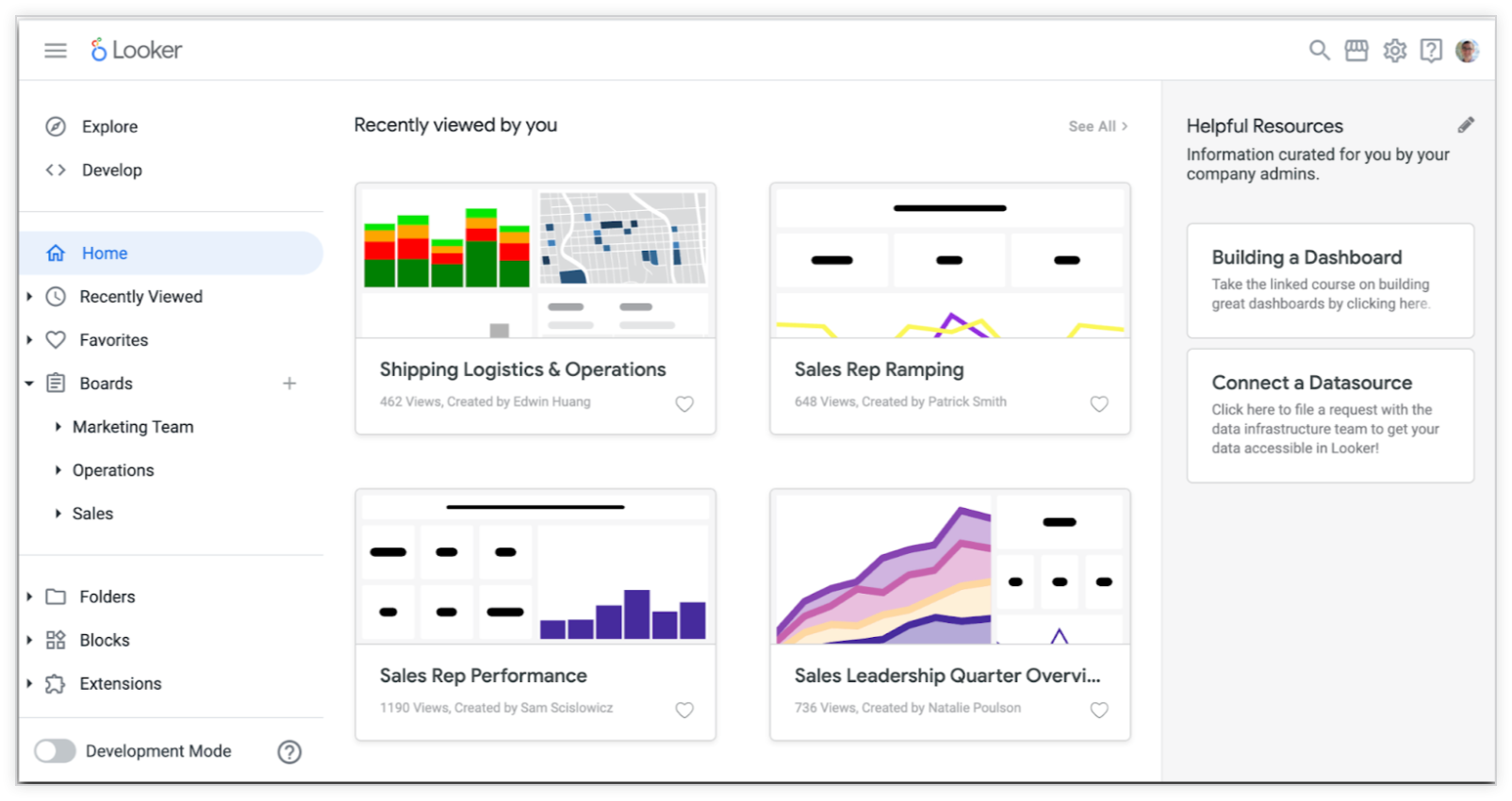
- The [Development Mode toggle](https://docs.cloud.google.com/looker/docs/navigating-looker#development_mode) is now located on the bottom left of the new left enhanced navigation panel, and its Labs toggle is off by default.
- The [admin panel](https://docs.cloud.google.com/looker/docs/navigating-looker#for_admins:_accessing_the_admin_panel) is accessible through the gear icon in the top right menu.
*** ** * ** ***
### Grouping and quick calculations
Introducing easier ways to make a custom dimension that [groups](https://docs.cloud.google.com/looker/docs/custom-fields#custom_grouping) dimension values under specified labels and to quickly perform [commonly used table calculations](https://docs.cloud.google.com/looker/docs/table-calculations#quick_calculations).
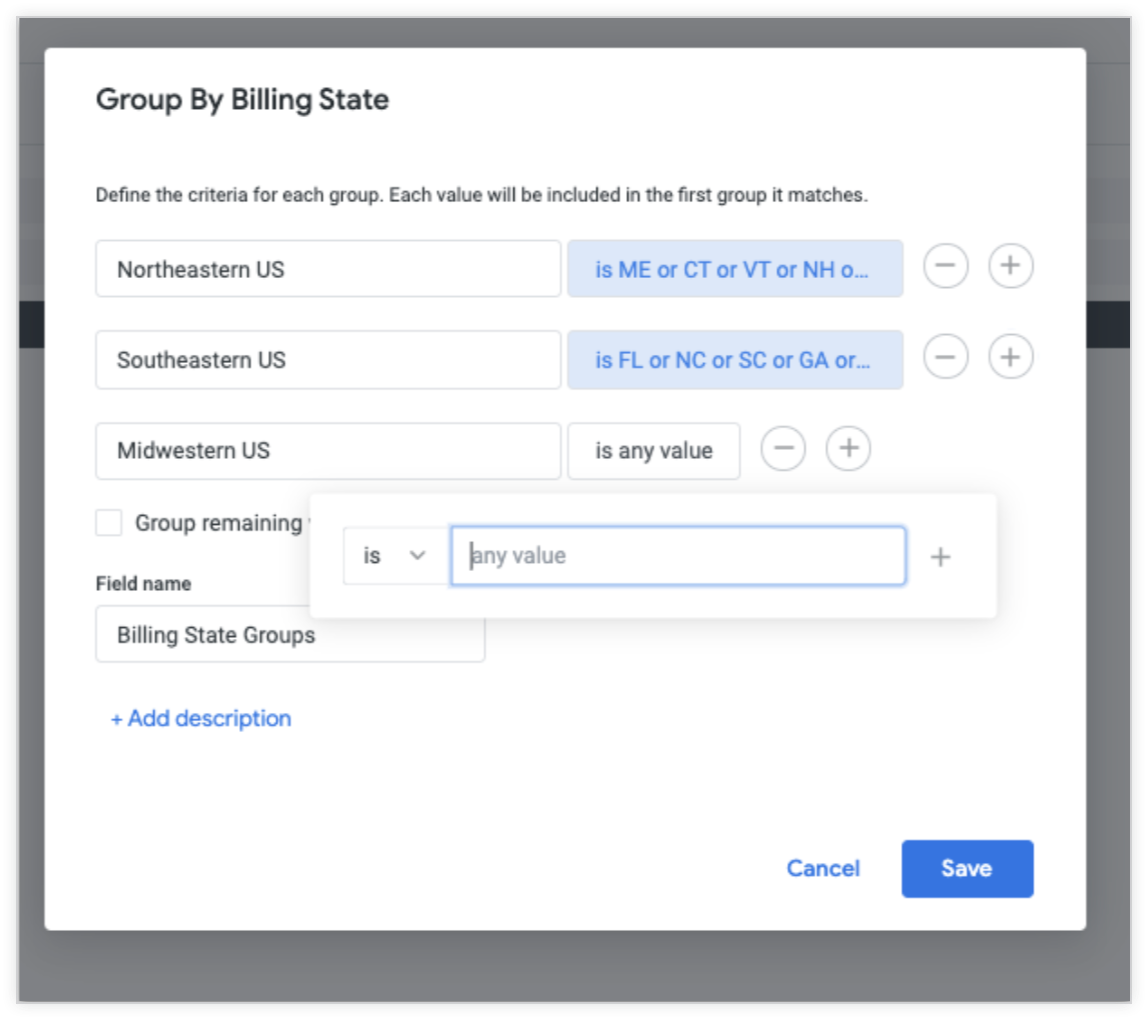
- Use filter expressions to define the criteria for inclusion in each group.
- Create a group from the **More** menu in the field picker or the gear icon in the data table.
- Use as an alternative to Lexp with `nested if()` statements or case statements.
- Create some of the most commonly used table calculations with a few quick gestures.
- Available for anyone with the **Custom Fields** Labs feature enabled.
*** ** * ** ***
### Marketplace Auto Install
Enables Looker-built applications in the Marketplace to be installed automatically.
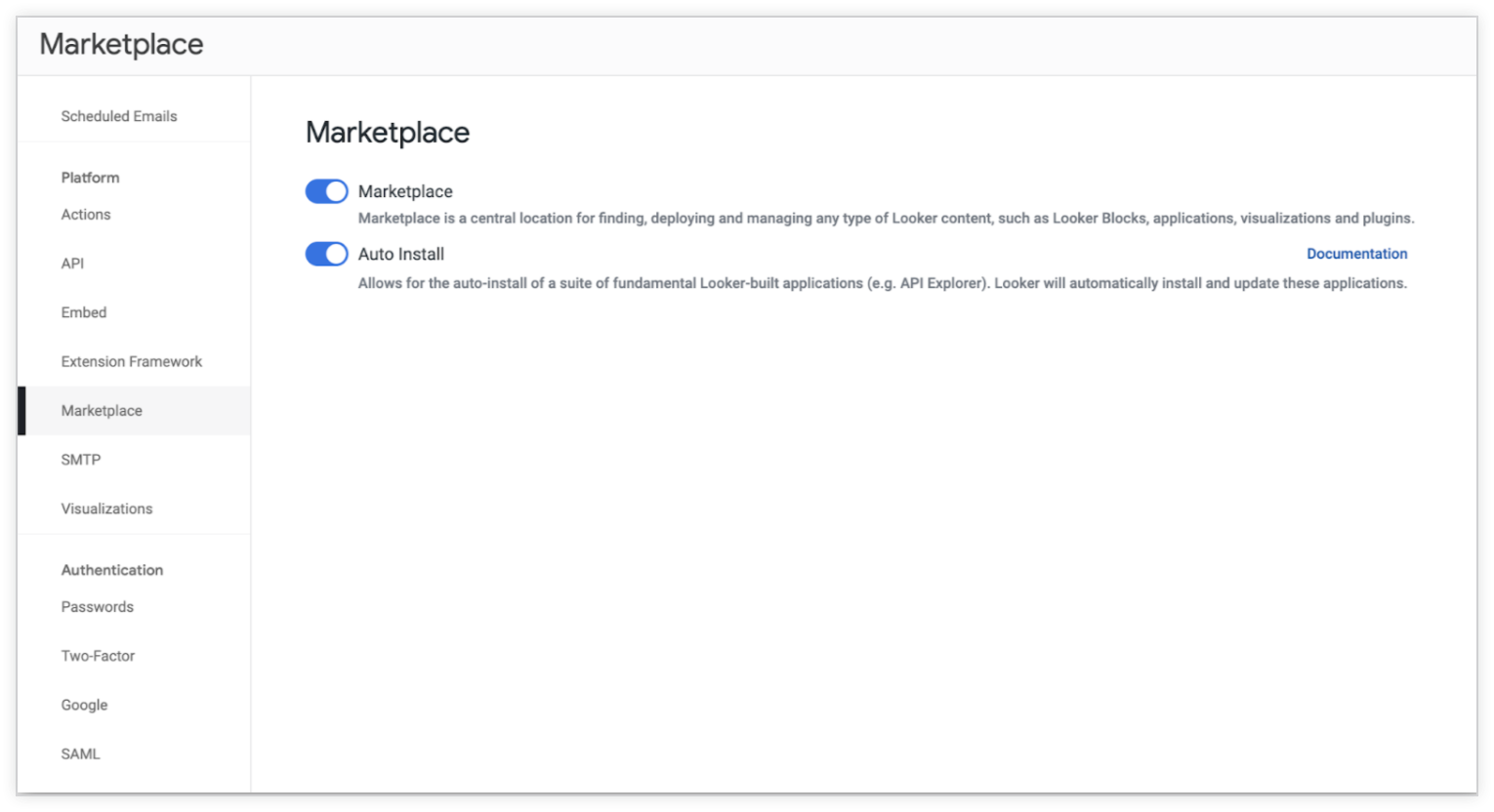
- When [Marketplace Auto Install\*\* is toggled on](https://docs.cloud.google.com/looker/docs/admin-panel-platform-marketplace#auto_install), Looker will automatically install and update these Marketplace applications.
- Currently, API Explorer is the only extension classified as auto-installable, but more Looker-built applications will be added in the future.
*** ** * ** ***
### PDT Development Mode visibility
Easily see whether PDTs are completely built before deploying to production.

- Modelers can now see the state of their trigger-based PDTs while in Development Mode both [in the IDE](https://docs.cloud.google.com/looker/docs/derived-tables#checking_for_unbuilt_pdts_in_development_mode) and [on the PDT Admin page](https://docs.cloud.google.com/looker/docs/admin-panel-database-pdts#production_and_development_tabs).
- Users need `see_pdts` permission to be able to leverage this feature.
*** ** * ** ***
### NDT Development Mode filter
Introducing a new `dev_filters` LookML parameter.

- The [`dev_filters`](https://docs.cloud.google.com/looker/docs/reference/param-view-explore-source#dev_filters) LookML parameter works in a similar way to the `if dev, if prod` SQL filters.
- Modelers who are working in Development Mode can restrict the size of a dataset in LookML for an NDT to make it faster and easier to iterate on the NDT definition when working with a large dataset.
## **Looker 21.10**
Expected rollout start: **Sunday, June 13th, 2021**
Expected final deployment and download available: **Thursday, June 24th, 2021**
### Potentially breaking changes
Check out these potentially breaking changes; depending on which features or configurations you have implemented, all, some, or none of these changes may apply to your instance.
- Looker will no longer send blank emails when a schedule runs with `include_links` disabled and the Looker instance has the **Send Link Only** policy enabled. Looker will now warn users who attempt to turn on the **Send Link Only** policy that the setting may cause some schedules to not work.
- When you're creating a schedule to send once, the schedule's filter options will default to dashboard filters rather than to the saved schedule plan filter options.
- Looker components 2.0.0 is now available. To reduce the package size of [`@looker/components`](https://github.com/looker-open-source/components), all the date picker and date functions are now in a new package, [`@looker/components-date`](https://github.com/looker-open-source/components/tree/main/packages/components-date).
- The [incremental PDTs](https://docs.cloud.google.com/looker/docs/incremental-pdts) feature is now out of Labs and is generally available.
*** ** * ** ***
### Support for materialized views
Materialized views can now be used to create persistent derived tables.

- Leverage your database's [materialized view](https://docs.cloud.google.com/looker/docs/reference/param-view-materialized-view) functionality to persist your derived tables.
- Specify `materialized_view: yes` for a native derived table or a SQL-based derived table.
- Materialized views are currently supported for BigQuery and Redshift dialects.
*** ** * ** ***
### Looker components 2.0.0 is now available
All date picker and date functions in one package.
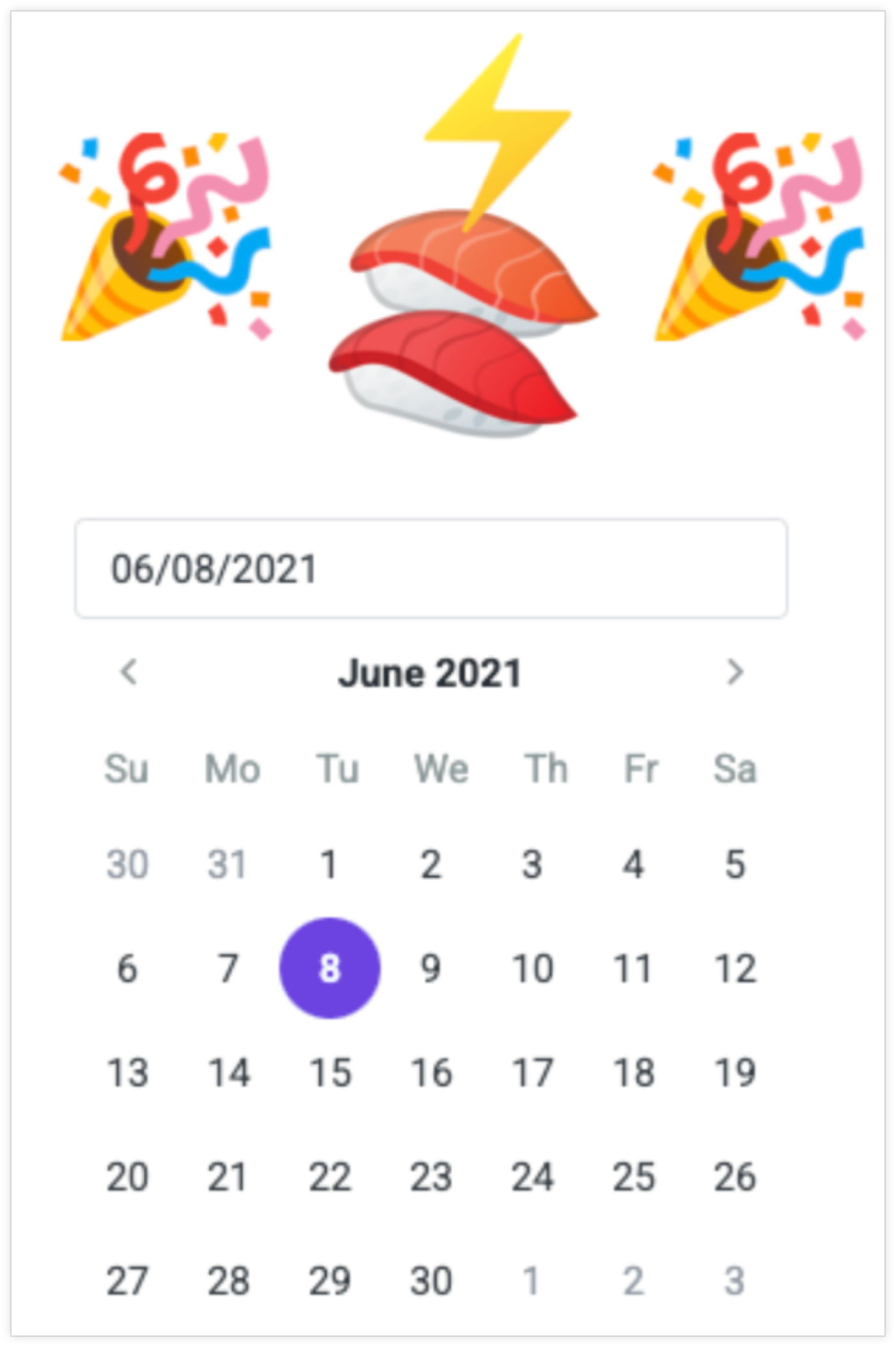
To reduce the package size of [`@looker/components`](https://github.com/looker-open-source/components), all the date picker and date functions are now in a new package, [`@looker/components-date`](https://github.com/looker-open-source/components/tree/main/packages/components-date).
*** ** * ** ***
### New supported dialect
Looker now fully supports the Firebolt database dialect.

- Firebolt can be fully configured using the [database configurations](https://docs.cloud.google.com/looker/docs/db-config-firebolt).
- See a list of all the dialects Looker supports on the [Looker dialects](https://docs.cloud.google.com/looker/docs/dialects) documentation page.
*** ** * ** ***
### create-looker-extension
A new CLI feature for extension development is now available.

- [`create-looker-extension`](https://docs.cloud.google.com/looker/docs/extension-intro-to-building#using_create-looker-extension_to_create_an_extension_template) makes it easier to create new extensions from scratch.
- `create-looker-extension` allows Looker extension developers to have zero install dependencies (besides yarn) and drastically streamlines initial configuration to just one command.
## **Looker 21.8**
Expected rollout start: **Sunday, May 16th, 2021**
Expected final deployment and download available: **Thursday, June 3rd, 2021**
### Potentially breaking changes
Check out these potentially breaking changes; depending on which features or configurations you have implemented, all, some, or none of these changes may apply to your instance.
- The Looker EULA for trial instances has been updated.
- The [**LookML Model Explore**](https://docs.cloud.google.com/looker/docs/reference/looker-api/latest/methods/LookmlModel/lookml_model_explore) API endpoint now returns an `original_view` attribute for the fields in the Explore. The value is the original view name where the field was defined.
- The [LookML Validator](https://docs.cloud.google.com/looker/docs/lookml-validation#validating_your_lookml) now validates custom fields for LookML dashboards.
- The color contrast in data tables has been increased, which improves the accessibility of data tables in Explores.
- The **Clear Cache \& Refresh** option for [embedded dashboards and tiles](https://docs.cloud.google.com/looker/docs/viewing-embedded-items#viewing_embedded_dashboards) has been removed.
- New query streamers are enabled by default for all non-cached streamable queries. Admin users may opt to use the old streamers by enabling the [**Legacy Query Streaming** legacy feature](https://docs.cloud.google.com/looker/docs/legacy-features).
- The [LookML Diagram](https://docs.cloud.google.com/looker/docs/lookml-diagram-using) is now generally available.
- On the System Activity [**Performance** dashboard](https://docs.cloud.google.com/looker/docs/system-activity-dashboards#database_performance_dashboard), the history source for `data_download_api` has changed from `api` to `system`, and the history source for `authenticated_download` has changed from `system` to `action_hub`.
- Looker dialects that use the MariaDB JDBC driver will default to using `enabledSslProtocolSuites=TLSv1,TLSv1.1,TLSv1.2`. The affected dialects are MySQL, MariaDB, Google Cloud MySQL, Amazon Aurora MySQL, Clustrix, MemSQL, and MongoDB Connector for BI. For these dialects, if your database does not support TLS 1.2, your database connection will break unless you explicitly set the following in the **Additional JDBC parameters** field of your connection settings: `enabledSslProtocolSuites=TLSv1,TLSv1.1`. To check if your database's SSL library supports TLS 1.2, you can run `SHOW GLOBAL VARIABLES LIKE 'tls_version';`
*** ** * ** ***
### Mobile app improvements
New functionalities are available in the Looker mobile app.

- The Looker mobile app is now localized in the same [22 languages that the Looker web app supports](https://docs.cloud.google.com/looker/docs/supported-user-interface-languages).
- Admin users can now enable [**Force mobile authentication**](https://docs.cloud.google.com/looker/docs/admin-panel-general-settings#force_mobile_authentication) to require users to sign back in to Looker whenever they open the mobile app.
- Users can now [enable biometric authentication](https://docs.cloud.google.com/looker/docs/mobile-app-sign-in#signing_in_with_biometrics) for a speedier login experience.
- Deep linking will direct users who open a Look or dashboard link from their mobile phone (email, Slack, message) directly to the Looker mobile app.
*** ** * ** ***
### System Activity: Content Usage Explore enhancements
Enhancements enable users to get quicker analysis of Looker content usage.
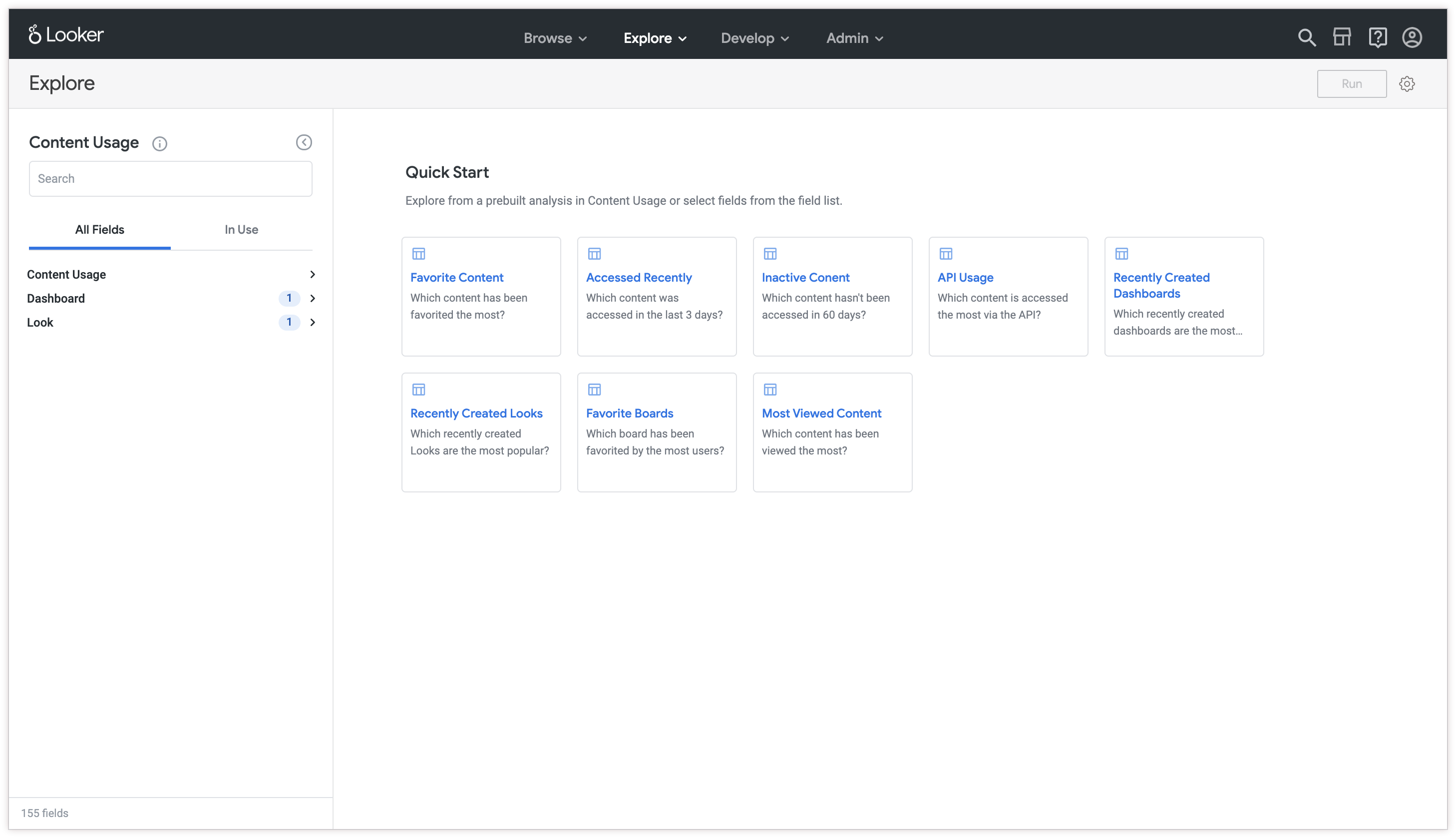
- Eight new Quick Start queries are available to use as starting points for analysis.
- A required filter for including or excluding deleted Looks and dashboards has been added.
- Fields have undergone a general cleanup: More group labels have been added, unused and/or discontinued fields have been hidden, and context has been added to descriptions.
*** ** * ** ***
### API Explorer
Introducing a new and integrated experience for exploring the various API methods and types of the Looker platform.
- The new beta [API Explorer](https://docs.cloud.google.com/looker/docs/api-explorer) is now available through the Looker Marketplace.
- Users can now quickly navigate to related API methods and types.
- Users can also compare different Looker API versions that use various SDK languages.
*** ** * ** ***
### Looker error catalog
Check out this new resource for understanding and addressing common errors that appear in Looker.
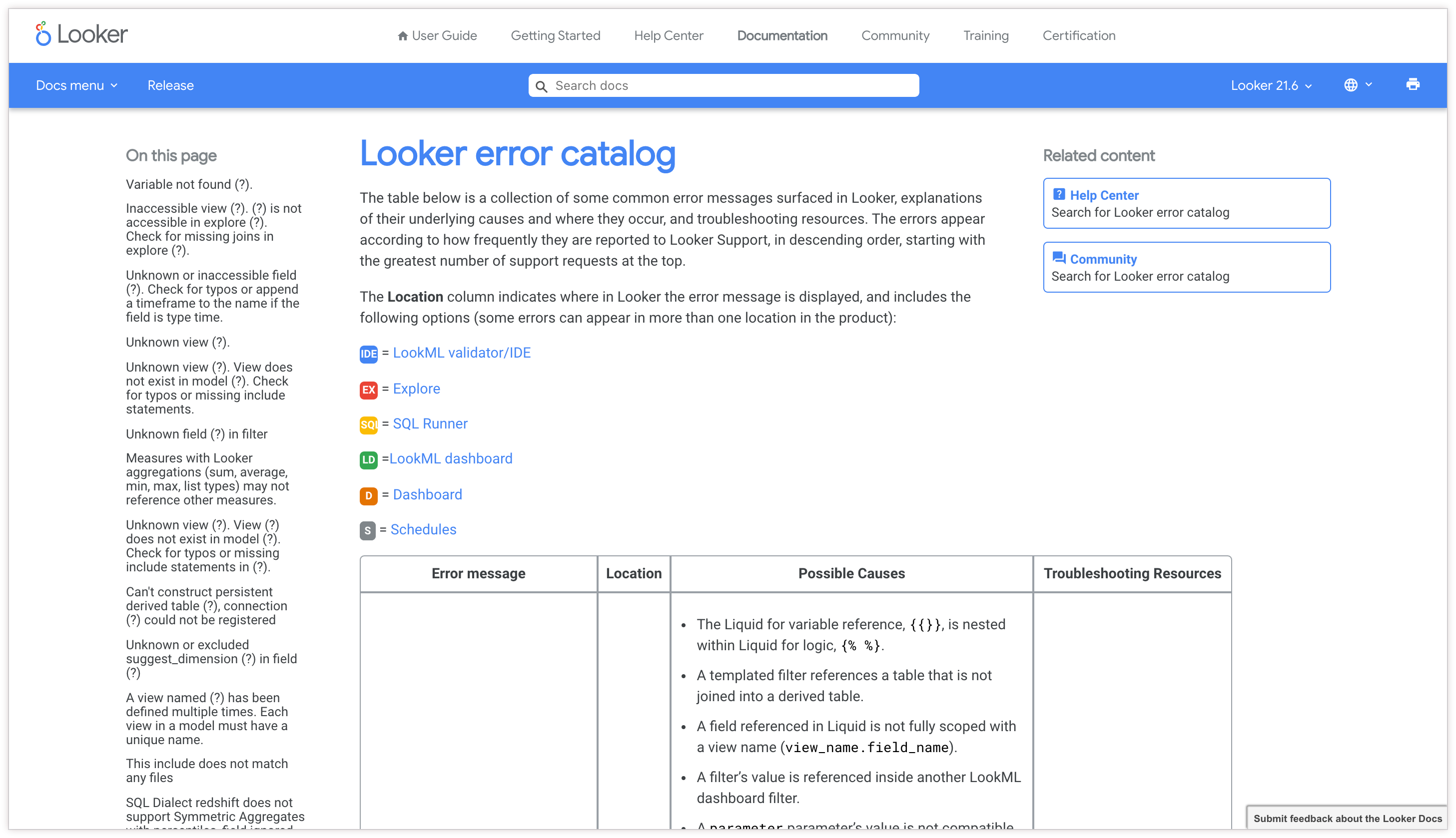
- Refer to the [new error catalog](https://docs.cloud.google.com/looker/docs/error-catalog) to learn how to troubleshoot common errors that surface in Looker.
- Each error shows where in the Looker platform the error can occur: Dashboards, Explores, SQL Runner
## **Looker 21.6**
Expected rollout start: **Sunday, April 18th, 2021**
Expected final deployment and download available: **Thursday, May 6th, 2021**
### Potentially breaking changes
Check out these potentially breaking changes; depending on which features or configurations you have implemented, all, some, or none of these changes may apply to your instance.
- All Looker [custom visualizations](https://docs.cloud.google.com/looker/docs/admin-panel-platform-visualizations) now use a sandboxed iframe to promote security. Unsandboxed custom visualizations will no longer be supported in the product.
- The [Looker extension framework](https://docs.cloud.google.com/looker/docs/intro-to-extension-framework) can be used to create iframes if [`use_iframes`](https://docs.cloud.google.com/looker/docs/reference/param-manifest-application#use_iframes) entitlement is added to the extension. Extensions that have the [`use_embeds`](https://docs.cloud.google.com/looker/docs/reference/param-manifest-application#use_embeds) entitlement are automatically granted the `use_iframes` entitlement.
- The `render_tasks` API endpoint will no longer support the combination of `result_format` and `dashboard_style` and will return a 422 error, `unprocessable entity`.
- When the Segment Group action is used, Looker's payload will no longer include a `segment_anonymous_id` and will only send the `segment_group_id` when the `segment_group_id` LookML tag is present.
- Looker no longer supports the IBM DB2 Warehouse on Cloud dialect. Instead, for DB2 databases, you can use [IBM DB2 on AS400](https://docs.cloud.google.com/looker/docs/db-config-ibm-db2-on-as400) or [IBM DB2 for Linux, UNIX, and Windows (LUW)](https://docs.cloud.google.com/looker/docs/db-config-ibm-db2-for-luw).
- [Trend lines](https://docs.cloud.google.com/looker/docs/line-options#add_trend_line) are no longer supported on charts with a [series positioning](https://docs.cloud.google.com/looker/docs/line-options#series_positioning) of **Stacked** or **Stacked Percentage** , with a [grid layout](https://docs.cloud.google.com/looker/docs/line-options#grid_layout) of **By Row** , or with an [x-axis scale type](https://docs.cloud.google.com/looker/docs/line-options#scale_type) of **Ordinal**. In any of these scenarios, an error will be rendered.
- Introducing the new legacy feature, [**Syntax Tolerant Liquid**](https://docs.cloud.google.com/looker/docs/legacy-feature-schedule#current_legacy_features), which introduces [new checks for valid Liquid syntax](https://docs.cloud.google.com/looker/docs/best-practices/how-to-use-the-liquid-syntax-parser) and ensures that all errors are categorized as informational. You may see new validation messages for existing Liquid syntax after you update to 21.6.
- A syntax warning will now be rendered if the keyword `bigquery_datetime_as_timestamp` is included in a model.
*** ** * ** ***
### End of life: Unsandboxed custom visualizations
All Looker custom visualizations now use a sandboxed iframe to promote security.
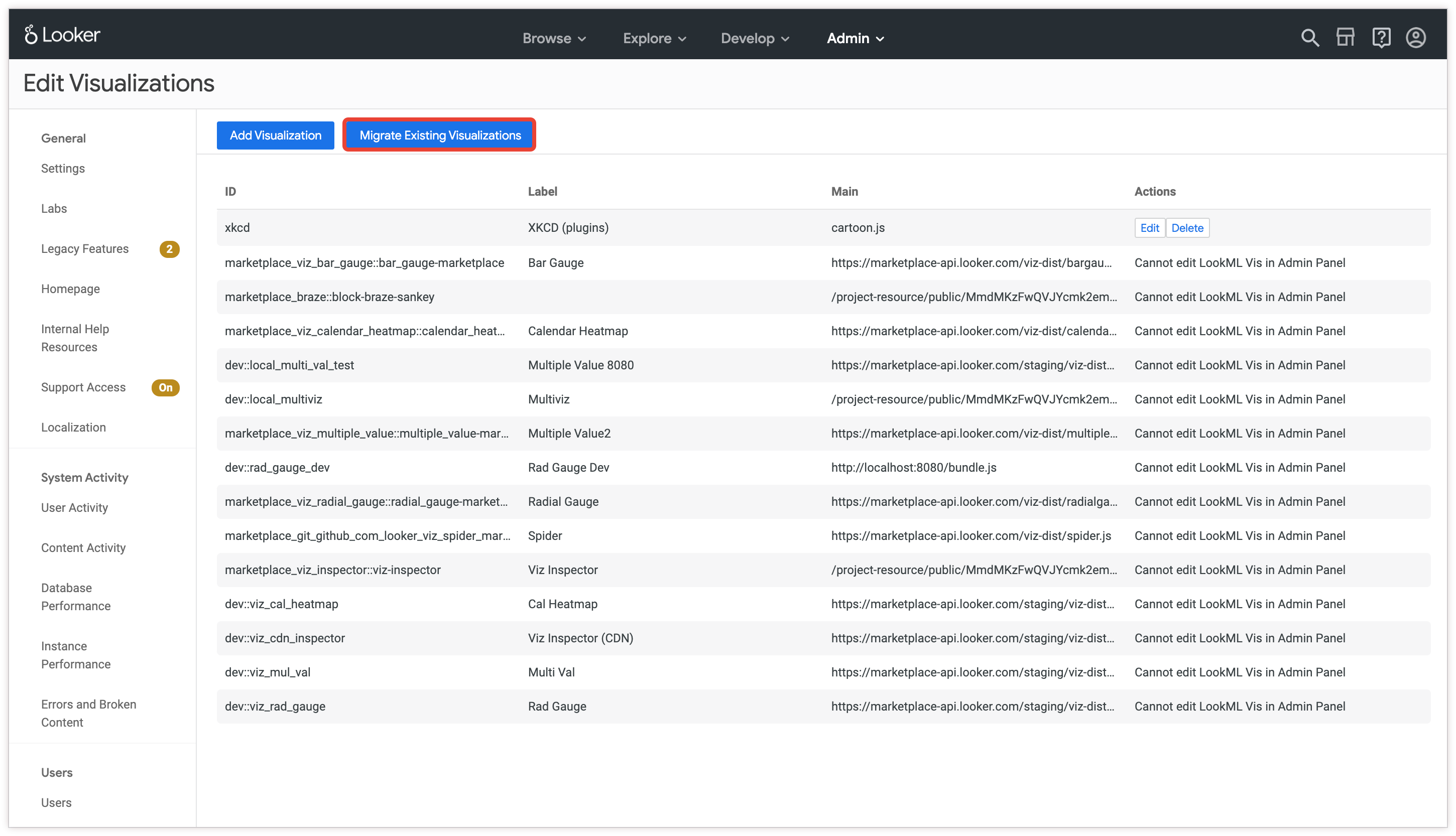
- Unsandboxed custom visualizations will no longer be supported in the product.
- A Looker admin will need to migrate all existing unsandboxed custom visualizations using the [**Migrate Existing Visualizations**](https://docs.cloud.google.com/looker/docs/admin-panel-platform-visualizations) option **before the Looker instance is updated to Looker 21.6**.
*** ** * ** ***
### New Users Page (Beta) Labs feature
A redesigned [user list page](https://docs.cloud.google.com/looker/docs/admin-panel-users-users#new_users_page) is user-friendly and more performant.
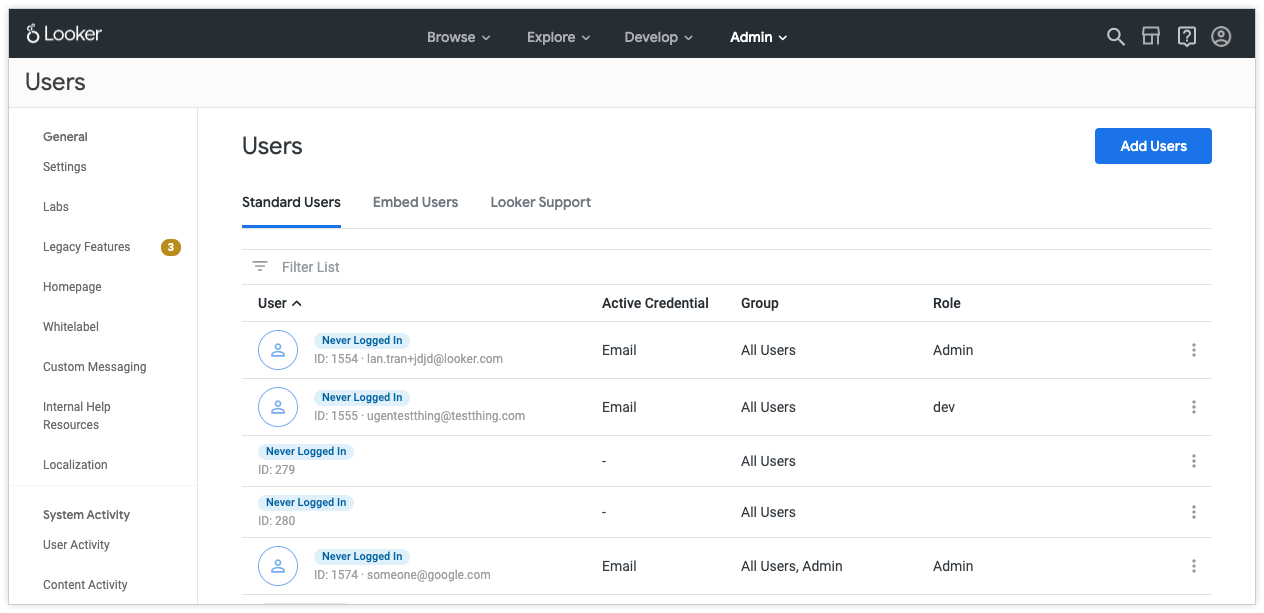
- Supports pagination and has an improved and easier-to-use interface.
- Provides better performance for customers with large numbers of users, groups, and roles.
*** ** * ** ***
### Metadata Sidebar is GA
The [metadata panel](https://docs.cloud.google.com/looker/docs/lookml-metadata) in the Looker IDE is now out of Labs and is generally available.
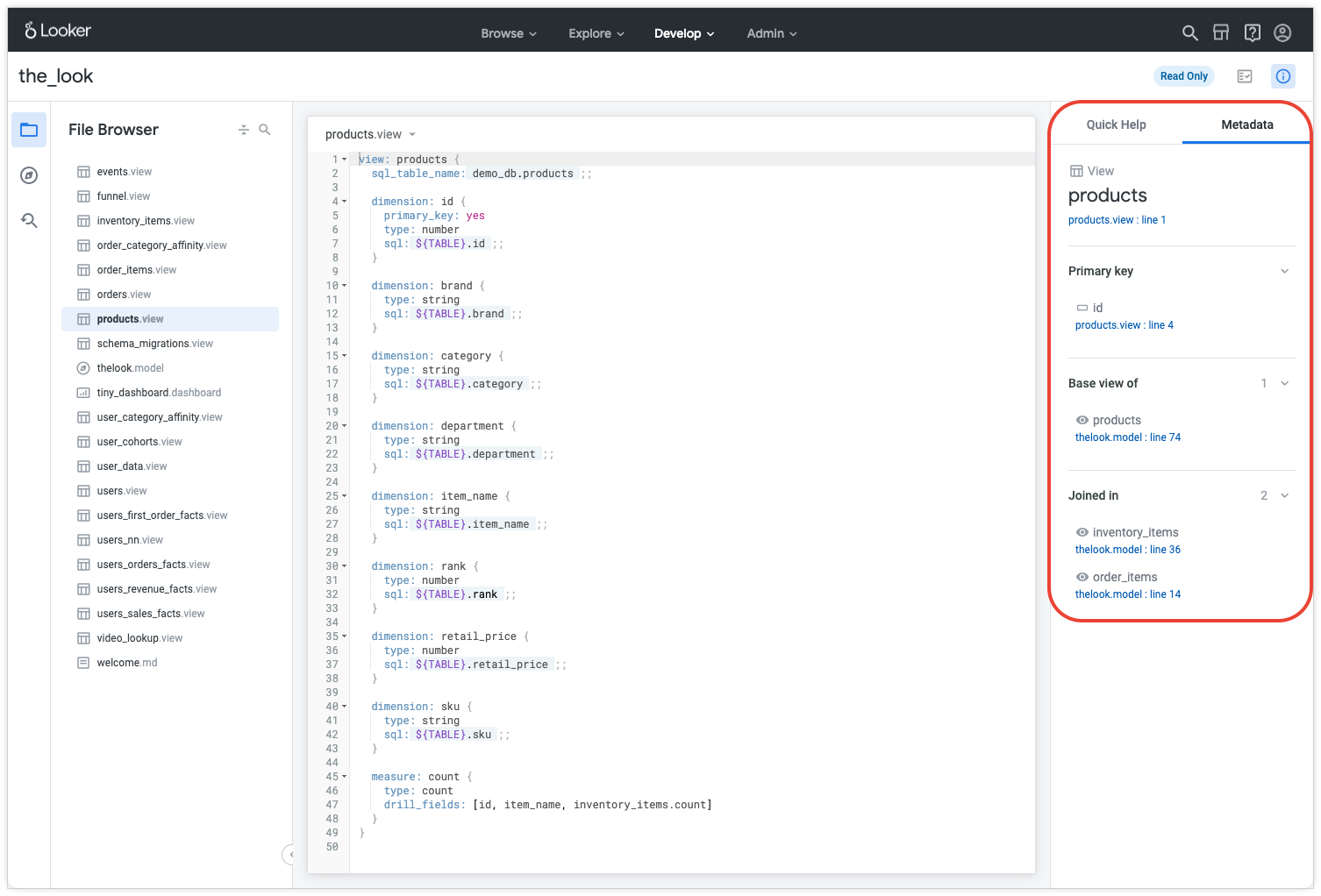
- Gives modelers insight into how objects (fields, views, and models) are used throughout projects.
- The sidebar is set to quick help by default; users can toggle between quick help and metadata at any time.
*** ** * ** ***
### Introducing support for Databricks
Looker now supports the [Databricks](https://docs.cloud.google.com/looker/docs/db-config-databricks) dialect.
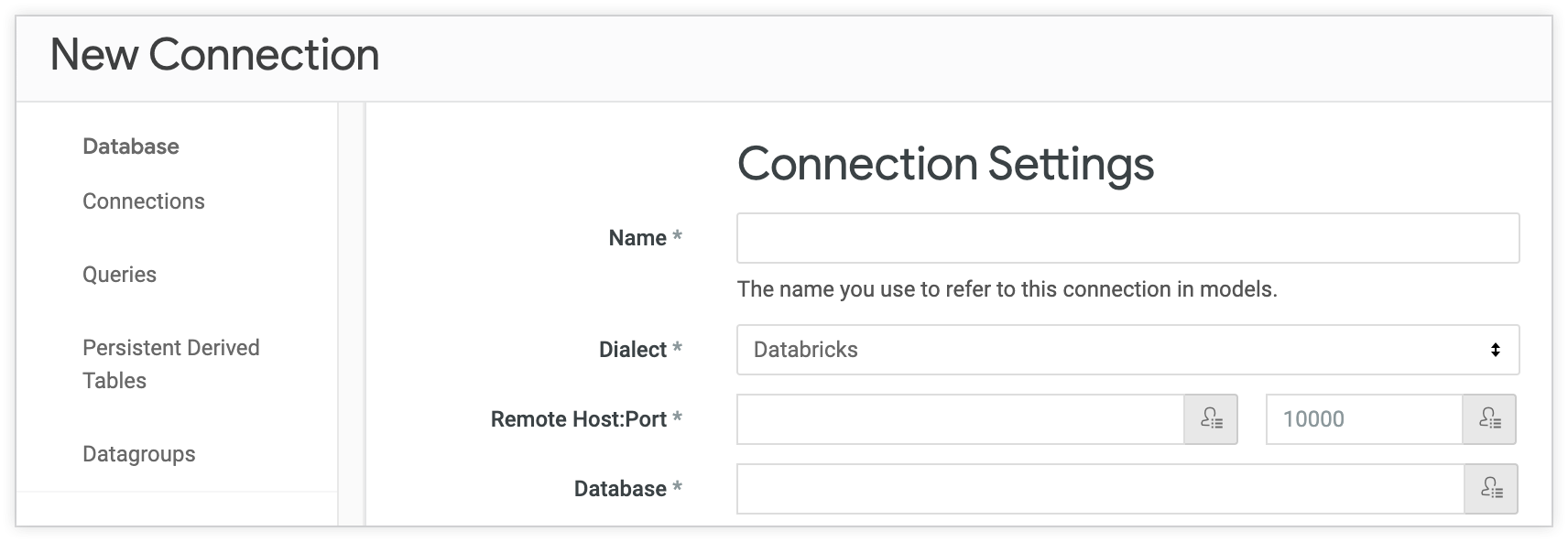
Looker has added official dialect support for [Databricks](https://databricks.com/product/sql-analytics). See the [Databricks documentation page](https://docs.cloud.google.com/looker/docs/db-config-databricks) for more information.
## **Looker 21.4**
Expected rollout start: **Sunday, March 14th, 2021**
Expected final deployment and download available: **Thursday, April 8th, 2021**
### Potentially breaking changes
Check out these potentially breaking changes; depending on which features or configurations you have implemented, all, some, or none of these changes may apply to your instance.
- Referencing a measure --- such as `COUNT`, `SUM`, or `AVG` --- from another view that does not have a primary key declared in a `one_to_many` join now renders this LookML model error: `Field '(?)' depends on '(?)' which cannot be calculated because of a one_to_many or many_to_many join. Consider adding a primary key to '(?)'`
- The [`List`](https://looker-open-source.github.io/components/latest/components/content/list) component is now enriched with additional features. Additionally, there are two new components for lists: [`OrderedList`](https://looker-open-source.github.io/components/latest/components/text/ordered-list) and [`UnorderedList`](https://looker-open-source.github.io/components/latest/components/text/unordered-list).
- The LookML IDE renders the following new warning if the dashboard file declaration is invalid: `Invalid dashboard declaration. Dashboard must be declared as: <dashboard_name>`.
- The `--scheduler-threads=<i>` [startup flag](https://docs.cloud.google.com/looker/docs/startup-options) can no longer be used to determine alert runs or to disable alerts. For these tasks, use the `--alerts-scheduler-threads=<i>` flag.
- The `create_query` API endpoint now only accepts filter values of `type: string`.
- The `bigquery_datetime_as_timestamp` legacy feature has been removed. Any field with `datatype: datetime` declared on a model using a BigQuery standard SQL connection will now be treated as a BigQuery `datetime` type field.
- Looker Dialect Vertica 6 has been deprecated. [Vertica](https://docs.cloud.google.com/looker/docs/db-config-vertica) remains a fully supported Looker dialect.
- Due to several Slack API endpoint deprecations, users must [upgrade to Lookerbot version 0.0.16 or later](https://github.com/looker/lookerbot/blob/master/README.md) for Lookerbot to function properly.
*** ** * ** ***
### Looker mobile app is now GA
The Looker mobile app for Android is now available for download on the Google Play Store, and the Looker mobile app for iOS is coming soon.
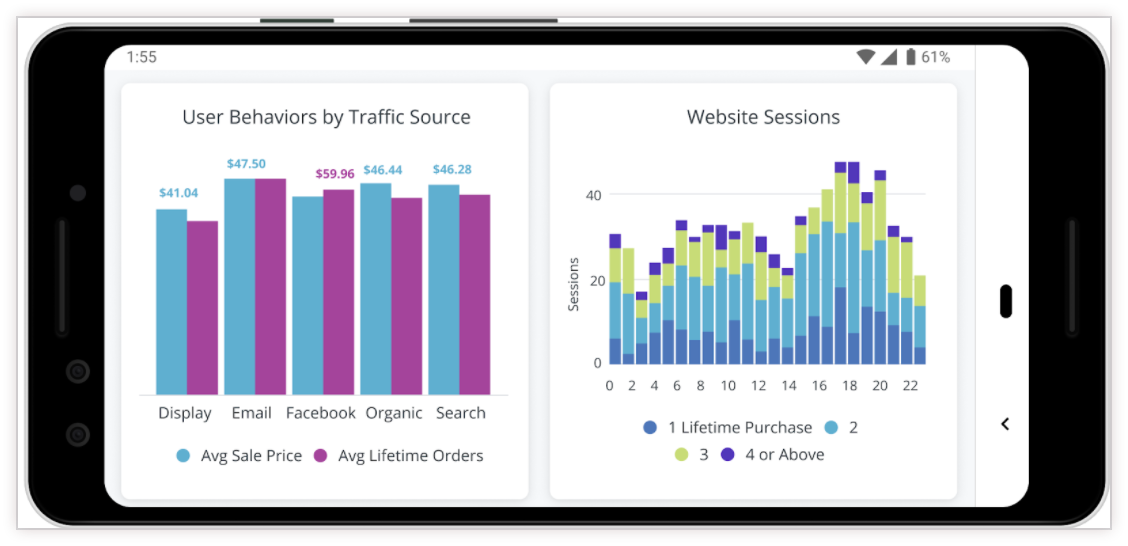
- The Looker mobile app includes the new and improved dashboard experience and gives users the ability to report bugs and feedback in-app.
- The mobile app Labs feature, **Mobile App Integration**, will be removed as of Looker 21.4.
- All instances on Looker 21.4 or later will have [Looker mobile app](https://docs.cloud.google.com/mobile-app) access enabled by default.
*** ** * ** ***
### Incremental PDTs
Introducing a new beta Labs feature, Incremental Persistent Derived Tables.
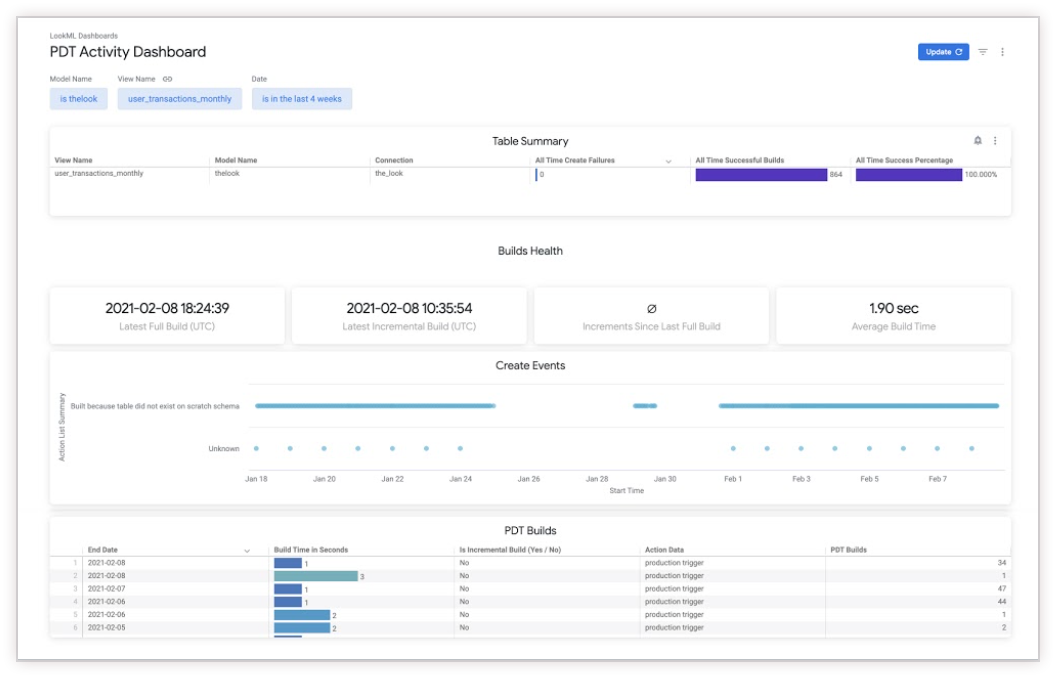
- [Incremental PDTs](https://docs.cloud.google.com/looker/docs/incremental-pdts) enable Looker to append fresh data to a PDT instead of rebuilding the entire table.
- The **PDT Activity Dashboard** page has been added to the **System Activity** model and is now accessible from the **Persistent Derived Tables** page.
- Supported PDT types include native (LookML), SQL-based, and aggregate tables.
- Supported dialects include BigQuery standard SQL, MySQL, Postgres, Redshift, Snowflake, Vertica, and Azure Synapse...with more dialects coming soon!
*** ** * ** ***
### Render Long Tables Labs feature
An experimental Labs feature that changes the rendering behavior of tables on PDFs downloaded from dashboards.
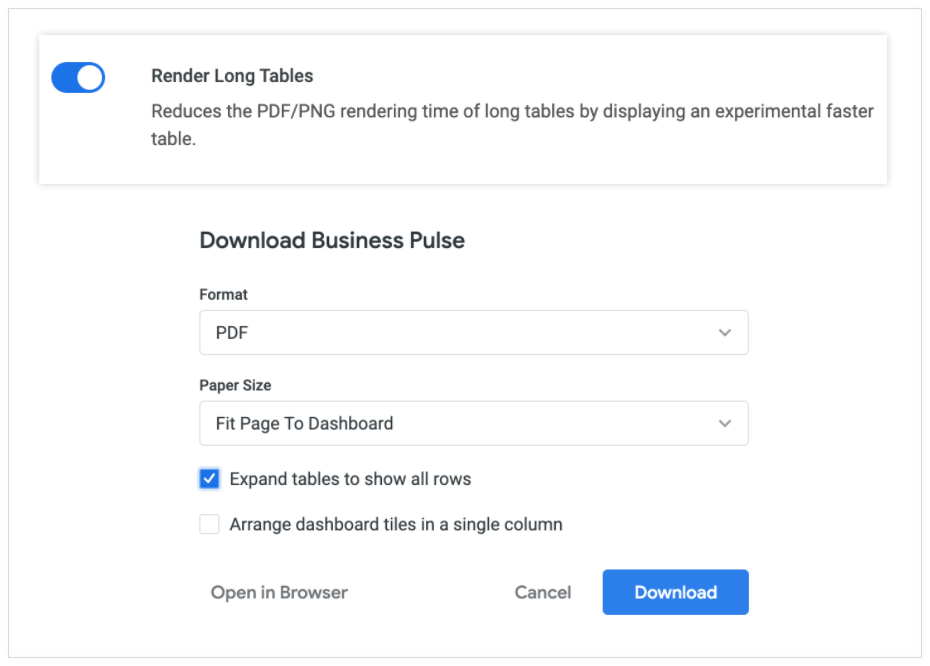
- Enabling the [**Render Long Tables** experimental Labs feature](https://docs.cloud.google.com/looker/docs/admin-panel-general-labs#render_long_tables) reduces the PDF or PNG rendering time of long tables by displaying a faster-loading table.
- Select the [**Expand tables to show all rows** checkbox](https://docs.cloud.google.com/looker/docs/downloading#downloading_a_dashboard_as_a_pdf) to trigger the feature.
- **Render Long Tables** must be enabled by an admin and is disabled by default.
*** ** * ** ***
### New custom visualization and application on the Looker Marketplace
The Force-Directed Graph visualization and LookML Diagram application let you see the relationships among entities in your data.
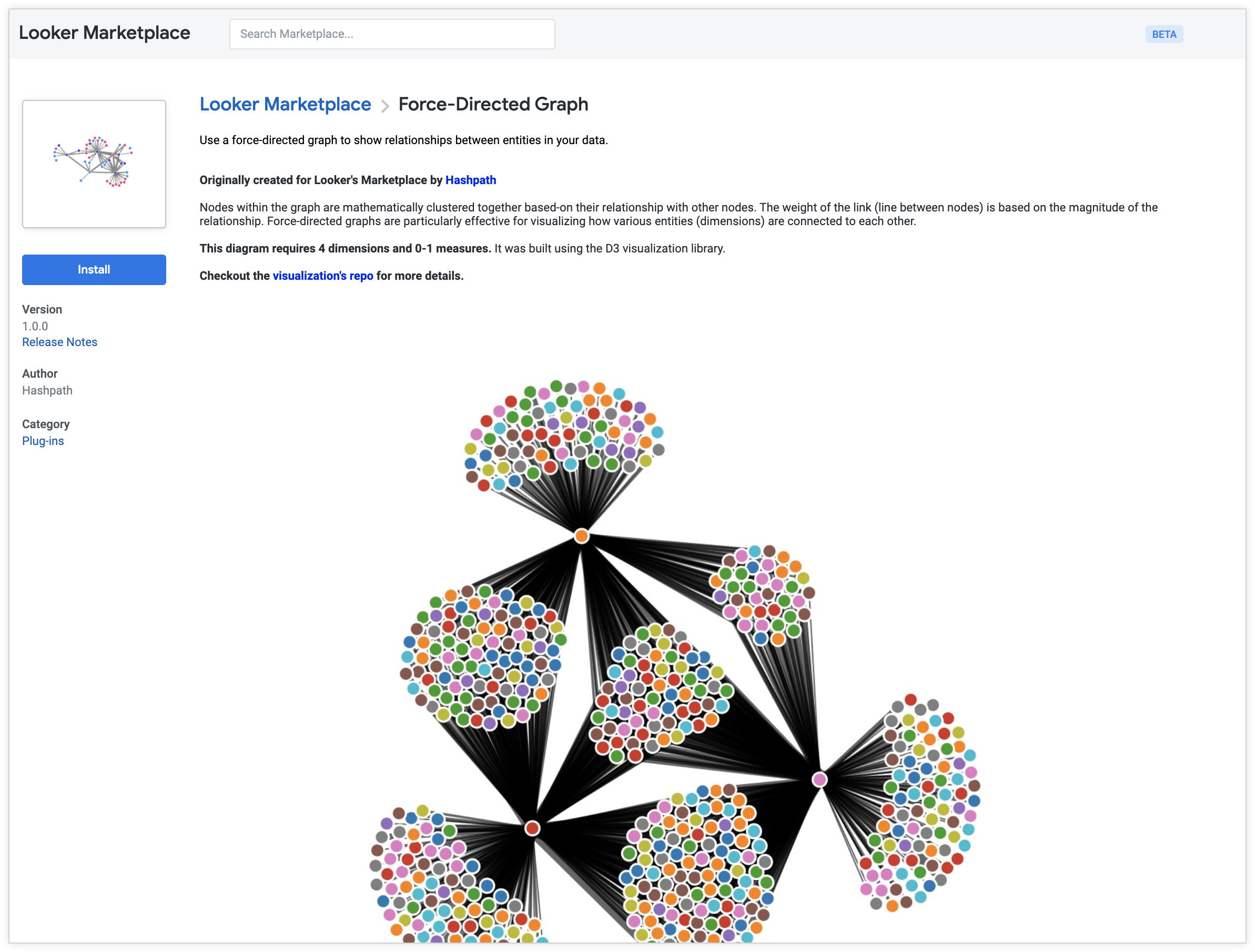
- **Force-Directed Graph** is a custom visualization. The nodes within the graph are mathematically clustered together based on their relationships with other nodes. The weight of each link (line between nodes) is based on the magnitude of the relationship.
- With the **LookML Diagram** application, Looker users with permissions [to view](https://docs.cloud.google.com/looker/docs/lookml-diagram-using) or [develop LookML](https://docs.cloud.google.com/looker/docs/lookml-diagram-using-admins) can select a model and an Explore to visualize their code in an interactive diagram.
## **Looker 21.0**
Expected rollout start: **Wednesday, January 20th, 2021**
Expected final deployment and download available: **Wednesday, February 3rd, 2021**
### Potentially breaking changes
Check out these potentially breaking changes introduced in Looker 21.0. Depending on which features or configurations you have implemented, all, some, or none of these changes may apply to your instance.
- Looker's [managed database service](https://docs.cloud.google.com/looker/docs/connecting-to-your-db#looker_managed_database) feature is disabled for all Looker versions on 21.0 and higher. To have the feature enabled, contact your Looker representative. The service will be deprecated entirely in Looker 21.12 (July 2021).
- The **Year to Date** control option on the [`timeframes`](https://docs.cloud.google.com/looker/docs/filters-user-defined-dashboards#dashboard_filter_controls) filter has been temporarily removed.
- The ability to join to the sessions table has been removed from drill queries on tiles in the **User Activity** dashboard under the **System Activity** section of the **Admin** panel.
- The **Overflow** option in the **Location** drop-down has been removed from the **Edit Filter** modal. Filters can be moved into [overflow by dragging and dropping](https://docs.cloud.google.com/looker/docs/filters-user-defined-dashboards#displaying_dashboard_filters).
- The [**Cross-filtering**](https://docs.cloud.google.com/looker/docs/cross-filtering-dashboards) feature is now generally available and needs to be enabled on each dashboard.
- When fields are [cleared](https://docs.cloud.google.com/looker/docs/exploring-data#removing_fields_from_the_in_use_tab) from an Explore query, [custom fields](https://docs.cloud.google.com/looker/docs/custom-fields) will be deselected instead of removed.
- The Explore field picker will default to the [**All Fields**](https://docs.cloud.google.com/looker/docs/exploring-data#all_fields_tab) tab instead of the [**In Use**](https://docs.cloud.google.com/looker/docs/exploring-data#in_use_tab) tab when an existing query is open.
- If the [**New Query Streaming**](https://docs.cloud.google.com/looker/docs/admin-panel-general-labs#new_query_streaming) experimental Labs feature is enabled and the query is streamable, the scheduler will use the new query streaming feature.
- The [**Revert to Legacy Dashboards** legacy feature](https://docs.cloud.google.com/looker/docs/legacy-feature-schedule#current_legacy_features) is disabled by default in 21.0.
- The `api_server_url` has been added to the `/versions` endpoints for the Looker API server. The `https://my.looker.com/versions` endpoint no longer requires authentication.
- Support for JDK 11 has been temporarily suspended.
*** ** * ** ***
### Looker Components Updates
Developers can now preview themes, search for components, and see the prop tables for components.
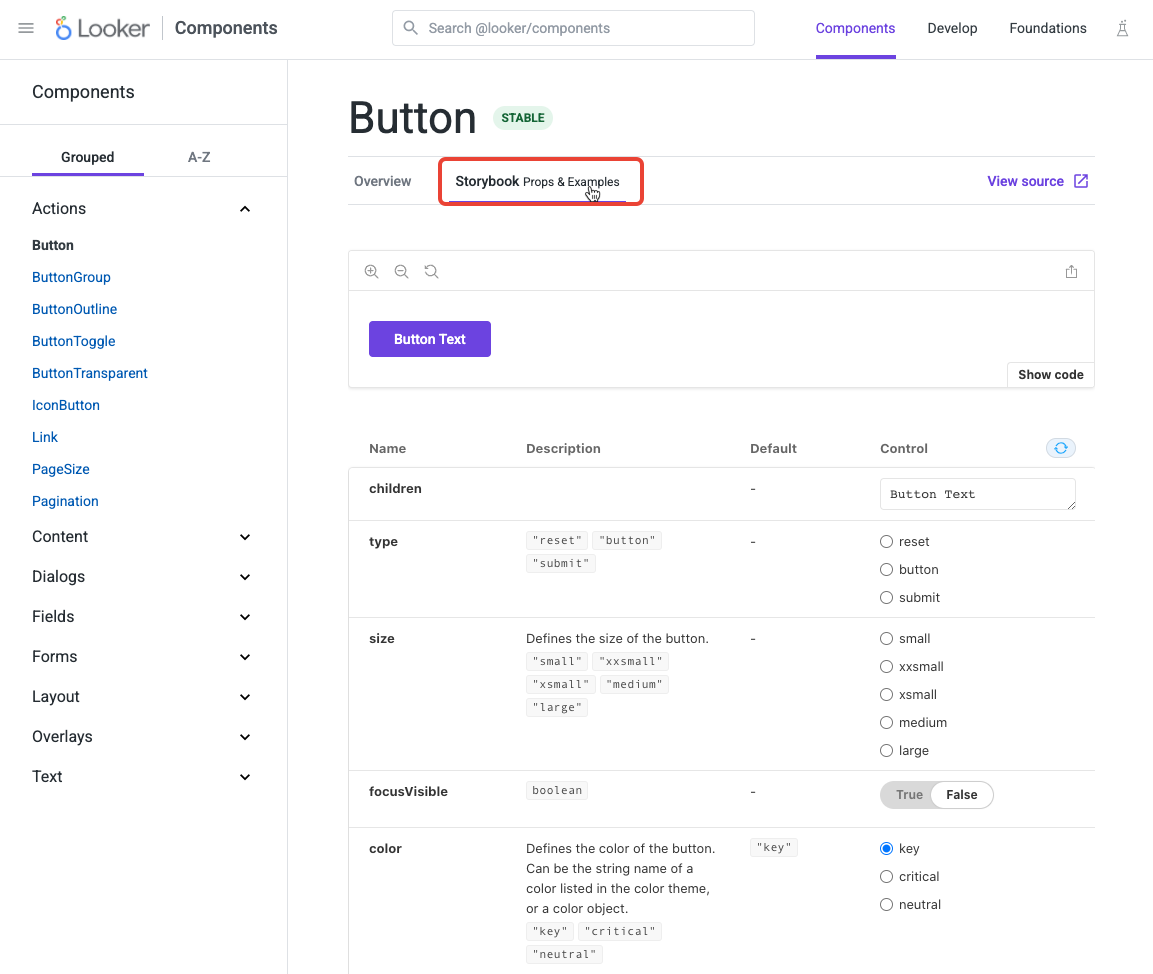
- Developers can preview their theme across all component examples on the [Looker Components](https://components.looker.com/) site. The theme picker interface allows developers to set key, background, and text color, as well as intents and font values.
- Developers can now search the Looker Components documentation. The search index also parses page content and page titles.
- Properties for certain components are available in prop tables. Prop tables are auto-generated from the components interface and are always up to date with the latest release.
*** ** * ** ***
### Cross-Filtering General Availability
Cross-filtering is out of Labs and generally available.
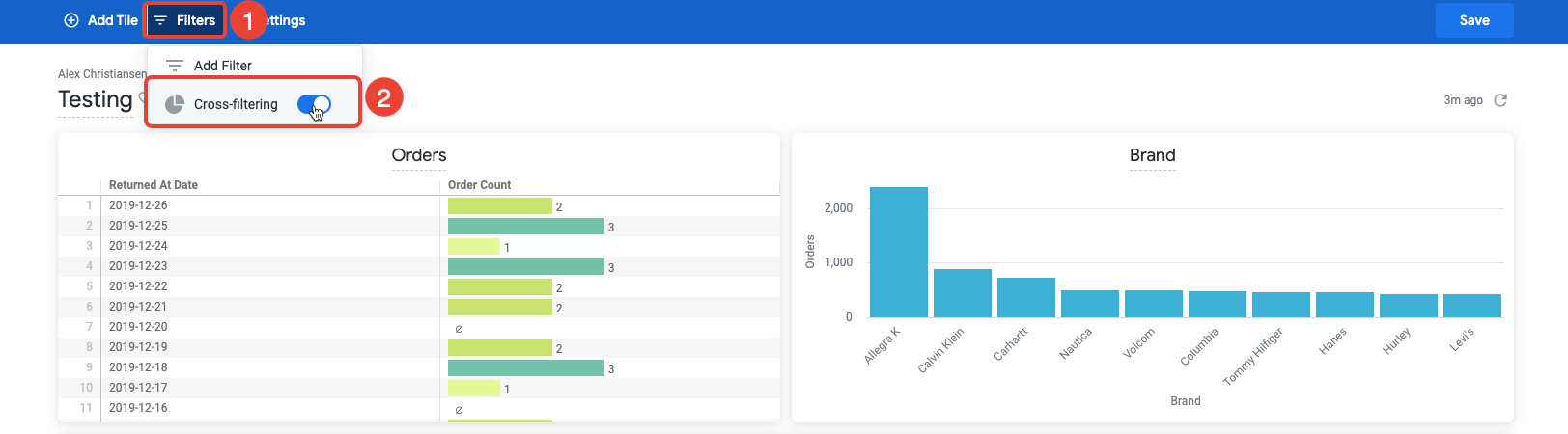
- [Cross-filtering](https://docs.cloud.google.com/looker/docs/cross-filtering-dashboards) is no longer available as a beta Labs feature.
- Cross-filtering can be enabled on a per-dashboard basis.
- More visualization types are now [supported](https://docs.cloud.google.com/looker/docs/cross-filtering-dashboards#supported_and_unsupported_visualization_types) --- **Trellis Chart** , **Funnel Chart** , **Timeline Chart** and **Waterfall Chart**, as well as custom visualizations.
*** ** * ** ***
### New Visualizations and Blocks
New visualizations and Looker Blocks are available in the Looker Marketplace.
- The Google Chronicle Security Block is now available to enable you to gain more insights from your Chronicle data.
- Users can now add comments to individual fields in the Looker Data Dictionary.
- A new Histogram Visualization is now available.