> This page refers to the `label` parameter that is part of an [Explore](https://docs.cloud.google.com/looker/docs/2616/reference/param-explore-explore).
>
> `label` can also be used as part of a model, described on the [`label` (for models)](https://docs.cloud.google.com/looker/docs/2616/reference/param-model-label) parameter documentation page.
>
> `label` can also be used as part of a view, described on the [`label` (for views)](https://docs.cloud.google.com/looker/docs/2616/reference/param-view-label) parameter documentation page.
>
> `label` can also be used as part of a field, described on the [`label` (for fields)](https://docs.cloud.google.com/looker/docs/2616/reference/param-field-label) parameter documentation page.
>
> `label` can also be used as part of a reference line, described on the [Dashboard reference line parameters](https://docs.cloud.google.com/looker/docs/2616/reference/param-lookml-dashboard-reference-line) documentation page.
## Usage
```
explore: explore_name {
label: "desired label"
}
```
|---|---|
| Hierarchy [Model File](https://docs.cloud.google.com/looker/docs/2616/reference/param-model) [`explore`](https://docs.cloud.google.com/looker/docs/2616/reference/param-explore-explore) `label` | Default Value The name of the `explore`, with each word capitalized and underscores replaced by spaces
Accepts A string |
## Definition
`label` helps make Explores more user-friendly by allowing you to set the Explore titles in the Explore menu and in the Explores themselves.
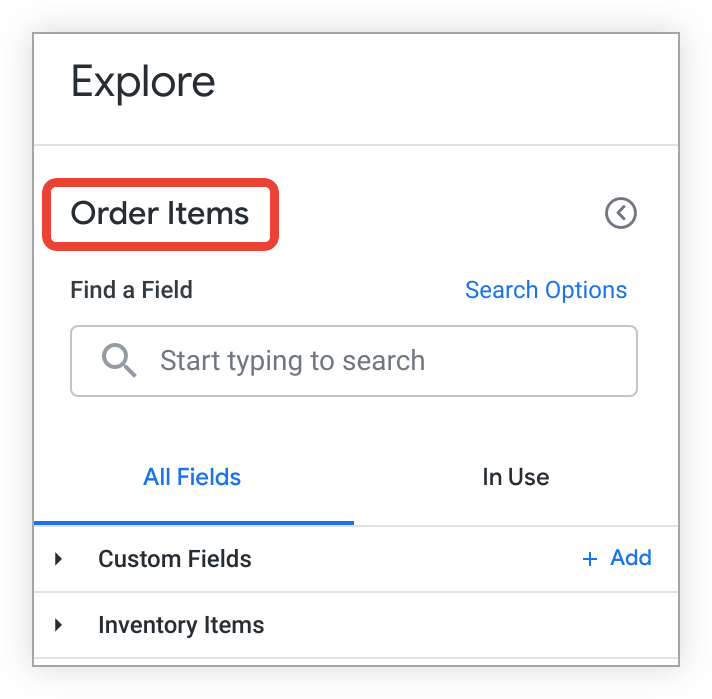
If you do not explicitly add a `label` to an Explore definition, the label defaults to the name of the [`explore`](https://docs.cloud.google.com/looker/docs/2616/reference/param-explore-explore), but nicely formatted. Underscores are changed to spaces, and each word is capitalized.
## Examples
Make the Explore menu option appear as **Users** instead of **User**:
explore: user {
label: "Users"
}
Make the Explore menu option appear as **Product ID Info** instead of **Product Id Information**:
explore: product_id_information {
label: "Product ID Info"
}
## Common challenges
### `label` has no effect other than changing the Explore menu appearance
When you change the `label` of an Explore, only the Explore menu is affected.
The way that fields should be referenced in the LookML goes unchanged. The way that fields will appear within the Explore UI is also unchanged. If you prefer the LookML references and field names to change, use the [`from`](https://docs.cloud.google.com/looker/docs/2616/reference/param-explore-from) parameter instead.
## Things to know
### Avoid `label` when possible by naming Explores properly
If you know that you always want an Explore to appear in a certain manner to your business users, consider giving that name to the `explore` in your LookML. Then you won't need to use `label`.
Typically `label` is only used when you want to:
- Change the way that an Explore name is formatted. For example, you can make the Explore name "abc_info" appear as "ABC Info" instead of "Abc Info".
- Create two different Explores that are based on the same view.