

このページでは、Explore の一部である
descriptionパラメータについて説明します。
descriptionは、description(フィールド用)パラメータのドキュメント ページで説明されているように、フィールドの一部としても使用できます。
descriptionは、ダッシュボード パラメータのドキュメント ページで説明されているように、ダッシュボードの一部としても使用できます。
用途
explore: explore_name {
  description: "Description I Want"
}
|
階層
description |
デフォルト値
なし
許可
文字列
|
定義
description を使用すると、Explore に関する情報を UI に追加できます。これにより、ユーザーは、Explore クエリの作成時に追加情報を取得できます。たとえば、description パラメータは次のようになります。
explore: order_items {
  description: "Based on the individual items that comprise customer orders"
}
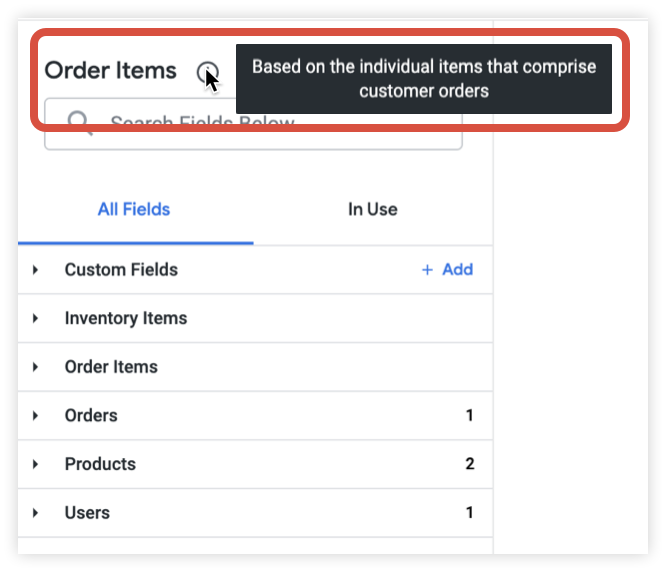
Explore に description が追加されている場合、ユーザーはフィールドピッカー上部の Explore 名の横にある情報アイコンにマウスオーバーして説明を表示できます。
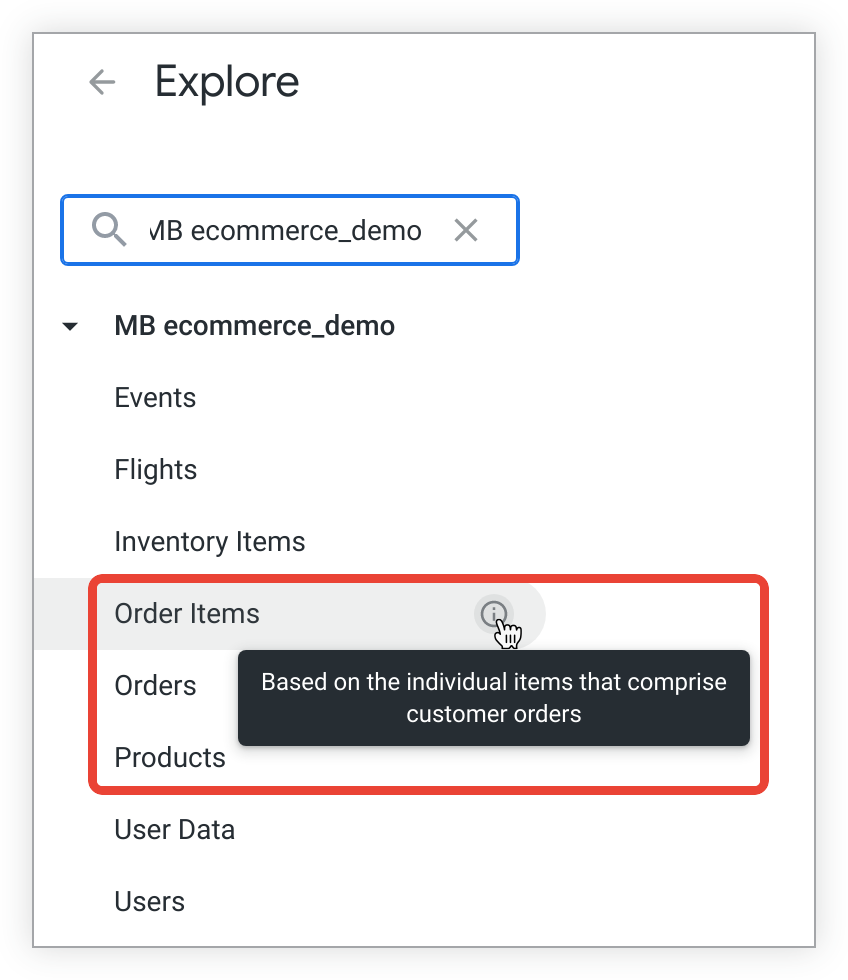
また、ユーザーは、Explore のドロップダウン リストで同じ情報アイコンにマウスオーバーして説明を表示することもできます。
Explore に description を明示的に追加していない場合は、説明が表示されません。
例
User という名前の Explore に説明を追加します。
explore: user {
  description: "All customer users, staff users are excluded"
}