


查看数据沿袭,了解项目资源与创建这些资源的进程之间的关系。这些关系显示了数据资产(例如表和数据集)如何通过查询和流水线等流程进行转换。本指南介绍了如何在 Google Cloud 控制台中查看数据沿袭详细信息,或使用 Data Lineage API 检索这些信息。
角色与权限
启用 Data Lineage API 后,数据沿袭会自动跟踪沿袭信息。您无需任何管理员或编辑者角色即可捕获数据资产的沿袭信息。
如需查看数据沿袭,您需要拥有特定的 Identity and Access Management (IAM) 权限。系统会跨项目捕获沿袭信息,因此您需要拥有多个项目的权限。
在 Knowledge Catalog、BigQuery 或 Vertex AI 中查看沿袭时:您需要拥有在其中查看沿袭信息的项目的权限。
查看在其他项目中记录的沿袭时:您需要拥有相应权限才能查看在这些项目中记录的沿袭信息。
如需获得查看数据沿袭所需的权限,请让您的管理员为您授予以下 IAM 角色:
- 针对记录沿袭的项目和查看沿袭的项目的 Data Lineage Viewer (
roles/datalineage.viewer) -
查看 BigQuery 表详情:针对表的存储项目的 BigQuery Data Viewer (
roles/bigquery.dataViewer) -
查看 BigQuery 作业详情:作业的计算项目的 BigQuery Resource Viewer (
roles/bigquery.resourceViewer) -
查看其他已编入目录的资产的详细信息:Dataplex Catalog Viewer (
roles/dataplex.catalogViewer)(针对存储目录条目的项目)
如需详细了解如何授予角色,请参阅管理对项目、文件夹和组织的访问权限。
这些预定义角色包含查看数据沿袭所需的权限。如需查看所需的确切权限,请展开所需权限部分:
所需权限
您必须拥有以下权限才能查看数据沿袭:
-
查看 BigQuery 表详情:
bigquery.tables.get- 表的存储项目 -
查看 BigQuery 作业详情:
bigquery.jobs.get- 作业的计算项目
数据沿袭视图的类型
您可以在 Google Cloud 控制台中以交互式图表或结构化列表的形式查看沿袭信息。
如需详细了解图表元素(例如节点、边、进程图标和标签)以及列表视图中提供的列,请参阅 Knowledge Catalog 中的数据沿袭可视化图表简介。
启用数据沿袭
启用数据沿袭功能后,系统会开始自动跟踪受支持的系统的沿袭信息。默认情况下,启用该 API 会为大多数受支持的服务激活沿袭跟踪功能。如需控制 Managed Service for Apache Spark 的沿袭注入,请参阅控制服务的沿袭注入。
Data Lineage API 的费用会根据 Knowledge Catalog Premium Processing SKU 进行结算。如需了解详情,请参阅 Knowledge Catalog 价格。
您必须在查看沿袭的项目和记录沿袭的项目中都启用 Data Lineage API。如需了解详情,请参阅项目类型。
- 如需捕获沿袭信息,请完成以下步骤:
-
在 Google Cloud 控制台的项目选择器页面上,选择要记录沿袭的项目。
启用 Data Lineage API。
- 针对要记录沿袭的每个项目重复执行上述步骤。
-
在您查看沿袭的项目中,启用 Data Lineage API 和 Dataplex API。
控制服务的谱系提取
您可以在项目、文件夹或组织级层选择性地为特定服务启用或停用自动沿袭跟踪功能。
如需详细了解这些配置如何通过资源树以分层方式应用,请参阅控制沿袭注入。
查看沿袭
如需跟踪数据在系统间的转换和移动方式,您可以使用 Google Cloud 控制台或 API 查看数据沿袭。
控制台
您可以在 Google Cloud 控制台中从各种起始点访问数据沿袭信息:
- Knowledge Catalog:前往 Knowledge Catalog 搜索页面,选择 Knowledge Catalog 作为搜索模式,搜索要查看的条目,然后点击该条目。如需了解详情,请参阅在 Knowledge Catalog 中搜索资源。
- BigQuery:前往 BigQuery 页面,然后打开要查看数据沿袭的表。
- Vertex AI:前往数据集或模型注册表页面,然后点击要查看其数据沿袭的数据集或模型。
如需查看沿袭图,请按以下步骤操作:
点击沿袭标签页。
系统会打开默认的图表视图,其中显示了跨系统和区域的表级沿袭。如需了解详情,请参阅沿袭图视图。
如需手动探索沿袭图,请点击节点旁边的展开,一次加载五个节点。
如需了解详情,请参阅手动探索沿袭图。
点击图表视图中的某个节点。
系统会打开详细信息面板,其中包含有关资产的信息,例如完全限定名和类型。如需了解详情,请参阅节点详情。
在图视图中,点击带有进程图标的边。
系统会打开查询面板。如需了解详情,请参阅检查转换逻辑和审核运行记录和历史记录。
- 如需检查转换逻辑,请点击详细信息标签页。
- 如需查看运行的审核记录和历史记录,请点击运行标签页。
在沿袭探索器面板中,选择过滤条件(例如方向、依赖关系类型或时间范围),然后点击应用。
这会在特定区域内打开聚焦视图(预览版)。此视图会自动将图表展开到最多三个级别的节点。如需了解详情,请参阅应用过滤条件以获得重点突出沿袭视图。
在聚焦的图表视图中,选择一个节点,然后在该节点的详细信息面板中,点击可视化路径,以可视化从所选节点到根条目的沿袭路径(仅在聚焦视图中)。
如需了解详情,请参阅沿袭路径可视化图表。
如需查看列级沿袭(仅适用于 BigQuery 和 Managed Service for Apache Spark 作业),请执行以下操作之一:
- 在聚焦图表视图中,点击表格上的列图标。
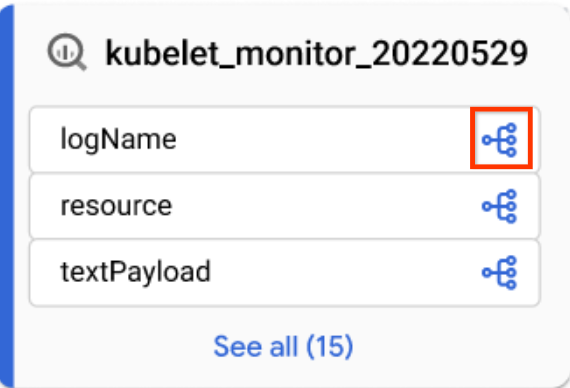
列图标 - 在沿袭探索器面板中,按列名称过滤,然后点击应用。
如需了解详情,请参阅列级沿袭。
- 在聚焦图表视图中,点击表格上的列图标。
点击 重置。
此操作会移除所有已应用的过滤条件,并将您带到图表视图的开头。
点击列表即可切换到列表视图。
列表视图提供简化的详细表格形式的沿袭数据表示,包括表级沿袭和列级沿袭,并与图表视图同步。默认情况下,系统会显示简化的列表视图,您可以切换到详细的列表视图来分析各个来源-目标关系。您可以配置要显示的列,并导出沿袭数据。如需了解详情,请参阅沿袭列表视图。
Java
import com.google.api.gax.rpc.ApiException;
import com.google.cloud.datacatalog.lineage.v1.BatchSearchLinkProcessesRequest;
import com.google.cloud.datacatalog.lineage.v1.EntityReference;
import com.google.cloud.datacatalog.lineage.v1.EventLink;
import com.google.cloud.datacatalog.lineage.v1.LineageClient;
import com.google.cloud.datacatalog.lineage.v1.LineageEvent;
import com.google.cloud.datacatalog.lineage.v1.Link;
import com.google.cloud.datacatalog.lineage.v1.ListLineageEventsRequest;
import com.google.cloud.datacatalog.lineage.v1.ListRunsRequest;
import com.google.cloud.datacatalog.lineage.v1.LocationName;
import com.google.cloud.datacatalog.lineage.v1.ProcessLinks;
import com.google.cloud.datacatalog.lineage.v1.Run;
import com.google.cloud.datacatalog.lineage.v1.SearchLinksRequest;
import java.io.IOException;
import java.util.ArrayList;
import java.util.HashSet;
import java.util.LinkedList;
import java.util.List;
import java.util.Queue;
import java.util.Set;

public class ViewLineageExample {

  public static void main(String[] args) throws IOException {
    // TODO(developer): Replace these variables before running the sample.
    String projectId = "my-project-id";
    String location = "us";
    String targetFullyQualifiedName = "bigquery:my-project-id.my_dataset.my_table";
    int maxDepth = 3;

    viewLineage(projectId, location, targetFullyQualifiedName, maxDepth);
  }

  static class Node {
    String fqn;
    int depth;
    Node(String fqn, int depth) {
      this.fqn = fqn;
      this.depth = depth;
    }
  }

  public static void viewLineage(
      String projectId, String location, String targetFullyQualifiedName, int maxDepth)
      throws IOException {
    // Initialize client that will be used to send requests. This client only needs
    // to be created once, and can be reused for multiple requests.
    try (LineageClient client = LineageClient.create()) {
      String parent = LocationName.of(projectId, location).toString();

      Set<String> visitedNodes = new HashSet<>();
      Queue<Node> queue = new LinkedList<>();

      visitedNodes.add(targetFullyQualifiedName);
      queue.offer(new Node(targetFullyQualifiedName, 0));

      while (!queue.isEmpty()) {
        Node current = queue.poll();
        System.out.printf("\nExploring node (Depth %d): %s\n", current.depth, current.fqn);

        if (current.depth >= maxDepth) {
          continue;
        }

        EntityReference targetEntity =
            EntityReference.newBuilder().setFullyQualifiedName(current.fqn).build();
        SearchLinksRequest searchLinksRequest =
            SearchLinksRequest.newBuilder().setParent(parent).setTarget(targetEntity).build();

        List<String> linkNames = new ArrayList<>();
        try {
          // 1. Search for links related to the target entity
          for (Link link : client.searchLinks(searchLinksRequest).iterateAll()) {
            linkNames.add(link.getName());
          }
        } catch (ApiException e) {
          System.out.printf("  Failed to retrieve links for %s: %s\n", current.fqn, e.getMessage());
          continue;
        }

        if (linkNames.isEmpty()) {
          continue;
        }

        // 2. Batch search for processes in chunks of 100
        for (int i = 0; i < linkNames.size(); i += 100) {
          List<String> batch = linkNames.subList(i, Math.min(linkNames.size(), i + 100));
          BatchSearchLinkProcessesRequest batchSearchRequest =
              BatchSearchLinkProcessesRequest.newBuilder()
                  .setParent(parent)
                  .addAllLinks(batch)
                  .build();

          try {
            for (ProcessLinks processLinks :
                client.batchSearchLinkProcesses(batchSearchRequest).iterateAll()) {
              String processName = processLinks.getProcess();
              System.out.printf("  Process: %s\n", processName);

              // 3. List runs for the process
              ListRunsRequest runsRequest =
                  ListRunsRequest.newBuilder().setParent(processName).build();
              for (Run run : client.listRuns(runsRequest).iterateAll()) {
                System.out.printf("    Run: %s\n", run.getName());

                // 4. List events for the run
                ListLineageEventsRequest eventsRequest =
                    ListLineageEventsRequest.newBuilder().setParent(run.getName()).build();
                for (LineageEvent event : client.listLineageEvents(eventsRequest).iterateAll()) {
                  for (EventLink eventLink : event.getLinksList()) {
                    String sourceFqn = eventLink.getSource().getFullyQualifiedName();
                    // If exploring upstream, queue the source
                    if (!sourceFqn.isEmpty() && !visitedNodes.contains(sourceFqn)) {
                      visitedNodes.add(sourceFqn);
                      queue.offer(new Node(sourceFqn, current.depth + 1));
                    }
                  }
                }
              }
            }
          } catch (ApiException e) {
            System.out.printf("  Failed to retrieve processes/runs: %s\n", e.getMessage());
          }
        }
      }
    }
  }
}
Python
from google.cloud import datacatalog_lineage_v1
from google.api_core.exceptions import GoogleAPICallError

def view_lineage(project_id: str, location: str, target_fully_qualified_name: str, max_depth: int = 3):
    """Retrieves lineage for a given entity using a depth-limited search."""
    client = datacatalog_lineage_v1.LineageClient()
    parent = f"projects/{project_id}/locations/{location}"

    # Store visited nodes to avoid infinite loops in cyclic graphs
    visited_nodes = set([target_fully_qualified_name])
    queue = [(target_fully_qualified_name, 0)]

    while queue:
        current_node, current_depth = queue.pop(0)
        print(f"\nExploring node (Depth {current_depth}): {current_node}")

        if current_depth >= max_depth:
            continue

        target_entity = datacatalog_lineage_v1.EntityReference(
            fully_qualified_name=current_node
        )
        search_links_request = datacatalog_lineage_v1.SearchLinksRequest(
            parent=parent,
            target=target_entity,
        )

        try:
            links = list(client.search_links(request=search_links_request))
        except GoogleAPICallError as e:
            print(f"  Failed to retrieve links for {current_node}: {e.message}")
            continue

        if not links:
            continue

        # Extract link names to query processes in batches
        link_names = [link.name for link in links]

        # Batch max size is 100
        for i in range(0, len(link_names), 100):
            batch = link_names[i:i + 100]
            batch_request = datacatalog_lineage_v1.BatchSearchLinkProcessesRequest(
                parent=parent,
                links=batch
            )

            try:
                for process_links in client.batch_search_link_processes(request=batch_request):
                    process_name = process_links.process
                    print(f"  Process: {process_name}")

                    runs_request = datacatalog_lineage_v1.ListRunsRequest(parent=process_name)
                    for run in client.list_runs(request=runs_request):
                        print(f"    Run: {run.name}")

                        events_request = datacatalog_lineage_v1.ListLineageEventsRequest(parent=run.name)
                        for event in client.list_lineage_events(request=events_request):
                            for event_link in event.links:
                                source_fqn = event_link.source.fully_qualified_name

                                # If exploring upstream, queue the source
                                if source_fqn and source_fqn not in visited_nodes:
                                    visited_nodes.add(source_fqn)
                                    queue.append((source_fqn, current_depth + 1))

            except GoogleAPICallError as e:
                 print(f"  Failed to retrieve processes/runs: {e.message}")
优化沿袭可视化图表
如需优化沿袭可视化图表,您可以在沿袭探索器中使用突出显示和过滤选项:
如需搜索特定项目、数据集或实体名称,请使用过滤条件面板。
应用过滤条件后,符合过滤条件的谱系节点会被视为匹配节点。您可以优化匹配节点和非匹配节点的显示方式。
在谱系图中,点击清除过滤条件按钮旁边的更多操作图标 ,即可查看显示选项。
选择以下一个或两个选项:

您可以同时选择这两个选项。如果同时选择这两个选项,系统会隐藏未经过滤的节点,并在经过滤的图表视图中突出显示匹配的节点。
关闭数据沿袭
如需停止跟踪沿袭并避免产生数据沿袭费用,请在启用 Data Lineage API (datalineage.googleapis.com) 的每个项目中停用该 API。
停用 Dataplex API 不会关闭数据沿袭功能,也不会停止收取相关费用。您必须停用 Data Lineage API。
如需关闭数据沿袭,请选择以下某个标签页,然后针对已启用沿袭跟踪的每个项目完成相应步骤:
控制台
在 Google Cloud 控制台中,前往已启用的 API 和服务页面。
在 API 列表中,点击 Data Lineage API。
点击停用 API。
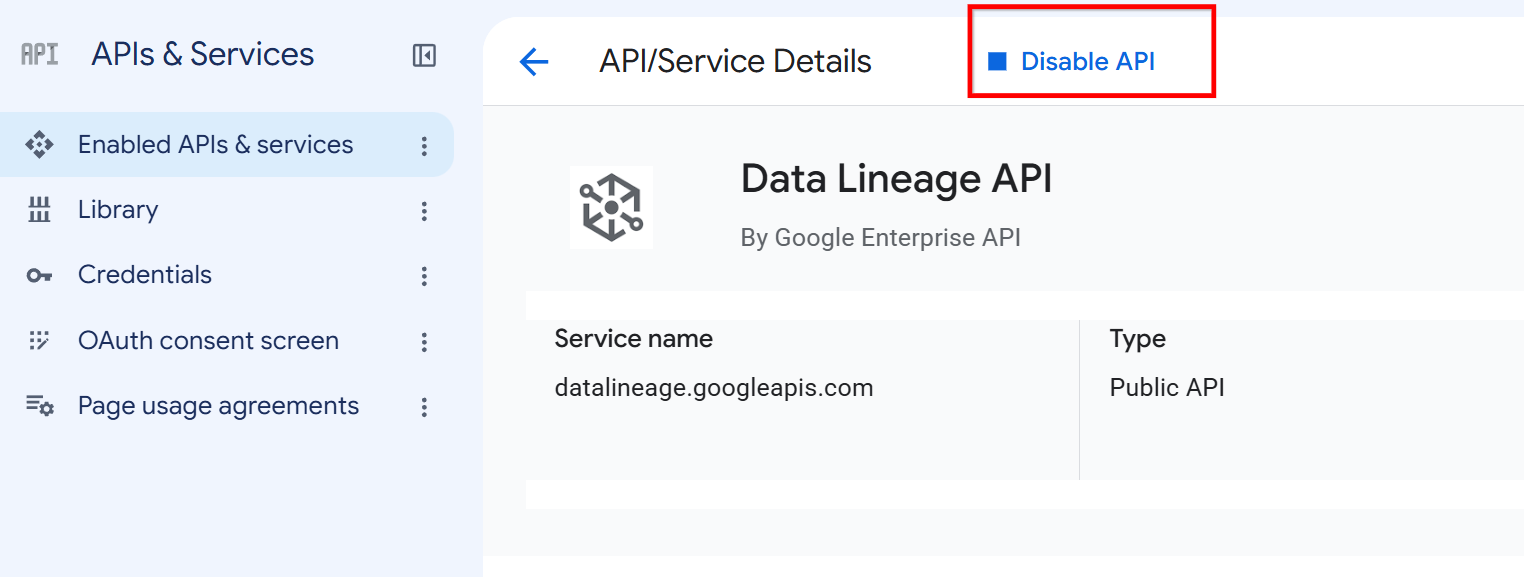
Data Lineage API 详情页面上的“停用 API”按钮。 当系统提示时,点击停用。
gcloud
如需停用 Data Lineage API,请使用 gcloud services disable 命令:
gcloud services disable datalineage.googleapis.com --project=PROJECT_ID
替换以下内容:
PROJECT_ID:您的 Google Cloud 项目的 ID
如果您想停止跟踪特定服务的数据沿袭,但不想完全停用该 API,请参阅控制服务的数据沿袭提取。
后续步骤
- 跟踪 BigQuery 表的复制和查询作业的数据沿袭。
- 了解数据沿袭信息模型。
- 了解数据沿袭注意事项和限制。
- 了解数据沿袭审核日志记录。
- 了解如何排查数据沿袭问题。
- 了解如何与 OpenLineage 集成。
- 了解如何将数据沿袭与 Managed Service for Apache Spark 搭配使用。