

This document helps you troubleshoot and resolve the most common issues with Knowledge Catalog (formerly Dataplex Universal Catalog) data lineage graphs not showing up. Resolving these issues ensures that you can successfully track data movement, understand data origins, and debug data pipelines.
Project types
Data assets can reside in different projects. The following is a summary of possible projects and their asset names.
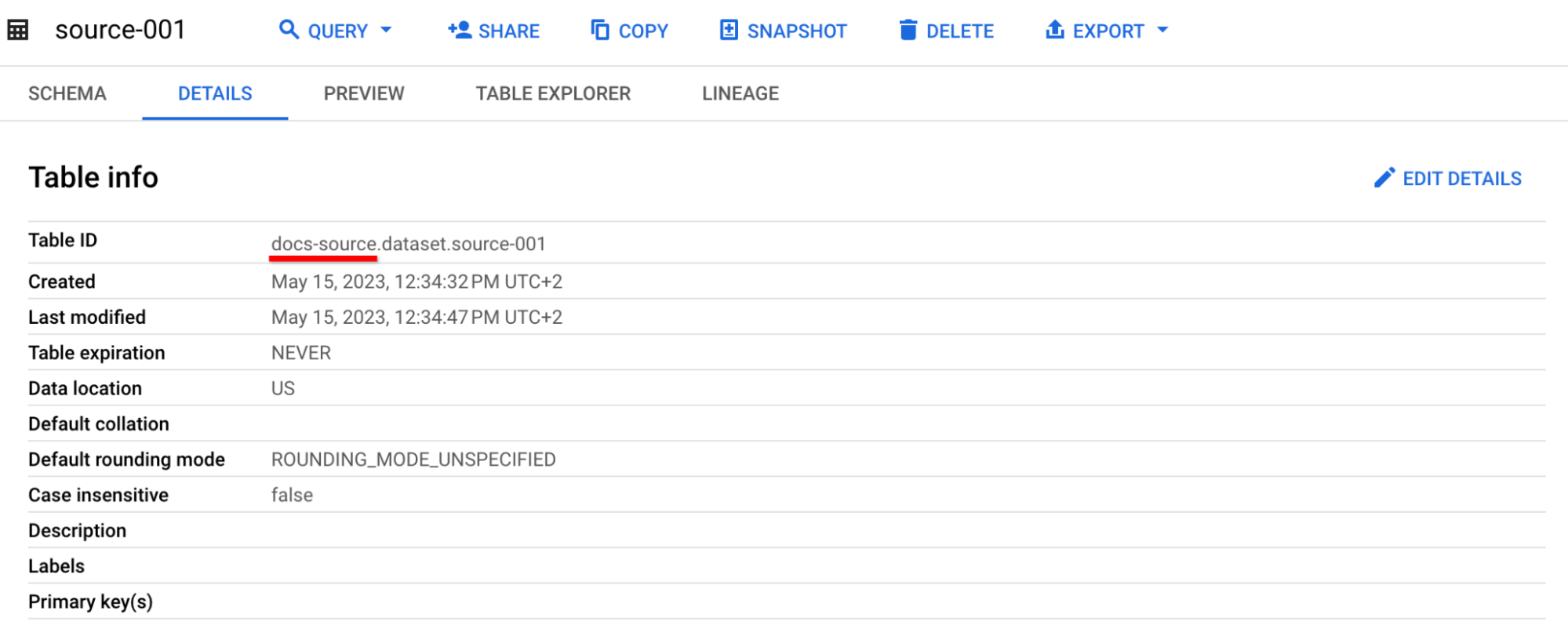
BigQuery storage project
This project stores your BigQuery data assets.
You can find it in asset details as a part of Table ID, before the first dot.
Compute project
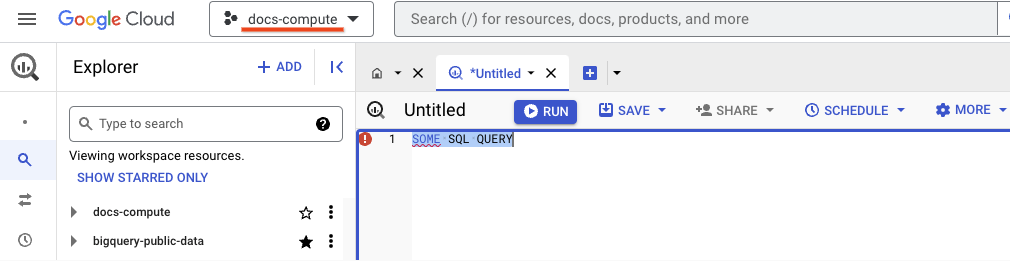
This project stores the data lineage metadata. For BigQuery, this is where you run a job. If you run a job using the Google Cloud console, you can find the compute project name in the project selector:
When sending requests to the BigQuery API, specify the compute project in the URL, for example:
POST /bigquery/v2/projects/docs-compute/jobs HTTP/1.1
Host: bigquery.googleapis.com
User-Agent: Go-http-client/1.1
Authorization: <REDACTED 1031 BYTES>
Accept-Encoding: gzip
{
  "configuration": {
    "query": {
      "useLegacySql": false,
      "query": "CREATE OR REPLACE TABLE `docs-target.dataset.target-002` AS SELECT * FROM `docs-source.dataset.source-002`;"
    }
  },
  "jobReference": {
    "projectId": "docs-compute",
    "jobId": "docs-compute-job-id",
    "location": "us",
  }
}
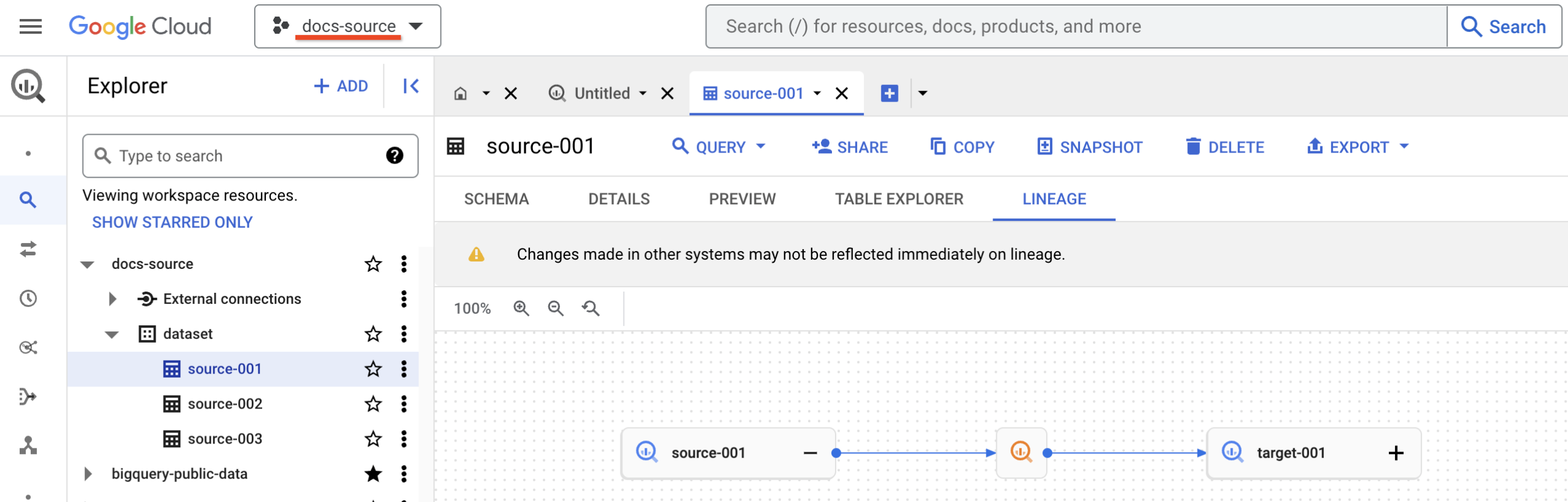
Active project
This is the project from which you are viewing the data lineage. The Google Cloud console shows the active project in the project selector. If you're using the API, the active project is the project from which you're making API calls.
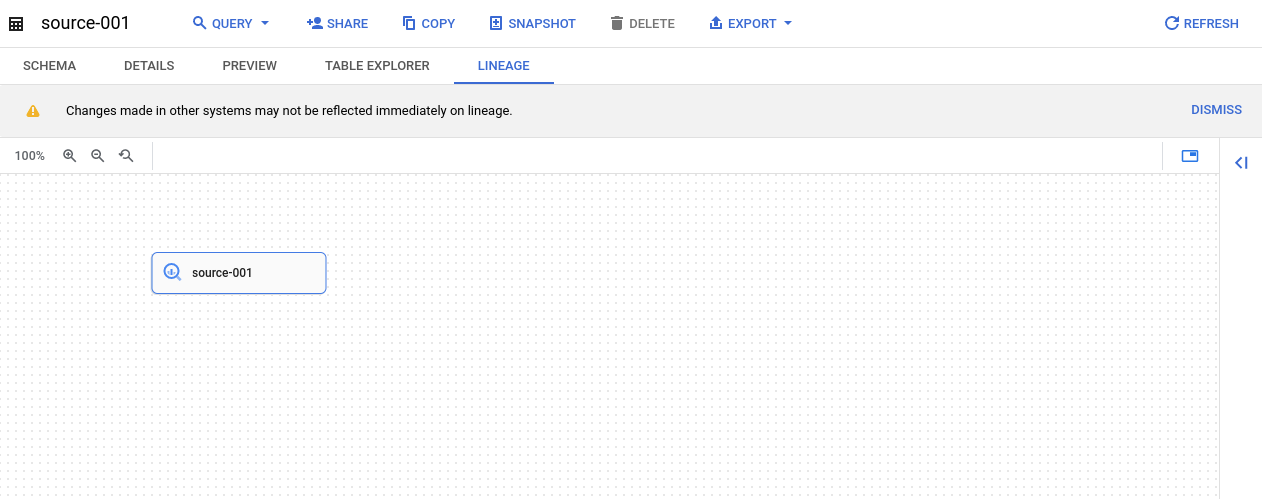
BigQuery data lineage not showing
The following issue occurs after running a BigQuery job. In this case, the problem can be caused by three scenarios:
- The Data Lineage API is disabled in the active project or the compute project.
- You don't have the Data Lineage Viewer role (
roles/datalineage.viewer) in the active or the compute project. - The data lineage hasn't arrived yet. Depending on the volume and complexity of the data being processed, it can take from 30 minutes up to 24 hours for the data lineage to display.
If you see the message "Fetching lineage failed due to missing permissions.", you are missing permissions on the active project. Otherwise, you are missing permissions on the compute project.
To resolve this issue, check if the Data Lineage API is enabled for the compute project. After you enable the API, you need to run a job to see the data lineage. Depending on the volume and complexity of the data being processed, it can take from 30 minutes up to 24 hours for the data lineage to display.
Next, check if the Data Lineage API is enabled for the active project.
When the Data Lineage API is enabled, grant the
Data Lineage Viewer role (roles/datalineage.viewer)
in both the active
and the compute projects.
BigQuery process metadata not showing
The following issue occurs when you open the table details pane, which doesn't
show all the details such as the SQL statement or the Process type property.
This happens even though the data lineage displays properly.
This can happen when you don't have permissions to see metadata in the compute project.
Example:
- BigQuery source table:
docs-source.dataset.source-001 - BigQuery target table:
docs-target.dataset.target-001 - Data lineage between
docs-source.dataset.source-001anddocs-target.dataset.target-001in compute projectdocs-compute - You have the Data Lineage Viewer role for the active
and compute
docs-computeprojects.
Clicking the BigQuery process details displays the following message in the Google Cloud console:
You don't have permission to view BigQuery process metadata in project X.
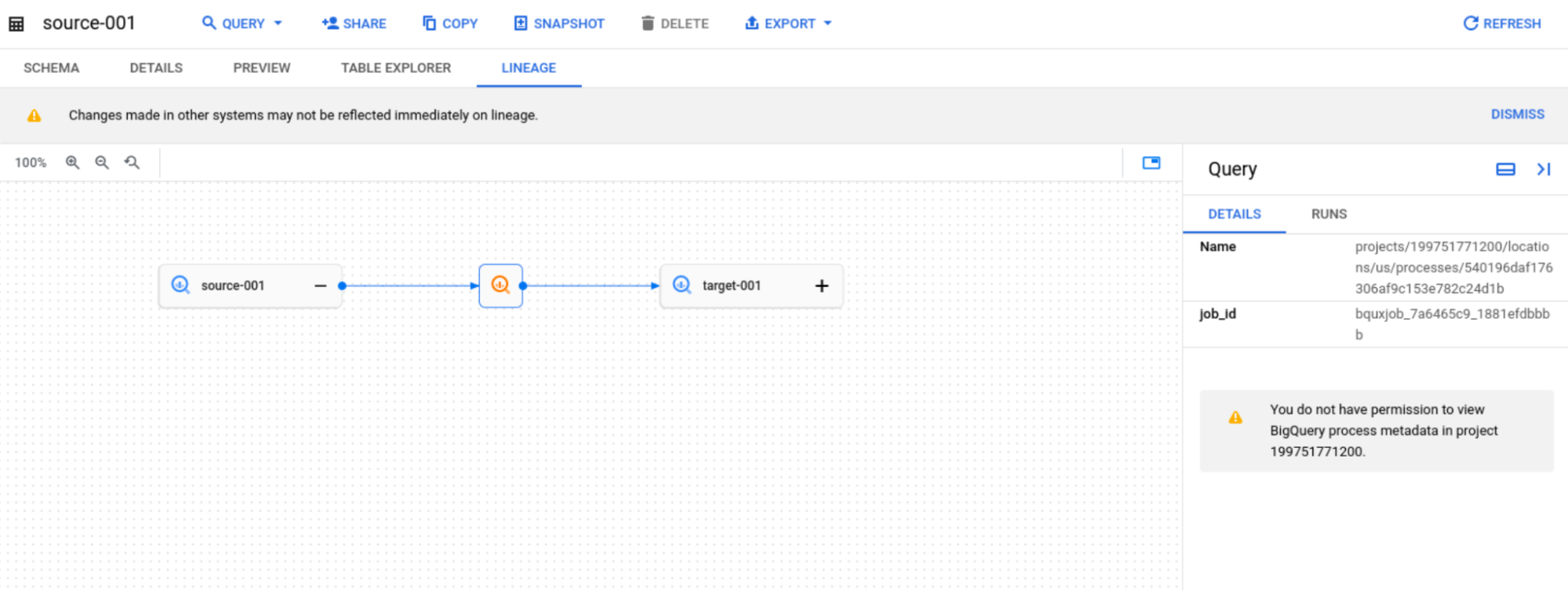
To resolve this issue, grant the user the bigquery.jobs.get permission
(for example, included in the BigQuery Resource Viewer
role) in the compute project.
BigQuery table details not showing
The following issue occurs when you open the table details pane, which shows
only the Fully qualified name property. This happens even though the
data lineage displays properly.
This can happen when you don't have all the required permissions in the table's
storage projects.
Example:
- BigQuery table
docs-source.dataset.source-001 - BigQuery table
docs-target.dataset.target-001 - Data lineage between
docs-source.dataset.source-001anddocs-target.dataset.target-001with compute projectdocs-compute - You have the Data Lineage Viewer role for the active
and compute
docs-computeprojects.
In this case, when you click BigQuery node details, you see the
message Entry with this fully qualified name is not available in Knowledge
Catalog or you do not have permissions to view it.
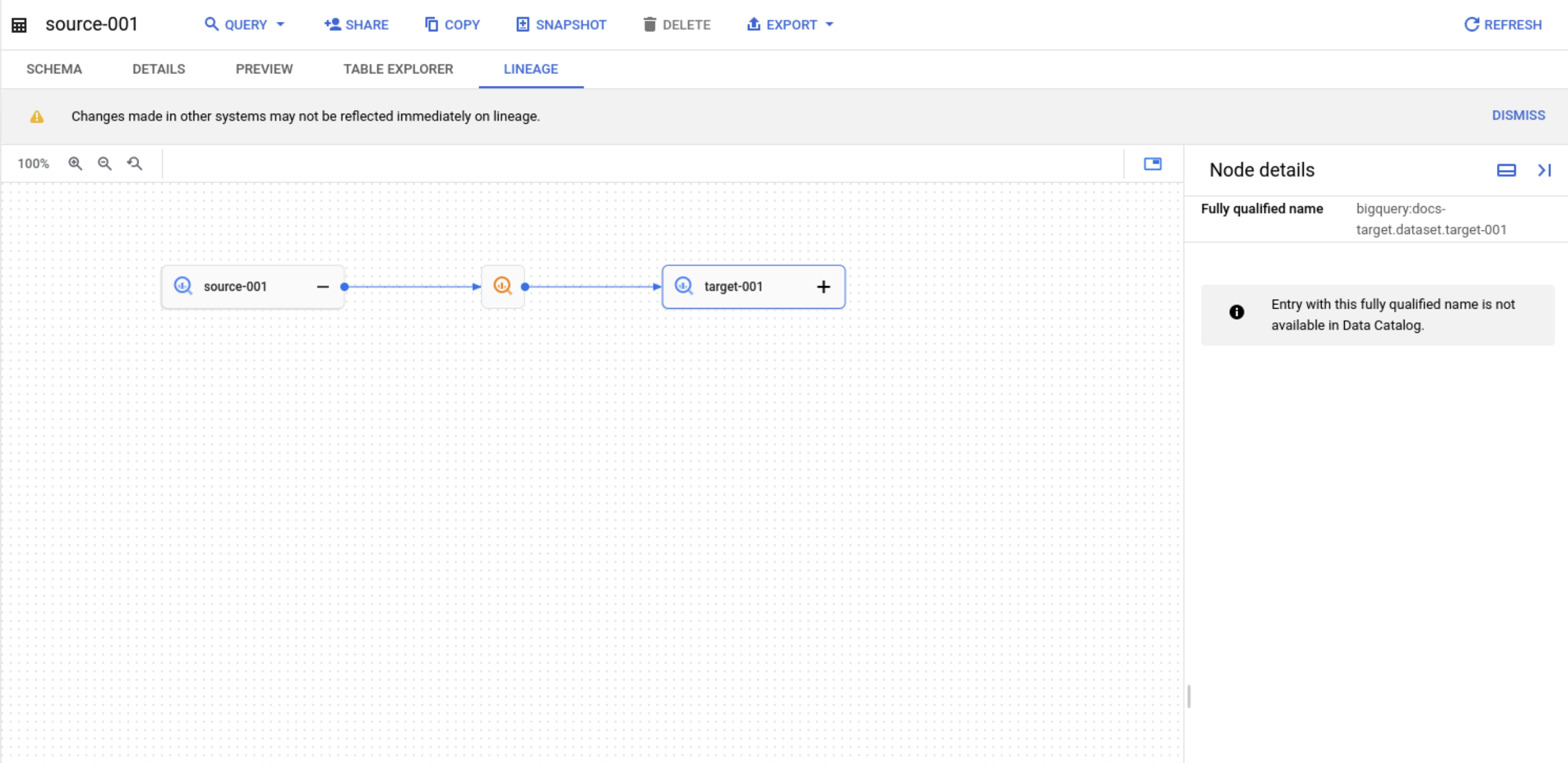
To resolve this issue, grant the bigquery.tables.get permission
(for example, included in the BigQuery Data Viewer
role) in the storage project.
Column-level lineage displays "There are no columns to select"
The following issue occurs when you view an asset in the Google Cloud console, and the table-level lineage graph displays properly, but selecting column-level lineage displays the message "There are no columns to select" or no column-to-column links appear.
This issue can happen in the following scenarios:
- Custom OpenLineage events: Events ingested through the
Data Lineage API
ProcessOpenLineageRunEventendpoint support table-level lineage only. Custom column-level facets aren't rendered in the Google Cloud console. - Unsupported data sources or systems: Column-level lineage graphs are generated only for BigQuery SQL transformations and Managed Service for Apache Spark jobs. Other integrated systems (such as Cloud Data Fusion and Vertex AI) support table-level lineage only.
- Unsupported BigQuery job types: Column-level lineage isn't collected for BigQuery load jobs, copy jobs, or routines.
- External tables: Upstream column-level lineage isn't collected for external tables.
- Unstructured or storage-level assets: While file-based assets (such as raw Cloud Storage files or buckets) generally aren't structured, data lineage can display columns for them if column-level lineage is reported to the system. If column-level lineage isn't reported for the file asset, you can't select any columns.
- Complex nested types: Column-level lineage tracks top-level columns
only. You can't individually select fields nested within complex data types
(such as
STRUCTorJSON). - Partitioning pseudo-columns: System partitioning columns (such as
_PARTITIONDATEand_PARTITIONTIME) are not recognized in column-level lineage graphs. - Link limits exceeded: If a transformation job generates more than 1,500 column-level links, Knowledge Catalog skips column-level lineage collection and retains table-level lineage only.
- Cross-organization assets: If a lineage path traverses an asset located in another organization, you can't access the schema and column details if you don't belong to the same organization as the asset.
Unexpected Knowledge Catalog Premium Processing charges
You disabled the Dataplex API (dataplex.googleapis.com) to stop
charges, but you continue to see daily charges for the
"Knowledge Catalog Premium Processing" SKU.
This issue can occur if the Data Lineage API (datalineage.googleapis.com)
remains enabled. The Data Lineage API is billed under the
"Knowledge Catalog Premium Processing" SKU, but is managed as a
separate API in the Google Cloud console. Disabling the Dataplex API
doesn't disable the Data Lineage API or stop its charges.
To identify if data lineage is the source of the charges, check
your Cloud Billing report for the label
goog-dataplex-workload-type with the value LINEAGE.
To stop the charges, turn off data lineage by disabling the Data Lineage API in your projects.