> [!CAUTION]
> **Caution** : Document AI Warehouse is deprecated and will no longer be available on Google Cloud after January 16, 2025. To safeguard your data, migrate any documents currently saved in Document AI Warehouse to an alternative like Cloud Storage. Verify that your data migration is completed before the discontinuation date to prevent any data loss. See [Deprecations](https://docs.cloud.google.com/document-warehouse/docs/deprecations) for details.
> [!WARNING]
>
> **Preview**
>
>
> This feature is
>
> subject to the "Pre-GA Offerings Terms" in the General Service Terms section of the
> [Service Specific
> Terms](https://docs.cloud.google.com/terms/service-terms#1).
>
> Pre-GA features are available "as is" and might have limited support.
>
> For more information, see the
> [launch stage descriptions](https://cloud.google.com/products/#product-launch-stages).
> [!NOTE]
> This feature is subject to the [Data Processing and Security
> Terms](https://cloud.google.com/terms/data-processing-terms) and the [GenAI Trusted Tester Terms of Service](https://cloud.google.com/trustedtester/aitos).
If your project enables document-level access control, you need to give your admin account, as well as your users' project-level permissions.
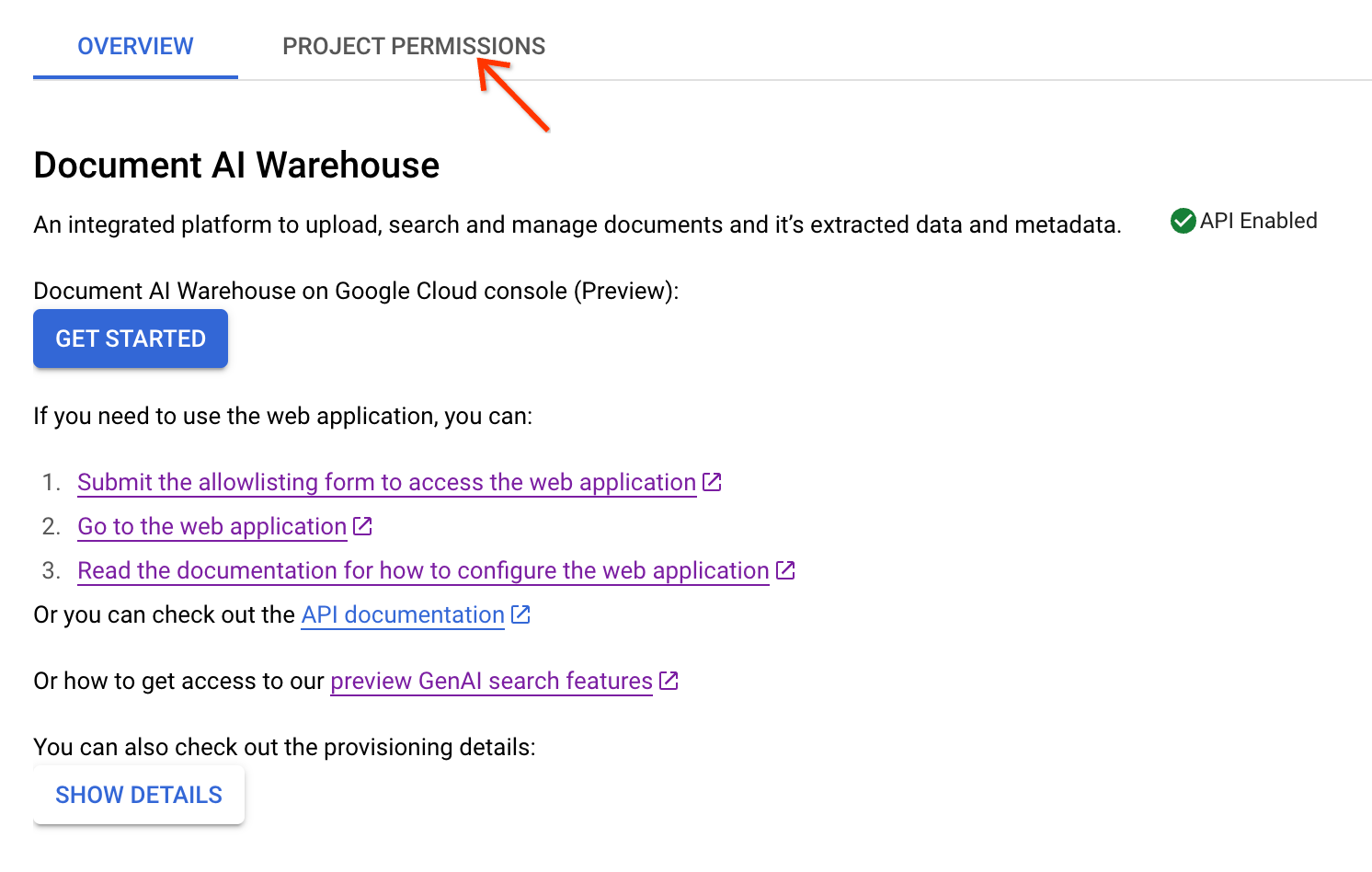
> [!NOTE]
> **Note:** This guide only applies on ACL projects.
1. Add user.
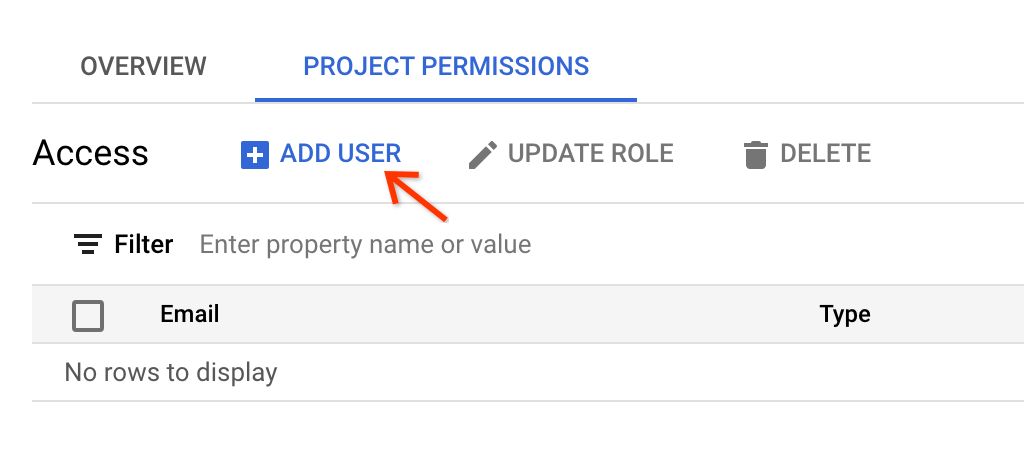
2. Enter your admin's email and choose **Document Admin** as the access level and save.
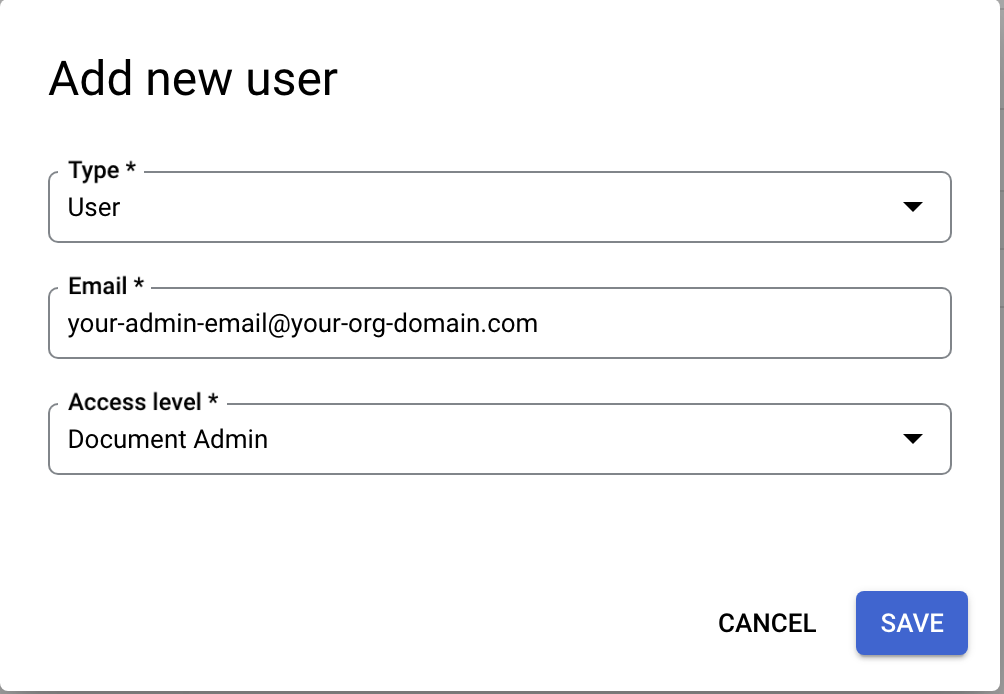
3. For other users, you can add them as:
- Document admin: A role with full access to all the documents in the project, including uploading documents, viewing, editing, and deleting all documents regardless of the document owners. In addition, document admins can change the permissions of all the documents.
- Document editor: A role with viewing and editing permissions to all documents, but is not able to create and delete documents in the project. Document editors cannot change permissions of documents as well.
- Document viewer: A role with only the viewing permissions to all documents. Document viewers cannot create, edit, delete, and change permissions of documents.
- Document creator: A role with only document uploading permissions. Document creators have full permissions to the documents they upload, but no other permissions to any other documents unless they get explicit permissions for those documents.
4. The email can be either a single user email or a group email. Choose **Group** in the type when specifying a group email.

> [!NOTE]
> **Note:** Document AI Warehouse does not support subgroups access expansion. Users need to be direct children within a group if permissions are granted to the group.