

Create a cluster by using client libraries
The sample code listed, below, shows you how to use the Cloud Client Libraries to create a Managed Service for Apache Spark cluster, run a job on the cluster, then delete the cluster.
You can also perform these tasks using:
- API REST requests in Quickstarts Using the API Explorer
- the Google Cloud console in Create a cluster by using the Google Cloud console
- the Google Cloud CLI in Create a cluster by using the Google Cloud CLI
Before you begin
- Sign in to your Google Cloud account. If you're new to Google Cloud, create an account to evaluate how our products perform in real-world scenarios. New customers also get $300 in free credits to run, test, and deploy workloads.
-
In the Google Cloud console, on the project selector page, select or create a Google Cloud project.
Roles required to select or create a project
- Select a project: Selecting a project doesn't require a specific IAM role—you can select any project that you've been granted a role on.
-
Create a project: To create a project, you need the Project Creator role
(
roles/resourcemanager.projectCreator), which contains theresourcemanager.projects.createpermission. Learn how to grant roles.
-
Verify that billing is enabled for your Google Cloud project.
Enable the Dataproc API.
Roles required to enable APIs
To enable APIs, you need the Service Usage Admin IAM role (
roles/serviceusage.serviceUsageAdmin), which contains theserviceusage.services.enablepermission. Learn how to grant roles.-
In the Google Cloud console, on the project selector page, select or create a Google Cloud project.
Roles required to select or create a project
- Select a project: Selecting a project doesn't require a specific IAM role—you can select any project that you've been granted a role on.
-
Create a project: To create a project, you need the Project Creator role
(
roles/resourcemanager.projectCreator), which contains theresourcemanager.projects.createpermission. Learn how to grant roles.
-
Verify that billing is enabled for your Google Cloud project.
Enable the Dataproc API.
Roles required to enable APIs
To enable APIs, you need the Service Usage Admin IAM role (
roles/serviceusage.serviceUsageAdmin), which contains theserviceusage.services.enablepermission. Learn how to grant roles.
Run the Code
Try the walkthrough: Click Open in Cloud Shell to run a Python Cloud Client Libraries walkthrough that creates a cluster, runs a PySpark job, then deletes the cluster.
Go
- Install the client library For more information, See Setting up your development environment.
- Set up authentication
- Clone and run the sample GitHub code.
Java
- Install the client library For more information, See Setting Up a Java Development Environment.
- Set up authentication
- Clone and run the sample GitHub code.
Node.js
- Install the client library For more information, See Setting up a Node.js development environment.
- Set up authentication
- Clone and run the sample GitHub code.
Python
- Install the client library For more information, See Setting Up a Python Development Environment.
- Set up authentication
- Clone and run the sample GitHub code.
View the output
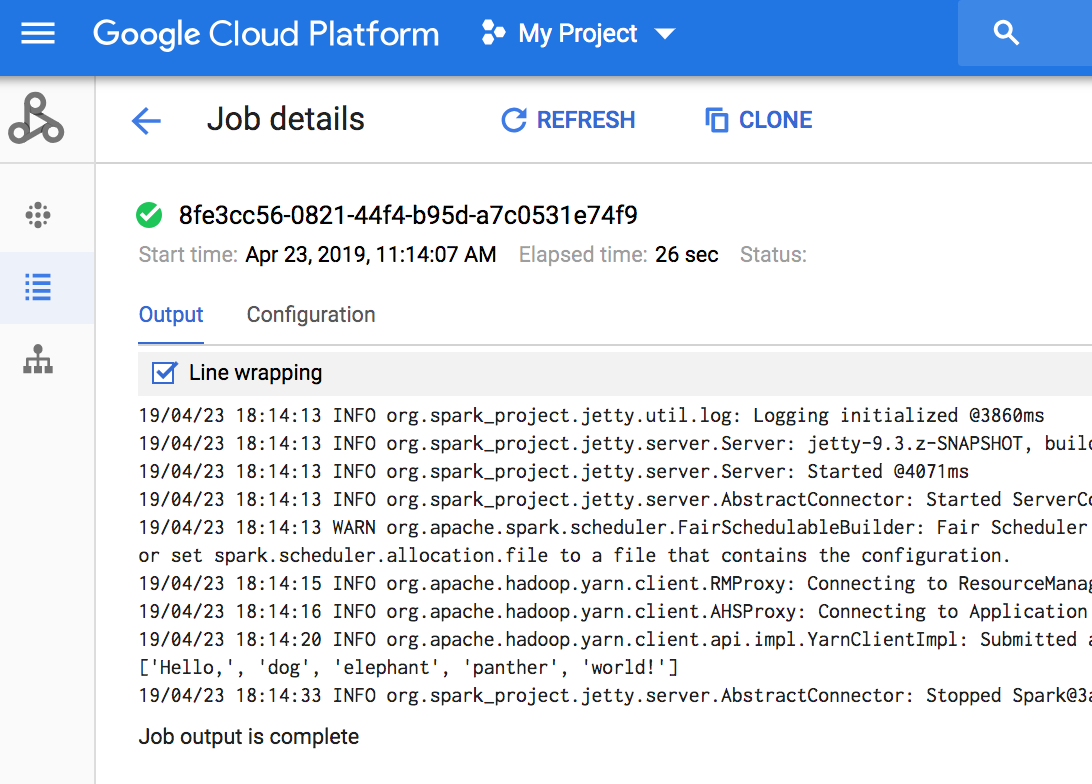
The code outputs the job driver log to the default Managed Service for Apache Spark staging bucket in Cloud Storage. You can view job driver output from the Google Cloud console in your project's Managed Service for Apache Spark Jobs page in the Google Cloud console. Click the Job ID to view job output on the Job details page.
What's next
- See Managed Service for Apache Spark Cloud Client Library Additional resources.