

如要在 Customer Experience Insights 中處理對話資料,必須啟用下列 API:
- CX Insights API,用於使用 CX Insights。
- Cloud Storage API,將對話內容匯入 CX Insights。
- Speech-to-Text API 上傳音訊檔案。
- Cloud Data Loss Prevention API,對音訊或轉錄稿檔案執行遮蓋作業。
- Dialogflow API,這是 Dialogflow 執行階段整合和主題模型 V1 的必要條件。
本快速入門導覽課程會逐步引導您完成下列動作:
- 啟用 Cloud Storage API、Cloud Data Loss Prevention API、Speech-to-Text 和 Dialogflow API。
- 啟用 CX Insights API。
- 成功傳送要求至 CX Insights API 並接收回應。
啟用 Cloud Storage API、Cloud Data Loss Prevention API、Speech-to-Text 和 Dialogflow API。
您必須先啟用 Cloud Storage API,才能使用 Cloud Storage。如要啟用 API,請按照下列步驟操作:
- 前往 Google Cloud 控制台。
點選「前往 API 總覽」:
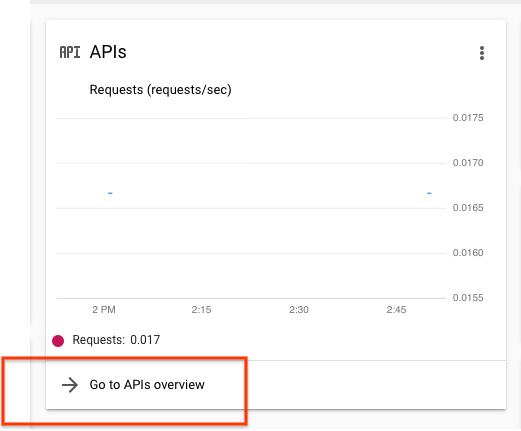
在隨即顯示的「API 和服務」頁面中,按一下「Cloud Storage」。
如果尚未啟用這個 API,請點選「啟用」。
針對 Speech-to-Text API、Cloud Data Loss Prevention API 和 Dialogflow API 重複上述步驟。
設定 Insights API 存取權
- 前往 Google Cloud 控制台。
- 按一下專案選取器選單:

- 選取現有專案或建立新專案。
- 在 Google Cloud 控制台搜尋列中輸入「Customer Experience Insights API」。
- 按一下彈出的選項,然後選取「啟用」。
安裝並設定 Google Cloud SDK。
-
Create local authentication credentials for your user account:
gcloud auth application-default login
If an authentication error is returned, and you are using an external identity provider (IdP), confirm that you have signed in to the gcloud CLI with your federated identity.
輸入下列 CURL 指令,列出所有 Insights 對話,確認設定是否正確。這時應會傳回空白字典:
curl -H "Authorization: Bearer $(gcloud auth application-default print-access-token)" "https://contactcenterinsights.googleapis.com/v1/projects/<var>project-id</var>/locations/us-central1/conversations"
選用:搭配 VPCSC 使用 CX Insights
如要搭配使用 CX Insights 與 VPC Service Controls,請將 CX Insights 新增至安全防護範圍。詳情請參閱 VPCSC 說明文件。