

您必须在客户体验数据洞见中启用以下 API,才能处理对话数据:
- CX Insights API 来使用 CX Insights。
- Cloud Storage API,用于将对话数据注入到 CX Insights 中。
- Speech-to-Text API 上传音频文件。
- Cloud Data Loss Prevention API 对音频或转写文件执行隐去操作。
- Dialogflow API,这是 Dialogflow 运行时集成和主题建模 V1 所必需的。
本快速入门将引导您完成以下操作:
- 启用 Cloud Storage API、Cloud Data Loss Prevention API、Speech-to-Text API 和 Dialogflow API。
- 启用 CX Insights API。
- 成功向 CX Insights API 发送请求并收到响应。
启用 Cloud Storage API、Cloud Data Loss Prevention API、Speech-to-Text API 和 Dialogflow API。
您必须先启用 Cloud Storage API,然后才能使用 Cloud Storage。如需启用 API,请执行以下操作:
- 前往Google Cloud 控制台。
点击前往 API 概览:
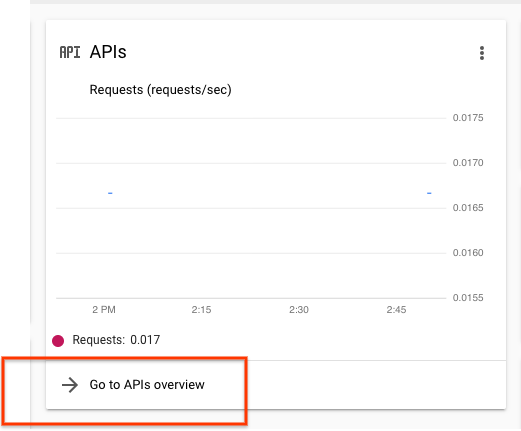
在随即显示的 API 和服务页面上,点击 Cloud Storage。
如果您尚未启用此 API,请点击启用。
针对 Speech-to-Text API、Cloud Data Loss Prevention API 和 Dialogflow API 重复上述步骤。
设置 Insights API 访问权限
- 前往Google Cloud 控制台。
- 点击项目选择器菜单:

- 选择现有项目或创建新项目。
- 在 Google Cloud 控制台搜索栏中输入 Customer Experience Insights API。
- 点击随即显示的选项,然后选择启用。
安装并设置 Google Cloud SDK。
-
Create local authentication credentials for your user account:
gcloud auth application-default login
If an authentication error is returned, and you are using an external identity provider (IdP), confirm that you have signed in to the gcloud CLI with your federated identity.
输入以下 C网址 命令,列出所有数据洞见对话,以验证您的设置。它应该返回一个空字典:
curl -H "Authorization: Bearer $(gcloud auth application-default print-access-token)" "https://contactcenterinsights.googleapis.com/v1/projects/<var>project-id</var>/locations/us-central1/conversations"
可选:将 CX Insights 与 VPCSC 搭配使用
如需将 CX Insights 与 VPC Service Controls (VPC Service Controls) 搭配使用,请将 CX Insights 添加到您的安全边界。如需了解详情,请参阅 VPCSC 文档。