# Work with stored procedures for Apache Spark
You can use [Spark](https://spark.apache.org/)
stored procedures in BigQuery
to execute complex data processing workloads written in Python, Java, and
Scala directly within your data warehouse. Running these procedures using
standard GoogleSQL queries lets you integrate advanced data
science and engineering tasks into your existing SQL pipelines, similar to
running [SQL stored procedures](https://docs.cloud.google.com/bigquery/docs/procedures).
## Before you begin
To create a stored procedure for Spark, ask your
administrator to create a [Spark connection](https://docs.cloud.google.com/bigquery/docs/connect-to-spark)
and share it with you. Your administrator must also grant the service account
associated with the connection the [required Identity and Access Management (IAM) permissions](https://docs.cloud.google.com/bigquery/docs/connect-to-spark#grant-access).
### Required roles
To get the permissions that
you need to perform the tasks in this document,
ask your administrator to grant you the
following IAM roles:
- [Create a stored procedure for Spark](https://docs.cloud.google.com/bigquery/docs/spark-procedures#create-spark-procedure):
- [BigQuery Data Editor](https://docs.cloud.google.com/iam/docs/roles-permissions/bigquery#bigquery.dataEditor) (`roles/bigquery.dataEditor`) on the dataset where you create the stored procedure
- [BigQuery Connection Admin](https://docs.cloud.google.com/iam/docs/roles-permissions/bigquery#bigquery.connectionAdmin) (`roles/bigquery.connectionAdmin`) on the connection that the stored procedure uses
- [BigQuery Job User](https://docs.cloud.google.com/iam/docs/roles-permissions/bigquery#bigquery.jobUser) (`roles/bigquery.jobUser`) on your project
- [Call a stored procedure for Spark](https://docs.cloud.google.com/bigquery/docs/spark-procedures#call-spark-procedure):
- [BigQuery Metadata Viewer](https://docs.cloud.google.com/iam/docs/roles-permissions/bigquery#bigquery.metadataViewer) (`roles/bigquery.metadataViewer`) on the dataset where the stored procedure is stored
- [BigQuery Connection User](https://docs.cloud.google.com/iam/docs/roles-permissions/bigquery#bigquery.connectionUser) (`roles/bigquery.connectionUser`) on the connection
- [BigQuery Job User](https://docs.cloud.google.com/iam/docs/roles-permissions/bigquery#bigquery.jobUser) (`roles/bigquery.jobUser`) on your project
For more information about granting roles, see [Manage access to projects, folders, and organizations](https://docs.cloud.google.com/iam/docs/granting-changing-revoking-access).
These predefined roles contain
the permissions required to perform the tasks in this document. To see the exact permissions that are
required, expand the **Required permissions** section:
#### Required permissions
The following permissions are required to perform the tasks in this document:
- Create a connection:
- `bigquery.connections.create`
- `bigquery.connections.list`
- Create a stored procedure for Spark:
- `bigquery.routines.create`
- `bigquery.connections.delegate`
- `bigquery.jobs.create`
- Call a stored procedure for Spark:
- `bigquery.routines.get`
- `bigquery.connections.use`
- `bigquery.jobs.create`
You might also be able to get
these permissions
with [custom roles](https://docs.cloud.google.com/iam/docs/creating-custom-roles) or
other [predefined roles](https://docs.cloud.google.com/iam/docs/roles-overview#predefined).
### Location consideration
You must [create a stored procedure for Spark](https://docs.cloud.google.com/bigquery/docs/spark-procedures#create-spark-procedure)
in the same location as your [connection](https://docs.cloud.google.com/bigquery/docs/connect-to-spark)
because the stored procedure runs in the same location as the connection. For
example, to create a stored procedure in the US multi-region, you use a
connection located in the US multi-region.
### Pricing
- Charges for running Spark procedures on
BigQuery are similar to charges for running
Spark procedures on Managed Service for Apache Spark. For
more information, see [Managed Service for Apache Spark pricing](https://cloud.google.com/dataproc-serverless/pricing).
- Spark stored procedures can be used with the
[on-demand pricing model](https://cloud.google.com/bigquery/pricing#on_demand_pricing) as well as
with any of the [BigQuery editions](https://cloud.google.com/bigquery/pricing#capacity_compute_analysis_pricing). Spark procedures are charged using the
[BigQuery Enterprise edition pay-as-you-go model](https://cloud.google.com/bigquery/pricing#enterprise_edition)
in all cases, regardless of the
[compute pricing model](https://cloud.google.com/bigquery/pricing#overview_of_pricing) used in your
project.
- Spark stored procedures for BigQuery
don't support the use of reservations or commitments. Existing reservations
and commitments continue to be used for other supported queries and
procedures. Charges for use of Spark stored procedures
are added to your bill at Enterprise edition - pay-as-you-go cost.
Your organization discounts are applied, where applicable.
- While Spark stored procedures use a
Spark execution engine, you won't see separate charges
for Spark execution. As noted,
corresponding charges are reported as
[BigQuery Enterprise edition pay-as-you-go SKU](https://cloud.google.com/bigquery/pricing#capacity_compute_analysis_pricing).
- Reading data from BigQuery tables using stored procedures for
Spark does not incur
[Storage Read API charges](https://docs.cloud.google.com/bigquery/pricing#data-extraction-pricing-details).
Streaming reads are included with the stored procedure execution at no
additional charge. Standard network egress rates apply if you read data
across regions.
- Spark stored procedures don't offer a free tier.
## Create a stored procedure for Spark
You must create the stored procedure in the same location as the
connection that you use.
If the body of your stored procedure is more than 1 MB, then we
recommend that you put your stored procedure in a file in a
Cloud Storage bucket instead of using inline code. BigQuery
provides two methods to create a stored procedure for Spark
using Python:
- If you want to use the `CREATE PROCEDURE` statement, [use the SQL query editor](https://docs.cloud.google.com/bigquery/docs/spark-procedures#use-sql-query-editor).
- If you want to type in Python code directly, [use the PySpark editor](https://docs.cloud.google.com/bigquery/docs/spark-procedures#use-python-pyspark-editor). You can [save the code as a stored procedure](https://docs.cloud.google.com/bigquery/docs/spark-procedures#save-stored-procedure).
### Use SQL query editor
To create a stored procedure for Spark in the SQL query
editor, follow these steps:
1. Go to the **BigQuery** page.
[Go to BigQuery](https://console.cloud.google.com/bigquery)
2. In the query editor, add the sample code for the [`CREATE PROCEDURE`
statement](https://docs.cloud.google.com/bigquery/docs/reference/standard-sql/data-definition-language#create_procedure)
that appears.
Alternatively, in the **Explorer** pane, click the connection in the project
that you used to create the connection resource. Then, to create a stored
procedure for Spark,
click **Create stored procedure**.
**Python**
To create stored procedures for Spark in Python, use
the following sample code:
```
CREATE OR REPLACE PROCEDURE `PROJECT_ID`.DATASET.PROCEDURE_NAME(PROCEDURE_ARGUMENT)
WITH CONNECTION `CONNECTION_PROJECT_ID.CONNECTION_REGION.CONNECTION_ID`
OPTIONS (
engine="SPARK", runtime_version="RUNTIME_VERSION",
main_file_uri=["MAIN_PYTHON_FILE_URI"]);
LANGUAGE PYTHON [AS PYSPARK_CODE]
```
**Java or Scala**
To create a stored procedure for Spark in Java or
Scala with the `main_file_uri` option, use the following sample code:
```
CREATE [OR REPLACE] PROCEDURE `PROJECT_ID`.DATASET.PROCEDURE_NAME(PROCEDURE_ARGUMENT)
WITH CONNECTION `CONNECTION_PROJECT_ID.CONNECTION_REGION.CONNECTION_ID`
OPTIONS (
engine="SPARK", runtime_version="RUNTIME_VERSION",
main_file_uri=["MAIN_JAR_URI"]);
LANGUAGE JAVA|SCALA
```
To create a stored procedure for Spark in Java or
Scala with `main_class` and `jar_uris` options, use the following sample code:
```
CREATE [OR REPLACE] PROCEDURE `PROJECT_ID`.DATASET.PROCEDURE_NAME(PROCEDURE_ARGUMENT)
WITH CONNECTION `CONNECTION_PROJECT_ID.CONNECTION_REGION.CONNECTION_ID`
OPTIONS (
engine="SPARK", runtime_version="RUNTIME_VERSION",
main_class=["CLASS_NAME"],
jar_uris=["URI"]);
LANGUAGE JAVA|SCALA
```
Replace the following:
- `PROJECT_ID`: the project in which you want to create the stored procedure---for example, `myproject`.
- `DATASET`: the dataset in which you want to create the stored procedure---for example, `mydataset`.
- `PROCEDURE_NAME`: the name of the stored procedure that you want to run in BigQuery---for example, `mysparkprocedure`.
- `PROCEDURE_ARGUMENT`: a parameter to enter the input arguments.
In this parameter, specify the following fields:
- `ARGUMENT_MODE`: the mode of the argument.
Valid values include `IN`, `OUT`, and `INOUT`. By default the value is
`IN`.
- `ARGUMENT_NAME`: the name of the argument.
- `ARGUMENT_TYPE`: the type of the argument.
For example: `myproject.mydataset.mysparkproc(num INT64)`.
For more
information, see pass a value as an [`IN` parameter](https://docs.cloud.google.com/bigquery/docs/spark-procedures#pass-input-parameter)
or the [`OUT` and `INOUT` parameters](https://docs.cloud.google.com/bigquery/docs/spark-procedures#pass-input-output-parameter) in this document.
- `CONNECTION_PROJECT_ID`: the project that contains the [connection](https://docs.cloud.google.com/bigquery/docs/connect-to-spark) to run the Spark procedure.
- `CONNECTION_REGION`: the region that contains the connection to run the Spark procedure---for example, `us`.
- `CONNECTION_ID`: the connection ID---for example, `myconnection`.
When you [view the connection details](https://docs.cloud.google.com/bigquery/docs/working-with-connections#view-connections)
in the Google Cloud console, the connection ID is the value in the last section of the
fully qualified connection ID that is shown in **Connection ID** ---for example
`projects/myproject/locations/connection_location/connections/*myconnection*`.
- `RUNTIME_VERSION`: the runtime version of Spark---for example, `2.2`.
- `MAIN_PYTHON_FILE_URI`: the path to a PySpark file---for example, `gs://mybucket/mypysparkmain.py`.
Alternatively, if you want to add the body of the stored procedure in
the `CREATE PROCEDURE` statement, then add `PYSPARK_CODE`
after `LANGUAGE PYTHON AS` as shown in the example in
[Use inline code](https://docs.cloud.google.com/bigquery/docs/spark-procedures#use-inline-code) in this document.
- `PYSPARK_CODE`: the definition of a PySpark application in the `CREATE
PROCEDURE` statement if you want to pass the body of the procedure inline.
The value is a string literal. If the
code includes quotation
marks and backslashes, those must be either escaped or represented as a raw
string. For example, the code return `"\n";` can be represented
as one of the following:
- Quoted string: `"return \"\\n\";"`. Both quotation marks and backslashes are escaped.
- Triple-quoted string: `"""return "\\n";"""`. Backslashes are escaped while quotation marks are not.
- Raw string: `r"""return "\n";"""`. No escaping is needed.
To learn how to add inline PySpark code, see [Use inline code](https://docs.cloud.google.com/bigquery/docs/spark-procedures#use-inline-code).
- `MAIN_JAR_URI`: the path of the JAR file that contains the `main` class, for example, `gs://mybucket/my_main.jar`.
- `CLASS_NAME`: the fully qualified name of a class in a JAR set with the `jar_uris` option, for example, `com.example.wordcount`.
- `URI`: the path of the JAR file that contains the class specified in the `main` class, for example, `gs://mybucket/mypysparkmain.jar`.
For additional options that you can specify in `OPTIONS`, see the
[procedure option list](https://docs.cloud.google.com/bigquery/docs/reference/standard-sql/data-definition-language#procedure_option_list).
### Use PySpark editor
When creating a procedure using the PySpark editor, you don't need to use the
`CREATE PROCEDURE` statement. Instead, add your Python code directly in the
PySpark editor and save or run your code.
To create a stored procedure for Spark in the PySpark
editor, follow these steps:
1. Go to the **BigQuery** page.
[Go to BigQuery](https://console.cloud.google.com/bigquery)
2. If you want to type in the PySpark code directly, open the PySpark editor. To open the
PySpark editor, click **Tools** \> **Create PySpark stored procedure**.
3. To set options, click **More \> PySpark Options**, and then do
the following:
1. Specify the location where you want to run the PySpark code.
2. In the **Connection** field, specify the Spark connection.
3. In the **Stored procedure invocation** section, specify the dataset in
which you want to store the temporary stored procedures that are
generated. You can either set a specific dataset or allow for the use of
a temporary dataset to invoke the PySpark code.
The temporary dataset is generated with the location specified in the
preceding step. If a dataset name is specified, ensure that the dataset
and Spark connection must be in the same location.
4. In the **Parameters** section, define parameters for the
stored procedure. The
value of the parameter is only used during in-session runs of the
PySpark code, but the declaration itself is stored in the procedure.
5. In the **Advanced options** section, specify the procedure options.
For a detailed list of the procedure options, see the
[procedure option list](https://docs.cloud.google.com/bigquery/docs/reference/standard-sql/data-definition-language#procedure_option_list).
1. In the **Properties** section, add the key-value pairs to
configure the job. You can use any of the key-value pairs from the
[Managed Service for Apache Spark supported Spark properties](https://docs.cloud.google.com/dataproc-serverless/docs/concepts/properties#supported_spark_properties).
1. In **Service account settings**, specify the custom service account,
CMEK, staging dataset, and staging Cloud Storage folder to be
used during in-session runs of the PySpark code.
2. Click **Save**.
#### Save a stored procedure for Spark
After you [create the stored procedure](https://docs.cloud.google.com/bigquery/docs/spark-procedures#use-python-pyspark-editor)
by using the PySpark editor, you can save the stored procedure. To do so, follow
these steps:
1. In the Google Cloud console, go to the **BigQuery** page.
[Go to BigQuery](https://console.cloud.google.com/bigquery)
2. In the query editor, create a stored procedure for Spark
[using Python with PySpark editor](https://docs.cloud.google.com/bigquery/docs/spark-procedures#use-python-pyspark-editor).
3. Click  **Save \> Save procedure**.
4. In the **Save stored procedure** dialog, specify the dataset name where you
want to store the stored procedure and the name of the stored procedure.
5. Click **Save**.
If you only want to run the PySpark code instead of saving it as a stored
procedure, you can click **Run** instead of **Save**.
### Use custom containers
The [custom container](https://docs.cloud.google.com/dataproc-serverless/docs/guides/custom-containers)
provides the runtime environment for the workload's driver
and executor processes. To use custom containers, use the following sample code:
```
CREATE OR REPLACE PROCEDURE `PROJECT_ID`.DATASET.PROCEDURE_NAME(PROCEDURE_ARGUMENT)
WITH CONNECTION `CONNECTION_PROJECT_ID.CONNECTION_REGION.CONNECTION_ID`
OPTIONS (
engine="SPARK", runtime_version="RUNTIME_VERSION",
container_image="CONTAINER_IMAGE", main_file_uri=["MAIN_PYTHON_FILE_URI"]);
LANGUAGE PYTHON [AS PYSPARK_CODE]
```
Replace the following:
- `PROJECT_ID`: the project in which you want to create the stored procedure---for example, `myproject`.
- `DATASET`: the dataset in which you want to create the stored procedure---for example, `mydataset`.
- `PROCEDURE_NAME`: the name of the stored procedure that you want to run in BigQuery---for example, `mysparkprocedure`.
- `PROCEDURE_ARGUMENT`: a parameter to enter the input arguments.
In this parameter, specify the following fields:
- `ARGUMENT_MODE`: the mode of the argument.
Valid values include `IN`, `OUT`, and `INOUT`. By default the value is
`IN`.
- `ARGUMENT_NAME`: the name of the argument.
- `ARGUMENT_TYPE`: the type of the argument.
For example: `myproject.mydataset.mysparkproc(num INT64)`.
For more information, see pass a value as an [`IN` parameter](https://docs.cloud.google.com/bigquery/docs/spark-procedures#pass-input-parameter)
or the [`OUT` and `INOUT` parameters](https://docs.cloud.google.com/bigquery/docs/spark-procedures#pass-input-output-parameter) in this document.
- `CONNECTION_PROJECT_ID`: the project that contains the [connection](https://docs.cloud.google.com/bigquery/docs/connect-to-spark) to run the Spark procedure.
- `CONNECTION_REGION`: the region that contains the connection to run the Spark procedure---for example, `us`.
- `CONNECTION_ID`: the connection ID, for example, `myconnection`.
When you [view the connection details](https://docs.cloud.google.com/bigquery/docs/working-with-connections#view-connections)
in the Google Cloud console, the connection ID is the value in the last section of the
fully qualified connection ID that is shown in **Connection ID** ---for example
`projects/myproject/locations/connection_location/connections/*myconnection*`.
- `RUNTIME_VERSION`: the runtime version of Spark---for example, `2.2`.
- `MAIN_PYTHON_FILE_URI`: the path to a PySpark file---for example, `gs://mybucket/mypysparkmain.py`.
Alternatively, if you want to add the body of the stored procedure in
the `CREATE PROCEDURE` statement, then add `PYSPARK_CODE`
after `LANGUAGE PYTHON AS` as shown in the example in
[Use inline code](https://docs.cloud.google.com/bigquery/docs/spark-procedures#use-inline-code) in this document.
- `PYSPARK_CODE`: the definition of a PySpark application in the `CREATE
PROCEDURE` statement if you want to pass the body of the procedure inline.
The value is a string literal. If the
code includes quotation
marks and backslashes, those must be either escaped or represented as a raw
string. For example, the code return `"\n";` can be represented
as one of the following:
- Quoted string: `"return \"\\n\";"`. Both quotation marks and backslashes are escaped.
- Triple-quoted string: `"""return "\\n";"""`. Backslashes are escaped while quotation marks are not.
- Raw string: `r"""return "\n";"""`. No escaping is needed.
To learn how to add inline PySpark code, see [Use inline code](https://docs.cloud.google.com/bigquery/docs/spark-procedures#use-inline-code).
- [`CONTAINER_IMAGE`](https://docs.cloud.google.com/bigquery/docs/reference/standard-sql/data-definition-language#procedure_option_list): path of image in [Artifact Registry](https://docs.cloud.google.com/artifact-registry). It must only contain libraries to use in your procedure. If not specified, the system default container image associated with the runtime version is used.
For more information about how to build a custom container image with
Spark, see [Build a custom container image](https://docs.cloud.google.com/dataproc-serverless/docs/guides/custom-containers#build_a_custom_container_image).
## Call a stored procedure for Spark
After you [create a stored procedure](https://docs.cloud.google.com/bigquery/docs/spark-procedures#create-spark-procedure), you
can call it by using one the following options:
### Console
1. Go to the **BigQuery** page.
[Go to BigQuery](https://console.cloud.google.com/bigquery)
2. In the left pane, click database **Data Explorer**:
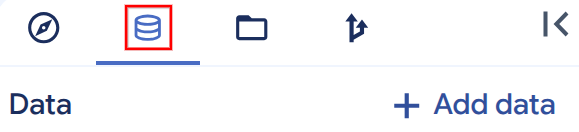
If you don't see the left pane, click **Expand left pane** to open the pane.
3. In the **Data** pane, expand your project and select the
stored procedure for Spark that you want to run.
4. In the **Stored procedure info** window, click **Invoke stored procedure** .
Alternatively, you can expand the **View actions** option and click
**Invoke**.
5. Click **Run**.
6. In the **All results** section, click **View results**.
7. Optional: In the **Query results** section, follow these steps:
- If you want to view Spark driver logs, then click **Execution details**.
- If you want to view logs in [Cloud Logging](https://docs.cloud.google.com/logging/docs), click
**Job information** , and then in the **Log** field, click **log**.
- If you want to get the Spark History Server endpoint, click **Job
information** , and then click **Spark history server**.
### SQL
To call a stored procedure, use the [`CALL PROCEDURE`
statement](https://docs.cloud.google.com/bigquery/docs/reference/standard-sql/procedural-language#call):
1. In the Google Cloud console, go to the **BigQuery** page.
[Go to BigQuery](https://console.cloud.google.com/bigquery)
2. In the query editor, enter the following statement:
```googlesql
CALL `PROJECT_ID`.DATASET.PROCEDURE_NAME()
```
3. Click **Run**.
For more information about how to run queries, see [Run an interactive query](https://docs.cloud.google.com/bigquery/docs/running-queries#queries).
> [!NOTE]
> **Note:** You can also obtain the Cloud Logging filter information and the Spark History Cluster endpoint by using the [`bq show` command](https://docs.cloud.google.com/bigquery/docs/reference/bq-cli-reference#bq_show). To learn how to get log filters, see [View log filters](https://docs.cloud.google.com/bigquery/docs/spark-procedures#view-log-filters) in this document.
## Use a custom service account
Instead of using Spark connection's service identity for
data access, you can use a custom service account to access data within your
Spark code.
To use a custom service account, specify the `INVOKER` security mode (using the
`EXTERNAL SECURITY INVOKER` statement) when you create a
Spark stored procedure, and specify the service account
when you invoke the stored procedure.
When you run the Spark stored procedure with the custom
service account for the first time, BigQuery creates a
Spark service agent and grants the service agent required
permissions. Make sure that you don't modify this grant before you invoke the
Spark stored procedure. To learn more details, see
[BigQuery Spark Service Agent](https://docs.cloud.google.com/iam/docs/service-agents#bigquery-spark-service-agent).
If you want to access and use Spark code from
Cloud Storage, you need to grant necessary permissions to the
Spark connection's service identity. You need to grant the
connection's service account the `storage.objects.get` IAM
permission or the `storage.objectViewer` IAM role.
Optionally, you can grant the connection's service account access to
Dataproc Metastore and Managed Service for Apache Spark Persistent History Server
if you have specified them in the connection. For more information, see
[Grant access to the service account](https://docs.cloud.google.com/bigquery/docs/connect-to-spark#grant-access).
```
CREATE OR REPLACE PROCEDURE `PROJECT_ID`.DATASET.PROCEDURE_NAME(PROCEDURE_ARGUMENT)
EXTERNAL SECURITY INVOKER
WITH CONNECTION `CONNECTION_PROJECT_ID.CONNECTION_REGION.CONNECTION_ID`
OPTIONS (
engine="SPARK", runtime_version="RUNTIME_VERSION",
main_file_uri=["MAIN_PYTHON_FILE_URI"]);
LANGUAGE PYTHON [AS PYSPARK_CODE]
SET @@spark_proc_properties.service_account='CUSTOM_SERVICE_ACCOUNT';
CALL PROJECT_ID.DATASET_ID.PROCEDURE_NAME();
```
Optionally, you can add the following arguments to the preceding code:
```
SET @@spark_proc_properties.staging_bucket='BUCKET_NAME';
SET @@spark_proc_properties.staging_dataset_id='DATASET';
```
Replace the following:
- `CUSTOM_SERVICE_ACCOUNT`: Required. A custom service account provided by you.
- `BUCKET_NAME`: Optional. The Cloud Storage bucket that is used as the default Spark application file system. If this is not provided, a default Cloud Storage bucket is created in your project and the bucket is shared by all jobs running under the same project.
- `DATASET`: Optional. The dataset to store the temporary data produced by invoking the procedure. The data is cleaned up after the job is completed. If this is not provided, a default temporary dataset is created for the job.
Your custom service account must have the following permissions:
- To read and write to the staging bucket used as the default Spark application file system:
- `storage.objects.*` permissions or the `roles/storage.objectAdmin` IAM role on the staging bucket that you specify.
- Additionally, the `storage.buckets.*` permissions or the `roles/storage.Admin` IAM role on the project if the staging bucket is not specified.
- (Optional) To read and write data from and to BigQuery:
- `bigquery.tables.*` on your BigQuery tables.
- `bigquery.readsessions.*` on your project.
- The `roles/bigquery.admin` IAM role includes the previous permissions.
> [!NOTE]
> **Note:** If your stored procedure writes data to a temporary Cloud Storage bucket and then [loads the Cloud Storage data to BigQuery](https://docs.cloud.google.com/bigquery/docs/batch-loading-data), then your custom service account must have the `bigquery.jobs.create` permission on your project. For more information about IAM roles and permissions in BigQuery, see [IAM roles and permissions](https://docs.cloud.google.com/bigquery/docs/access-control).
- (Optional) To read and write data from and to Cloud Storage:
- `storage.objects.*` permissions or the `roles/storage.objectAdmin` IAM role on your Cloud Storage objects.
- (Optional) To read and write to the staging dataset used for `INOUT/OUT` parameters:
- `bigquery.tables.*` or `roles/bigquery.dataEditor` IAM role on the staging dataset that you specify.
- Additionally, the `bigquery.datasets.create` permission or the `roles/bigquery.dataEditor` IAM role on the project if the staging dataset is not specified.
## Examples of stored procedures for Spark
This section shows examples of how you can create a stored procedure for Apache
Spark.
### Use a PySpark or a JAR file in Cloud Storage
The following example shows how to create a stored procedure for Spark by
using the `my-project-id.us.my-connection` connection and a PySpark or a JAR
file that's stored in a Cloud Storage bucket:
### Python
```bash
CREATE PROCEDURE my_bq_project.my_dataset.spark_proc()
WITH CONNECTION `my-project-id.us.my-connection`
OPTIONS(engine="SPARK", runtime_version="2.2", main_file_uri="gs://my-bucket/my-pyspark-main.py")
LANGUAGE PYTHON
```
### Java or Scala
Use `main_file_uri` to create a stored procedure:
```bash
CREATE PROCEDURE my_bq_project.my_dataset.scala_proc_wtih_main_jar()
WITH CONNECTION `my-project-id.us.my-connection`
OPTIONS(engine="SPARK", runtime_version="2.2", main_file_uri="gs://my-bucket/my-scala-main.jar")
LANGUAGE SCALA
```
Use `main_class` to create a stored procedure:
```bash
CREATE PROCEDURE my_bq_project.my_dataset.scala_proc_with_main_class()
WITH CONNECTION `my-project-id.us.my-connection`
OPTIONS(engine="SPARK", runtime_version="2.2",
main_class="com.example.wordcount", jar_uris=["gs://my-bucket/wordcount.jar"])
LANGUAGE SCALA
```
### Use inline code
The following example shows how to create a stored procedure
for Spark by using the connection `my-project-id.us.my-connection` and
inline PySpark code:
```bash
CREATE OR REPLACE PROCEDURE my_bq_project.my_dataset.spark_proc()
WITH CONNECTION `my-project-id.us.my-connection`
OPTIONS(engine="SPARK", runtime_version="2.2")
LANGUAGE PYTHON AS R"""
from pyspark.sql import SparkSession
spark = SparkSession.builder.appName("spark-bigquery-demo").getOrCreate()
# Load data from BigQuery.
words = spark.read.format("bigquery") \
.option("table", "bigquery-public-data:samples.shakespeare") \
.load()
words.createOrReplaceTempView("words")
# Perform word count.
word_count = words.select('word', 'word_count').groupBy('word').sum('word_count').withColumnRenamed("sum(word_count)", "sum_word_count")
word_count.show()
word_count.printSchema()
# Saving the data to BigQuery
word_count.write.format("bigquery") \
.option("writeMethod", "direct") \
.save("wordcount_dataset.wordcount_output")
"""
```
### Pass a value as an input parameter
The following examples display the two methods to pass a value as an input
parameter in Python:
#### Method 1: Use environment variables
In the PySpark code, you can obtain the input parameters of the stored procedure
for Spark through environment variables in the Spark driver and
executors. The name of the environment variable has the format of
`BIGQUERY_PROC_PARAM.PARAMETER_NAME`,
where `PARAMETER_NAME` is the name of the input parameter. For
example, if the name of the input parameter is `var`, the name of the
corresponding environment variable is `BIGQUERY_PROC_PARAM.var`. The input
parameters are [JSON encoded](https://docs.cloud.google.com/bigquery/docs/reference/standard-sql/json_functions#json_encodings).
In your PySpark code, you can get the input parameter value in a JSON
string from the environment variable and decode it to a Python variable.
The following example shows how to get the value of an input parameter of type
`INT64` into your PySpark code:
```bash
CREATE OR REPLACE PROCEDURE my_bq_project.my_dataset.spark_proc(num INT64)
WITH CONNECTION `my-project-id.us.my-connection`
OPTIONS(engine="SPARK", runtime_version="2.2")
LANGUAGE PYTHON AS R"""
from pyspark.sql import SparkSession
import os
import json
spark = SparkSession.builder.appName("spark-bigquery-demo").getOrCreate()
sc = spark.sparkContext
# Get the input parameter num in JSON string and convert to a Python variable
num = int(json.loads(os.environ["BIGQUERY_PROC_PARAM.num"]))
"""
```
#### Method 2: Use a built-in library
In the PySpark code, you can simply import a built-in library and use it to
populate all types of parameters. To pass the parameters to executors, populate
the parameters in a Spark driver as Python variables and pass the values to
executors. The built-in library supports most of the BigQuery
data types except `INTERVAL`, `GEOGRAPHY`, `NUMERIC`, and `BIGNUMERIC`.
| BigQuery data type | Python data type |
|---|---|
| `BOOL` | `bool` |
| `STRING` | `str` |
| `FLOAT64` | `float` |
| `INT64` | `int` |
| `BYTES` | `bytes` |
| `DATE` | `datetime.date` |
| `TIMESTAMP` | `datetime.datetime` |
| `TIME` | `datetime.time` |
| `DATETIME` | `datetime.datetime` |
| `Array` | `Array` |
| `Struct` | `Struct` |
| `JSON` | `Object` |
| `NUMERIC` | Unsupported |
| `BIGNUMERIC` | Unsupported |
| `INTERVAL` | Unsupported |
| `GEOGRAPHY` | Unsupported |
The following example shows how to import the built-in library and use it to populate an input parameter of type INT64 and an input parameter of type ARRAY\\> into your PySpark code:
```bash
CREATE OR REPLACE PROCEDURE my_bq_project.my_dataset.spark_proc(num INT64, info ARRAY>)
WITH CONNECTION `my-project-id.us.my-connection`
OPTIONS(engine="SPARK", runtime_version="2.2")
LANGUAGE PYTHON AS R"""
from pyspark.sql import SparkSession
from bigquery.spark.procedure import SparkProcParamContext
def check_in_param(x, num):
return x['a'] + num
def main():
spark = SparkSession.builder.appName("spark-bigquery-demo").getOrCreate()
sc=spark.sparkContext
spark_proc_param_context = SparkProcParamContext.getOrCreate(spark)
# Get the input parameter num of type INT64
num = spark_proc_param_context.num
# Get the input parameter info of type ARRAY>
info = spark_proc_param_context.info
# Pass the parameter to executors
df = sc.parallelize(info)
value = df.map(lambda x : check_in_param(x, num)).sum()
main()
"""
```
In the Java or Scala code, you can obtain the input parameters of the stored
procedure for Spark through environment variables in the Spark driver and
executors. The name of the environment variable has the format of
`BIGQUERY_PROC_PARAM.PARAMETER_NAME`, where `PARAMETER_NAME` is the name of the
input parameter. For example, if the name of the input parameter is var, the
name of the corresponding environment variable is `BIGQUERY_PROC_PARAM.var`.
In your Java or Scala code, you can get the input parameter value from the
environment variable.
The following example shows how to get the value of an input parameter from
environment variables into your Scala code:
```
val input_param = sys.env.get("BIGQUERY_PROC_PARAM.input_param").get
```
The following example shows getting input parameters from environment variables
into your Java code:
```
String input_param = System.getenv("BIGQUERY_PROC_PARAM.input_param");
```
### Pass values as `OUT` and `INOUT` parameters
Output parameters return the value from the Spark procedure, whereas the `INOUT`
parameter accepts a value for the procedure and returns a value from the procedure.
To use the `OUT` and `INOUT` parameters, add the `OUT` or `INOUT` keyword
before the parameter name when creating the Spark procedure. In the PySpark
code, you use the built-in library to return a value as an `OUT` or an `INOUT`
parameter. Same as input parameters, the built-in library supports most of the
BigQuery data types except `INTERVAL`, `GEOGRAPHY`, `NUMERIC`,
and `BIGNUMERIC`. The `TIME` and `DATETIME` type values are converted to the UTC
timezone when returning as the `OUT` or `INOUT` parameters.
```bash
CREATE OR REPLACE PROCEDURE my_bq_project.my_dataset.pyspark_proc(IN int INT64, INOUT datetime DATETIME,OUT b BOOL, OUT info ARRAY>, OUT time TIME, OUT f FLOAT64, OUT bs BYTES, OUT date DATE, OUT ts TIMESTAMP, OUT js JSON)
WITH CONNECTION `my_bq_project.my_dataset.my_connection`
OPTIONS(engine="SPARK", runtime_version="2.2") LANGUAGE PYTHON AS
R"""
from pyspark.sql.session import SparkSession
import datetime
from bigquery.spark.procedure import SparkProcParamContext
spark = SparkSession.builder.appName("bigquery-pyspark-demo").getOrCreate()
spark_proc_param_context = SparkProcParamContext.getOrCreate(spark)
# Reading the IN and INOUT parameter values.
int = spark_proc_param_context.int
dt = spark_proc_param_context.datetime
print("IN parameter value: ", int, ", INOUT parameter value: ", dt)
# Returning the value of the OUT and INOUT parameters.
spark_proc_param_context.datetime = datetime.datetime(1970, 1, 1, 0, 20, 0, 2, tzinfo=datetime.timezone.utc)
spark_proc_param_context.b = True
spark_proc_param_context.info = [{"a":2, "b":"dd"}, {"a":2, "b":"dd"}]
spark_proc_param_context.time = datetime.time(23, 20, 50, 520000)
spark_proc_param_context.f = 20.23
spark_proc_param_context.bs = b"hello"
spark_proc_param_context.date = datetime.date(1985, 4, 12)
spark_proc_param_context.ts = datetime.datetime(1970, 1, 1, 0, 20, 0, 2, tzinfo=datetime.timezone.utc)
spark_proc_param_context.js = {"name": "Alice", "age": 30}
""";
```
### Read from a Hive Metastore table and write results to BigQuery
The following example shows how to transform a Hive Metastore table and
write the results to BigQuery:
```bash
CREATE OR REPLACE PROCEDURE my_bq_project.my_dataset.spark_proc()
WITH CONNECTION `my-project-id.us.my-connection`
OPTIONS(engine="SPARK", runtime_version="2.2")
LANGUAGE PYTHON AS R"""
from pyspark.sql import SparkSession
spark = SparkSession \
.builder \
.appName("Python Spark SQL Managed Service for Apache Spark Hive Metastore integration test example") \
.enableHiveSupport() \
.getOrCreate()
spark.sql("CREATE DATABASE IF NOT EXISTS records")
spark.sql("CREATE TABLE IF NOT EXISTS records.student (eid int, name String, score int)")
spark.sql("INSERT INTO records.student VALUES (1000000, 'AlicesChen', 10000)")
df = spark.sql("SELECT * FROM records.student")
df.write.format("bigquery") \
.option("writeMethod", "direct") \
.save("records_dataset.student")
"""
```
## View log filters
After you [call a stored procedure for Spark](https://docs.cloud.google.com/bigquery/docs/spark-procedures#call-spark-procedure), you
can view the log information. To obtain the Cloud Logging filter information
and the Spark History Cluster endpoint, use the [`bq
show` command](https://docs.cloud.google.com/bigquery/docs/reference/bq-cli-reference#bq_show).
The filter information is available under the `SparkStatistics` field of the
child job. To get log filters, follow these steps:
1. Go to the **BigQuery** page.
[Go to BigQuery](https://console.cloud.google.com/bigquery)
2. In the query editor, list child jobs of the stored procedure's
script job:
```bash
bq ls -j --parent_job_id=$parent_job_id
```
To learn how to get the job ID, see [View job details](https://docs.cloud.google.com/bigquery/docs/managing-jobs#view-job).
The output is similar to the following:
```bash
jobId Job Type State Start Time Duration
--- --- --- --- ---
script_job_90fb26c32329679c139befcc638a7e71_0 query SUCCESS 07 Sep 18:00:27 0:05:15.052000
```
3. Identify the `jobId` for your stored procedure and use the `bq
show` command to view details of the job:
```bash
bq show --format=prettyjson --job $child_job_id
```
Copy the `sparkStatistics` field because you need it in another step.
The output is similar to the following:
```bash
{
"configuration": {...}
…
"statistics": {
…
"query": {
"sparkStatistics": {
"loggingInfo": {
"projectId": "myproject",
"resourceType": "myresource"
},
"sparkJobId": "script-job-90f0",
"sparkJobLocation": "us-central1"
},
…
}
}
}
```
4. For Logging, [generate log filters](https://docs.cloud.google.com/logging/docs/view/building-queries)
with the `SparkStatistics` fields:
```bash
resource.type = sparkStatistics.loggingInfo.resourceType
resource.labels.resource_container=sparkStatistics.loggingInfo.projectId
resource.labels.spark_job_id=sparkStatistics.sparkJobId
resource.labels.location=sparkStatistics.sparkJobLocation
```
The logs are written in the `bigquery.googleapis.com/SparkJob` monitored
resource.
The logs are labeled by the `INFO`, `DRIVER`, and `EXECUTOR` components. To filter logs from
the Spark driver, add the `labels.component = "DRIVER"` component to
the log filters. To filter logs from the Spark executor, add the `labels.component = "EXECUTOR"` component to the log filters.
## Use the customer-managed encryption key
BigQuery Spark procedure uses the customer-managed encryption key (CMEK) to protect your content, along with the default encryption provided by BigQuery. To use the CMEK in the Spark procedure, first trigger creation of the BigQuery [encryption service account and grant the required permissions](https://docs.cloud.google.com/bigquery/docs/customer-managed-encryption#grant_permission). Spark procedure also supports the [CMEK organization policies](https://docs.cloud.google.com/kms/docs/cmek-org-policy) if they are applied to your project.
If your stored procedure is using the `INVOKER` security mode, your CMEK should be specified through the SQL system variable when calling the procedure. Otherwise, your CMEK can be specified through the connection associated with the stored procedure.
To specify the CMEK through the connection when you create a Spark stored procedure, use the following sample code:
```
bq mk --connection --connection_type='SPARK' \
--properties='{"kms_key_name"="projects/PROJECT_ID/locations/LOCATION/keyRings/KEY_RING_NAME/cryptoKeys/KMS_KEY_NAME"}' \
--project_id=PROJECT_ID \
--location=LOCATION \
CONNECTION_NAME
```
To specify CMEK through the SQL system variable when calling the procedure, use
the following sample code:
```
SET @@spark_proc_properties.service_account='CUSTOM_SERVICE_ACCOUNT';
SET @@spark_proc_properties.kms_key_name='projects/PROJECT_ID/locations/LOCATION/keyRings/KEY_RING_NAME/cryptoKeys/KMS_KEY_NAME;
CALL PROJECT_ID.DATASET_ID.PROCEDURE_NAME();
```
## Use VPC Service Controls
VPC Service Controls lets you set up a secure perimeter to guard against data exfiltration. To use VPC Service Controls with a Spark procedure for additional security, first [create a service perimeter](https://docs.cloud.google.com/vpc-service-controls/docs/create-service-perimeters).
To fully protect your Spark procedure jobs, add the following APIs to the service perimeter:
- BigQuery API (`bigquery.googleapis.com`)
- Cloud Logging API (`logging.googleapis.com`)
- Cloud Storage API (`storage.googleapis.com`), if you use Cloud Storage
- Artifact Registry API (`artifactregistry.googleapis.com`) or Container Registry API (`containerregistry.googleapis.com`), if you use a custom container
- Dataproc Metastore API (`metastore.googleapis.com`) and Cloud Run Admin API (`run.googleapis.com`), if you use Dataproc Metastore
Add the spark procedure's query project into the perimeter. Add other projects that host your Spark code or data into the perimeter.
## Best practices
- When you use a connection in your project for the first time, it takes about
an extra minute to provision. To save time, you can reuse an existing
Spark connection when you create a stored procedure for
Spark.
- When you create a Spark procedure for production use,
Google recommends specifying a runtime version. For a list of supported
runtime versions, see
[Managed Service for Apache Spark runtime versions](https://docs.cloud.google.com/dataproc-serverless/docs/concepts/versions/dataproc-serverless-versions).
We recommend using the Long-Term Support (LTS) version.
- When you specify a custom container in a Spark
procedure, we recommend using Artifact Registry and [image streaming](https://docs.cloud.google.com/dataproc-serverless/docs/guides/custom-containers#image_streaming).
- For better performance, you can specify
[resource allocation properties](https://docs.cloud.google.com/dataproc-serverless/docs/concepts/properties#resource_allocation_properties)
in the Spark procedure. Spark
stored procedures support a list of resource allocation properties same as
Managed Service for Apache Spark.
## Limitations
- You can only use [gRPC endpoint protocol](https://docs.cloud.google.com/dataproc-metastore/docs/about-endpoint-protocols#grpc) to connect to [Dataproc Metastore](https://docs.cloud.google.com/dataproc-metastore/docs/overview). Other types of Hive Metastore are not supported.
- [Customer-managed encryption keys (CMEK)](https://docs.cloud.google.com/kms/docs/cmek) are only available when customers create single-region Spark procedures. Global region CMEK keys and multi-region CMEK keys, for example, `EU` or `US`, are not supported.
- Passing output parameters is only supported for PySpark.
- If the dataset associated with the stored procedure for Spark is replicated to a destination region through [cross-region dataset replication](https://docs.cloud.google.com/bigquery/docs/data-replication), the stored procedure can only be queried in the region that it was created in.
- Spark doesn't support accessing HTTP endpoints in your private VPC Service Controls network.
## Quotas and limits
For information about quotas and limits, see [stored procedures for Spark
quotas and limits](https://docs.cloud.google.com/bigquery/quotas#spark-procedure).
## What's next
- Learn how to [view a stored procedure](https://docs.cloud.google.com/bigquery/docs/routines#view_the_body_of_a_routine).
- Learn how to [delete a stored procedure](https://docs.cloud.google.com/bigquery/docs/routines#delete_a_routine).
- Learn how to [work with a SQL stored procedure](https://docs.cloud.google.com/bigquery/docs/procedures).