# Authenticate installed apps with user accounts
This guide explains how to authenticate by using user accounts for access to
the BigQuery API when your app is installed onto users' machines.
To ensure the app accesses only BigQuery
tables that are available to the end user, authenticate by using a user credential. A user
credential can run queries against only the end
user's Google Cloud project rather than the app's project. As a result,
the user is billed for queries instead of the app.
## Before you begin
1. [Create a
Google Cloud project](https://console.cloud.google.com/projectcreate) that represents your installed app.
2. Install the [BigQuery
client libraries](https://docs.cloud.google.com/bigquery/docs/reference/libraries).
3. Install authentication libraries.
### Java
If you are using Maven, include the following dependencies in your pom file.
```java
com.google.oauth-client
google-oauth-client-java6
1.31.0
com.google.oauth-client
google-oauth-client-jetty
1.31.0
```
### Python
Install the [oauthlib
integration for Google Auth](https://github.com/googleapis/google-cloud-python/tree/main/packages/google-auth-oauthlib).
```
pip install --upgrade google-auth-oauthlib
```
### Node.js
Install the [oauthlib
integration for Google Auth](https://github.com/googleapis/google-auth-library-nodejs).
```
npm install google-auth-library
npm install readline-promise
```
## Set up your client credentials
Use the following button to select a project and create the required credentials.
Get Credentials
### Manually create credentials
1. Go to the [**Credentials** page](https://console.cloud.google.com/apis/credentials) in the Google Cloud console.
2. Fill out the required fields on the [OAuth
consent screen](https://console.cloud.google.com/apis/credentials/consent).
3. On the [**Credentials**
page](https://console.cloud.google.com/apis/credentials), click the **Create credentials** button.
Choose **OAuth client ID**.
4. Select **Desktop** as the app type, and then click **Create**.
5. Download the credentials by clicking the **Download JSON** button.
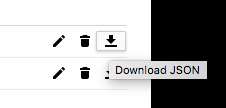
Save the credentials file to `client_secrets.json`. This file
must be distributed with your app.
## Authenticate and call the API
1. Use the client credentials to perform the [OAuth 2.0
flow](https://developers.google.com/identity/protocols/OAuth2).
### Java
```java
import com.google.api.client.auth.oauth2.Credential;
import com.google.api.client.extensions.java6.auth.oauth2.AuthorizationCodeInstalledApp;
import com.google.api.client.extensions.jetty.auth.oauth2.LocalServerReceiver;
import com.google.api.client.googleapis.auth.oauth2.GoogleAuthorizationCodeFlow;
import com.google.api.client.googleapis.auth.oauth2.GoogleClientSecrets;
import com.google.api.client.googleapis.javanet.GoogleNetHttpTransport;
import com.google.api.client.json.JsonFactory;
import com.google.api.client.json.jackson2.JacksonFactory;
import com.google.api.client.util.store.FileDataStoreFactory;
import com.google.api.gax.paging.Page;
import com.google.auth.oauth2.GoogleCredentials;
import com.google.auth.oauth2.UserCredentials;
import com.google.cloud.bigquery.BigQuery;
import com.google.cloud.bigquery.BigQueryException;
import com.google.cloud.bigquery.BigQueryOptions;
import com.google.cloud.bigquery.Dataset;
import com.google.common.collect.ImmutableList;
import java.io.File;
import java.io.IOException;
import java.io.InputStream;
import java.io.InputStreamReader;
import java.nio.file.Files;
import java.nio.file.Path;
import java.nio.file.Paths;
import java.security.GeneralSecurityException;
import java.util.List;
// Sample to authenticate by using a user credential
public class AuthUserFlow {
private static final File DATA_STORE_DIR =
new File(AuthUserFlow.class.getResource("/").getPath(), "credentials");
private static final JsonFactory JSON_FACTORY = JacksonFactory.getDefaultInstance();
// i.e redirect_uri http://localhost:61984/Callback
private static final int LOCAL_RECEIVER_PORT = 61984;
public static void runAuthUserFlow() {
// TODO(developer): Replace these variables before running the sample.
/**
* Download your OAuth2 configuration from the Google Developers Console API Credentials page.
* https://console.cloud.google.com/apis/credentials
*/
Path credentialsPath = Paths.get("path/to/your/client_secret.json");
List scopes = ImmutableList.of("https://www.googleapis.com/auth/bigquery");
authUserFlow(credentialsPath, scopes);
}
public static void authUserFlow(Path credentialsPath, List selectedScopes) {
// Reading credentials file
try (InputStream inputStream = Files.newInputStream(credentialsPath)) {
// Load client_secret.json file
GoogleClientSecrets clientSecrets =
GoogleClientSecrets.load(JSON_FACTORY, new InputStreamReader(inputStream));
String clientId = clientSecrets.getDetails().getClientId();
String clientSecret = clientSecrets.getDetails().getClientSecret();
// Generate the url that will be used for the consent dialog.
GoogleAuthorizationCodeFlow flow =
new GoogleAuthorizationCodeFlow.Builder(
GoogleNetHttpTransport.newTrustedTransport(),
JSON_FACTORY,
clientSecrets,
selectedScopes)
.setDataStoreFactory(new FileDataStoreFactory(DATA_STORE_DIR))
.setAccessType("offline")
.setApprovalPrompt("auto")
.build();
// Exchange an authorization code for refresh token
LocalServerReceiver receiver =
new LocalServerReceiver.Builder().setPort(LOCAL_RECEIVER_PORT).build();
Credential credential = new AuthorizationCodeInstalledApp(flow, receiver).authorize("user");
// OAuth2 Credentials representing a user's identity and consent
GoogleCredentials credentials =
UserCredentials.newBuilder()
.setClientId(clientId)
.setClientSecret(clientSecret)
.setRefreshToken(credential.getRefreshToken())
.build();
// Initialize client that will be used to send requests. This client only needs to be created
// once, and can be reused for multiple requests.
BigQuery bigquery =
BigQueryOptions.newBuilder().setCredentials(credentials).build().getService();
Page datasets = bigquery.listDatasets(BigQuery.DatasetListOption.pageSize(100));
if (datasets == null) {
System.out.println("Dataset does not contain any models");
return;
}
datasets
.iterateAll()
.forEach(
dataset -> System.out.printf("Success! Dataset ID: %s ", dataset.getDatasetId()));
} catch (BigQueryException | IOException | GeneralSecurityException ex) {
System.out.println("Project does not contain any datasets \n" + ex.toString());
}
}
}
```
### Python
```python
from google_auth_oauthlib import flow
# A local server is used as the callback URL in the auth flow.
appflow = flow.InstalledAppFlow.from_client_secrets_file(
"client_secrets.json", scopes=["https://www.googleapis.com/auth/bigquery"]
)
# This launches a local server to be used as the callback URL in the desktop
# app auth flow. If you are accessing the application remotely, such as over
# SSH or a remote Jupyter notebook, this flow will not work. Use the
# `gcloud auth application-default login --no-browser` command or workload
# identity federation to get authentication tokens, instead.
#
appflow.run_local_server()
credentials = appflow.credentials
```
### Node.js
```javascript
const {OAuth2Client} = require('google-auth-library');
const readline = require('readline-promise').default;
function startRl() {
const rl = readline.createInterface({
input: process.stdin,
output: process.stdout,
});
return rl;
}
/**
* Download your OAuth2 configuration from the Google
* Developers Console API Credentials page.
* https://console.cloud.google.com/apis/credentials
*/
const keys = require('./oauth2.keys.json');
/**
* Create a new OAuth2Client, and go through the OAuth2 content
* workflow. Return the full client to the callback.
*/
async function getRedirectUrl() {
const rl = main.startRl();
// Create an oAuth client to authorize the API call. Secrets are kept in a `keys.json` file,
// which should be downloaded from the Google Developers Console.
const oAuth2Client = new OAuth2Client(
keys.installed.client_id,
keys.installed.client_secret,
keys.installed.redirect_uris[0]
);
// Generate the url that will be used for the consent dialog.
const authorizeUrl = oAuth2Client.generateAuthUrl({
access_type: 'offline',
scope: 'https://www.googleapis.com/auth/bigquery',
prompt: 'consent',
});
console.info(
`Please visit this URL to authorize this application: ${authorizeUrl}`
);
const code = await rl.questionAsync('Enter the authorization code: ');
const tokens = await main.exchangeCode(code);
rl.close();
return tokens;
}
// Exchange an authorization code for an access token
async function exchangeCode(code) {
const oAuth2Client = new OAuth2Client(
keys.installed.client_id,
keys.installed.client_secret,
keys.installed.redirect_uris[0]
);
const r = await oAuth2Client.getToken(code);
console.info(r.tokens);
return r.tokens;
}
async function authFlow(projectId = 'project_id') {
/**
* TODO(developer):
* Save Project ID as environment variable PROJECT_ID="project_id"
* Uncomment the following line before running the sample.
*/
// projectId = process.env.PROJECT_ID;
const tokens = await main.getRedirectUrl();
const credentials = {
type: 'authorized_user',
client_id: keys.installed.client_id,
client_secret: keys.installed.client_secret,
refresh_token: tokens.refresh_token,
};
return {
projectId,
credentials,
};
}
```
2. Use the authenticated credentials to connect to the BigQuery API.
### Java
```java
import com.google.api.client.auth.oauth2.Credential;
import com.google.api.client.extensions.java6.auth.oauth2.AuthorizationCodeInstalledApp;
import com.google.api.client.extensions.jetty.auth.oauth2.LocalServerReceiver;
import com.google.api.client.googleapis.auth.oauth2.GoogleAuthorizationCodeFlow;
import com.google.api.client.googleapis.auth.oauth2.GoogleClientSecrets;
import com.google.api.client.googleapis.javanet.GoogleNetHttpTransport;
import com.google.api.client.json.JsonFactory;
import com.google.api.client.json.jackson2.JacksonFactory;
import com.google.api.client.util.store.FileDataStoreFactory;
import com.google.auth.oauth2.GoogleCredentials;
import com.google.auth.oauth2.UserCredentials;
import com.google.cloud.bigquery.BigQuery;
import com.google.cloud.bigquery.BigQueryException;
import com.google.cloud.bigquery.BigQueryOptions;
import com.google.cloud.bigquery.QueryJobConfiguration;
import com.google.cloud.bigquery.TableResult;
import com.google.common.collect.ImmutableList;
import java.io.File;
import java.io.IOException;
import java.io.InputStream;
import java.io.InputStreamReader;
import java.nio.file.Files;
import java.nio.file.Path;
import java.nio.file.Paths;
import java.security.GeneralSecurityException;
import java.util.List;
// Sample to query by using a user credential
public class AuthUserQuery {
private static final File DATA_STORE_DIR =
new File(AuthUserQuery.class.getResource("/").getPath(), "credentials");
private static final JsonFactory JSON_FACTORY = JacksonFactory.getDefaultInstance();
// i.e redirect_uri http://localhost:61984/Callback
private static final int LOCAL_RECEIVER_PORT = 61984;
public static void runAuthUserQuery() {
// TODO(developer): Replace these variables before running the sample.
/**
* Download your OAuth2 configuration from the Google Developers Console API Credentials page.
* https://console.cloud.google.com/apis/credentials
*/
Path credentialsPath = Paths.get("path/to/your/client_secret.json");
List scopes = ImmutableList.of("https://www.googleapis.com/auth/bigquery");
String query =
"SELECT name, SUM(number) as total"
+ " FROM `bigquery-public-data.usa_names.usa_1910_current`"
+ " WHERE name = 'William'"
+ " GROUP BY name;";
authUserQuery(credentialsPath, scopes, query);
}
public static void authUserQuery(
Path credentialsPath, List selectedScopes, String query) {
// Reading credentials file
try (InputStream inputStream = Files.newInputStream(credentialsPath)) {
// Load client_secret.json file
GoogleClientSecrets clientSecrets =
GoogleClientSecrets.load(JSON_FACTORY, new InputStreamReader(inputStream));
String clientId = clientSecrets.getDetails().getClientId();
String clientSecret = clientSecrets.getDetails().getClientSecret();
// Generate the url that will be used for the consent dialog.
GoogleAuthorizationCodeFlow flow =
new GoogleAuthorizationCodeFlow.Builder(
GoogleNetHttpTransport.newTrustedTransport(),
JSON_FACTORY,
clientSecrets,
selectedScopes)
.setDataStoreFactory(new FileDataStoreFactory(DATA_STORE_DIR))
.setAccessType("offline")
.setApprovalPrompt("auto")
.build();
// Exchange an authorization code for refresh token
LocalServerReceiver receiver =
new LocalServerReceiver.Builder().setPort(LOCAL_RECEIVER_PORT).build();
Credential credential = new AuthorizationCodeInstalledApp(flow, receiver).authorize("user");
// OAuth2 Credentials representing a user's identity and consent
GoogleCredentials credentials =
UserCredentials.newBuilder()
.setClientId(clientId)
.setClientSecret(clientSecret)
.setRefreshToken(credential.getRefreshToken())
.build();
// Initialize client that will be used to send requests. This client only needs to be created
// once, and can be reused for multiple requests.
BigQuery bigquery =
BigQueryOptions.newBuilder().setCredentials(credentials).build().getService();
QueryJobConfiguration queryConfig = QueryJobConfiguration.newBuilder(query).build();
TableResult results = bigquery.query(queryConfig);
results
.iterateAll()
.forEach(row -> row.forEach(val -> System.out.printf("%s,", val.toString())));
System.out.println("Query performed successfully.");
} catch (BigQueryException | IOException | GeneralSecurityException | InterruptedException ex) {
System.out.println("Query not performed \n" + ex.toString());
}
}
}
```
### Python
```python
from google.cloud import bigquery
# TODO: Uncomment the line below to set the `project` variable.
# project = 'user-project-id'
#
# The `project` variable defines the project to be billed for query
# processing. The user must have the bigquery.jobs.create permission on
# this project to run a query. See:
# https://cloud.google.com/bigquery/docs/access-control#permissions
client = bigquery.Client(project=project, credentials=credentials)
query_string = """SELECT name, SUM(number) as total
FROM `bigquery-public-data.usa_names.usa_1910_current`
WHERE name = 'William'
GROUP BY name;
"""
results = client.query_and_wait(query_string)
# Print the results.
for row in results: # Wait for the job to complete.
print("{}: {}".format(row["name"], row["total"]))
```
### Node.js
```javascript
async function query() {
const {BigQuery} = require('@google-cloud/bigquery');
const credentials = await main.authFlow();
const bigquery = new BigQuery(credentials);
// Queries the U.S. given names dataset for the state of Texas.
const query = `SELECT name, SUM(number) as total
FROM \`bigquery-public-data.usa_names.usa_1910_current\`
WHERE name = 'William'
GROUP BY name;`;
// For all options, see https://cloud.google.com/bigquery/docs/reference/rest/v2/jobs/query
const options = {
query: query,
};
// Run the query as a job
const [job] = await bigquery.createQueryJob(options);
console.log(`Job ${job.id} started.`);
// Wait for the query to finish
const [rows] = await job.getQueryResults();
// Print the results
console.log('Rows:');
rows.forEach(row => console.log(row));
return rows;
}
const main = {
query,
authFlow,
exchangeCode,
getRedirectUrl,
startRl,
};
module.exports = {
main,
};
if (module === require.main) {
query().catch(console.error);
}
```
When you run the sample code, it launches a browser that requests access to
the project that is associated with the client secrets. You can use the resulting credentials
to access the user's BigQuery resources because the sample
requested the [BigQuery
scope](https://developers.google.com/identity/protocols/googlescopes#bigqueryv2).
## What's next
1. Learn about [other ways to
authenticate your app to access the BigQuery API](https://docs.cloud.google.com/bigquery/docs/authentication).
2. Learn about [authentication with
Google Account user credentials for all Cloud APIs](https://docs.cloud.google.com/docs/authentication/use-cases#app-users).