*This page
applies to **Apigee** and **Apigee hybrid**.*
*View [Apigee Edge](https://docs.apigee.com/api-platform/troubleshoot/policies/deployment/invalidate-cache-deployment-errors) documentation.*
> [!NOTE]
> Was this troubleshooting playbook helpful? Please let us know by clicking [Send Feedback]().
## InvalidCacheResourceReference
### Error Message
Deployment of the API proxy through either the Apigee UI or API fails with this error message:
```
Error Deploying Revision revision_number to environment
Invalid cache resource reference [cache_resource] in Step definition [invalidate_cache_policy_name]. Context Revision:[revision_number];APIProxy:[apiproxy_name];Organization:[organization];Environment:[environment]
```
### Example Error Message
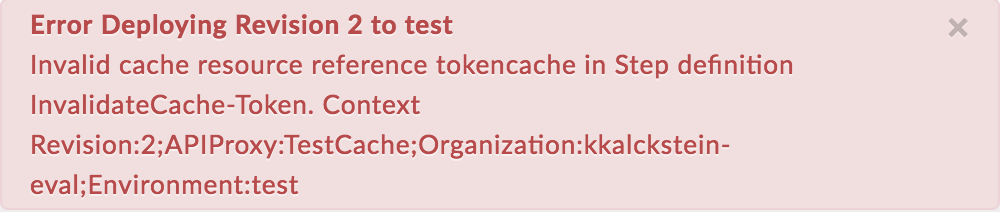
Error Deploying Revision 2 to test
Invalid cache resource reference tokencache in Step definition InvalidateCache-Token. Context Revision:2;APIProxy:TestCache;Organization:kkalckstein-eval;Environment:test
### Example Error Screenshot
### Cause
This error occurs if the `` element in the InvalidateCache policy is set to a name that does not exist in the environment where the API proxy is being deployed.
### Diagnosis
1. Identify the [InvalidateCache policy](https://docs.cloud.google.com/apigee/docs/api-platform/reference/policies/invalidate-cache-policy.md.txt) name, the invalid cache used in `` element of the InvalidateCache policy, and the environment where the error occurred. You can find all these items in the error message. For example, in the following error, the InvalidateCache policy name is `InvalidateCache-Token`, the name of the invalid cache is `tokencache`, and the environment name is `test`.
Invalid cache resource reference tokencache in Step definition InvalidateCache-Token. Context Revision:2;APIProxy:TestCache;Organization:kkalckstein-eval;Environment:test
2. Examine the failed InvalidateCache policy XML and verify if the cache name specified for the `` element matches with the error message.
In this example, the cache name specified in the `` element is `tokencache`:
InvalidateCache-Token
tokencache
Exclusive
default
default
false
3. Verify if the cache (determined in step #1) has been defined in the specific environment (identified in step #1).
In the Apigee UI, navigate to **ADMIN \> Environment \> test** and check if the cache exists in the **Caches** tab of **Environment Configuration**. If the cache does not exist, then that's the cause of the error.
For example, notice in the screenshot below that the cache named `tokencache` does not exist.
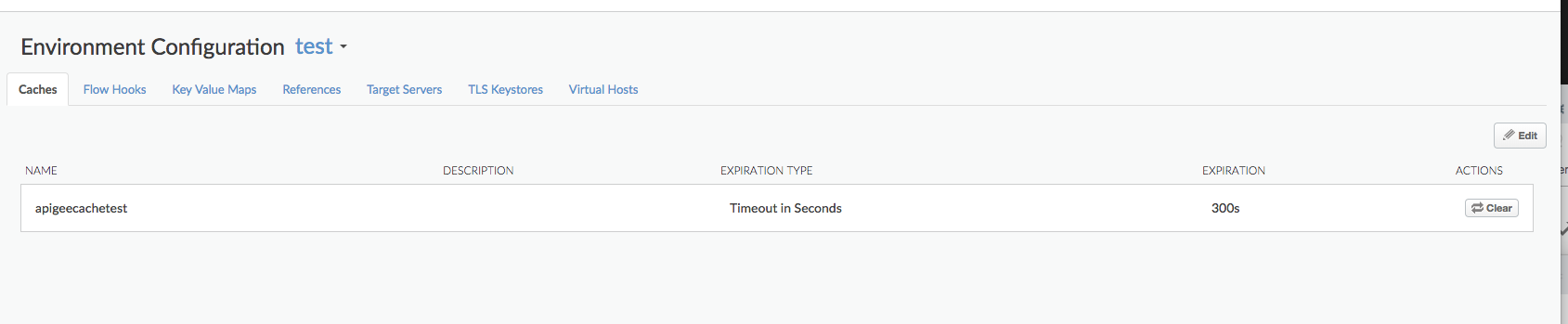
Because the cache named `tokencache` is not defined in the `test` environment, you get the error:
Invalid cache resource reference tokencache in Step definition InvalidateCache-Token. Context Revision:2;APIProxy:TestCache;Organization:kkalckstein-eval;Environment:test
### Resolution
Ensure that the cache specified in the `` element of InvalidateCache policy has been created in the environment where you want to deploy the API proxy.
## CacheNotFound
### Error Message
Deployment of the API proxy through either the Apigee UI or API results in an error message like this, and the deployment status of the API Proxy is marked as partially deployed:
```
Error: Cache : cache_resource, not found in organization : organization__environment.
```
### Example Error Message
Error Cache : configCache, not found in organization : kkalckstein-eval__test
### Cause
This error occurs if the specific cache mentioned in the error message has not been created on a specific Message Processor component. A Message Processor is an internal component that processes the flow of API traffic through Apigee.
### Resolution
Contact [Apigee Support](https://apigee.com/about/support/portal) for assistance.