- [Latest](https://docs.cloud.google.com/anthos/clusters/docs/bare-metal/latest/installing/load-balance)
- [Version 1.16](https://docs.cloud.google.com/anthos/clusters/docs/bare-metal/1.16/installing/load-balance.md.txt)
- [Earlier versions (unsupported)](https://docs.cloud.google.com/anthos/clusters/docs/bare-metal/1.15/getting-support.md.txt#version-support)
## Load balancer options in Google Distributed Cloud
Distributed Cloud supports two load balancer options: bundled and manual.
### Bundled load balancer mode
If you choose bundled load balancing, Google Distributed Cloud deploys Layer 4 load
balancers during cluster installation. An external load balancer isn't needed.
The load balancers can run on a dedicated pool of worker nodes or they can be
located on the same nodes as the control plane.
All nodes that run load balancers must be on the same Layer 2 subnet, because
load balancers broadcast
[ARP](https://en.wikipedia.org/wiki/Address_Resolution_Protocol)
messages to announce VIPs.
See [Configuring bundled load balancing](https://docs.cloud.google.com/anthos/clusters/docs/bare-metal/1.15/installing/bundled-lb.md.txt)
for configuration information.
The following diagram shows an example network topology where bundled load
balancers are located on the control plane nodes.

### Manual load balancer mode
If you choose manual load balancing, Google Distributed Cloud doesn't deploy load
balancers. This allows more flexibility than bundled load balancing and there
are no Layer 2 network requirements.
You must configure your control plane nodes' VIPs on an external load balancer
before installing the cluster. After installation, you must pick a load
balancing solution for Kubernetes Services and Ingresses.
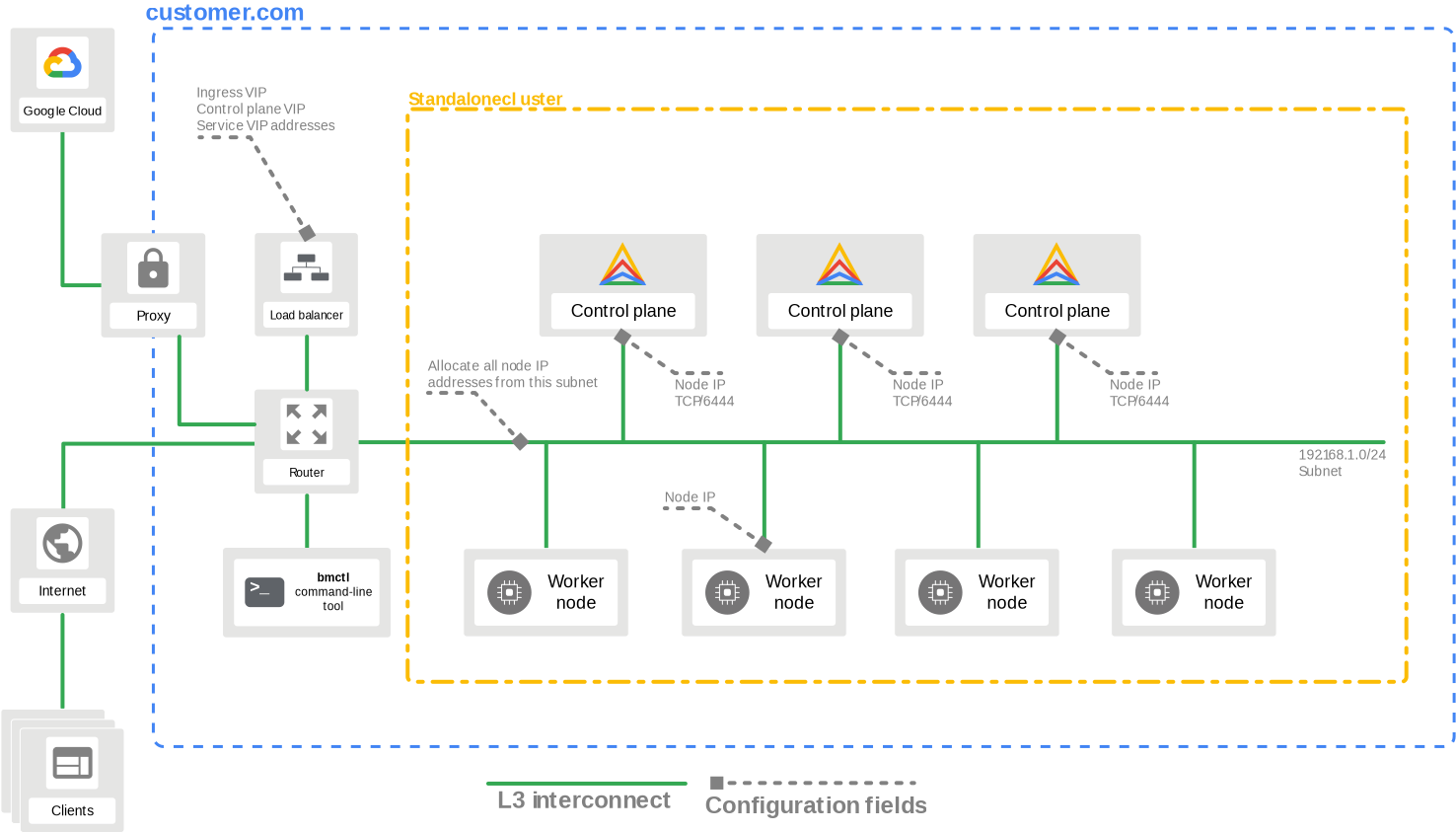
The following diagram shows an example network topology of a cluster using
manual load balancing mode with an external load balancer.